How to Build a WhatsApp AI Agent That Takes Payments
Most service businesses waste hours every day answering the same questions and scheduling appointments. This complete n8n tutorial shows how to automate 80% of customer interactions with an AI-powered WhatsApp agent that handles inquiries, books sessions, and processes payments - while maintaining that personal touch clients expect.
The Business Problem This Solves
Service businesses like personal trainers, consultants, and coaches face the same daily frustrations: answering repetitive questions about availability and pricing, manually scheduling appointments, and chasing payments. These administrative tasks consume valuable time that could be spent delivering services or growing the business.
The WhatsApp AI agent automates this entire workflow while maintaining the personal, conversational experience customers expect. Clients message as they normally would, but instead of waiting for a response, they get instant answers, available time slots, and payment links - all through the familiar WhatsApp interface.
Real-world results: Personal trainers using this system report saving 10+ hours per week on admin while increasing booking conversion rates by 30%. The AI handles 80% of inquiries automatically, only escalating complex questions to the human provider.
Complete Workflow Overview
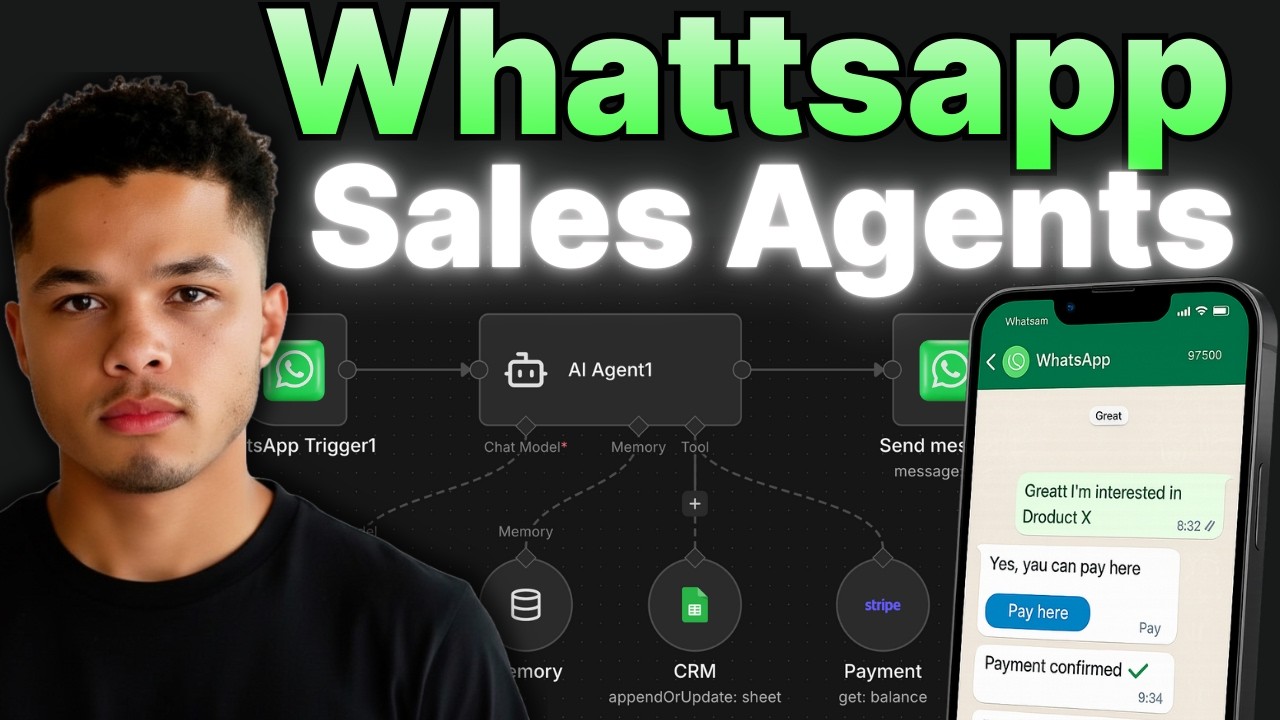
This n8n automation connects four key components: WhatsApp for messaging, Gemini AI for conversation, Google Sheets as a lightweight CRM, and Stripe for payments. The workflow triggers when a new WhatsApp message arrives, processes it through the AI agent, updates the CRM, and sends appropriate responses - including payment links when ready.
Here's the complete sequence:
- Client messages your WhatsApp business number
- n8n receives the message via WhatsApp Business API
- AI agent processes the message with context from previous interactions
- System checks Google Sheets for availability if booking requested
- CRM updates with new booking details
- Appropriate response sent back via WhatsApp
- Payment link included when session details are confirmed
- Stripe webhook marks payment as complete in CRM
Step 1: WhatsApp Business API Setup
The foundation is configuring WhatsApp's Business API to connect with n8n. This requires creating a Facebook Developer account and setting up a WhatsApp Business application. The process involves:
- Creating a new app in Facebook Developer Console
- Adding WhatsApp product to your app
- Generating temporary access tokens for testing
- Setting up a test phone number (or connecting a real Twilio number)
At 4:30 in the video tutorial, you'll see the exact steps to configure the WhatsApp Business Cloud node in n8n. The critical elements are the App ID, App Secret, and temporary access token - all available in your Facebook Developer dashboard.
Pro Tip: For production use, set up a permanent access token following Facebook's system user process. This avoids needing to regenerate tokens every 60 days.
Step 2: AI Agent Configuration
The AI agent uses Google's Gemini model to power natural conversations. The key to success is crafting a detailed system prompt that defines the agent's personality, available services, and business rules. Our prompt includes:
- Agent personality (helpful, professional, concise)
- Service offerings and pricing
- Available time slots
- Booking confirmation requirements
- Payment process explanation
- Examples of good vs bad responses
At 7:15 in the video, you'll see how to configure the AI agent node in n8n. The system message field contains the complete prompt that shapes the agent's behavior. We recommend starting with our template prompt (available in the free community) and customizing it for your specific business.
Step 3: Google Sheets CRM Integration
For simplicity, we use Google Sheets as a lightweight CRM to track bookings. The sheet contains columns for:
- Client name and phone number
- Booking date and time
- Session type
- Payment status
- Client goals/notes
The n8n workflow uses two Google Sheets nodes: one to check existing bookings (avoiding double-booking) and another to add new reservations. At 9:45 in the tutorial, you'll see how to configure these nodes to interact with your specific spreadsheet.
Scalability Note: While Google Sheets works for small businesses, we recommend migrating to Airtable or a dedicated CRM when handling 50+ monthly bookings. The same workflow logic applies.
Step 4: Stripe Payment Processing
The payment flow triggers when a client confirms their booking details. The AI agent responds with the appropriate Stripe payment link based on the session type selected. To set this up:
- Create products in Stripe for each service type
- Generate payment links for each product
- Add these links to your n8n workflow
- Configure Stripe webhooks to update payment status
At 12:30 in the video, you'll see how to create payment links in Stripe and integrate them into the WhatsApp response flow. The system automatically sends the correct link based on whether the client chooses a single session or package.
Adding Conversation Memory & Context
A key advantage over basic chatbots is the AI agent's ability to remember previous interactions. The n8n workflow implements this by:
- Storing conversation history keyed to the client's WhatsApp number
- Maintaining context across multiple messages
- Referencing previous details (like client goals) in later responses
At 14:00 in the tutorial, you'll see the simple memory node configuration that enables this continuity. The system keeps the last 15 messages in context, creating a natural conversation flow without clients needing to repeat information.
Production Deployment Tips
When moving from testing to live deployment:
- Purchase a dedicated WhatsApp Business number via Twilio
- Set up permanent API credentials (not temporary tokens)
- Configure proper error handling for failed payments
- Add human escalation for complex inquiries
- Implement analytics to track conversion rates
The video at 15:45 covers the final production considerations, including how to set up the permanent WhatsApp Business API access token that won't expire. This ensures reliable long-term operation.
Monitoring Tip: Add a weekly n8n workflow to email you a summary of new bookings and payments. This provides visibility without needing to check the CRM constantly.
Watch the Full Tutorial
For a complete walkthrough of every configuration step, watch the full 16-minute tutorial video below. Pay special attention to the WhatsApp API setup at 4:30 and the Stripe payment link integration at 12:30 - these are the most technical sections that benefit from visual demonstration.
Key Takeaways
This WhatsApp AI agent solution demonstrates how automation can transform service business operations. By handling inquiries, scheduling, and payments through a familiar messaging interface, you provide better customer experience while saving hours each week.
In summary: Configure WhatsApp Business API → Build AI agent with Gemini → Connect Google Sheets CRM → Add Stripe payments → Enjoy automated customer interactions that book and pay for your services 24/7.
Frequently Asked Questions
Common questions about WhatsApp payment agents
Service businesses like personal trainers, consultants, salons, and coaches benefit most from this automation. Any business that takes appointments and payments can automate 80% of customer interactions through WhatsApp.
The system handles common inquiries, scheduling, and payments while maintaining a personal touch through WhatsApp's familiar interface. We've implemented versions for:
- Health & wellness professionals
- Professional consultants
- Beauty service providers
- Tutors and educators
The n8n workflow uses conversation memory tied to each user's WhatsApp number. It stores context from previous interactions, allowing the AI to reference past details naturally.
Key memory features:
- Remembers last 15 messages per conversation
- Recalls client preferences and booking history
- Maintains context across multiple days
Yes, the Google Sheets CRM in the tutorial can be replaced with any system that has an API. n8n integrates with 400+ applications including popular CRMs.
Common integrations we've implemented:
- HubSpot
- Salesforce
- Zoho CRM
- Custom databases
While the tutorial uses Stripe, you can integrate PayPal, Square, or other payment processors. The workflow sends payment links that work with any provider.
Payment integration considerations:
- Stripe recommended for reliability
- Webhooks automatically update payment status
- Supports one-time and recurring payments
The tutorial provides all needed templates, reducing the technical barrier significantly. Basic familiarity with n8n helps, but no coding is required.
Implementation timeline:
- 2-3 hours for basic setup
- Pre-built flows available
- Community support for questions
Yes, the Gemini AI model supports over 40 languages out of the box. You can configure multilingual responses based on customer preference.
Multilingual capabilities:
- Detects customer's language automatically
- Maintains context across languages
- Supports right-to-left languages
The main costs are the WhatsApp Business API (about $0.01 per message) and AI model usage (approximately $5 per 1,000 conversations). n8n's cloud plan starts at $20/month.
Typical monthly costs:
- $30-50 for small businesses
- Scales with message volume
- Far less than hiring staff
We build custom WhatsApp automation solutions tailored to your specific business needs. Our team handles the complete setup from configuration to deployment.
Our implementation service includes:
- WhatsApp Business API configuration
- AI prompt engineering for your services
- CRM integration with your existing systems
- Payment processor setup
- Ongoing support and optimization
Ready to Automate Your Customer Interactions?
Every hour spent answering repetitive questions is time not growing your business. Our team can have your WhatsApp AI agent live in under 48 hours - handling inquiries, bookings, and payments automatically.