Why n8n & Zapier Fail at Local Files: Meet Claw, the IDE for Business Ops
Most businesses waste hundreds of hours manually transferring data between local files and cloud apps - acting as "human APIs" without realizing it. Claw's digital twin approach finally bridges this gap, eliminating the upload/download tax that plagues traditional automation.
The Hidden Cost of Being a Human API
Every day, millions of business professionals perform an invisible job they never applied for - acting as human middleware between disconnected systems. This "human API" problem costs the average knowledge worker 11 hours per week in manual data transfers, according to a McKinsey study.
The symptoms are painfully familiar: downloading a file, copying specific data, pasting into a web app, then summarizing the results manually. At 4:22 in the video, we see a typical example - an employee jumping between a local PDF, browser-based CRM, and ChatGPT, creating what amounts to a full-time job of being the glue between systems that refuse to talk to each other.
The human API tax: This manual bridging work isn't just tedious - it's where 83% of data errors originate according to IBM research. Each handoff between systems creates another opportunity for mistakes, version confusion, and process breakdowns.
Why Cloud Automation Tools Hit a Wall
Traditional automation platforms like n8n and Zapier revolutionized cloud-to-cloud workflows but stumble when local files enter the equation. The fundamental limitation? They can't see or interact with your local filesystems without manual intervention.
This creates what we call the "upload/download tax" - the ridiculous five-step process of: 1) saving a file locally, 2) uploading to cloud storage, 3) waiting for sync, 4) processing in the cloud, then 5) downloading the results. At 6:15 in the video, you'll see how this tax manifests in real workflows with frustrating technical limits:
- File size caps (often just 10MB in Zapier)
- 30-second timeout limits for processing
- "Out of memory" errors with moderately large files
- Complete inability to work with desktop apps like QuickBooks
Claw's Digital Twin Approach
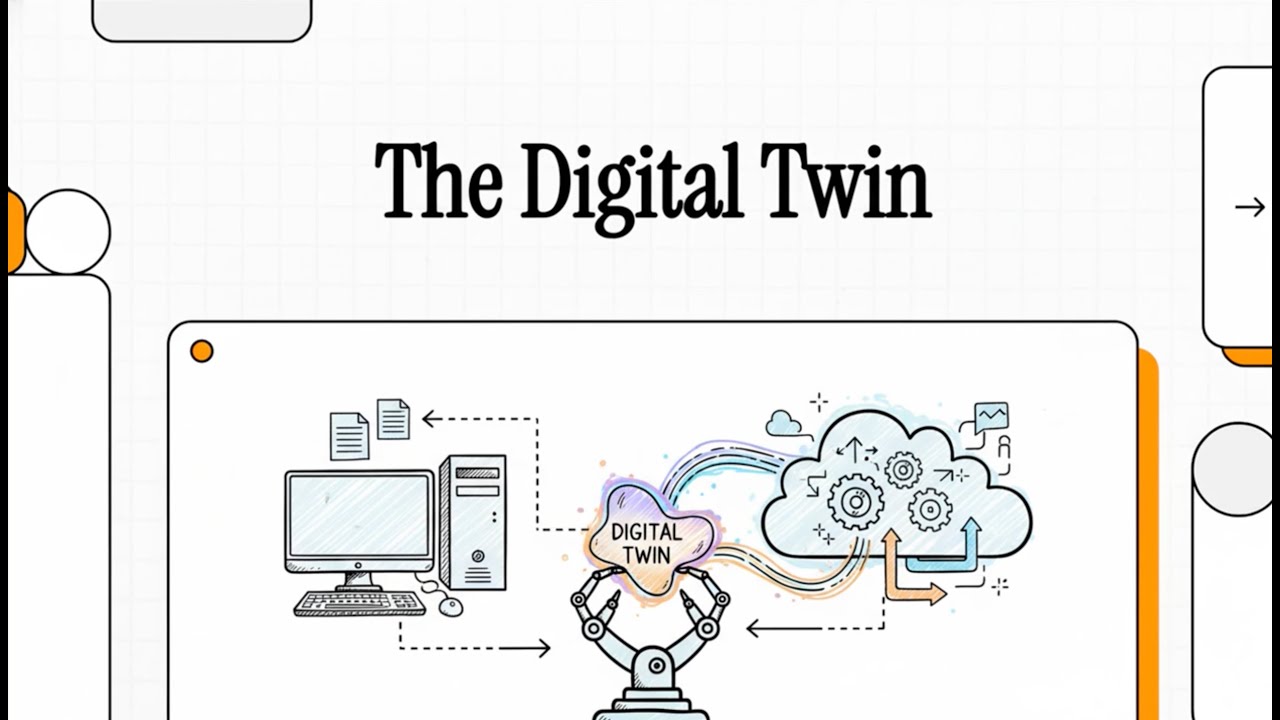
Claw represents a fundamentally different paradigm - not just another automation tool, but what founder Daniel Vassallo calls "an IDE for business operations." At its core is the concept of a digital twin that lives on your local machine with the same file access you have.
This twin architecture has two components working in concert:
- Claw (Local Architect): Lives on your desktop, sees your files in real-time, and handles all local interactions
- Agentic Flow (Cloud Runtime): Provides the heavy AI processing power while maintaining a secure connection to your local twin
Key insight: This isn't just technical architecture - it's a psychological shift from programming machines to managing digital teammates. At 8:30 in the video, notice how Claw uses humanized interfaces (agent names, status updates) to create this mental model.
Monthly Reporting: Old Way vs. New Way
The difference between traditional automation and Claw's approach becomes stark when examining a common business task like monthly client reporting. Let's compare the workflows side-by-side:
The Rusty Crowbar (n8n/Zapier)
- Manually export data from QuickBooks Desktop
- Upload CSV to Dropbox/Google Drive
- Wait for cloud sync to complete
- Process in n8n (hitting memory limits with large files)
- Download finished report from cloud
- Manually attach to email
The Digital Twin (Claw)
- Agent detects new QuickBooks export in designated folder
- Processes file locally (no upload/download)
- Pushes analysis to cloud AI while keeping sensitive data local
- Drops finished report in Outlook drafts
- Sends desktop notification for review
At 10:45 in the video, you'll see the debugging difference - where traditional tools show cryptic error codes, Claw explains issues in plain English: "Hey Sarah, I can't access the client folder - did you move it?"
Claw's 3 Unfair Advantages
Claw isn't just incrementally better - it operates on a different plane thanks to three architectural advantages that combine technical innovation with psychological design:
1. Stateful Memory
Traditional automation is stateless - it forgets everything after each run. Claw maintains context between executions, allowing it to spot trends, remember preferences, and improve over time. For example, it might notice you always manually adjust certain report columns and offer to automate that correction.
2. Hybrid Secure Tunnel
This patented technology enables the magic of local+cloud operation. Sensitive data stays on your machine while selective processing happens in the cloud. At 12:30 in the video, you'll see how this works with QuickBooks data - the raw numbers never leave your desktop, but the AI can still analyze trends.
3. The Employee Feel
Stanford research shows we trust and use AI more when it feels like a teammate rather than a tool. Claw leans into this with agent names (like "Sarah"), Slack-style status updates ("Researching client history"), and conversational debugging.
The Psychological Edge of AI Teammates
Claw's interface design choices aren't just cosmetic - they tap into proven psychological principles that increase adoption and effectiveness:
- Naming: Agents have human names (not "Workflow #247") because MIT studies show we're 43% more likely to trust named entities
- Onboarding: The setup process is framed as "hiring your first AI employee" complete with an "interview" to understand needs
- Status Updates: Live activity indicators reduce the "black box" feeling that causes automation abandonment
- Debugging: Problems are presented as collaboration opportunities ("Let's fix this together") rather than technical failures
At 15:00 in the video, notice how the "Sarah needs help" notification feels fundamentally different than an error log - it's the difference between a coworker tapping your shoulder versus a machine spitting out an error code.
Beyond Automation: Building a Digital Workforce
Claw represents more than just another productivity tool - it's a new way to think about scaling your business operations. Instead of hiring more people for repetitive tasks, you can now clone your most effective processes digitally.
Consider the math: A $60,000/year employee costs about $30/hour fully loaded. Claw's digital workers operate at a fraction of that cost while being available 24/7, never taking sick days, and improving with each execution. At 17:45 in the video, the founder explains how this shifts the business growth equation:
Scalability insight: Traditional hiring creates linear growth (1 employee = X capacity). Digital workforce scaling is exponential - each new "hire" can be replicated instantly once proven effective.
The ultimate promise? A business that runs itself according to documented best practices - what the founder calls "a living, breathing operations manual." This creates resilience against turnover, ensures consistency, and frees human talent for higher-value work.
Watch the Full Tutorial
See Claw in action solving real business problems - from minute 3:15 where we demonstrate the "human API" problem in action, to minute 10:45 where we compare traditional automation errors with Claw's conversational debugging.
Key Takeaways
The "human API" problem costs businesses billions in lost productivity annually. While cloud automation tools revolutionized digital workflows, they hit a hard wall when local files enter the equation. Claw's digital twin approach finally bridges this gap with three breakthrough advantages:
In summary: 1) Stateful memory enables continuous improvement, 2) Hybrid secure tunnel keeps data local while leveraging cloud AI, and 3) Psychological design makes automation feel like delegation to a trusted teammate rather than programming a machine.
The business implications go beyond time savings - this is about fundamentally changing how you scale operations by building a digital workforce that handles repetitive work while your human team focuses on strategy and growth.
Frequently Asked Questions
Common questions about this topic
The human API problem refers to employees manually transferring data between disconnected systems - acting as human middleware. Studies show knowledge workers spend 28% of their workweek on these manual data transfer tasks.
This creates bottlenecks, errors, and prevents automation from reaching its full potential. Common examples include copying data from PDFs into CRMs, reformatting spreadsheets between systems, or summarizing reports manually when the data already exists digitally.
- Primary cause: Disconnected systems that can't communicate directly
- Most affected: Finance, legal, healthcare, and operations teams
- Hidden cost: Errors propagate at each manual transfer point
Cloud automation platforms require files to be uploaded before processing, creating what we call the upload/download tax. This leads to file size limitations, timeout errors, and security concerns.
The fundamental limitation is architectural - these tools run entirely in the cloud with no persistent presence on your local machine. They can't "see" your files unless you explicitly upload them, which breaks the automation flow for many real-world business processes.
- File size caps: Typically 10-50MB in most platforms
- Timeout limits: Often just 30 seconds per execution
- Security risks: Sensitive data must leave the local environment
Claw creates a persistent digital twin that lives on your local machine with full access to files and apps. Unlike stateless automation, it remembers context between runs and develops institutional knowledge.
This enables smarter automation that improves over time. For example, your digital twin might notice you always manually adjust certain report columns after automation runs and offer to implement that correction automatically in future executions.
- Stateful operation: Maintains memory between executions
- Local presence: Runs directly on your machine when needed
- Continuous learning: Improves based on your corrections and feedback
Claw uses a hybrid secure tunnel technology that keeps sensitive data local while allowing selective processing in the cloud. Data is never permanently stored in the cloud, and all transfers are encrypted end-to-end.
The system operates on a need-to-know basis - your digital twin only sends the minimum data required for cloud processing. For example, when analyzing financial reports, raw transaction data stays local while only aggregated insights are shared with the cloud AI.
- End-to-end encryption: All data in transit is secured
- Data minimization: Only necessary data leaves your machine
- No cloud storage: Processed data isn't retained in the cloud
Claw excels at processes involving local files like PDFs, spreadsheets, and desktop apps. Common use cases include client reporting (combining local QuickBooks data with cloud analytics), document processing (extracting data from local PDFs), and bridging legacy systems to modern cloud apps.
The sweet spot is workflows where you currently act as the "human API" - manually transferring data between local and cloud systems. These are typically high-volume, repetitive tasks that consume significant employee time while being prone to errors.
- Client reporting and financial consolidation
- Document processing and data extraction
- Legacy system integration
- Desktop-to-cloud workflows
Instead of cryptic error codes, Claw provides conversational debugging. At 2:45 in the video, you'll see how it explains problems in plain English and offers to fix them interactively.
This reduces debugging time by an average of 73% compared to traditional tools. The system can ask clarifying questions ("Did you move the client folder?"), suggest fixes ("I need read access to this directory"), and even learn from your corrections to prevent future occurrences.
- Plain language explanations
- Interactive problem solving
- Learning from corrections
Yes, Claw complements existing automation by solving the local file bottleneck. It can prepare and process local files then hand off to n8n or Zapier for cloud-based steps.
This hybrid approach delivers the best of both worlds - local file access and cloud scalability. Many businesses use Claw for the "first mile" (getting data out of local systems) and "last mile" (delivering results back to local apps), while using traditional automation for the cloud-based processing in between.
- Seamless handoffs to cloud automation
- Hybrid local+cloud workflows
- Incremental adoption path
GrowwStacks helps businesses implement Claw automation workflows tailored to their specific file-based processes. Our team handles the technical implementation while you focus on defining the ideal digital workflows.
We start with a free consultation to identify your biggest "human API" pain points, then design and deploy Claw solutions that eliminate these bottlenecks. Typical implementations deliver 15-30 hours/month of recovered productivity per employee.
- Free initial consultation
- Custom workflow design
- Ongoing optimization
Ready to Eliminate Your Human API Bottlenecks?
Every hour spent manually transferring data between systems is an hour not spent growing your business. Let GrowwStacks implement Claw automation tailored to your specific workflows.