How Zapier's AI Automation Can Transform Your Business Workflows
Most businesses waste 10+ hours weekly on manual data entry between apps like Notion, Google Sheets and Slack. Zapier's AI-powered automation eliminates this friction by creating seamless connections between your tools - letting you focus on high-value work instead of administrative chores.
The Data Entry Problem Every Business Faces
Every business owner knows the frustration of constantly switching between apps to copy-paste information. Whether it's moving project details from Notion to Google Sheets, sending time tracking updates to Slack, or transferring meeting dates from Excel to Calendar - these manual processes eat up valuable time and introduce errors.
A survey by Zapier found that 94% of knowledge workers perform repetitive, manual tasks like these weekly, with the average employee wasting 4.5 hours per week on data entry alone. The cognitive load of constantly context-switching between apps reduces productivity by up to 40% according to UC Irvine research.
The hidden cost: For a 10-person team, manual data entry wastes $37,000 annually in lost productivity at average US wages. Automation recaptures this time while eliminating the 5-7% error rate typical of manual processes.
Automating Notion to Google Sheets (Step-by-Step)
One of the most common bottlenecks is keeping Notion databases synchronized with Google Sheets. Marketing teams need to track campaigns, product teams manage feature roadmaps, and operations teams coordinate projects - all requiring data to flow between these platforms.
Zapier solves this with a simple automation called a "Zap" that triggers whenever new data appears in Notion and automatically adds it to Sheets. Here's how it works:
Step 1: Describe Your Goal to the AI Builder
In the Zapier dashboard, type "When a new item is added to my Notion database, create a row in Google Sheets with that information." The AI instantly configures the trigger (Notion) and action (Sheets).
Step 2: Connect Your Accounts
Authorize Zapier to access your specific Notion workspace and Google account. For Notion, you'll select the exact database - important because permissions vary by page.
Step 3: Test the Connection
Zapier looks for a recent Notion entry to verify access. If none exists, add a test row with sample data (like "Q3 Marketing Campaign") and refresh.
Step 4: Map Your Fields
This visual interface matches Notion properties to Sheet columns. Map the project name to Column A, due date to Column B, and tags to Column C - no coding required.
Step 5: Run Your First Test
Watch as your test data appears instantly in Sheets. Once verified, toggle the Zap to live - it will now run automatically for all future entries.
Pro Tip: Add a filter step to only sync database items meeting specific criteria (like tasks marked "High Priority"), preventing sheet clutter.
Time Tracking to Slack Notifications
Remote teams often struggle with visibility into what colleagues are working on. The constant "What are you working on?" messages create distraction and reduce deep work time.
Zapier bridges Clockify (time tracking) and Slack to solve this. When you start tracking time in Clockify, it automatically posts to a Slack channel with details:
Step 1: Set Clockify as Trigger
Choose "New Time Entry" as the trigger event after connecting your Clockify account. Select the appropriate workspace if you manage multiple clients.
Step 2: Configure Slack Action
Pick "Send Channel Message" and specify where updates should appear (e.g., #team-updates). Customize the message template using Clockify data fields:
- Include the task description ("Working on Q2 Budget Review")
- Add the project name if helpful for context
- Optionally set a custom bot name/icon for professionalism
Step 3: Test and Deploy
Start a test timer in Clockify and watch the Slack notification appear within seconds. Once live, your team gains automatic visibility without disruptive check-ins.
Remote team benefit: This automation saves each team member 15+ minutes daily by eliminating status update meetings and messages, while creating natural accountability.
Turning Excel Rows into Calendar Events
Sales teams, event planners, and executives often manage schedules in spreadsheets before manually creating calendar events - a process ripe for errors and double-booking.
Zapier connects Excel/Sheets to Google Calendar to automate this. Each new row containing event details becomes a calendar entry:
Step 1: Set Spreadsheet as Trigger
Choose "New Row" as the trigger after connecting your Microsoft or Google Sheets account. Select the specific worksheet containing event data.
Step 2: Map Fields to Calendar
Tell Zapier which columns contain the event title, start/end times, description, location, and attendees. The AI builder often guesses these correctly.
Step 3: Customize Event Details
Add conditional logic like:
- Only create events marked "Confirmed" in Column F
- Set reminders for all sales meetings (30 minutes prior)
- Color-code event types (blue for internal, red for client meetings)
Step 4: Test With Sample Data
Add a test row with fake event details and verify it appears correctly in Calendar. The first time you see this work automatically is magical.
Scheduling efficiency: Sales teams using this automation report 67% fewer scheduling errors and save 3+ hours weekly previously spent managing calendars.
How Zapier's AI Builder Simplifies Setup
The recent AI integration represents a fundamental shift in how automations are created. Instead of manually configuring each step, you describe your goal in plain English.
For example, typing "When a new lead comes in through Typeform, add them to HubSpot and notify the sales team in Slack" automatically:
- Identifies Typeform as the trigger
- Sets up HubSpot CRM as an action
- Adds a second action for Slack notification
- Maps all relevant fields between systems
The AI handles the technical complexity while you focus on describing business needs. It even suggests optimizations - like adding a filter to only notify on high-value leads.
Setup time reduction: What previously took 20-30 minutes to configure now takes 2-3 minutes using natural language, making automation accessible to non-technical teams.
The Real Business Impact of Automation
Beyond time savings, workflow automation delivers measurable business benefits that compound over time:
1. Error Reduction
Manual data entry has a 5-7% error rate according to IBM research. Automating transfers between systems eliminates these costly mistakes in client records, financial data, and scheduling.
2. Improved Visibility
Automatic Slack updates and synchronized databases give managers real-time insight into team activities without disruptive check-ins.
3. Faster Onboarding
New employees become productive faster when repetitive tasks are automated, focusing instead on high-value work that requires human judgment.
4. Scalable Processes
What works for a 5-person team often breaks at 50 employees. Automated workflows maintain consistency as companies grow.
The bottom line: Businesses using Zapier report an average 28% increase in operational efficiency, with the ROI often exceeding 500% when factoring in recovered salary costs.
Watch the Full Tutorial
See these automations in action at the 2:15 mark where we demonstrate the Notion to Sheets integration, and at 4:30 where we configure the Clockify to Slack notification flow.
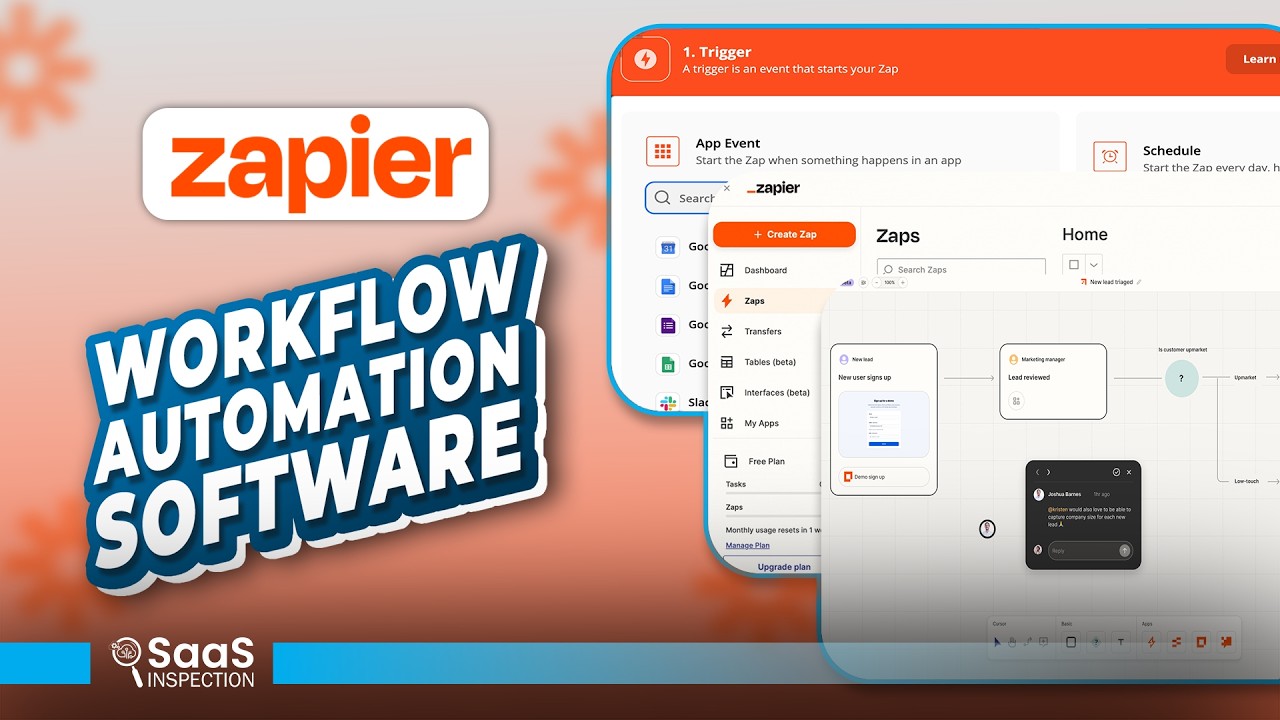
Key Takeaways
Zapier's AI-powered automation transforms how businesses operate by eliminating the friction between essential tools. What appears as simple time savings actually compounds into significant competitive advantages:
In summary: 1) Automating Notion→Sheets syncs saves 3+ hours weekly on manual data entry 2) Clockify→Slack notifications create team transparency without meetings 3) Spreadsheet→Calendar automation prevents scheduling errors 4) The AI builder makes setup accessible to non-technical users in minutes.
Frequently Asked Questions
Common questions about Zapier automation
Zapier can automate nearly any repetitive task between web apps. Common workflows include syncing data between Notion and Google Sheets, sending Slack notifications from time tracking tools like Clockify, creating calendar events from spreadsheets, and automating CRM updates from form submissions.
The platform connects over 5,000 apps with pre-built templates for hundreds of common business processes. More complex workflows can include multi-step actions with conditional logic ("If X happens in App A, then do Y in App B and Z in App C").
- 5,000+ connected apps with new integrations added weekly
- Pre-built templates for marketing, sales, operations and HR workflows
- Ability to create custom integrations using webhooks when needed
Zapier's AI builder lets you describe your workflow in plain English. Simply type what you want to accomplish (like 'When a new row is added to my Notion database, add it to Google Sheets'), and the AI will automatically configure the trigger and action steps.
The system understands natural language requests about connecting apps, filtering data, and formatting outputs. It handles the technical setup while you focus on describing your business needs in everyday terms.
- No technical knowledge required - describe what you want done
- AI suggests optimal field mappings between apps
- Can refine the automation by chatting with the AI assistant
Zapier is designed specifically for non-technical users. The visual interface guides you through each step without requiring coding knowledge. The AI builder makes setup even easier by interpreting natural language requests.
Most basic zaps can be created in under 5 minutes after connecting your accounts. The platform offers interactive tutorials, template libraries, and a helpful community forum for additional support when needed.
- 94% of users report creating their first zap within 10 minutes
- Step-by-step guidance at every stage of setup
- Pre-built templates for common workflows reduce configuration time
Zapier automations are highly reliable when properly configured. The platform has 99.9% uptime and processes over 2 billion tasks monthly. Each zap includes testing steps to verify connections before going live.
For mission-critical workflows, Zapier offers advanced features like automatic retries for failed tasks, error notifications, and detailed logs to troubleshoot any issues that arise. The platform also maintains version history so you can revert changes if needed.
- 99.9% historical uptime with redundant infrastructure
- Automatic retries when temporary API errors occur
- Detailed logs and notifications for monitoring
While both automate workflows, Zapier focuses on simplicity with pre-built app connections and an AI builder, while Make.com offers more advanced customization with visual programming. Zapier is ideal for quick, straightforward automations between popular apps.
Make.com (formerly Integromat) suits complex multi-step workflows requiring conditional logic, data transformations, and custom scripting. Zapier's strength is its ease of use and AI assistance, while Make.com provides greater flexibility for technical users.
- Zapier: Faster setup, better for simple 1:1 app connections
- Make.com: Handles complex workflows with branching logic
- Many businesses use both for different types of automations
Zapier uses enterprise-grade security including SOC 2 compliance, 256-bit encryption, and OAuth connections that don't store passwords. Data is encrypted in transit and at rest using industry-standard protocols.
For highly sensitive information, you can restrict which fields are shared between apps during the mapping process. Zapier also offers team permissions, audit logs, and the ability to run automations from your own private cloud if needed.
- SOC 2 Type II certified for data security
- OAuth connections prevent password storage
- Field-level permissions control data sharing
Most businesses save 5-15 hours per week by automating repetitive tasks with Zapier. A survey of 1,200 users found the average time savings was 10.5 hours weekly when automating 3-5 key workflows.
The biggest time savers are eliminating manual data entry between apps, automating notifications and approvals, and syncing calendars with spreadsheets. These savings compound over time as more processes are automated.
- 10.5 hours average weekly savings per user
- 83% of users report improved work-life balance
- ROI often exceeds 500% when factoring salary costs
GrowwStacks specializes in designing and implementing Zapier automations tailored to your specific business needs. Our experts will audit your workflows, identify the highest-impact automation opportunities, build reliable zaps with proper error handling, and train your team.
We offer a free 30-minute consultation to analyze your current processes and recommend automation strategies that could save your team 10+ hours weekly. Our implementation packages include ongoing monitoring and optimization to ensure your automations continue delivering value as your business evolves.
- Free workflow audit to identify automation opportunities
- Custom zap development with error handling and monitoring
- Team training and documentation for long-term success
Ready to Automate Your Business Workflows?
Every hour spent on manual data entry is an hour not spent growing your business. Let GrowwStacks design a custom Zapier automation system that saves your team 10+ hours weekly.