
The Disconnected Tools Problem That Delays Every Creative Project by 30–40%
Creative content teams typically operate across a fragmented stack of disconnected tools: ideas captured in Slack or WhatsApp, briefs emailed to designers, copy written in Google Docs, approvals tracked in spreadsheets, deadlines managed through calendar reminders, and social posts scheduled in yet another platform. Each handoff between tools is a friction point where ideas get lost, status becomes unclear, and coordination overhead consumes the time that should be spent creating. The result is the 30–40% project delay rate that creative teams accept as a normal cost of doing business — when it's actually a structural workflow problem that automation can eliminate.
The content opportunity problem compounds the workflow problem. Trending news stories and timely topics represent the highest-engagement content opportunities on social platforms — but capitalising on them requires monitoring multiple news sources continuously and generating content fast enough to be relevant. Manual news monitoring is unreliable (team members only check sources when they remember to) and slow (generating content from a news item still requires the same manual creation bottleneck). By the time a manual workflow produces content about a trend, the trend has typically moved on.
Building the Content Operations System: Two Scenarios That Together Cover Every Content Source
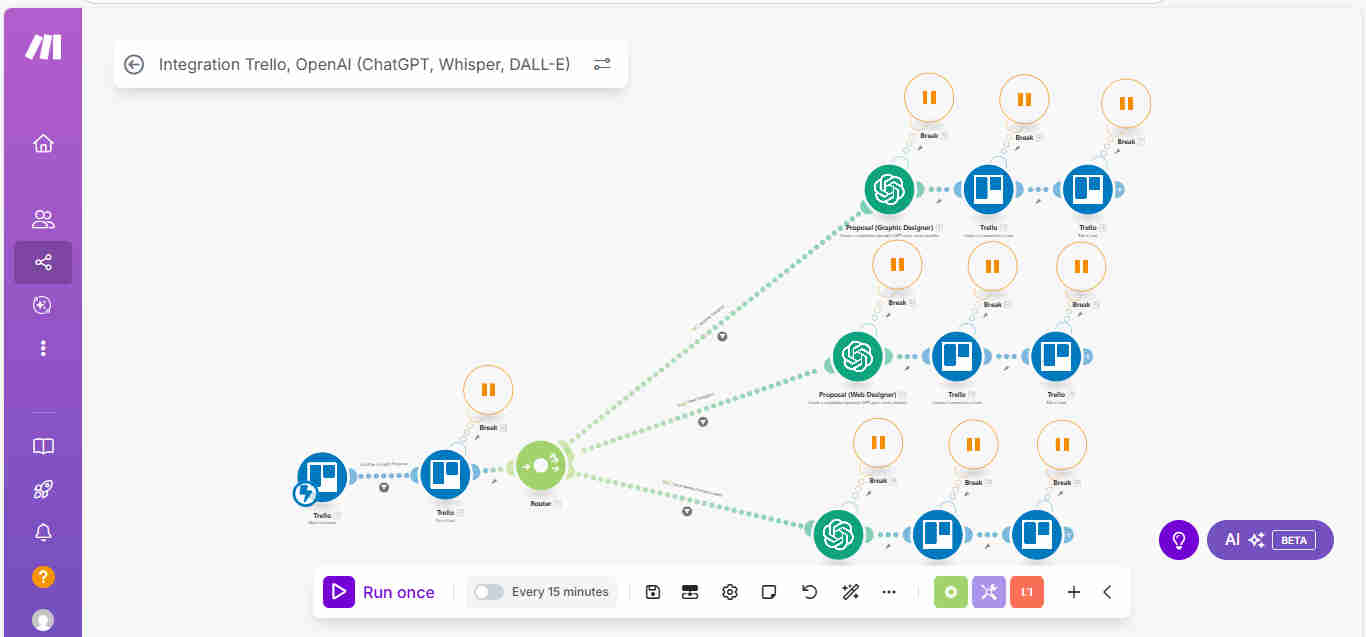
GrowwStacks engineered a dual-scenario Make.com automation that addresses both the workflow problem and the content opportunity problem simultaneously. Scenario 1 monitors the Trello ideation board for new idea cards added by any team member, triggers ChatGPT to generate a complete multi-platform content package from the idea, and then handles all the operational overhead — organising the content into platform-specific cards, moving everything to the correct workflow stage, assigning to the right team members, and setting appropriate deadlines. Scenario 2 runs continuously in parallel, watching configured RSS feeds for relevant articles and automatically generating content ideas and Trello cards when news stories matching the team's topic criteria appear.
The design philosophy was to give teams a single centralised system — the Trello board — where they can see the complete state of all content in production at any moment, while eliminating every manual step between an idea appearing and the team being ready to execute on it. No more separate briefing sessions. No more manual task assignments. No more deadline-setting conversations. And no more missed trending topics from unreliable manual monitoring.
The Two-Scenario Architecture: Manual Ideas and Automated News Coverage
The system operates across two parallel Make.com scenarios that together ensure no content opportunity — whether originating from a team idea or a news story — falls through the gaps of a manual workflow.
- Scenario 1 — Trello card monitoring: The Make.com watch module monitors the designated ideation column on the Trello board continuously. When any team member adds a new card to the ideation column — whether on desktop or mobile — the scenario fires within minutes. The card content (title and any description added) is captured as the content idea input for ChatGPT generation.
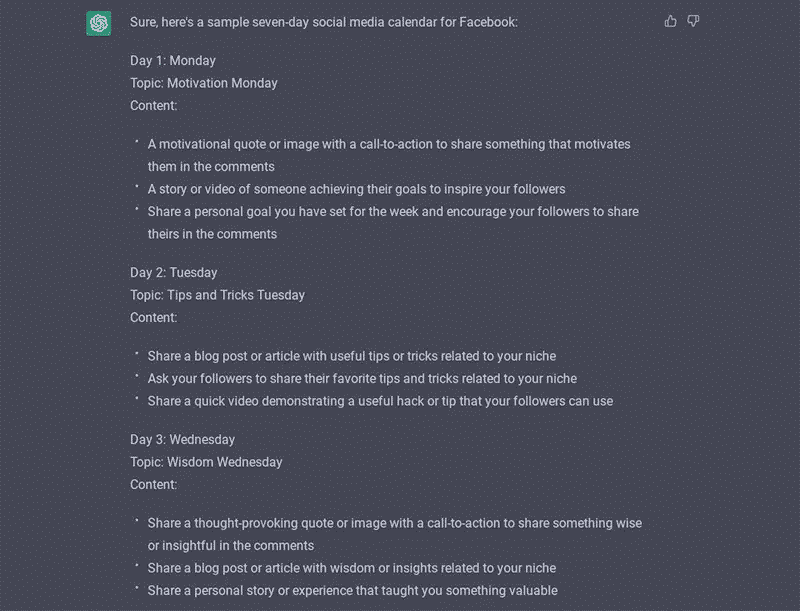
- Multi-platform content generation: ChatGPT receives the idea card content with a prompt engineered to produce a complete multi-platform content package in a single generation pass. The output includes: a detailed graphics description brief for the design team (dimensions, visual concept, text overlay, brand elements), website copy (headline, body copy, meta description, CTA text), and social media posts for each configured platform (LinkedIn, Instagram, Facebook, Twitter/X — each formatted to platform conventions).
- Content type card creation: The generated content is split into separate Trello cards by content type — one card for the graphics brief, one for the website copy, one per social platform. Each card contains the full generated content for that deliverable, labelled with the content type and linked to the parent idea. This organisation enables different team members to work on their respective deliverables independently without navigating a single overloaded card.
- Workflow stage placement: Each content type card is placed in the appropriate workflow column — graphics brief cards go to the "Design" column, copy cards to "Writing", social cards to "Social Media Creation". The parent idea card moves from "Ideation" to "In Production" to signal that work has been initiated and the full brief has been generated.
- Smart team assignment: Assignment logic routes each card to the appropriate team member based on content type — designers receive graphics briefs, copywriters receive website copy, social media managers receive social posts. Assignment rules are configured during implementation based on each team member's role and responsibilities, and can be updated in the Make.com scenario without rebuilding.
- Timeline and deadline setting: Due dates are set on each card based on content type and configured timelines — graphics briefs typically get a 2-day turnaround, copy gets 1 day, social posts get same-day. Deadlines are calculated from the card creation date, ensuring consistent production timelines without manual calendar management.
- Scenario 2 — RSS news monitoring: The second scenario runs on a scheduled interval, checking configured RSS feeds from news sources, industry publications, or competitor blogs relevant to the team's content topics. Keyword filters ensure only articles matching the team's defined topic criteria trigger the workflow — preventing irrelevant content from generating unnecessary cards.
- News-to-content card creation: When a matching article is detected, ChatGPT receives the article headline and summary with a prompt to generate a timely content angle and initial copy brief. A Trello card is created in the ideation column (or directly in the content creation column if configured) with the generated content, article source link, the detected news topic, and team assignments appropriate for rapid response content. The team is immediately notified that a trending topic opportunity has been captured and is ready for fast-track production.
💡 The workflow insight that eliminates team confusion: The most common failure mode in creative team coordination isn't missed deadlines — it's unclear ownership. When a single content card is assigned to a team without specifying which person owns which deliverable, work either gets duplicated or falls through the gaps between roles. Creating separate cards per content type with role-specific assignments eliminates this ambiguity entirely — every person on the team opens Trello and sees exactly what they own, what its current status is, and when it's due.
What This System Does That Manual Content Workflows Can't
Multi-Platform Content Generation
ChatGPT creates complete content packages from a single Trello idea card — graphics descriptions, website copy, and social posts for every configured platform, all generated simultaneously in one automated step. Produces content 5× faster than manual creation while maintaining platform-specific formatting and quality standards.
Visual Workflow Management
Trello organises content through clearly defined stages — ideation, creation, review, ready for posting — with card-based visual interface providing complete team visibility at a glance. Eliminates the status uncertainty and coordination meetings that manual workflows require by making every piece of content's progress immediately visible to the whole team.
Automated RSS News Monitoring
Watches configured RSS feeds continuously, detecting relevant articles and generating content ideas with AI the moment a trending topic appears — creating Trello cards with content and team assignments automatically. Captures 85% more timely content opportunities than manual monitoring, enabling the team to be consistently present in trending conversations.
Smart Team Assignment
Role-based assignment logic routes every content card to the correct team member — designers receive graphics briefs, writers receive copy, social managers receive social posts — without manual assignment decisions. Eliminates the coordination overhead and ownership confusion that slows creative teams and causes deliverables to fall between roles.
Automated Timeline Management
Due dates are set automatically on every card based on content type and configured production timelines, calculated from creation date. Eliminates manual calendar management and ensures consistent production pace — teams work to system-set deadlines rather than relying on individual memory or manual reminder-setting.
Workflow Stage Automation
Cards move through defined Trello stages automatically as work progresses — from ideation to production to review to posting — maintaining organised pipeline visibility without manual card movement. Every team member always knows what stage every piece of content is at without status update meetings or manual progress checks.
The System in Action

.png?updatedAt=1767693620381)
Before vs. After: What Changes When the Content Workflow Runs Itself
Before: Creative teams experienced 30–40% project delays from disorganised workflows — ideas captured in scattered communications, briefs communicated through ad hoc messages, assignments decided in coordination meetings, deadlines tracked manually in spreadsheets, and status updates requiring individual check-ins with each team member. Trending topics were missed because manual news monitoring was intermittent and generating timely content through a manual pipeline took too long to be relevant. Every content piece required separate coordination effort before a single word was written or pixel designed.
After: An idea added to the Trello ideation board triggers a complete operational response within minutes — multi-platform content generated, cards organised by type, team members assigned, deadlines set, and the workflow stage updated automatically. Trending news stories become content opportunities the moment they're published, with Trello cards ready for the team before anyone manually spotted the story. The entire team has complete, real-time visibility into the content pipeline status without a single coordination meeting or manual status update.
Implementation: Live in 8 Weeks
- Trello board structure design: The content workflow board is designed with columns matching your production process — typically Ideation, In Production (with sub-columns by content type), Review, and Ready for Posting. Card templates are configured with required fields for content type, assignee, deadline, and status. The labelling system is established for content categories (graphics, website, Instagram, LinkedIn, etc.) and team member assignments and permissions are configured.
- ChatGPT content configuration: The content generation prompt is engineered to produce the specific content types your team produces — graphics descriptions in your design briefing format, website copy in your CMS structure, and social posts matching your brand voice per platform. Prompts are tested and refined against a sample of real idea cards before production deployment, with output quality validated by the content team leads.
- Scenario 1 — Manual idea workflow build: The Trello watch module is configured to monitor the ideation column for new cards. The ChatGPT generation module is connected with the engineered prompt. Content type separation logic is built to create the correct number of output cards per content format. Team assignment rules are coded based on role mapping. Timeline logic is configured with your production time standards per content type. The complete Scenario 1 workflow is tested end-to-end with sample idea cards.
- Scenario 2 — RSS news automation build: Relevant RSS feed URLs are identified and configured — news sources, industry publications, competitor blogs, or topic aggregators appropriate to your content strategy. Keyword filters are set to match your topic criteria, calibrated to balance coverage (not missing relevant articles) with signal quality (not triggering on irrelevant content). The ChatGPT news content generation prompt is engineered and tested. Trello card creation for news-based content is built with the appropriate column placement and team assignments for timely content.
- Testing and deployment: Both scenarios are tested comprehensively — Scenario 1 with a variety of content idea types and Scenario 2 with representative news articles across your topic filters. Card organisation, team assignments, and deadline accuracy are validated. The team is trained on the Trello board workflow — how to add idea cards, how to use the review column, and how to move cards to "Ready for Posting". Monitoring dashboards are configured before production deployment.
The Right Fit — and When It Isn't
This solution delivers maximum value for content marketing teams, creative agencies, social media departments, brand management groups, digital marketing agencies, and any organisation producing multi-platform content that currently experiences delays, miscommunication, or lost ideas from disconnected tools and manual coordination processes. It's particularly powerful for teams where the same people are responsible for ideation, production, and posting — and the cognitive load of managing all three without a systematic workflow creates constant operational friction.
One note on scope: this system automates the workflow management and content generation layer — it does not include automatic publishing to live platforms. The final "Ready for Posting" stage in Trello is where team members pick up content for publication through their preferred scheduling tools (Buffer, Hootsuite, Sprout Social, native platform schedulers). Adding automated publishing from Trello approval to live platforms is a straightforward extension that we can scope as a second phase, but the base system treats human approval before publishing as a feature rather than a limitation — ensuring the team retains final quality control before anything reaches the audience.