
The Subscription Renewal Revenue Leak: Why Manual Tracking at Scale Always Fails
Software subscription revenue is only reliable if renewals are systematically captured. Every subscription that lapses — because the customer forgot, because a reminder arrived too late, or because no reminder arrived at all — represents not just lost revenue from that period, but a disruption in the customer relationship that makes future re-engagement significantly harder and more expensive than retention would have been. Research on subscription churn consistently shows that 15–25% of lapsing customers would have renewed if they had received a timely, well-timed reminder — they didn't churn by active decision, they lapsed through inattention that a systematic communication would have prevented.
For software businesses managing hundreds or thousands of subscriptions, the manual tracking problem is not a matter of effort but of structural impossibility. Spreadsheet-based expiration tracking requires daily manual review — checking each row's expiration date, identifying which fall within the 30/14/3-day reminder windows, composing individual emails for each, and updating tracking records after sending. At 30+ hours weekly for a mid-sized subscription business, this consumes a full-time administrative resource just to manage communication timing. And the failure mode is catastrophic: a single missed daily review causes an entire day's batch of expirations to go unnotified. Inconsistent timing reduces conversion rates. And the operational overhead grows proportionally with subscription volume, making scaling the business more expensive rather than more efficient.
.png?updatedAt=1767684026255)
Building the Intelligent Renewal Engine: Multi-Stage Reminders With Enterprise-Grade Exception Handling
GrowwStacks engineered a subscription renewal system that goes beyond simple expiration-date reminders — incorporating the business logic that makes renewal communication actually effective and operationally sound at scale. The foundation is a Shopify-to-Google Sheets synchronisation that maintains a live database of all subscription orders with computed expiration dates, customer purchase quantities, email opt-out flags, and reminder tracking status. Make.com runs a scheduled daily scenario that queries this database and routes every expiring subscription through a three-branch router — one branch per reminder window.
What differentiates this system from basic reminder automation is the two-layer intelligence applied before any email sends. First, a high-volume customer filter checks the customer's total product purchase count — customers with 10 or more active subscriptions are classified as enterprise accounts with automatic billing configured, and the reminder is suppressed rather than cluttering their inbox with communications they don't need. Second, a discontinued product check queries a product substitution mapping table — if the expiring subscription is for a product that has been discontinued, the system enriches the outgoing email with details of the recommended replacement product, converting what would have been a confusing non-renewal into an active upsell opportunity. Both layers operate automatically without manual intervention, applying the correct business logic to every subscription in the database every day.
From Subscription Database to Delivered Renewal Email: The Complete Eight-Step Automated Workflow
The system executes eight automated steps daily — scanning the entire subscription database, applying all routing and filtering logic, and delivering the correct communication to every eligible customer without any manual review or intervention. Here's the complete flow:
- Shopify-to-Google Sheets synchronisation: All Shopify subscription orders are synchronised to the Google Sheets database — either via Make.com's Shopify integration pulling new and updated orders on a schedule, or via Shopify webhook events that push order data to Sheets in real-time. Each row in the database contains the product name, purchase date, computed expiration date (calculated from purchase date plus the subscription term), customer name and email, total product count for that customer across all orders, email opt-out flag, and renewal reminder tracking columns (30-day sent, 14-day sent, 3-day sent — each with timestamp). This single source of truth is the data foundation the entire renewal workflow depends on.
- Scheduled daily expiration scan: A Make.com scenario runs on a daily schedule — typically early morning to ensure reminders send at a professional business-hours time. The scenario retrieves all rows from the Google Sheets subscription database and calculates the number of days until each subscription's expiration date. Rows where the expiration is today or in the past are flagged separately for overdue handling. Rows within the 30/14/3-day windows are passed to the router module for appropriate reminder processing.
- Multi-stage router filtering: The Make.com router module splits the workflow into three simultaneous branches — one for subscriptions expiring in exactly 30 days (±1 day tolerance window), one for 14 days, and one for 3 days. Each branch also checks the corresponding "sent" column in Google Sheets to ensure the reminder for that specific milestone hasn't already been sent, preventing duplicate notifications if the scenario runs multiple times or if a row was processed on a previous day's run. Only subscriptions where the reminder milestone hasn't been sent proceed to the next filtering steps.
- High-volume customer exception check: Before any email sends, each subscription row passes through a custom condition that checks the customer's total product count. Customers with 10 or more active software subscriptions are classified as enterprise accounts — these customers typically have automatic renewal billing configured through Shopify, and sending them individual expiration reminders creates unnecessary inbox volume that can drive communication preferences toward opt-out. The condition routes these customers to a skip path that updates the Sheets row with an "Auto-renewal — reminder suppressed" status rather than sending an email, maintaining audit record accuracy while respecting the enterprise customer's communication experience.
- Email opt-out compliance check: Subscriptions that pass the volume check are evaluated against the email opt-out flag in the Google Sheets database. Customers who have opted out of renewal communications at any prior point are routed to a skip path with an "Opted out — reminder suppressed" status update. This ensures 100% compliance with customer communication preferences without requiring manual exclusion list management — the opt-out flag in the database is the single source of truth for this decision.
- Discontinued product substitution check: For subscriptions that pass both exception checks, the system queries a product substitution mapping table — a separate Google Sheets tab or database that lists discontinued product SKUs alongside their recommended replacement alternatives. If the expiring subscription product is found in the discontinued list, the substitution module retrieves the alternative product's name, description, and renewal link. The workflow then routes to a "discontinued product" email variant rather than the standard reminder, which includes the substitution recommendation prominently alongside the expiration notice — converting a potential cancellation (customer discovers their product is discontinued) into an active replacement upsell.
- Personalised Gmail reminder delivery: The appropriate email template fires for the customer's specific scenario — standard 30-day reminder, standard 14-day reminder, urgent 3-day reminder, or discontinued product substitution variant. Each email is personalised with the customer's name, the specific product name expiring, the exact expiration date, a direct renewal link, and (for discontinued product emails) the recommended alternative with details. The 30-day email uses informational, non-urgent language; the 14-day email introduces gentle urgency; the 3-day email uses clear urgency language appropriate to the imminent expiration. This tone progression is calibrated during implementation to maximise conversion without creating customer pressure that drives unsubscribes.
- Google Sheets status update and audit trail: After each successful email delivery, the Make.com workflow writes the confirmation back to the Google Sheets row — marking the specific reminder milestone as sent, recording the exact timestamp, and updating a "Last Contact" field with the date. This update serves three purposes: preventing duplicate sends on subsequent daily runs, providing the team with a real-time dashboard of renewal communication activity, and creating an auditable record of every customer communication for compliance and dispute-resolution purposes. Failed deliveries (invalid email, bounce) are flagged in the Sheets row for manual review rather than silently skipped.
.png?updatedAt=1767684025748)
💡 Why the 30/14/3-day sequence outperforms single-reminder approaches: Renewal conversion research across SaaS and software subscription businesses consistently shows that a three-touch reminder sequence significantly outperforms any single reminder — regardless of how well-timed that single reminder is. The 30-day reminder creates early awareness when the customer still has time to budget and plan. The 14-day reminder re-engages customers who didn't act on the first touch. The 3-day reminder creates the appropriate urgency signal for customers who are genuinely planning to renew but haven't yet. Each touch serves a different segment of the customer population at different decision stages — customers who act at 30 days would likely have lapsed without that early notice; customers who only act at 3 days needed the urgency signal to convert. The combined 20% uplift in renewal capture is distributed across all three reminder stages, which is why a single well-timed reminder captures only a fraction of what the full sequence achieves.
What This System Does That Manual Renewal Tracking Can't
Multi-Stage Renewal Reminders
Router-based filtering automatically sends renewal emails at 30, 14, and 3-day intervals before expiration — with appropriate urgency progression at each stage. The proven three-touch sequence maximises conversion by engaging customers at every decision stage, capturing renewals that a single reminder would miss and reducing churn from the 15–25% of customers who would renew if reminded at the right time.
High-Volume Customer Intelligence
A custom condition automatically identifies enterprise customers with 10+ active subscriptions — recognising accounts with automatic billing configured and suppressing reminder emails that would create unnecessary inbox volume for high-value segments. Improves enterprise customer communication experience while maintaining full tracking in the audit record, ensuring the right customers receive reminders and the right customers are respected.
Discontinued Product Substitution
Checks every expiring subscription against a product substitution database — and when the expiring product has been discontinued, automatically enriches the outgoing email with alternative product recommendations and renewal links. Converts potential cancellations from discontinued products into upsell opportunities, preserving subscription revenue that would otherwise be lost to customer confusion about a product that no longer exists.
Shopify Order Synchronisation
Integrates with Shopify to automatically populate and maintain the Google Sheets subscription database with all order data — product names, purchase dates, customer information, and computed expiration dates. Eliminates the manual data entry and synchronisation errors that make spreadsheet-only tracking unreliable at scale, ensuring the renewal workflow always operates on accurate, current subscription data.
Email Opt-Out Compliance
Checks the customer's opt-out status in the Google Sheets database before every send — automatically suppressing reminders for customers who have requested no renewal communications. Maintains 100% compliance with customer communication preferences without manual exclusion list management, protecting sender reputation and customer trust while providing a clean audit record of every suppressed notification.
Complete Renewal Audit Trail
Every reminder sent, suppressed, or failed is recorded back to the Google Sheets database with timestamp and reason — creating a fully auditable communication history for every subscription in the database. Prevents duplicate notifications across daily runs, provides the customer success team with real-time visibility into renewal communication status, and supports dispute resolution when customers query their renewal history.
The System in Action
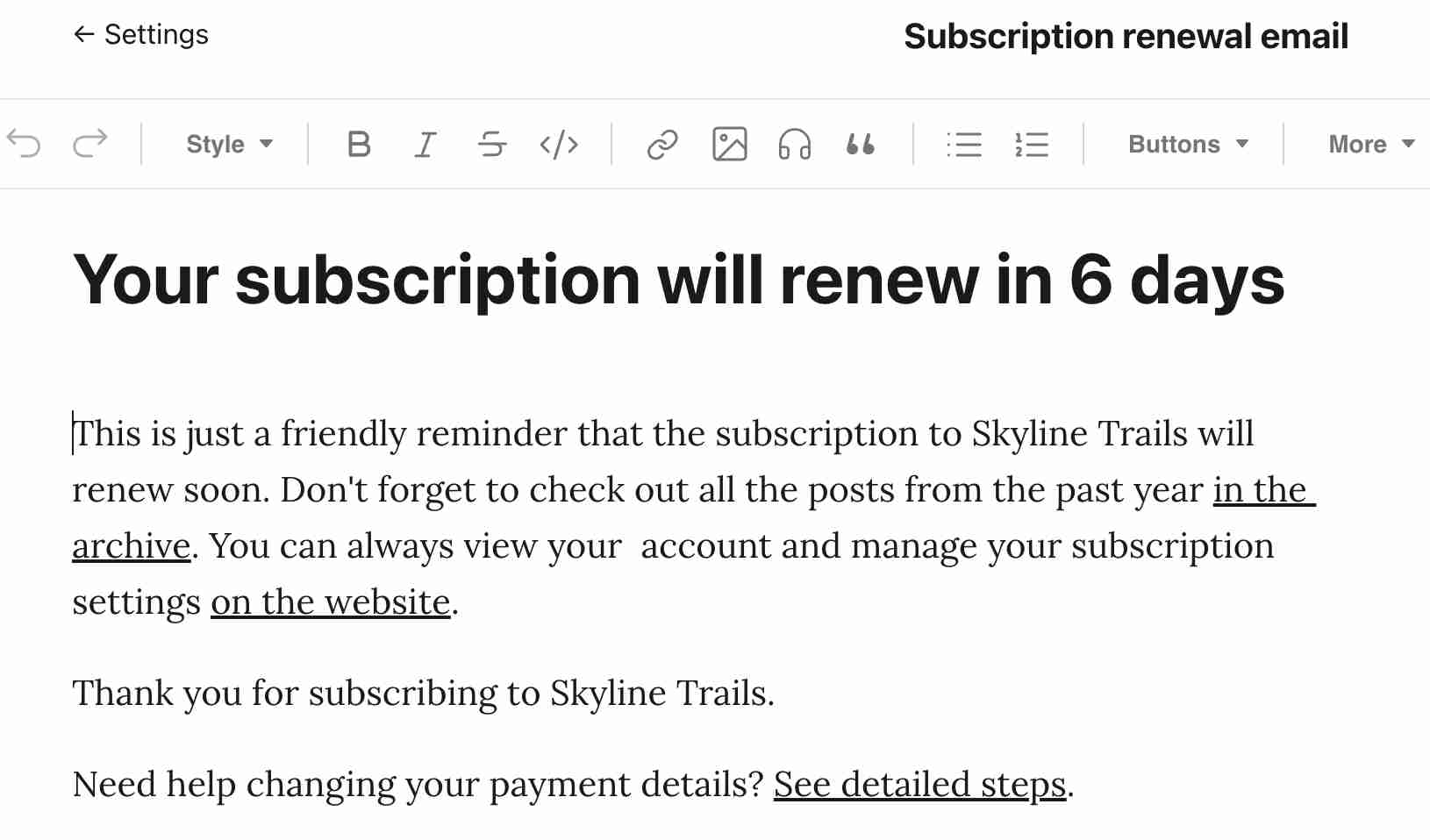
.png?updatedAt=1768982464128)
Before vs. After: What Changes When Subscription Renewals Run Themselves
Before: The customer success or operations team spent 20–30 hours weekly manually reviewing spreadsheets to identify expiring subscriptions, composing individual reminder emails for each, and updating tracking records after sending. The manual process was inconsistent in timing — some reminders sent on the right day, others delayed by workload, others missed entirely. High-volume enterprise customers received the same reminder emails as individual users, creating frustration for accounts that renewed automatically. Discontinued products caused customer confusion when reminders arrived for products they couldn't renew. And as subscription volume grew, the tracking overhead scaled proportionally — requiring additional administrative resource just to maintain the renewal communication process.
After: The renewal process runs daily without any manual intervention. Every subscription in the Shopify database receives exactly the right communication at exactly the right time — a 30-day early notice, a 14-day follow-up, and a 3-day urgent reminder — with enterprise accounts intelligently excluded, opt-out preferences respected, and discontinued products handled with proactive substitution recommendations. The team's 30 hours weekly of renewal management is reduced to 90 minutes of monitoring and exception handling. Renewal capture rates improve by 20% from the systematic timing. And scaling the subscription business adds zero additional operational overhead for renewal management — the system handles 100 subscriptions or 100,000 with identical effort and accuracy.
Implementation: Live in 8 Weeks
- Shopify and Google Sheets integration: The Shopify store is connected to Make.com via the Shopify API, and a data extraction scenario is built to pull all existing subscription orders into the Google Sheets database — mapping all relevant fields: order ID, product name, SKU, purchase date, subscription term (used to compute expiration date), customer name and email, and quantity. The expiration date calculation formula is implemented in Google Sheets using the purchase date and term data. The synchronisation scenario is configured to run regularly, pulling new and updated orders from Shopify and updating the Google Sheets database with current status. Data accuracy is validated by cross-checking a sample of Shopify orders against the populated Sheets records.
- Expiration filtering and router logic: The daily scheduled Make.com scenario is built to retrieve all subscription rows from Google Sheets and compute each row's days-until-expiration in real-time. The router module is configured with three branches — 30-day window (days 29–31), 14-day window (days 13–15), and 3-day window (days 2–4) — with tolerance windows accounting for daily scan timing variations. The "already sent" check is implemented for each branch by verifying the corresponding reminder-sent timestamp column in Sheets, preventing duplicate sends on any subsequent daily runs. The routing logic is tested with sample dates spanning the full range of expiration scenarios.
- Customer segmentation and exception rules: The high-volume customer condition is implemented using the total product count column in Google Sheets — the condition evaluates whether the value exceeds the configured threshold (default 10, adjustable to match the client's specific enterprise account definition) and routes to the skip path with status update. The email opt-out check is implemented as a boolean column evaluation. The discontinued product substitution database is built as a separate Sheets tab mapping each discontinued product SKU to its recommended alternative — including the alternative's product name, description, and renewal URL. The substitution lookup logic is implemented as a Make.com data search operation against this mapping table, with the result determining which email variant fires.
- Email template development and Gmail integration: Four email templates are developed and refined: the 30-day informational reminder, the 14-day gentle urgency reminder, the 3-day urgent reminder, and the discontinued product substitution variant. Each template is designed with appropriate tone progression, personalised variable placeholders (customer name, product name, expiration date, renewal link), and professional formatting. The Gmail account is authenticated in Make.com and the personalised field mapping from Sheets variables to email template placeholders is configured. Templates are reviewed by the client's team for tone and brand alignment before deployment.
- Testing, status tracking, and deployment: Comprehensive end-to-end testing is run using a sample of subscription records that span all scenario types — standard renewals in each time window, high-volume customer exceptions, opted-out customers, and discontinued product subscriptions. Each scenario is validated for correct email delivery (or correct suppression), correct template variant selection, correct personalisation variable population, and correct Google Sheets status update. The analytics tracking configuration is validated. The production scenario is deployed with monitoring for daily execution success rates, and the client team is briefed on the monitoring dashboard, exception handling procedures, and how to update the discontinued product substitution mapping table as their product catalogue evolves.
The Right Fit — and When It Isn't
This solution delivers maximum value for SaaS companies, software resellers, digital subscription businesses, IT service providers, and any organisation managing recurring software licences where subscription expiration is tracked against a purchase date and the renewal decision lies with the customer rather than being fully automatic. The combination of Shopify's order management with Google Sheets' flexibility makes it particularly effective for businesses that sell software subscriptions through their e-commerce store but need more sophisticated renewal logic than Shopify's native email capabilities provide.
Two practical scoping notes: the system is architected around defined-term subscriptions — products with a clear expiration date calculated from purchase date plus subscription term. Truly continuous billing subscriptions managed through a payment gateway's recurring charge system (where the charge fires automatically unless cancelled) have different renewal dynamics and typically benefit from a different architecture focused on failed payment recovery and cancellation prevention rather than expiration reminders. We assess the client's specific subscription model during the discovery call to confirm the correct architecture. Additionally, the high-volume customer threshold (10+ products for auto-renewal classification) is a default that we adjust to match the client's actual enterprise account profile — for some businesses the threshold might be 5 products, for others 20, depending on where the automatic-billing assumption holds true in their customer base.