The Problem
Many businesses struggle with inefficient customer service processes, particularly when it comes to handling phone inquiries. Manual call handling is time-consuming, costly, and prone to errors. This often leads to long wait times for customers, missed appointments, and a general sense of frustration. Furthermore, integrating customer data from various sources, such as CRM systems and knowledge bases, into a seamless phone interaction is a significant challenge.
The lack of automation in phone communication results in overburdened staff who spend valuable time on repetitive tasks like scheduling appointments and answering common questions. This not only reduces productivity but also limits the ability to provide personalized and efficient customer service. The need for a solution that can automate these processes while maintaining a high level of customer satisfaction is critical.
The Solution
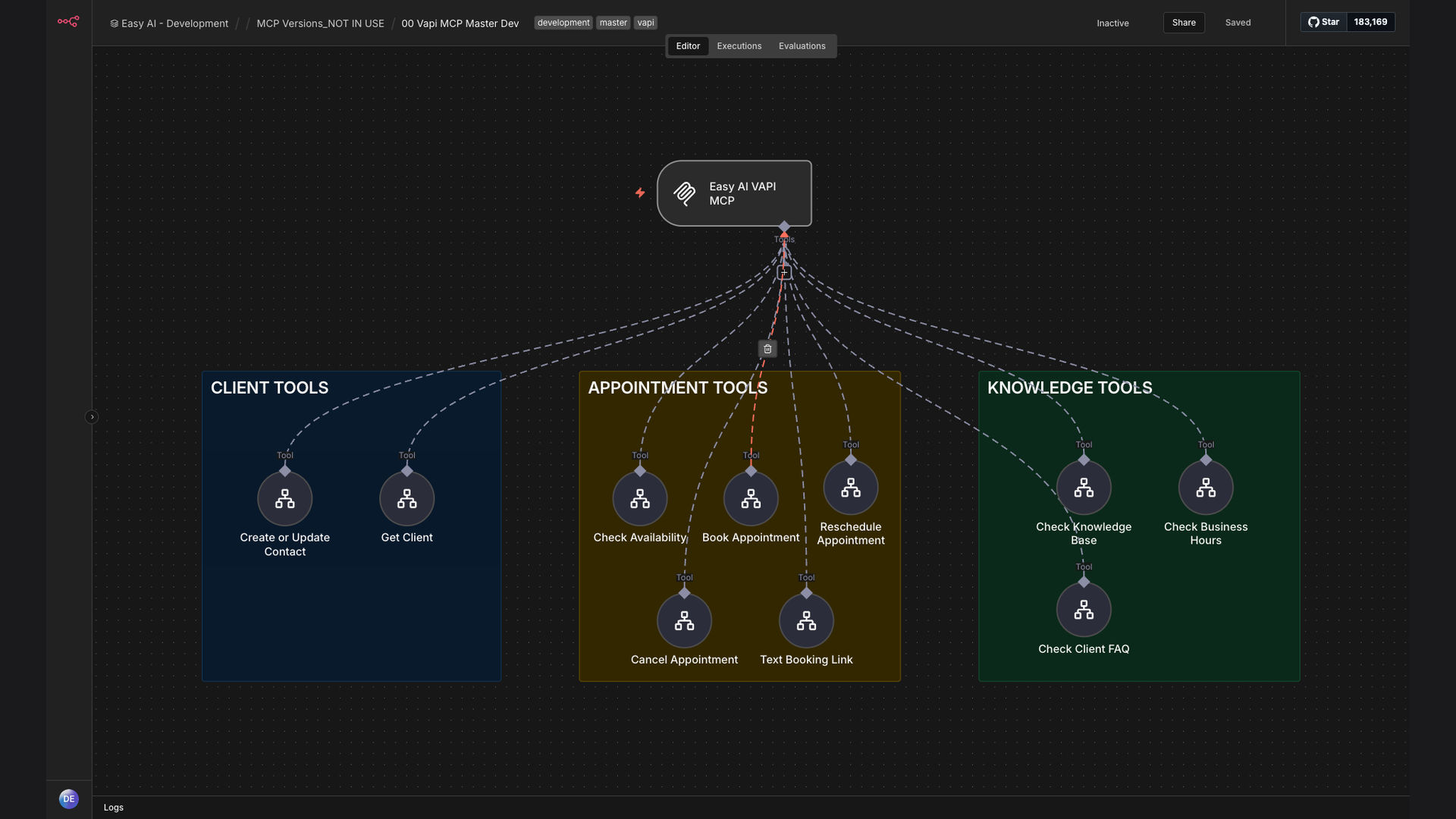
The solution is an AI-powered phone assistant built using Vapi and n8n, integrated with the client's CRM system. This system automates customer interactions, handling tasks such as appointment scheduling, answering frequently asked questions, and updating customer information in the CRM. The AI assistant can understand natural language, providing a personalized and efficient experience for each caller.
This tech stack was chosen for its flexibility and ease of integration. n8n's no-code platform allows for seamless connection between Vapi's AI phone capabilities and the CRM system. This ensures that customer data is always up-to-date and readily available during phone interactions. The result is a streamlined customer service process that saves time, reduces costs, and improves customer satisfaction.
How It Works — Streamlining Customer Interactions
The AI phone assistant workflow is designed to handle customer interactions efficiently and effectively, automating tasks that would otherwise require manual intervention.
- Incoming Call: A customer initiates a phone call to the business.
- Vapi Takes Over: The Vapi AI phone assistant answers the call and greets the customer.
- Natural Language Understanding: The AI assistant uses natural language understanding (NLU) to interpret the customer's request.
- CRM Lookup: n8n retrieves customer information from the CRM system based on the caller ID.
- Appointment Scheduling: If the customer wants to schedule an appointment, the AI assistant checks availability and books the appointment.
- Knowledge Base Query: For common questions, the AI assistant queries a knowledge base and provides relevant answers.
- Data Update: Any new information or changes are automatically updated in the CRM system via n8n.
- Call Conclusion: The AI assistant concludes the call, ensuring the customer's needs have been met.
💡 Improved Efficiency: By automating routine tasks, the AI phone assistant frees up staff to focus on more complex and value-added activities, leading to increased productivity and better customer service.
What This System Does That Manual Process Can't
24/7 Availability
The AI phone assistant is available around the clock, ensuring customers can get assistance anytime, even outside of business hours.
Instant Response
Customers receive immediate assistance without having to wait on hold, improving their overall experience.
Data Integration
Seamless integration with the CRM system ensures that customer data is always up-to-date and readily accessible.
Personalized Service
The AI assistant can understand natural language and provide personalized responses based on customer data.
Cost Reduction
Automating routine tasks reduces the need for manual call handling, resulting in significant cost savings.
Scalability
The system can easily handle a large volume of calls without compromising on service quality.
Before vs. After: Streamlined Customer Service
Before: Manual call handling resulted in an average wait time of 5 minutes per call, with staff spending approximately 60% of their time on routine tasks.
After: The AI phone assistant reduced average wait times to under 30 seconds and freed up staff to focus on more complex issues, increasing overall efficiency by 40%.
Implementation: Live in 4 Weeks
- Planning and Design: Defining the scope of the project, identifying key use cases, and designing the overall architecture of the AI phone assistant.
- Integration with CRM: Connecting the n8n workflow to the client's CRM system and configuring data synchronization.
- AI Training and Configuration: Training the Vapi AI assistant to understand natural language and respond to common customer inquiries.
- Testing and Refinement: Thoroughly testing the system to identify and address any issues, ensuring a smooth and seamless customer experience.
The Right Fit — and When It Isn't
This solution is ideal for businesses looking to automate their customer service processes, reduce costs, and improve customer satisfaction. It is particularly well-suited for companies that handle a large volume of phone inquiries and want to provide 24/7 support.
However, it may not be the right fit for businesses with very complex or highly specialized customer service needs that require a human touch. In such cases, a hybrid approach, combining AI automation with human agents, may be more appropriate.