The Problem
Marketing teams often struggle with keeping contact lists synchronized between project management tools like Monday.com and email marketing platforms like Flodesk. This manual process is time-consuming and prone to errors, leading to outdated contact information and missed opportunities for targeted email campaigns.
Without an automated solution, teams face challenges such as inconsistent data, delayed updates, and the risk of sending emails to incorrect or outdated addresses. This can result in wasted marketing efforts, reduced engagement, and a negative impact on overall campaign performance.
The Solution
The solution is an automated n8n workflow that seamlessly synchronizes contact data from Monday.com to Flodesk based on a predefined schedule and specific status conditions. This ensures that contact lists in Flodesk are always up-to-date with the latest information from Monday.com, without manual intervention.
n8n was chosen for its flexibility and ability to integrate directly with both Monday.com and Flodesk APIs. This allows for a highly customized and efficient data transfer process, ensuring data integrity and real-time synchronization. Google Sheets is used as a lookup table for segment matching.
How It Works — Scheduled Contact Updates
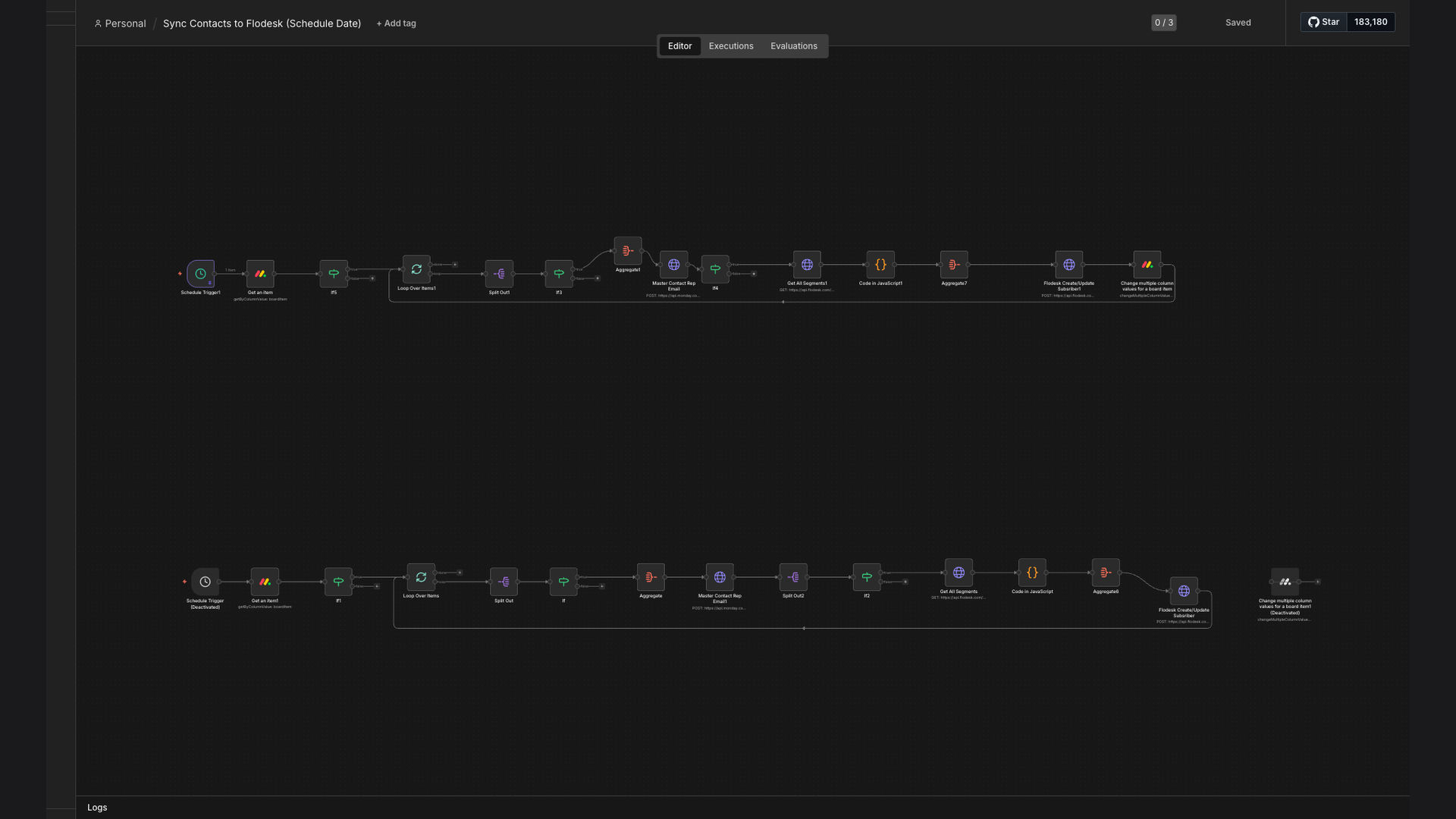
The n8n workflow automates contact synchronization between Monday.com and Flodesk, ensuring your email lists are always current. Here’s how it works:
- Schedule Trigger: The workflow is triggered daily to ensure regular contact synchronization.
- Fetch Contacts from Monday.com: The workflow retrieves all contacts from a specified board in Monday.com.
- Validate Contact Information: Each contact's information is validated to ensure it meets the required format for Flodesk.
- Match Segments: The workflow matches contact segments based on data in Google Sheets to ensure accurate categorization.
- Update/Add Subscribers in Flodesk: Contacts are either updated or added as new subscribers in Flodesk, depending on their existing status.
- Track Sync Status: The status of each contact synchronization is tracked and logged for monitoring and reporting purposes.
- Error Handling: Any errors during the synchronization process are caught and logged for review.
💡 Data Integrity: Ensures accurate and up-to-date contact information in Flodesk, reducing the risk of sending emails to incorrect addresses.
What This System Does That Manual Contact Management Can't
Time Savings
Automates the contact synchronization process, saving hours of manual effort each week.
Improved Accuracy
Reduces the risk of human error, ensuring contact information is always accurate and up-to-date.
Enhanced Efficiency
Streamlines the process of managing contacts between Monday.com and Flodesk, improving overall efficiency.
Targeted Campaigns
Ensures contacts are correctly segmented, allowing for more targeted and effective email campaigns.
Better Reporting
Provides detailed tracking and logging of contact synchronization status for better reporting and monitoring.
Scalability
Easily scales to handle a growing number of contacts and increasing complexity in marketing campaigns.
Before vs. After: Streamlined Contact Management
Before: Marketing teams spent approximately 10-15 hours per week manually updating contact information, resulting in a 20% error rate and delayed campaign launches.
After: The automated workflow reduced manual effort by 90%, eliminated data entry errors, and ensured real-time synchronization, leading to faster and more effective campaigns.
Implementation: Live in 3 Weeks
- Discovery and Planning: Initial consultation to understand the client's specific needs and define the scope of the automation.
- Workflow Design: Designing the n8n workflow to retrieve contact data from Monday.com, validate information, and update Flodesk.
- Testing and Refinement: Thoroughly testing the workflow to ensure accurate and reliable contact synchronization.
- Deployment: Deploying the workflow to a production environment and configuring the schedule trigger.
- Monitoring and Support: Providing ongoing monitoring and support to ensure the workflow continues to run smoothly.
The Right Fit — and When It Isn't
This solution is ideal for marketing teams using Monday.com for project management and Flodesk for email marketing, who need to keep their contact lists synchronized. It's particularly beneficial for teams running frequent email campaigns and requiring accurate contact segmentation.
However, if a team is not actively using both Monday.com and Flodesk, or if they have very minimal contact updates, the benefits of this automation may not justify the investment. In such cases, manual contact management might be sufficient.