The Problem
Logistics coordinators and supply chain managers face significant challenges in tracking container ETAs and ETDs manually. This often involves sifting through multiple systems, carrier websites, and email threads, leading to inefficiencies and potential inaccuracies. The lack of a centralized, real-time view of container status can result in delayed decision-making and increased operational costs.
Without automated notifications, teams spend countless hours manually checking for updates, which diverts their attention from more strategic tasks. This reactive approach also makes it difficult to proactively address potential disruptions, such as port congestion or unexpected delays, ultimately impacting customer satisfaction and profitability.
The Solution
The solution is an automated workflow built with n8n that leverages the Terminal49 API to fetch real-time container ETA and ETD data. This data is then processed and used to update a Monday.com board, providing a centralized and easily accessible view of container status for all stakeholders.
This tech stack was chosen for its ability to seamlessly integrate with Terminal49 and Monday.com, as well as its flexibility in handling complex data transformations. n8n's visual interface makes it easy to build and maintain the workflow, while Monday.com's collaborative platform ensures that everyone stays informed about container status in real-time.
How It Works — Streamlining Container Tracking
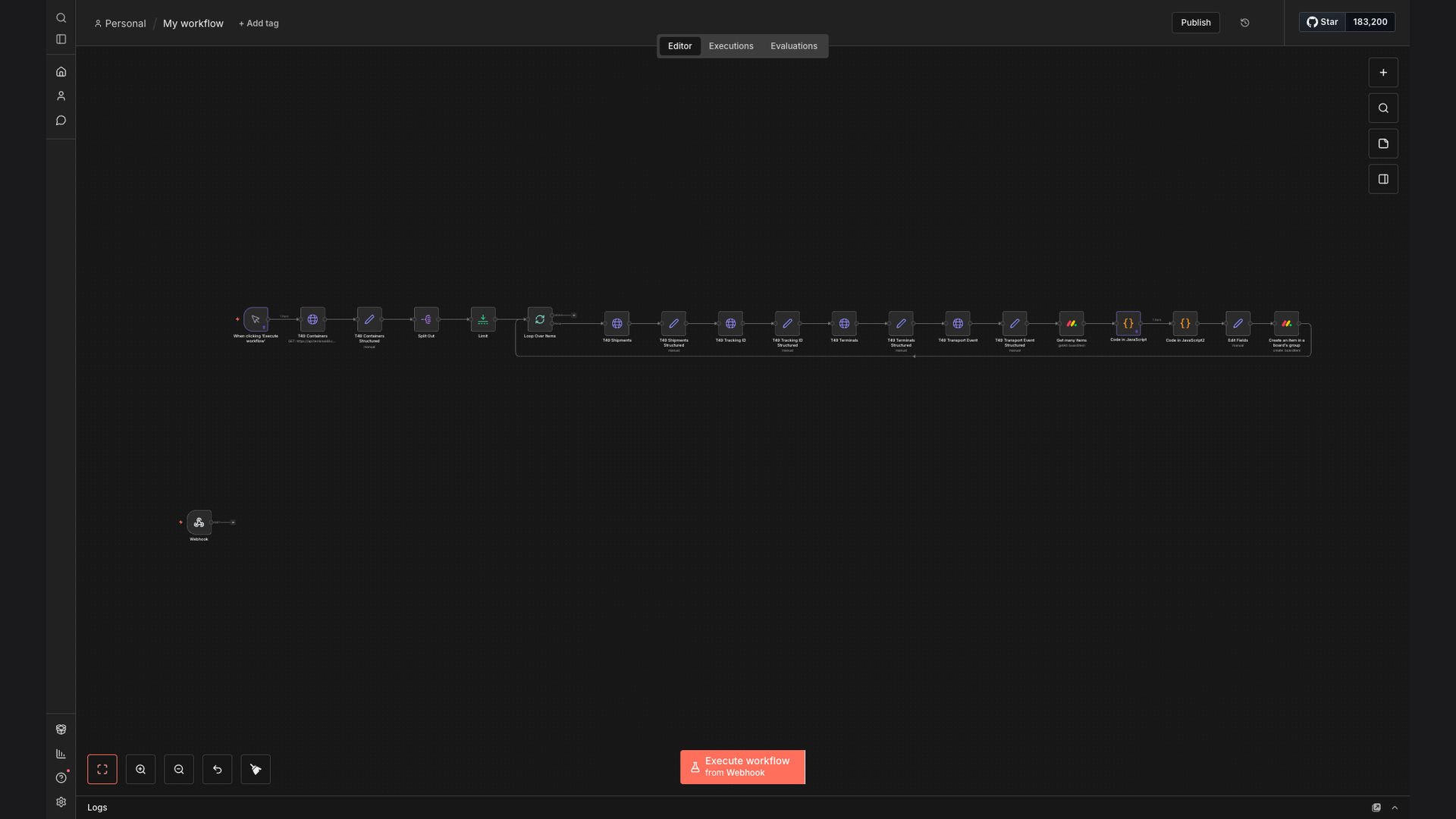
The n8n workflow automates the entire container tracking process, from fetching data to updating stakeholders. Here's a step-by-step breakdown:
- API Authentication: Authenticates with the Terminal49 API using provided credentials.
- Fetch Container Data: Retrieves container ETA and ETD data from the Terminal49 API based on specific container numbers or shipment IDs.
- Data Transformation: Transforms the raw API data into a structured format that is compatible with Monday.com.
- Filter Relevant Events: Filters the data to only include relevant events, such as arrival at port, departure from port, and customs clearance.
- Check for Updates: Compares the current container status with the previous status stored in Monday.com to identify any changes.
- Update Monday.com Board: Updates the Monday.com board with the latest container status, including ETA, ETD, and any relevant events.
- Send Notifications: Sends notifications to relevant stakeholders via email or Slack when there are significant changes in container status, such as delays or arrivals.
- Error Handling: Implements error handling to catch any issues with the API or data processing and sends alerts to the IT team.
💡 Real-Time Visibility: By automating container tracking, logistics teams gain real-time visibility into the status of their shipments, enabling them to make more informed decisions and proactively address potential disruptions.
What This System Does That Manual Process Can't
Real-Time Updates
Provides instant updates on container ETA and ETD, eliminating delays associated with manual checks.
Automated Notifications
Sends proactive alerts for critical events, such as delays or arrivals, ensuring timely responses.
Improved Visibility
Offers a centralized view of container status, enhancing transparency and collaboration across teams.
Reduced Errors
Minimizes the risk of human error associated with manual data entry and tracking.
Increased Efficiency
Frees up logistics teams to focus on more strategic tasks by automating routine tracking activities.
Better Collaboration
Facilitates seamless information sharing and collaboration among stakeholders, improving overall coordination.
Before vs. After: Enhanced Container Management
Before: Logistics teams spent an average of 2 hours per day manually tracking container status, resulting in delayed decision-making and potential inaccuracies.
After: The automated workflow reduced manual tracking time by 90%, providing real-time visibility and enabling proactive responses to disruptions, saving approximately 10 hours per week.
Implementation: Live in 3 Weeks
- Requirements Gathering: Detailed discussions with the client to understand their specific container tracking needs and data requirements.
- Workflow Design: Designing the n8n workflow, including API integration with Terminal49, data transformation logic, and Monday.com board updates.
- Testing and Refinement: Rigorous testing of the workflow to ensure accuracy and reliability, followed by iterative refinements based on client feedback.
- Deployment and Training: Deploying the workflow to a production environment and providing training to the client's team on how to use and maintain the system.
- Ongoing Support: Providing ongoing support and maintenance to ensure the workflow continues to meet the client's evolving needs.
The Right Fit — and When It Isn't
This solution is ideal for logistics companies, supply chain managers, and anyone who needs to track container ETAs and ETDs in real-time. It's particularly well-suited for organizations that use Terminal49 and Monday.com.
However, it may not be the right fit for companies that don't rely on container shipping or those that don't have a need for real-time container tracking. Additionally, companies that don't use Terminal49 or Monday.com may need a different solution.