The Problem
Many customer support teams struggle with identifying and responding to crisis situations in a timely manner. Without an automated system, agents can miss critical signals in customer conversations, leading to delayed responses and potentially negative outcomes. This is especially challenging when dealing with a high volume of inquiries across multiple channels.
The lack of efficient escalation processes also results in inconsistent support experiences. Complex queries or urgent issues may not be routed to the appropriate human agents quickly enough, causing customer frustration and dissatisfaction. The manual effort required to monitor conversations and escalate issues is both time-consuming and prone to human error.
The Solution
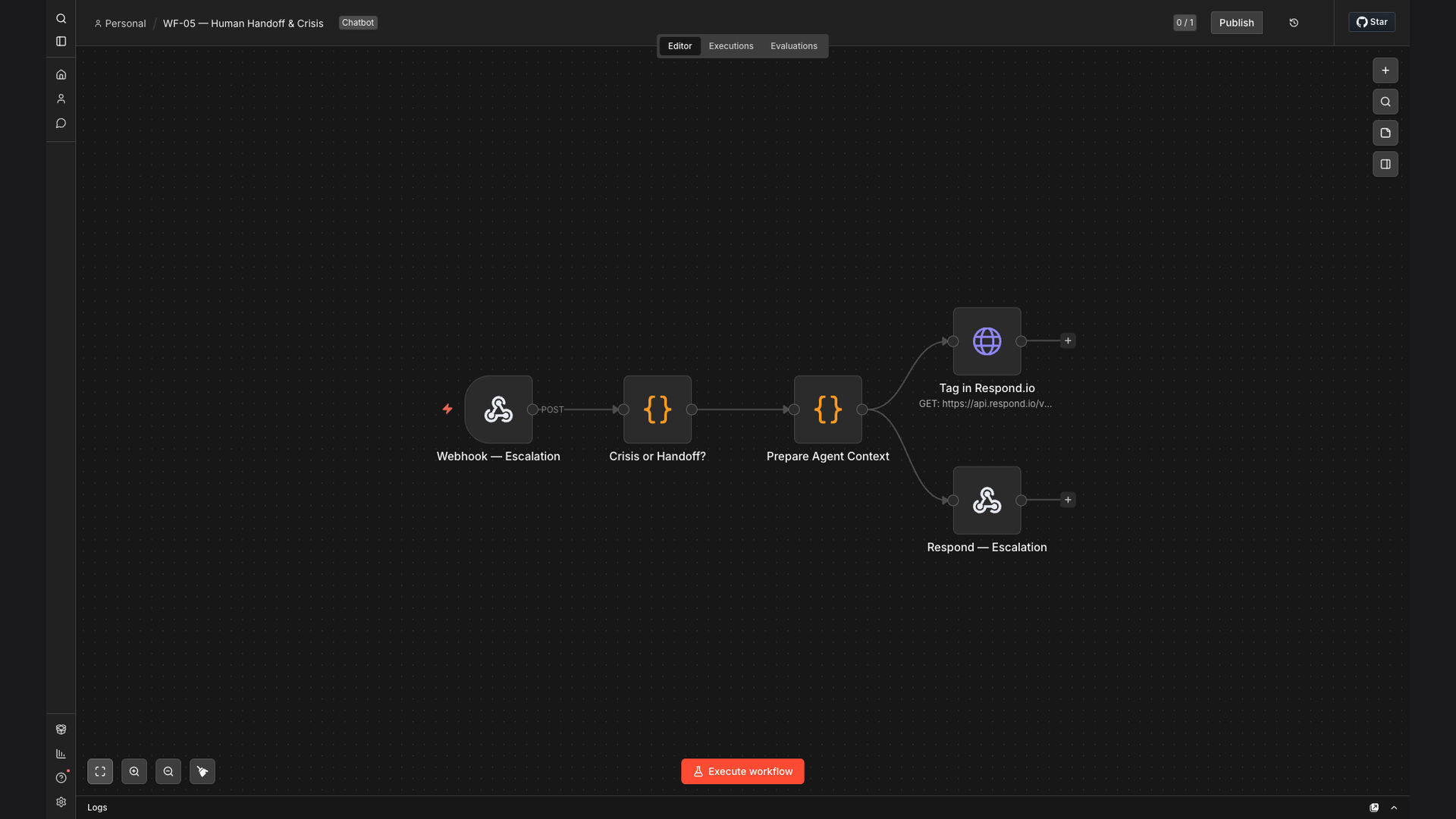
We built an n8n workflow that automates the detection of crisis situations and escalates them to human agents. The workflow integrates with Respond.io to monitor customer conversations in real-time, using data tables and webhooks to identify keywords and phrases indicative of a crisis. When a crisis is detected, the system automatically alerts the appropriate human agent via email.
This tech stack was chosen for its flexibility and scalability. n8n's visual interface allows for easy customization and integration with various platforms. Respond.io provides a centralized platform for managing customer conversations, while data tables and webhooks enable real-time data processing and event triggering.
How It Works — Real-time conversation analysis
The n8n workflow monitors customer conversations, detects crisis situations, and escalates them to human agents for immediate assistance.
- Monitor Conversations: The workflow connects to Respond.io via API to monitor incoming customer messages in real-time.
- Extract Text: The text of each message is extracted for analysis.
- Keyword Detection: The workflow uses a data table containing a list of crisis-related keywords and phrases.
- Match Keywords: The extracted text is compared against the data table to identify any matches.
- Crisis Trigger: If a match is found, the workflow triggers a crisis escalation process.
- Agent Alert: The workflow sends an email notification to the appropriate human agent, providing details of the crisis situation.
- Escalation: The agent can then take over the conversation and provide immediate assistance to the customer.
- Logging: The entire process is logged for auditing and reporting purposes.
💡 Proactive Support: By automating crisis detection, the system enables proactive support, ensuring that customers receive assistance before situations escalate further.
What This System Does That Manual Process Can't
Faster Response Times
Automated detection and escalation significantly reduce response times to critical issues.
Improved Customer Safety
Immediate assistance during crises ensures customer safety and well-being.
Increased Agent Efficiency
Automation frees up human agents to focus on complex queries and high-value tasks.
Consistent Escalation
Predefined rules ensure consistent application of escalation protocols.
Data-Driven Insights
Detailed logging provides valuable insights into crisis trends and support performance.
Scalable Solution
The automated system can easily scale to handle increasing volumes of customer conversations.
Before vs. After: descriptive subtitle
Before: Agents spent an average of 5 minutes manually identifying and escalating crisis situations, resulting in delayed responses and potential negative outcomes.
After: The automated system detects and escalates crises in under 60 seconds, ensuring immediate assistance and improved customer safety.
Implementation: Live in 4 Weeks
- Discovery and Planning: We began by understanding the client's specific needs and defining the criteria for crisis detection.
- Workflow Design: The n8n workflow was designed to integrate with Respond.io and other relevant systems.
- Testing and Refinement: Rigorous testing was conducted to ensure accurate crisis detection and escalation.
- Deployment: The workflow was deployed to a production environment, with ongoing monitoring and support.
The Right Fit — and When It Isn't
This solution is ideal for businesses that handle a high volume of customer conversations and need to ensure timely responses to crisis situations. It is particularly beneficial for industries where customer safety and well-being are paramount.
However, it may not be the right fit for businesses with very low customer interaction volumes or those that lack the necessary infrastructure to support automated workflows. In such cases, a more manual approach may be more appropriate.