The Problem
Data analysts and marketers often face the challenge of manually triggering web scraping tasks whenever new data is added to Google Sheets. This process is not only time-consuming but also prone to errors, leading to delays in data collection and analysis. The need for immediate data processing upon spreadsheet updates is critical for timely decision-making.
The existing manual workflow required constant monitoring of Google Sheets for new entries, followed by the manual initiation of Apify web scraping tasks. This created a significant bottleneck, especially when dealing with large datasets and frequent updates. The lack of automation resulted in inefficiencies and increased operational costs, hindering the ability to respond quickly to market changes.
The Solution
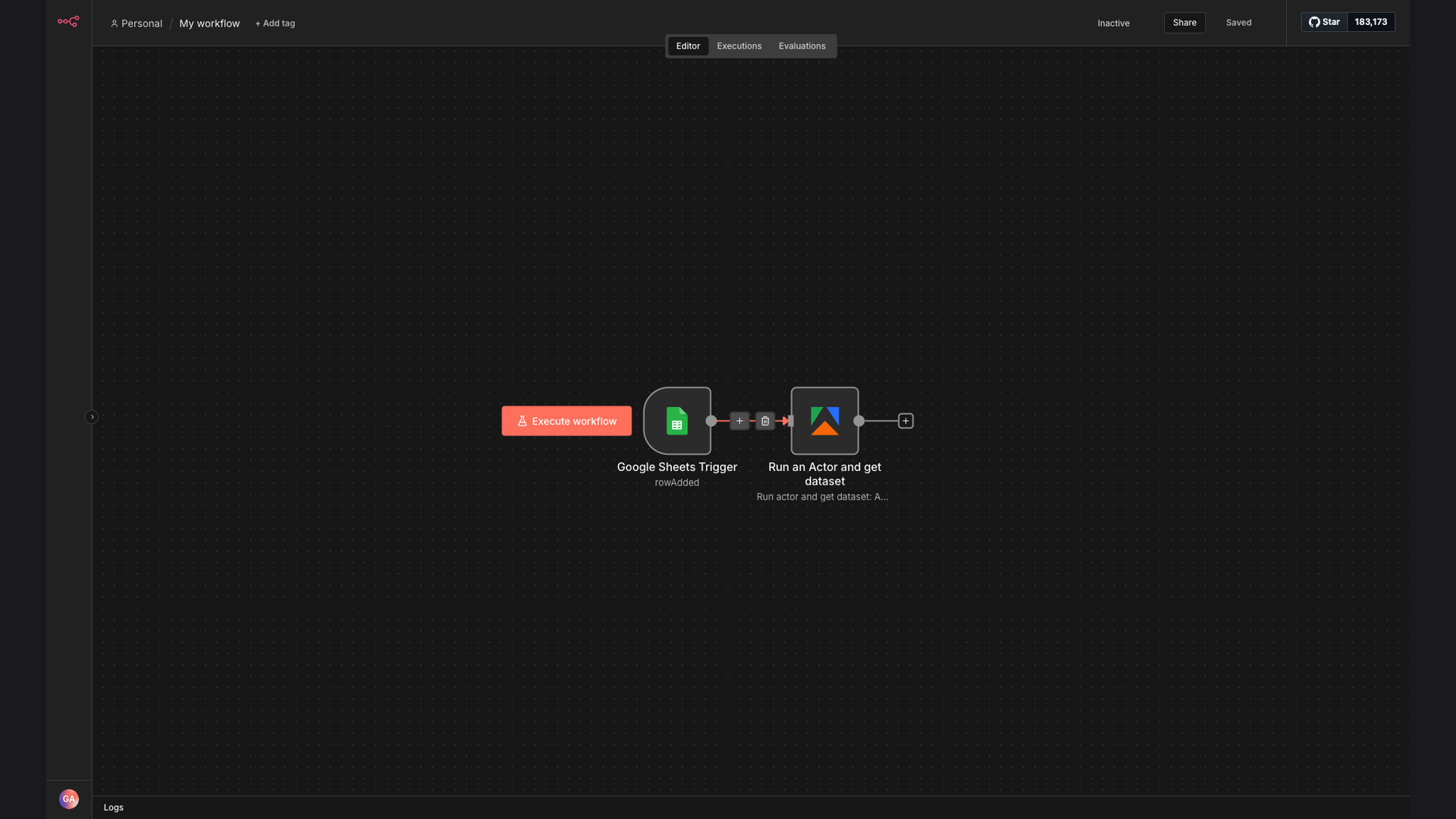
We developed an automated n8n workflow that seamlessly integrates Google Sheets and Apify. This system automatically detects new rows added to Google Sheets and triggers the corresponding Apify web scraping tasks without any manual intervention. This ensures that data is processed immediately upon entry, providing real-time insights.
The choice of n8n was strategic due to its flexibility and ability to connect diverse applications. By leveraging n8n, we created a robust and scalable solution that eliminates the need for manual intervention, reduces processing time, and improves data accuracy. The integration with Google Sheets and Apify ensures a streamlined and efficient data processing pipeline.
How It Works — Automated Data Collection from Spreadsheets
This n8n workflow monitors a Google Sheet for new rows. When a new row is detected, it automatically triggers an Apify actor to scrape data based on the parameters provided in the sheet. The scraped data is then processed and made available for analysis.
- Google Sheets Trigger: The workflow starts by monitoring a specified Google Sheet for new rows using the Google Sheets trigger node.
- Detect New Row: When a new row is added to the Google Sheet, the trigger activates the workflow.
- Extract Parameters: The workflow extracts the necessary parameters from the new row, such as URLs or search queries.
- Apify Actor Execution: The extracted parameters are then passed to an Apify actor, initiating a web scraping task.
- Data Scraping: The Apify actor scrapes the data from the specified websites based on the provided parameters.
- Data Processing: The scraped data is processed and transformed into a usable format.
- Data Storage: The processed data is stored in a database or another Google Sheet for further analysis.
- Notification: A notification is sent to the user, informing them that the data has been collected and processed.
💡 Real-Time Data: Automating the data processing workflow ensures that data is collected and processed in real-time, providing immediate insights for decision-making.
What This System Does That Manual Process Can't
Real-Time Processing
Automatically triggers web scraping tasks upon new data entry, providing real-time data processing.
Increased Efficiency
Eliminates manual intervention, reducing processing time and improving overall efficiency.
Improved Accuracy
Minimizes human errors associated with manual data entry and task initiation.
Scalability
Easily scales to handle large datasets and frequent updates without performance bottlenecks.
Seamless Integration
Integrates smoothly with Google Sheets and Apify, creating a streamlined data processing pipeline.
Data-Driven Decisions
Provides timely and accurate data, enabling data analysts and marketers to make informed decisions.
Before vs. After: Automated Web Scraping
Before: Manual initiation of web scraping tasks led to a 2-day delay in data collection, impacting decision-making and market responsiveness.
After: Automated n8n workflow triggers Apify actors instantly, reducing data collection time to minutes and enabling real-time insights.
Implementation: Live in 4 Weeks
- Requirements Gathering: Detailed discussions with the client to understand their specific data processing needs and workflow requirements.
- Workflow Design: Designing the n8n workflow to integrate Google Sheets and Apify, including defining triggers, actions, and data transformations.
- Development and Testing: Developing the n8n workflow and conducting thorough testing to ensure seamless integration and accurate data processing.
- Deployment: Deploying the automated workflow to the client's environment and providing training on how to monitor and manage the system.
The Right Fit — and When It Isn't
This solution is ideal for data analysts and marketers who rely on Google Sheets for data entry and need to process web data immediately. It's perfect for businesses that require real-time insights and want to eliminate manual intervention in their data processing workflows.
However, this solution may not be the best fit for organizations that do not use Google Sheets or Apify, or those that have very infrequent data updates. In such cases, a simpler data processing solution or a different automation platform may be more appropriate.