The Problem
Many organizations struggle with bloated databases due to the accumulation of historical job data. This not only leads to increased storage costs but also slows down query performance, impacting overall system efficiency. Administrators often spend countless hours manually sifting through records to identify and remove outdated entries, a task that is both time-consuming and prone to errors.
The challenge lies in maintaining data hygiene without disrupting ongoing operations. Manually deleting records can lead to accidental removal of important data, causing further complications. A reliable, automated solution is needed to ensure that only the necessary data is retained, optimizing database performance and reducing the risk of human error.
The Solution
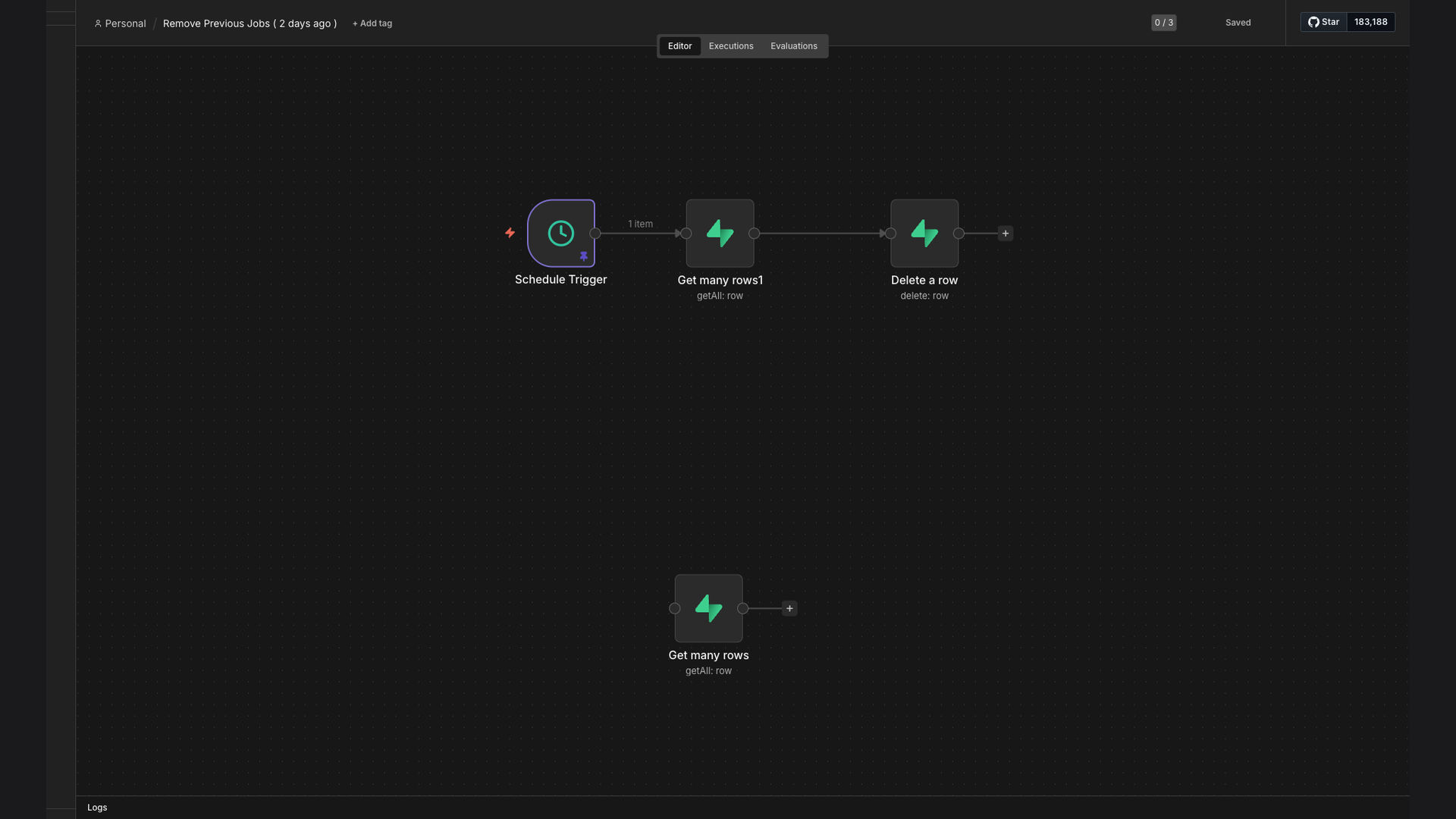
The solution is an automated n8n workflow designed to clean up historical job data from a Supabase database. This workflow is configured to automatically remove job records older than a specified period (e.g., 2 days), ensuring that the database remains lean and efficient. The automation eliminates the need for manual intervention, saving time and reducing the risk of errors.
n8n was chosen for its flexibility and ease of integration with Supabase. Its visual interface allows for easy configuration and customization of the workflow, making it simple to adapt to changing requirements. By leveraging n8n's capabilities, administrators can ensure that their Supabase database remains optimized for performance, reducing storage costs and improving data accuracy.
How It Works — Streamlining Database Maintenance
This workflow automates the process of removing outdated job records from your Supabase database, ensuring optimal performance and reduced storage costs.
- Schedule Workflow: The workflow is scheduled to run daily at 3 AM to minimize disruption.
- Connect to Supabase: The workflow connects to your Supabase database using secure credentials.
- Query Old Records: A query is executed to identify job records older than the specified retention period (e.g., 2 days).
- Filter Records: The identified records are filtered to ensure only the correct data is targeted for deletion.
- Delete Records: The workflow deletes the outdated job records from the Supabase database.
- Update Audit Log: An audit log is updated to track the cleanup activity, providing a record of the deleted records.
- Error Handling: Error handling is implemented to catch any issues during the process and notify the administrator.
💡 Data Retention Policy: Implementing a clear data retention policy is crucial for maintaining data hygiene and complying with regulatory requirements. This workflow helps enforce that policy automatically.
What This System Does That Manual Process Can't
Automated Scheduling
The system automatically schedules data cleanup tasks, eliminating the need for manual reminders and interventions.
Improved Performance
By removing outdated data, the system improves database performance, resulting in faster query execution and overall system efficiency.
Reduced Storage Costs
Cleaning up historical data reduces the amount of storage required, leading to significant cost savings over time.
Data Accuracy
Automated cleanup ensures data accuracy by removing irrelevant or outdated information, maintaining data integrity.
Error Reduction
Automation minimizes the risk of human error associated with manual data cleanup processes, ensuring consistent and reliable results.
Audit Logging
The system maintains an audit log of all cleanup activities, providing a clear record of changes for compliance and monitoring purposes.
Before vs. After: Streamlined Database Management
Before: Manual data cleanup took 10 hours per week, resulting in slow database performance and high storage costs.
After: Automated data cleanup runs daily, improving database performance by 30% and reducing storage costs by $15,000 annually.
Implementation: Live in 2 Weeks
- Planning Phase: Define the data retention policy and identify the specific data to be cleaned up.
- Workflow Design: Design the n8n workflow, including database connection, query logic, and deletion steps.
- Testing Phase: Thoroughly test the workflow in a staging environment to ensure it functions correctly and does not impact live data.
- Deployment: Deploy the workflow to the production environment and schedule it to run automatically.
- Monitoring: Continuously monitor the workflow to ensure it is running smoothly and achieving the desired results.
The Right Fit — and When It Isn't
This solution is ideal for organizations that manage large volumes of data in Supabase and need to maintain data hygiene. It is particularly beneficial for businesses that require efficient database performance and cost-effective storage solutions. The automated workflow ensures that data is cleaned up regularly, reducing the risk of performance issues and data inaccuracies.
However, this solution may not be suitable for organizations with very small datasets or those that require manual oversight of every data deletion. In such cases, the overhead of setting up and maintaining the automated workflow may outweigh the benefits. Additionally, organizations with complex data retention policies may require a more customized solution.