The Problem
Many businesses face challenges in managing refund requests efficiently. The manual process of monitoring email inboxes, extracting relevant information, and updating multiple systems is time-consuming and prone to errors. This can lead to delays in processing refunds, impacting customer satisfaction and increasing operational costs.
Specifically, the lack of integration between email, accounting software, and data management tools creates bottlenecks. Employees spend countless hours manually copying and pasting data, which not only reduces productivity but also increases the risk of inaccurate records. This inefficiency highlights the need for a streamlined, automated solution.
The Solution
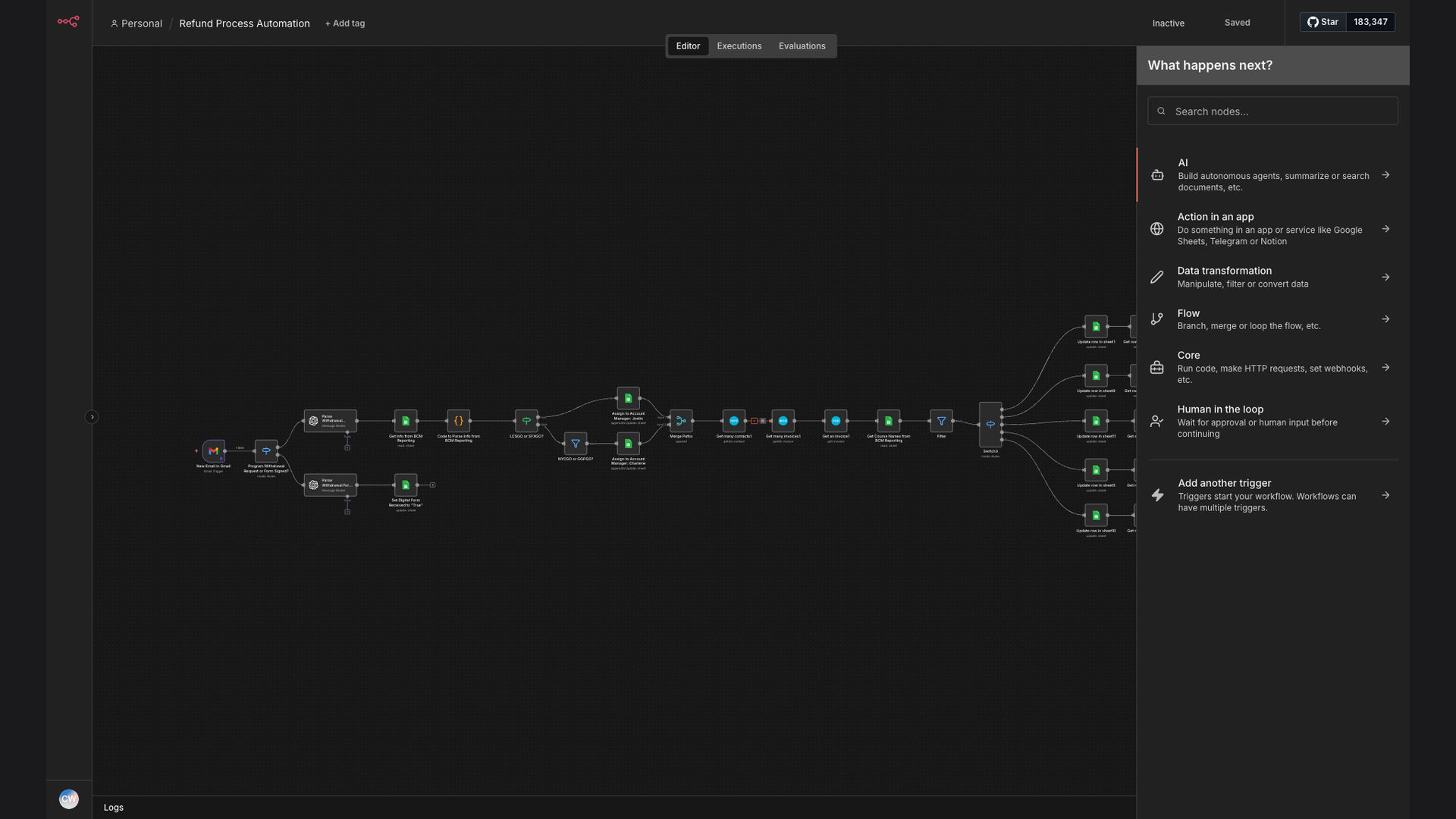
The solution is an automated refund process built with n8n, an open-source workflow automation platform. This system automatically parses refund request emails, extracts key details using OpenAI, and updates refund information in Google Sheets. It also integrates with Xero accounting software to retrieve customer and invoice details based on the email content.
This tech stack was chosen for its flexibility, scalability, and cost-effectiveness. n8n provides a robust platform for building complex workflows, while OpenAI enhances the system's ability to understand and extract information from unstructured email data. Google Sheets serves as a centralized repository for refund data, and Xero ensures accurate financial record-keeping.
How It Works — Automated Email Parsing and Data Synchronization
This system automates the entire refund process, from initial email receipt to final data synchronization across multiple platforms.
- Email Receipt: The system monitors a designated email inbox for new refund requests.
- Email Parsing: Upon receiving a new email, the system automatically parses the email content to extract relevant information.
- Data Extraction with OpenAI: OpenAI is used to identify and extract key details such as customer name, order number, and refund amount from the email body.
- Xero Integration: The system integrates with Xero to retrieve customer and invoice details based on the extracted information.
- Google Sheets Update: The extracted and retrieved data is then automatically updated in a Google Sheets spreadsheet for tracking and reporting.
- Refund Approval Workflow: Based on predefined criteria, the system automatically approves or flags the refund request for manual review.
- Notification: An email notification is sent to the customer confirming the refund status.
- Data Archiving: All email and refund data is archived for future reference and auditing purposes.
💡 Seamless Integration: By integrating email, OpenAI, Google Sheets, and Xero, the system eliminates the need for manual data entry and ensures data consistency across all platforms.
What This System Does That Manual Process Can't
Speed and Efficiency
Automated email parsing and data extraction significantly reduce processing time compared to manual methods.
Accuracy
Automated data entry minimizes the risk of human error, ensuring accurate and consistent records.
Scalability
The system can easily handle a large volume of refund requests without requiring additional manual effort.
Integration
Seamless integration with Xero and Google Sheets ensures data synchronization across all platforms.
Data Security
Automated data handling reduces the risk of data breaches and ensures compliance with data privacy regulations.
Reporting
Centralized data in Google Sheets enables easy tracking and reporting of refund metrics.
Before vs. After: Streamlined Refund Management
Before: Employees spent an average of 15 minutes per refund request, resulting in significant delays and high error rates.
After: The automated system processes refund requests in under 2 minutes, reducing manual effort and improving data accuracy.
Implementation: Live in 4 Weeks
- Planning and Design: Define the scope of the automation, identify key data points, and design the workflow.
- System Configuration: Configure n8n, OpenAI, Google Sheets, and Xero to work together seamlessly.
- Testing and Refinement: Thoroughly test the system to identify and resolve any issues.
- Deployment: Deploy the automated system and train employees on how to use it.
The Right Fit — and When It Isn't
This automated refund process is ideal for businesses that receive a high volume of refund requests and want to streamline their operations. It is particularly well-suited for companies that already use Xero and Google Sheets.
However, it may not be the right fit for businesses with very low refund volumes or those that require highly customized refund workflows. In such cases, a manual process may be more cost-effective.