The Problem
Educators often face the challenge of managing student feedback and tracking assignment submissions manually. This process is time-consuming and prone to errors, leading to delays in providing feedback and difficulties in monitoring student progress. The manual nature of these tasks also reduces the time available for teaching and curriculum development.
The lack of a centralized system for collecting feedback and tracking submissions can result in disorganized data and missed deadlines. This can negatively impact student engagement and performance, as students may not receive timely feedback or be aware of their submission status. The need for a more efficient and automated solution is evident to alleviate these administrative burdens and enhance the overall learning experience.
The Solution
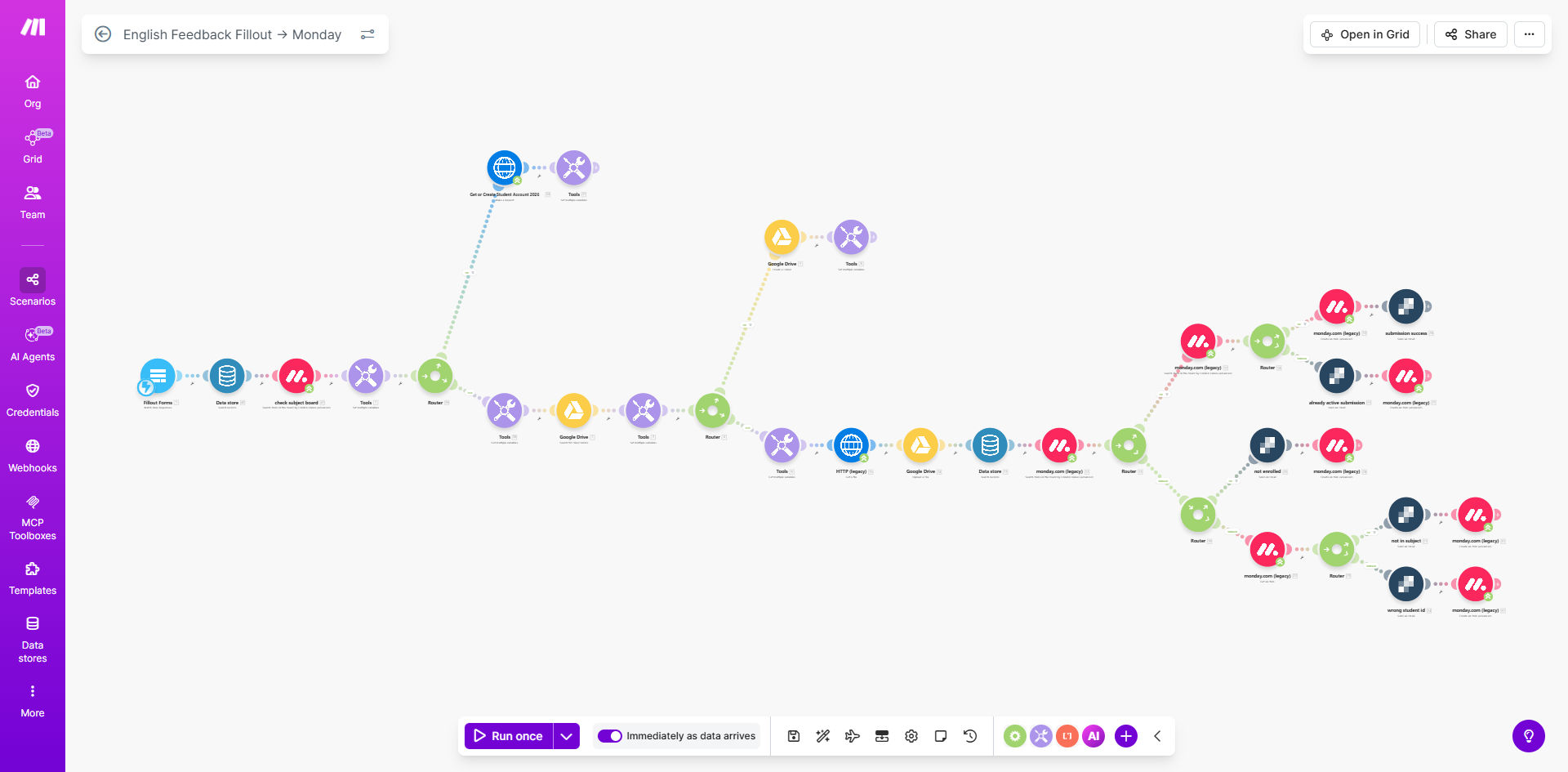
The solution involves automating the entire process of collecting student feedback and tracking assignment submissions using Make.com. This automation creates a streamlined workflow that automates reminders, centralizes feedback in Google Sheets, and tracks submission status in Google Drive. This ensures that educators can efficiently manage student feedback and submissions.
Make.com was chosen for its ability to seamlessly integrate with Google Workspace apps like Google Sheets, Gmail, and Google Drive. This integration allows for the creation of a comprehensive system that automates various tasks, such as sending automated reminders, collecting feedback via forms, and updating submission statuses. The platform's flexibility and ease of use make it an ideal choice for educators looking to optimize their administrative processes and improve student engagement.
How It Works — Automated Feedback and Submission Tracking
This system automates the collection of student feedback and tracks assignment submissions, ensuring that educators can efficiently manage student progress and provide timely feedback.
- Form Submission: Students submit their feedback through a Google Form, which includes questions about their learning experience and assignment submissions.
- Data Collection: Make.com automatically collects the data from the submitted Google Form and prepares it for processing.
- Google Sheets Update: The collected data is then automatically added to a Google Sheet, creating a centralized repository of student feedback and submission details.
- Submission Tracking: The system tracks the submission status of each assignment, noting whether it has been submitted on time, late, or not at all.
- Automated Reminders: If an assignment is not submitted by the deadline, Make.com sends automated reminders to the student via Gmail.
- Educator Notification: Educators receive notifications about new feedback submissions and any overdue assignments, allowing them to stay informed about student progress.
- Data Analysis: The data in Google Sheets can be analyzed to identify trends and patterns in student feedback and submission behavior.
💡 Centralized Data: All student feedback and submission data are stored in one place, making it easy to access and analyze. This centralized approach saves time and improves data accuracy.
What This System Does That Manual Process Can't
Saves Time
Automates repetitive tasks, freeing up educators' time for teaching and curriculum development. Manual processes are time-consuming and prone to errors.
Ensures Accuracy
Reduces the risk of human error in data collection and tracking. Automated systems ensure data integrity and reliability.
Automates Reminders
Sends automated reminders to students about upcoming deadlines, improving submission rates. Manual reminders are often missed or delayed.
Provides Insights
Offers data-driven insights into student feedback and submission patterns. Manual analysis is difficult and time-consuming.
Improves Engagement
Enhances student engagement through timely feedback and personalized communication. Manual feedback is often delayed and impersonal.
Centralizes Data
Centralizes all feedback and submission data in one place, making it easy to access and analyze. Manual systems often result in disorganized data.
Before vs. After: Streamlined Feedback and Submission Tracking
Before: Educators spent approximately 10 hours per week manually collecting feedback and tracking submissions, resulting in delayed feedback and disorganized data.
After: Educators now spend only 2 hours per week on these tasks, with faster feedback delivery, improved data accuracy, and enhanced student engagement.
Implementation: Live in 3 Weeks
- Planning and Setup: Define the scope of the automation, identify the data points to be collected, and set up the necessary Google Forms and Sheets.
- Workflow Design: Design the automation workflow in Make.com, including the triggers, actions, and integrations with Google Workspace apps.
- Testing and Refinement: Test the automation thoroughly to ensure that it is functioning correctly and refine the workflow based on the test results.
- Deployment: Deploy the automation to the live environment and monitor its performance to ensure that it is meeting the desired outcomes.
The Right Fit — and When It Isn't
This automation is ideal for educators and administrators who want to streamline the process of collecting student feedback and tracking assignment submissions. It is particularly useful for those who are already using Google Workspace apps and are looking for a way to automate repetitive tasks and improve student engagement.
However, this automation may not be the right fit for those who require highly customized or complex feedback collection processes that cannot be easily replicated using Google Forms and Sheets. In such cases, a more tailored solution may be necessary.