The Problem
Project managers, administrators, and team leads often spend several hours a week manually copying and pasting task details from external sheets, client request forms, or internal planners into ClickUp. This manual process is not only monotonous and time-consuming, but it also creates data entry errors, such as typos, wrong assignees, and missed due dates.
As task lists grow, the lack of real-time synchronization between team spreadsheets and ClickUp creates information silos. Projects stall because team members are unaware of new assignments, or because status updates in ClickUp are not synced back to the master tracking sheets.
The Solution
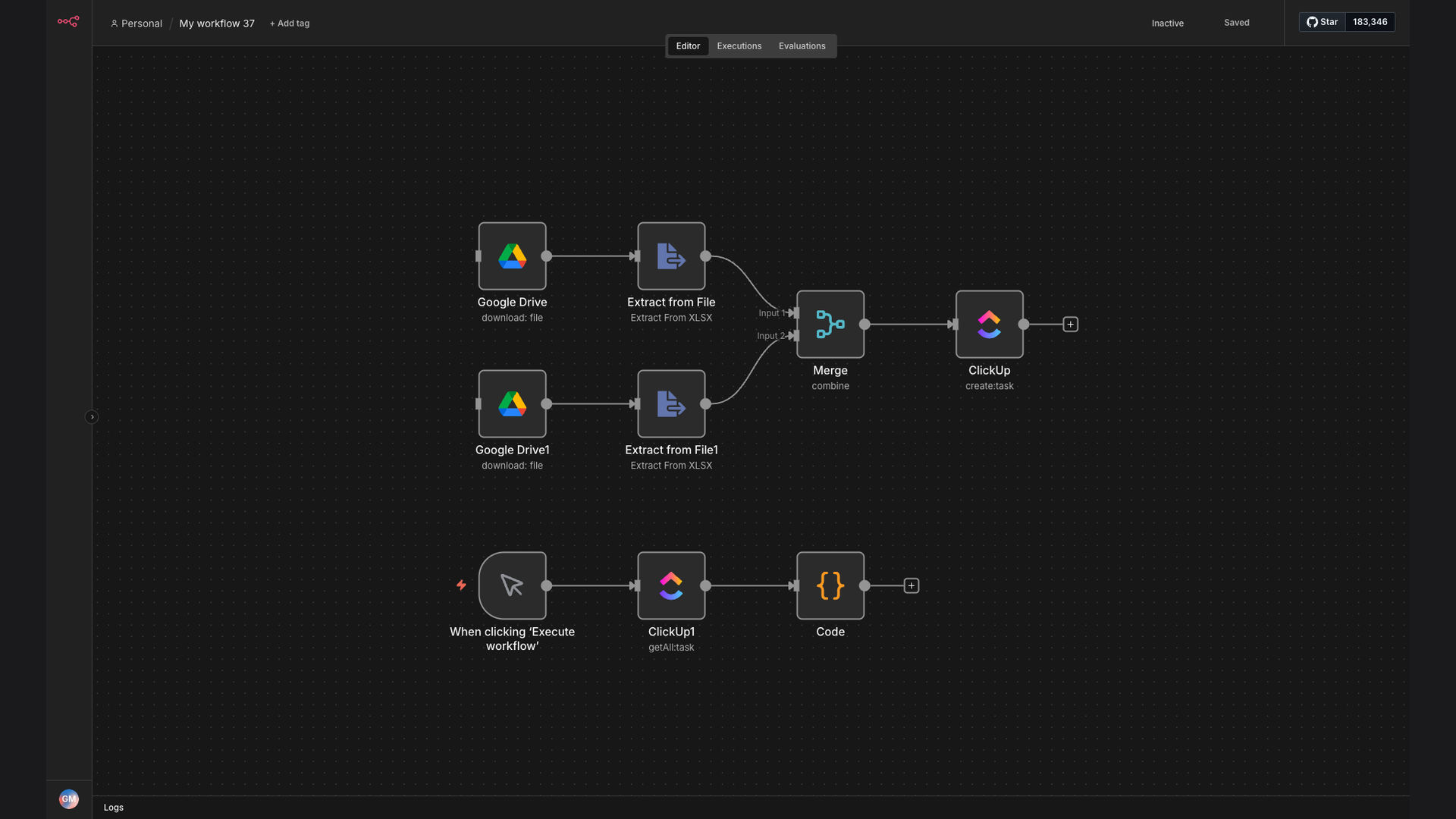
To eliminate manual overhead, we built an automated synchronization workflow using n8n. The system actively monitors a master Google Sheets spreadsheet. When a new row is added or an existing row is marked for execution, the workflow automatically generates the corresponding task in ClickUp, assigns it to the appropriate team member, sets the deadline, and maps all relevant custom attributes.
The workflow also implements bidirectional status syncing. When a task is marked complete in ClickUp, the n8n automation immediately updates the corresponding row status in Google Sheets, ensuring that clients and executives have real-time visibility into project health without needing a ClickUp license.
How It Works — Step-by-Step Sync
The n8n automation acts as the central router, managing the flow of data between Google Sheets and ClickUp dynamically.
- Detect Row Update: The n8n Google Sheets trigger fires instantly when a new row is added to the spreadsheet.
- Validate and Format: The system parses the row data, ensuring that key fields like email addresses, dates, and text descriptions are clean and correctly formatted.
- Prevent Redundancy: The workflow checks for duplicates by searching ClickUp for any existing tasks with matching spreadsheet IDs.
- Create ClickUp Task: If no duplicate exists, n8n calls the ClickUp API to create the task under the correct List and Folder.
- Assign and Schedule: The workflow dynamically assigns the task to a team member based on mapping tables and schedules the start and due dates.
- Update Sheets Status: Once created, n8n writes the unique ClickUp Task ID back to the Google Sheet row and marks the status as "Synced".
- Bidirectional Close: Upon completing the task in ClickUp, a webhook triggers n8n to mark the spreadsheet row as "Completed".
💡 Operational Efficiency: Automating task handoffs ensures that the workflow runs 24/7. Teams are notified of critical assignments in real-time, reducing project delays by up-to 80%.
What This System Does That Manual Process Can't
Instant Execution
Tasks appear in ClickUp within seconds of sheet updates, bypassing human latency.
Zero Duplicates
Built-in deduplication checks ensure no task is accidentally created twice.
Dynamic Assigning
Automated rules map spreadsheet values to ClickUp team profiles automatically.
Bidirectional Sync
Status updates flow back and forth, keeping both tools in absolute harmony.
Custom Field Mapping
Maps complex rows into ClickUp subtasks and custom drop-down fields seamlessly.
Error Alerts
Logs any integration errors and notifies administrators via Telegram or Slack.
Before vs. After: Real Numbers
Before: Copying tasks from client intake sheets took up to 8 hours a week, resulting in human errors, missing details, and an average delay of 24 hours before work started.
After: Task creation is 100% automated. Intake details sync in 80 seconds, deadlines are never missed, and project coordinators save a full day of admin work every single week.
Implementation: Live in 2 Weeks
- Requirements Gathering: We inspect your spreadsheet layouts and design the ClickUp custom fields mapping list.
- Workflow Development: We configure the n8n triggers, deduplication scripts, and webhook listeners.
- Integration Testing: We run sandbox tests with bulk data imports to ensure absolute sync stability.
- Deployment & Training: The sync workflow goes live, and we provide simple admin guides for monitoring task flows.
The Right Fit — and When It Isn't
This system is a perfect fit for operational agencies, software developers, and marketing teams that receive project requests via spreadsheets or external client forms and manage deliverables in ClickUp. It eliminates repetitive admin tasks and keeps master spreadsheets synced for non-technical stakeholders.
However, this might not be necessary for single-user workspaces or teams with a very low volume of task creation, where manual entry is quick and does not create operational bottlenecks.