The Problem
Many developers and integrators struggle to quickly test their webhook integrations. Setting up a full-fledged server to receive and respond to POST requests can be time-consuming and complex. This often leads to delays in development and testing cycles, hindering the overall efficiency of integration projects.
Without a simple, readily available endpoint, developers face unnecessary overhead. They need a way to validate their webhook payloads and ensure their systems are correctly sending data. This need for a streamlined testing environment is crucial for rapid iteration and successful integration deployments.
The Solution
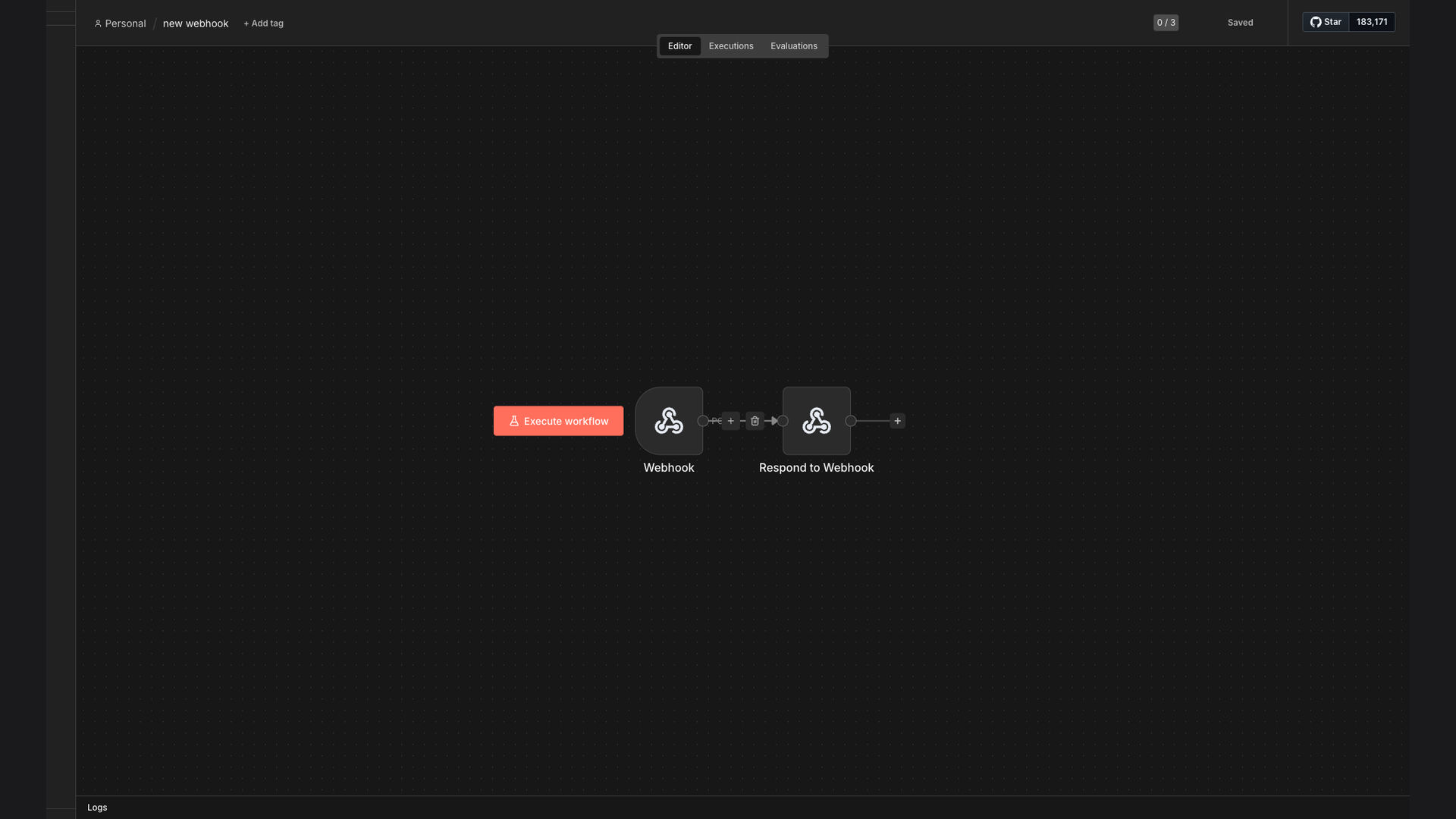
The solution is an n8n workflow that provides a simple POST endpoint webhook trigger. This workflow uses a public webhook node to capture incoming POST data. It then immediately returns a 200 OK response, confirming receipt of the data. This setup allows developers to quickly test and validate their webhook integrations without the complexity of setting up a custom server.
n8n was chosen for its ease of use and flexibility in creating automated workflows. Its visual interface allows for quick configuration of the webhook endpoint and response, making it an ideal platform for this type of simple yet critical task. The ability to easily inspect the received data within n8n further enhances the testing process.
How It Works — Quick Webhook Endpoint Setup
This n8n workflow provides a straightforward method for receiving and responding to POST webhook requests. Here's how it functions:
- Receive Webhook: The workflow starts with a Webhook node configured to listen for POST requests at a specific endpoint.
- Public URL: The Webhook node generates a public URL that can be used to send POST requests from any external system.
- Data Capture: When a POST request is sent to the public URL, the Webhook node captures the incoming data.
- Immediate Response: The workflow immediately sends a 200 OK response back to the sender, confirming receipt of the data.
- Data Inspection: The captured data can be inspected within n8n to validate the payload and ensure it is in the correct format.
- Workflow Trigger: This webhook can then trigger further nodes in the n8n workflow for additional processing or automation.
- Custom Headers: The workflow can be configured to handle custom headers in the POST request, allowing for more complex integrations.
💡 Simplified Testing: This workflow eliminates the need for developers to set up a dedicated server for testing webhook integrations, saving time and resources.
What This System Does That Manual Process Can't
Instant Setup
Quickly create a public webhook endpoint without server configuration.
Automated Response
Automatically sends a 200 OK response upon receiving data.
Data Inspection
Easily inspect the captured data within the n8n interface.
Time Savings
Reduces the time required for testing and validating webhook integrations.
Customizable
Configure the workflow to handle custom headers and data formats.
Integration Ready
Seamlessly integrate with other n8n nodes for further automation.
Before vs. After: Descriptive Subtitle
Before: Developers spent 2-3 hours setting up servers for webhook testing, delaying project timelines by 15-20%.
After: Webhook testing is now instant, reducing setup time to seconds and accelerating project delivery.
Implementation: Live in 1 Week
- Setup n8n: Install and configure n8n on a server or cloud platform.
- Create Workflow: Build the webhook workflow using the n8n visual interface.
- Configure Webhook Node: Set up the Webhook node to listen for POST requests.
- Test Endpoint: Send test POST requests to the public URL and validate the response.
- Deploy Workflow: Activate the workflow to make the webhook endpoint live.
The Right Fit — and When It Isn't
This solution is ideal for developers and integrators who need a quick and easy way to test webhook integrations. It is particularly useful for validating webhook payloads and ensuring systems are correctly sending data. The simplicity of the workflow makes it accessible to users with varying levels of technical expertise.
However, this solution may not be suitable for complex scenarios that require advanced data processing or custom server-side logic. In such cases, a more robust server setup may be necessary. Additionally, users who require advanced security features may need to implement additional measures beyond the basic 200 OK response.