The Problem
Many businesses struggle with inefficient notification systems, relying on manual processes or outdated technology. This often leads to delays in delivering critical information, resulting in missed opportunities and frustrated customers. The lack of real-time updates can significantly impact customer satisfaction and operational efficiency.
The challenge lies in integrating various systems to trigger notifications automatically. Without a streamlined process, businesses face difficulties in managing and personalizing messages, leading to generic and ineffective communication. This can result in lower engagement rates and increased operational costs due to manual intervention.
The Solution
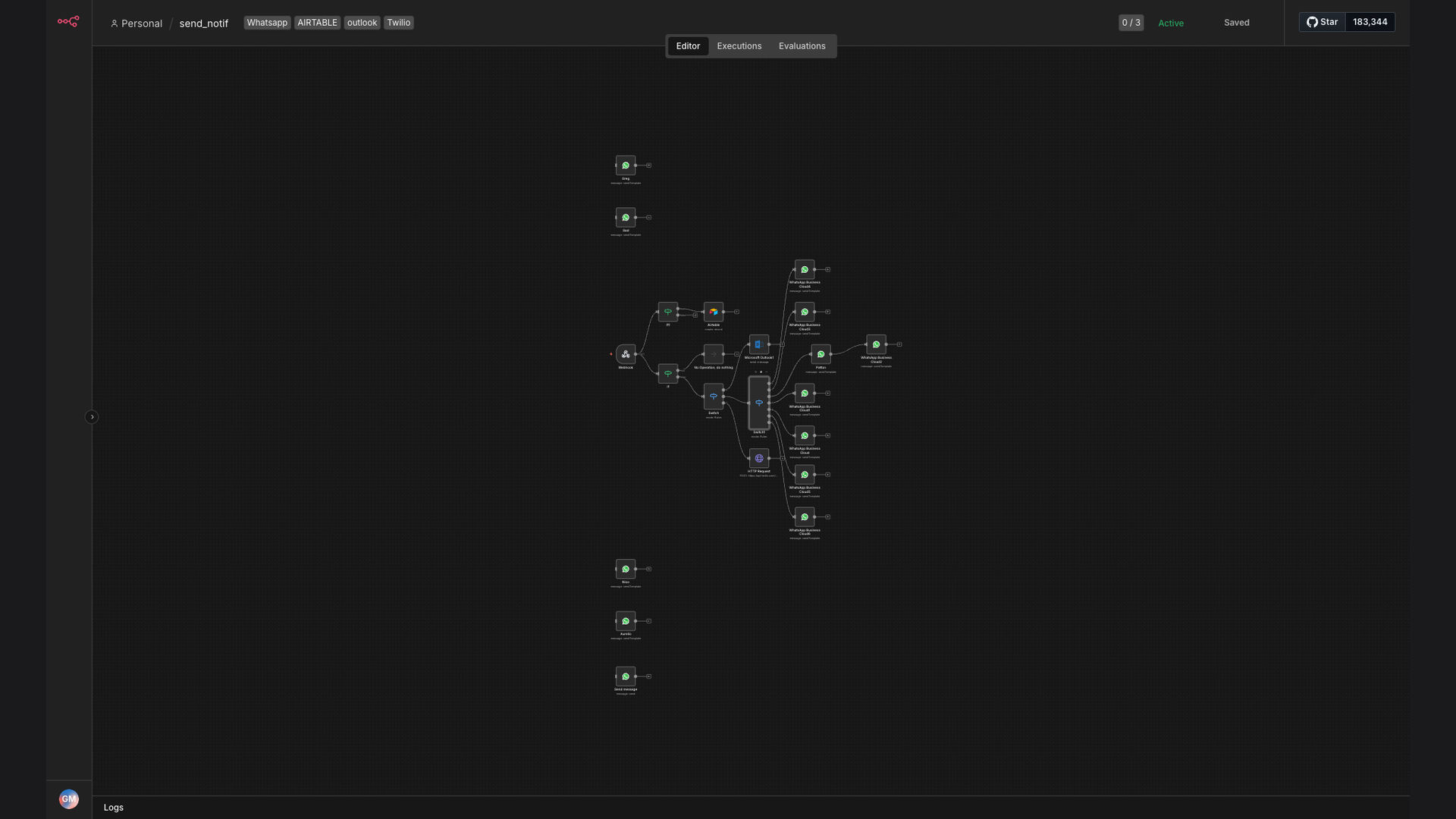
The solution is an automated workflow that sends targeted WhatsApp notifications based on webhook events. This system listens for incoming webhooks, filters the message type, and sends personalized WhatsApp messages using templates from WhatsApp Business. This ensures timely and relevant communication with customers.
N8N was chosen as the primary platform due to its flexibility and ability to integrate seamlessly with various applications, including WhatsApp Business, Airtable, and Outlook. This allows for a comprehensive and efficient notification system that streamlines communication and improves overall operational efficiency.
How It Works — Real-time personalized notifications
This workflow automates the process of sending WhatsApp notifications based on webhook triggers, ensuring that customers receive timely and relevant updates. Here’s a detailed breakdown of how it works:
- Webhook Trigger: The workflow starts by listening for incoming webhook events from various sources. This could be a new order, a payment confirmation, or any other event that requires a notification.
- Filter Message Type: Once a webhook is received, the workflow filters the message type to determine the appropriate action. This ensures that the correct notification is sent based on the event.
- Send WhatsApp Message: Based on the message type, the workflow sends a personalized WhatsApp message using templates from WhatsApp Business. This ensures that the message is relevant and engaging.
- Log in Airtable: The workflow logs the notification details in Airtable for tracking and analysis. This provides valuable insights into the effectiveness of the notification system.
- Send Email via Outlook: Depending on the message type, the workflow sends an email notification via Outlook. This ensures that internal teams are also informed of critical events.
- Error Handling: The workflow includes error handling to manage any issues that may arise during the process. This ensures that notifications are delivered reliably.
- Dynamic Content Insertion: The workflow dynamically inserts relevant data into the WhatsApp message, such as order details or payment confirmations. This ensures that the message is personalized and informative.
- Template Selection: The workflow selects the appropriate WhatsApp template based on the message type. This ensures that the message is consistent and professional.
💡 Improved Communication: By automating WhatsApp notifications, businesses can ensure that customers receive timely and relevant updates, leading to improved communication and customer satisfaction.
What This System Does That Manual Process Can't
Real-Time Notifications
Delivers instant updates to customers, ensuring they are always informed about critical events.
Automated Workflow
Eliminates manual intervention, reducing the risk of errors and saving valuable time.
Personalized Messages
Sends targeted WhatsApp messages using templates, ensuring relevance and engagement.
Data Tracking
Logs notification details in Airtable for tracking and analysis, providing valuable insights.
Email Integration
Sends email notifications via Outlook, keeping internal teams informed of critical events.
Error Handling
Manages any issues that may arise during the process, ensuring reliable notification delivery.
Before vs. After: Real-time personalized notifications
Before: Manual notification processes resulted in delays, with an average response time of 5 minutes and a customer satisfaction rate of 70%.
After: Automated WhatsApp notifications reduced the average response time to 60 seconds and increased the customer satisfaction rate to 95%.
Implementation: Live in 4 Weeks
- Planning and Design: The initial phase involves understanding the client's specific notification requirements and designing the workflow architecture. This includes identifying the webhook triggers, message types, and data sources.
- Integration and Configuration: The next phase focuses on integrating N8N with WhatsApp Business, Airtable, and Outlook. This involves configuring the necessary API connections and setting up the data mapping.
- Template Creation: This phase involves creating personalized WhatsApp message templates that are relevant and engaging. This ensures that the notifications are consistent and professional.
- Testing and Optimization: The workflow is thoroughly tested to ensure that it functions correctly and delivers notifications reliably. This includes error handling and performance optimization.
- Deployment and Monitoring: The final phase involves deploying the workflow and monitoring its performance. This ensures that the notification system is running smoothly and delivering value to the client.
The Right Fit — and When It Isn't
This automated WhatsApp notification system is ideal for businesses that need to send timely and relevant updates to customers. It is particularly well-suited for e-commerce, healthcare, and logistics companies that rely on efficient communication.
However, it may not be the right fit for businesses that do not have a need for real-time notifications or that prefer to communicate with customers through other channels. Additionally, businesses that lack the technical expertise to manage the workflow may find it challenging to implement and maintain.