The Problem
Many Italian businesses using FattureInCloud struggle with keeping their CRM systems updated with the latest client, invoice, and quote information. Manually transferring data between FattureInCloud and Airtable is time-consuming and prone to errors, leading to inefficiencies and potential inaccuracies in their CRM.
This manual process often results in delayed updates and inconsistencies, making it difficult for sales and customer service teams to access the most current information. The lack of real-time synchronization creates a significant bottleneck, hindering their ability to provide timely and accurate service to their clients.
The Solution
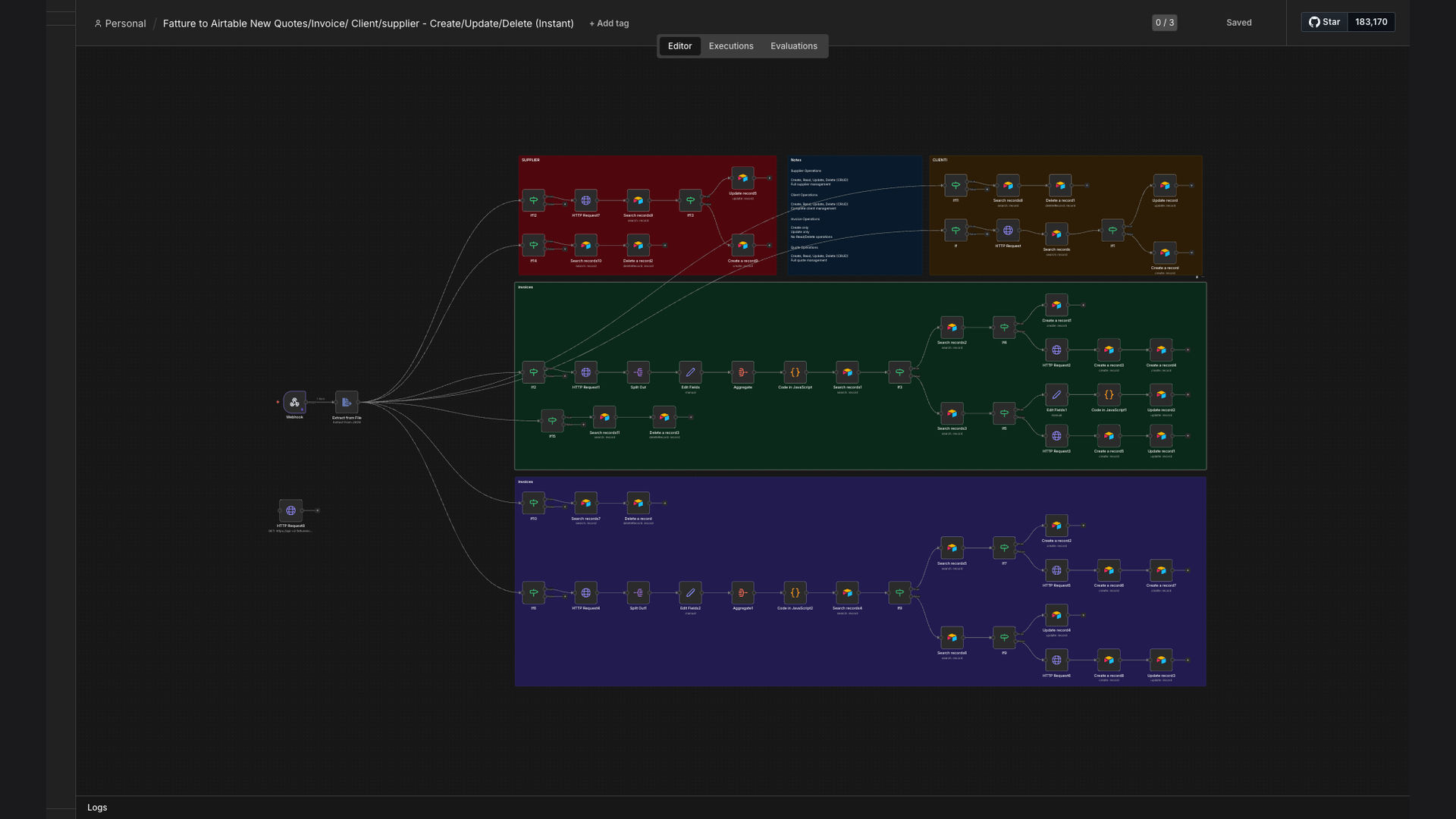
We developed an automated workflow using n8n to synchronize data between FattureInCloud and Airtable in real-time. This system uses webhooks to listen for changes in FattureInCloud, such as the creation, update, or deletion of clients, invoices, and quotes, and then automatically reflects those changes in Airtable.
n8n was chosen for its flexibility and ability to handle complex data transformations, ensuring that the data is accurately mapped and transferred between the two platforms. The use of webhooks ensures that the Airtable CRM is always up-to-date, eliminating the need for manual data entry and reducing the risk of errors.
How It Works — Real-time Data Synchronization
This workflow leverages webhooks to ensure that any changes in FattureInCloud are immediately reflected in Airtable, providing a seamless and up-to-date CRM experience.
- FattureInCloud Event: A client, invoice, or quote is created, updated, or deleted in FattureInCloud.
- Webhook Trigger: n8n listens for webhooks from FattureInCloud, which are triggered by these events.
- Data Retrieval: n8n retrieves the relevant data from FattureInCloud via the webhook payload.
- Data Transformation: The data is transformed to match the Airtable schema, ensuring compatibility.
- Airtable Update: n8n updates the corresponding record in Airtable with the transformed data.
- Error Handling: If an error occurs during the update, n8n logs the error for review and correction.
- Audit Logging: All updates are logged for auditing and tracking purposes, ensuring data integrity.
💡 Real-time Updates: Webhooks ensure that changes in FattureInCloud are immediately reflected in Airtable, providing a seamless and up-to-date CRM experience. This eliminates the need for manual data entry and reduces the risk of errors.
What This System Does That Manual Data Entry Can't
Real-time Synchronization
Webhooks ensure immediate updates in Airtable, eliminating delays and manual intervention.
Data Accuracy
Automated data transfer reduces the risk of human error, ensuring accurate CRM records.
Time Savings
Automating data entry frees up valuable time for sales and customer service teams.
Data Integrity
Audit logging provides a record of all updates, ensuring data integrity and compliance.
Improved Efficiency
Streamlined data flow improves overall efficiency and productivity for the business.
Customizable
The workflow can be customized to meet the specific needs and requirements of the business.
Before vs. After: Real-time CRM Updates
Before: Manual data entry took approximately 2 hours per day, with a 10% error rate.
After: Real-time synchronization eliminates manual data entry, reducing the error rate to less than 1% and saving 2 hours per day.
Implementation: Live in 3 Weeks
- Requirements Gathering: We worked with the client to understand their specific data synchronization needs and requirements.
- Workflow Design: We designed the n8n workflow to map data between FattureInCloud and Airtable, including error handling and audit logging.
- Testing and Refinement: We tested the workflow thoroughly to ensure accuracy and reliability, making adjustments as needed.
- Deployment: We deployed the workflow to a production environment, ensuring seamless integration with FattureInCloud and Airtable.
The Right Fit — and When It Isn't
This solution is ideal for Italian businesses using FattureInCloud and Airtable who want to automate their CRM data synchronization. It's particularly well-suited for businesses that need real-time updates and want to reduce manual data entry and errors.
However, this solution may not be the right fit for businesses that do not use FattureInCloud or Airtable, or for those that have very simple data synchronization needs that can be easily managed manually.