
Sales professionals often find themselves bogged down by a multitude of repetitive administrative tasks. These can range from sending routine emails and meticulously entering data into CRM systems to prospecting for new leads, researching potential clients, and drafting various documents like proposals and contracts.
Research consistently shows that a significant portion of a salesperson's day is consumed by these non-selling activities. As Lynne Zaledonis, SVP Product Marketing at Salesforce, aptly puts it, "A sales rep can only be as productive as the time spent selling." This highlights a critical challenge: how can sales teams maximize their selling time and minimize the drain of repetitive tasks?
What is Sales Automation?
Sales automation refers to the process of mechanizing routine, manual tasks within the sales cycle using specialized software. The primary goal is to free up sales representatives from mundane administrative duties, allowing them to concentrate on higher-value activities such as building relationships, closing deals, and strategic planning.
Given the often linear and predictable nature of sales processes, automation offers numerous benefits. It can drastically reduce customer response times, for example, through the use of chatbots for initial inquiries. Automation also improves overall productivity by setting up timely reminders and enhances data accuracy by ensuring seamless synchronization between different sales tools. A key outcome of effective sales automation is an increase in sales velocity, which we will explore further.
Sales Velocity Explained
What is Sales Velocity?
Sales velocity is a crucial metric that quantifies how quickly a business can generate revenue. It provides insight into the speed at which potential customers progress through your sales pipeline, from initial lead to becoming a paying customer. Understanding and optimizing sales velocity is fundamental to achieving consistent and predictable revenue growth.
The calculation of sales velocity involves four key components: the number of opportunities in your pipeline, the average value of each deal, your win rate (or conversion rate), and the average length of your sales cycle in days. By multiplying the number of opportunities by the average deal value and the win rate, and then dividing by the sales cycle length, you arrive at your sales velocity, typically expressed as revenue per day.
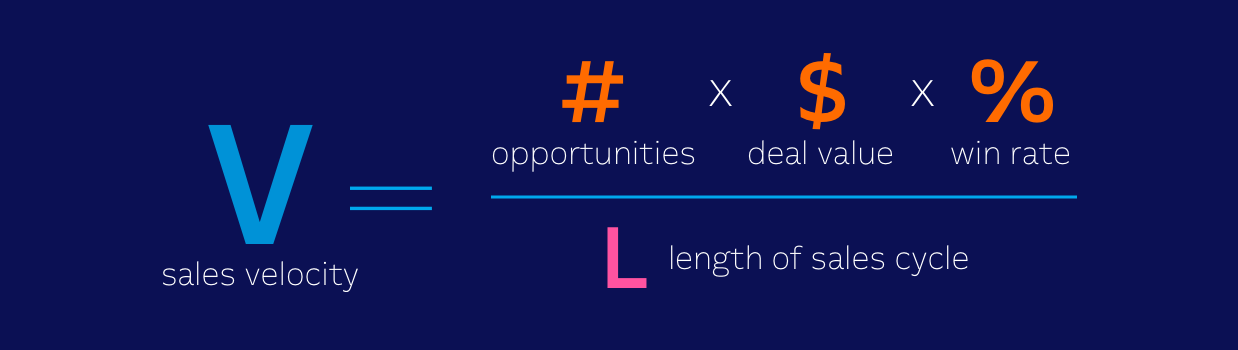
For example, if you have five opportunities with an average deal value of $10,000, a 30% win rate, and a 60-day sales cycle, your sales velocity would be ($5 \times $10,000 \times 0.3) / 60 = $250 per day. This figure helps sales teams gauge their performance against quotas and identify areas for improvement.
If your sales velocity is not meeting targets, you can adjust various elements of the equation. This might involve focusing on increasing the average deal size by pursuing larger contracts, generating more qualified opportunities, or actively working to reduce the length of the sales cycle. Sales automation plays a pivotal role in optimizing these factors, directly contributing to an improved sales velocity.
How to Automate Repetitive Sales Tasks?
The concept of sales process automation is not new, with established companies like Oracle offering solutions for decades. However, these traditional platforms often cater to large enterprises and can be inaccessible or overly complex for smaller to mid-sized businesses. Fortunately, the landscape has evolved, and today's market offers powerful, affordable, and user-friendly automation options.
Modern approaches to automating sales tasks typically fall into three categories: leveraging native automation features within CRM systems like Salesforce, adopting integrated product suites such as Zoho, or utilizing dedicated automation platforms like Make.com. While each option has its merits depending on specific business needs, dedicated platforms generally offer the most flexibility. They enable businesses to standardize processes, reduce development costs, and easily replicate automated solutions across entire sales teams, making them an ideal choice for comprehensive automation strategies.
10 Sales Tasks You Can Automate with Make
This section will detail ten common, repetitive sales tasks that can be effectively automated using Make. Each example will include a brief explanation and highlight how a Make template can be used to implement the automation immediately. To utilize these templates, you will need an existing Make account, which can be created for free without requiring credit card details.
1. Automate CRM Data Entry to Eliminate Copy-Pasting
One of the most time-consuming tasks for sales representatives is updating CRM records. Studies indicate that the average sales rep spends nearly four hours per week on CRM data entry. This time could be better spent on direct selling activities.
A significant portion of CRM data entry involves simple copying and pasting of information. For instance, when adding a new contact, sales reps often manually transfer details like previous employers, city and state, alma mater, and common connections from social media profiles to enrich the CRM record. This manual process is prone to errors and highly inefficient.
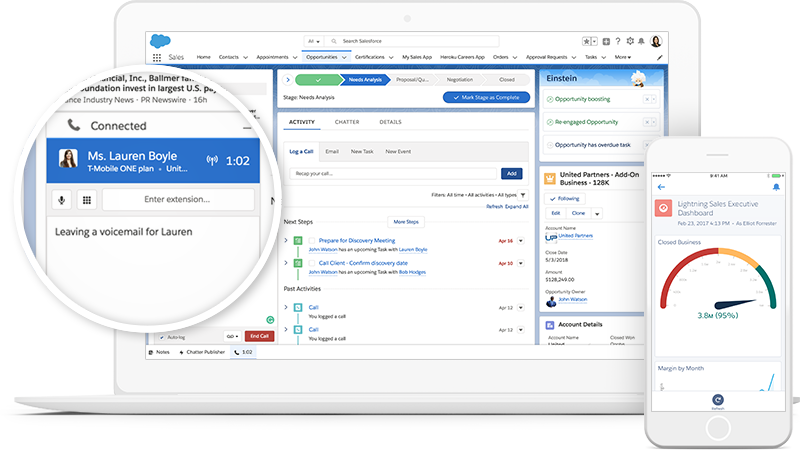
Sales automation can revolutionize this process by automatically pulling relevant information from social media platforms and other sources directly into your CRM. This ensures that lead records are consistently nurtured and updated without manual intervention, saving valuable time that can be redirected towards improving the overall sales process and engaging with prospects.
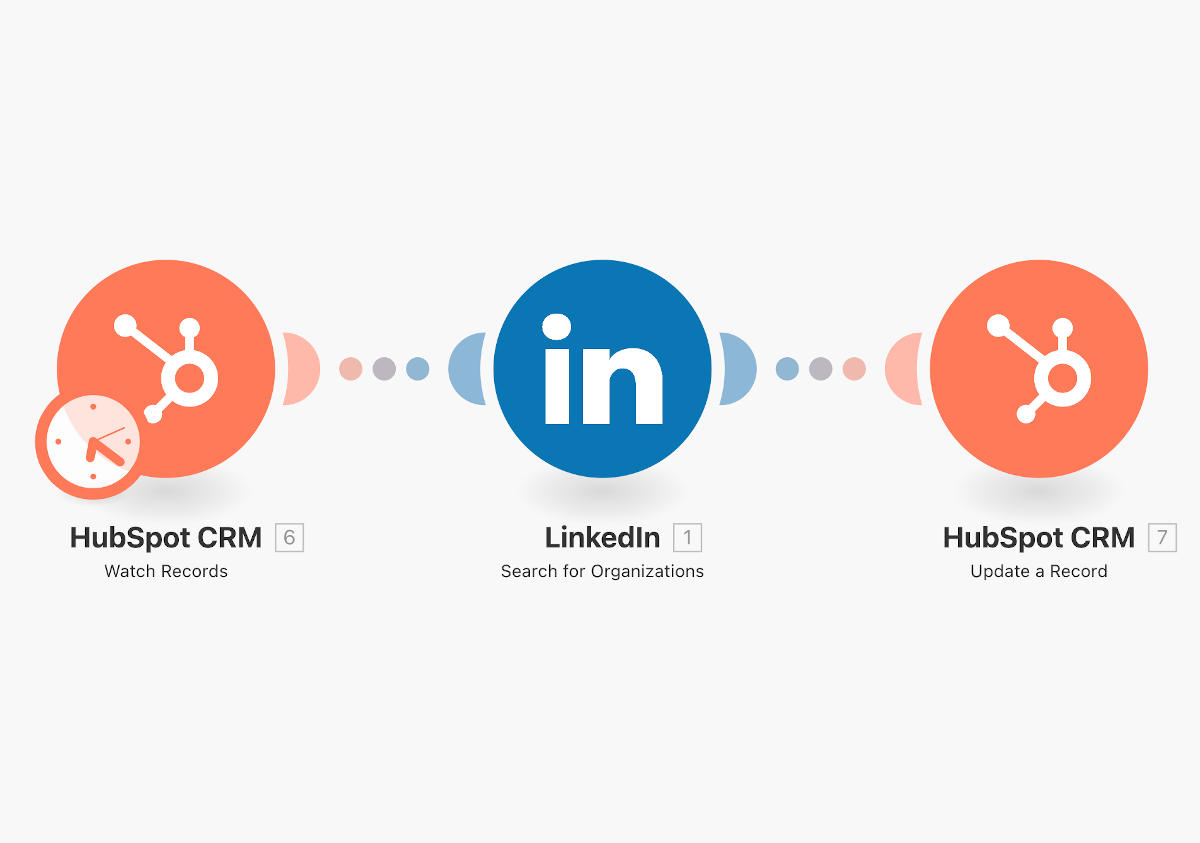
For example, a Make template can be configured to automatically extract LinkedIn contact information and populate a new company record in HubSpot CRM. This eliminates the need for manual data transfer, ensuring accuracy and efficiency in your lead management.
2. Automate Contract and Proposal Creation to Focus on Relationships
Sales teams are constantly generating and distributing a variety of documents, including presentations, product leaflets, proposals, invoices, and contracts. A significant challenge is that these documents often require customization for each individual client, whether it's adding a company logo, adjusting pricing, or incorporating specific terms. These administrative tasks consume considerable time and energy that could otherwise be spent on core selling activities.
The good news is that a large portion of this document-related workload can be automated. Platforms like Make can seamlessly integrate with your CRM and document creation software. This allows for the automatic extraction of client-specific information from your CRM, which is then used to populate and customize document templates. This automation extends to various processes, from invoice generation to the drafting of complex contracts.
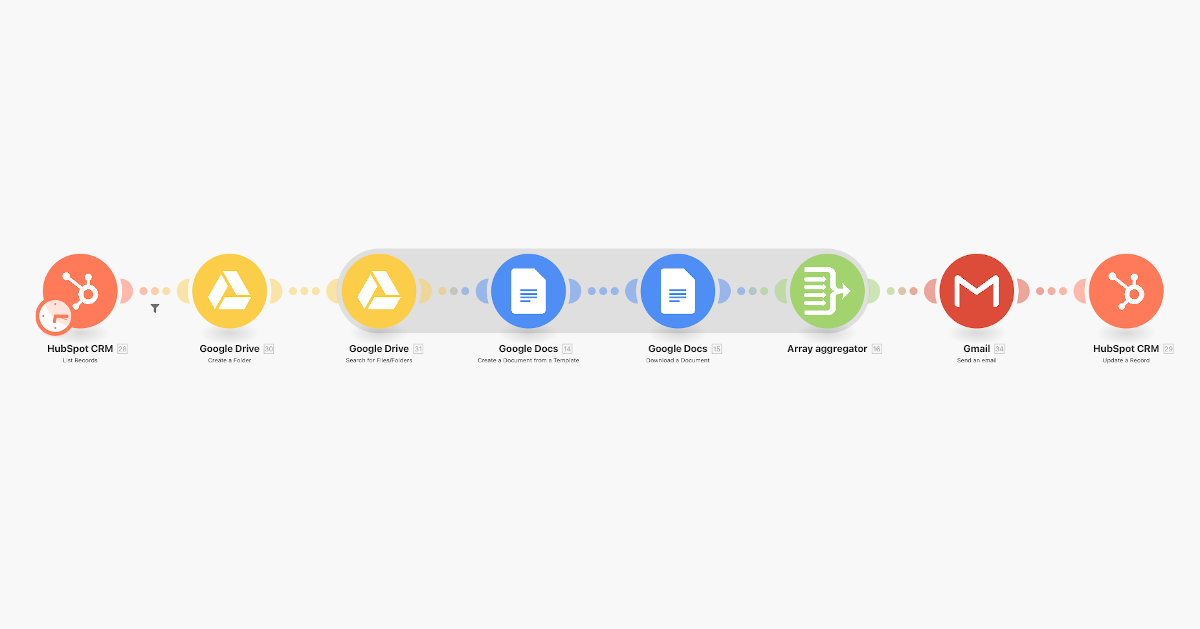
By automating the creation of these essential sales documents, sales professionals can significantly reduce their administrative burden. This shift allows them to dedicate more time and focus to building and nurturing client relationships, which is ultimately where their expertise and value are most impactful. A Make template can be used to automatically generate documents, such as contracts, for new deals in HubSpot CRM once specific criteria are met, ensuring efficiency and accuracy.
3. Automate Lead Qualification to Ensure Deliverability
Lead qualification is a critical step in the sales process, as it ensures that valuable time and resources are directed towards the most promising prospects. Before delving into budget discussions or project timelines, it's essential to confirm the accuracy of contact information. There's nothing more frustrating than meticulously crafting a personalized email only for it to bounce back with an undeliverable message.
Tools designed for email verification, such as NeverBounce, play a vital role in ensuring email deliverability. When integrated with your CRM, these tools create a powerful, automated system for validating contact information. This proactive approach helps eliminate the nagging problem of invalid email addresses, ensuring that your outreach efforts are effective and reach their intended recipients.

By automating email validation, sales teams can significantly improve the quality of their lead data and the success rate of their email campaigns. A Make template can be utilized to validate contacts in HubSpot CRM using NeverBounce, ensuring that all contact information is accurate and valid before any outreach is initiated.
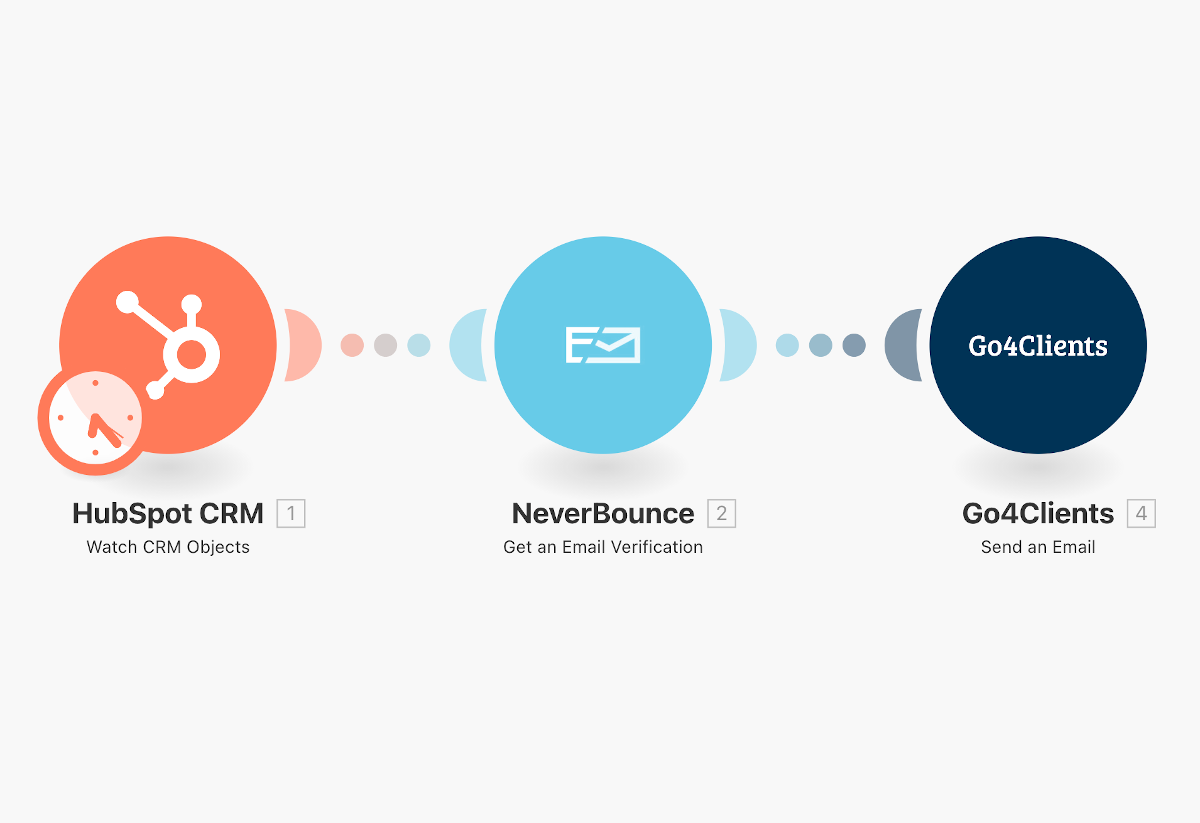
4. Automate Lead Generation for a Constant Influx of Prospects
Lead generation is an indispensable aspect of sales, yet it often consumes a substantial amount of a salesperson's time. Reports indicate that sales professionals spend, on average, 17% of their day actively prospecting and researching leads. This process, while crucial, can be fraught with challenges: it's often repetitive, can feel inaccurate due to a lack of targeted information, and can quickly become messy if not managed diligently.
Leveraging social media effectively is key to generating high-quality leads. Platforms like LinkedIn, where professionals voluntarily list their company, activities, and interests, provide a rich source of relevant information. This makes it significantly easier to identify and reach out to potential leads with tailored messages.
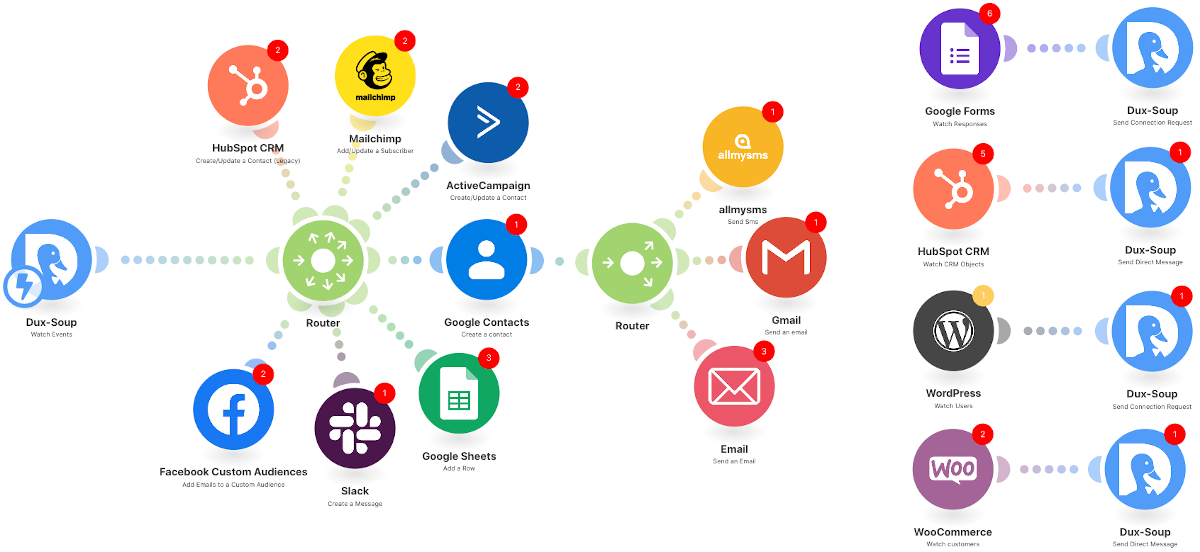
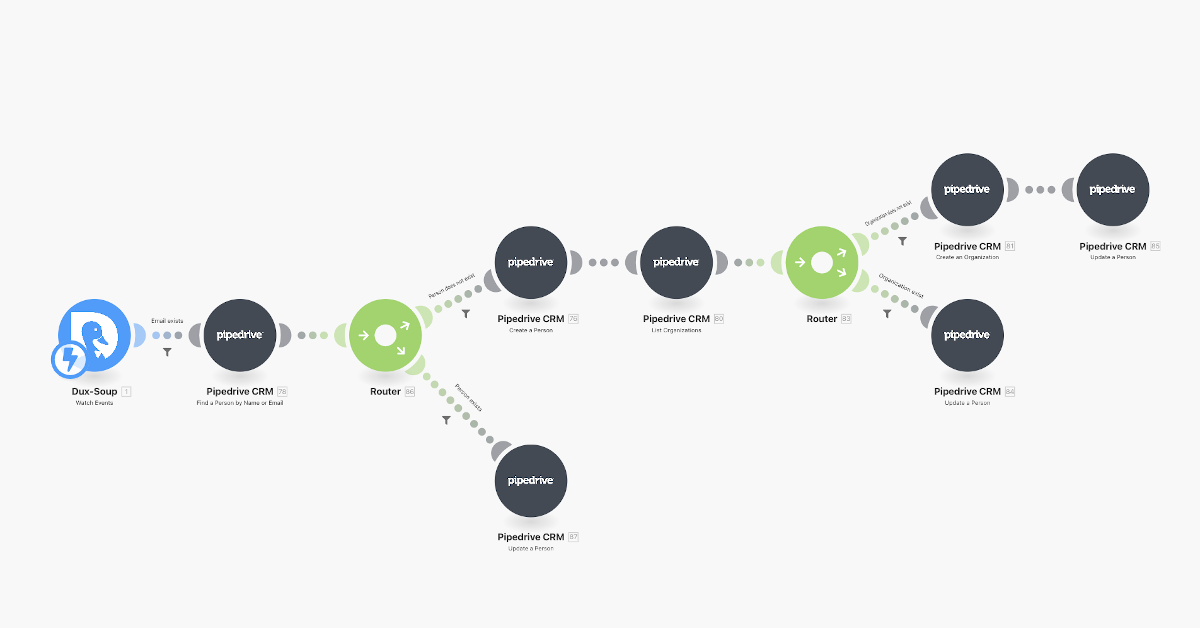
Tools like Dux-Soup specialize in automating LinkedIn prospecting efforts, allowing users to apply filters, send inmails, and manage connection requests efficiently. When integrated with platforms like Make, Dux-Soup can be part of automated scenarios that seamlessly transfer scanned LinkedIn profiles into your CRM. This creates a continuous and steady flow of qualified leads, ensuring that your sales pipeline remains robust and well-supplied.
5. Automate Lead Follow-up While the Iron is Hot
In sales, timing is paramount. The speed at which you interact with inbound leads significantly impacts the quality and potential of the conversation. Studies show that waiting just 10 minutes to respond to an inbound lead can decrease the likelihood of qualifying that lead by a factor of four. This highlights the critical need for immediate engagement.
Chatbots are an excellent tool for capitalizing on this need for speed. They can automatically engage with website visitors, ask qualifying questions, handle simple queries and complaints, and begin building rapport through a smooth user experience. The key to maximizing effectiveness lies in cross-platform automation, ensuring that you reach customers across various channels.
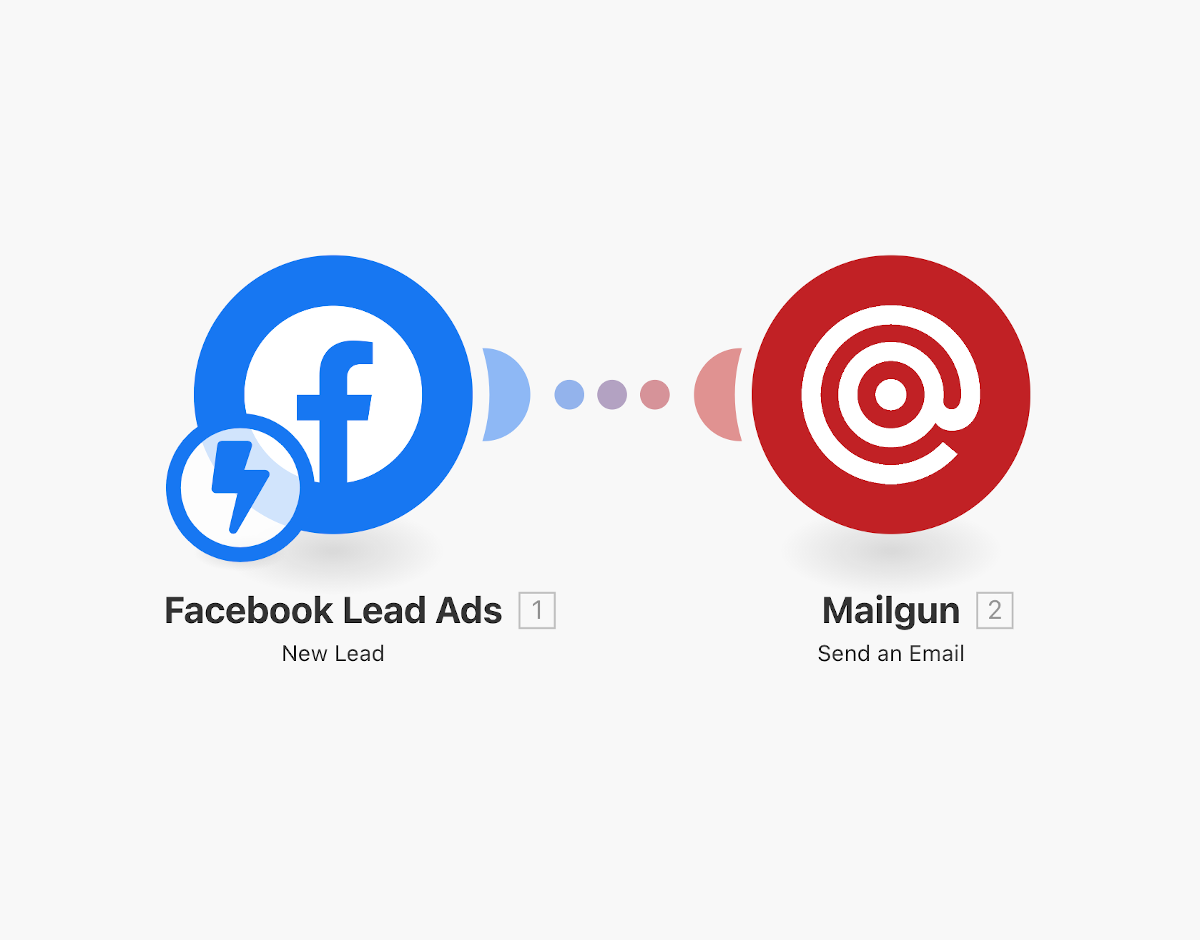
By automating large parts of the follow-up process, you can maximize the odds of getting a response without the manual effort. For instance, a Make template can be set up to automatically send an email via Mailgun to new leads captured through Facebook Lead Ads, ensuring immediate and consistent communication.
6. Sync Your Meetings Across Tools to Stay on Top of Your Schedule
For sales professionals, calls and meetings are a fundamental part of the selling process. Forgetting a scheduled call can be detrimental to client relationships and overall productivity. This is a common issue, given the sheer volume and variety of meetings salespeople typically manage, including discovery calls, sales presentations, follow-ups, and internal team meetings.
The constant influx of appointments can be overwhelming, leading to anxiety and potential scheduling conflicts. Automation offers an effective solution to ensure that no engagement is missed. By syncing events across different tools and setting up automated reminders, sales reps can maintain an organized schedule effortlessly.

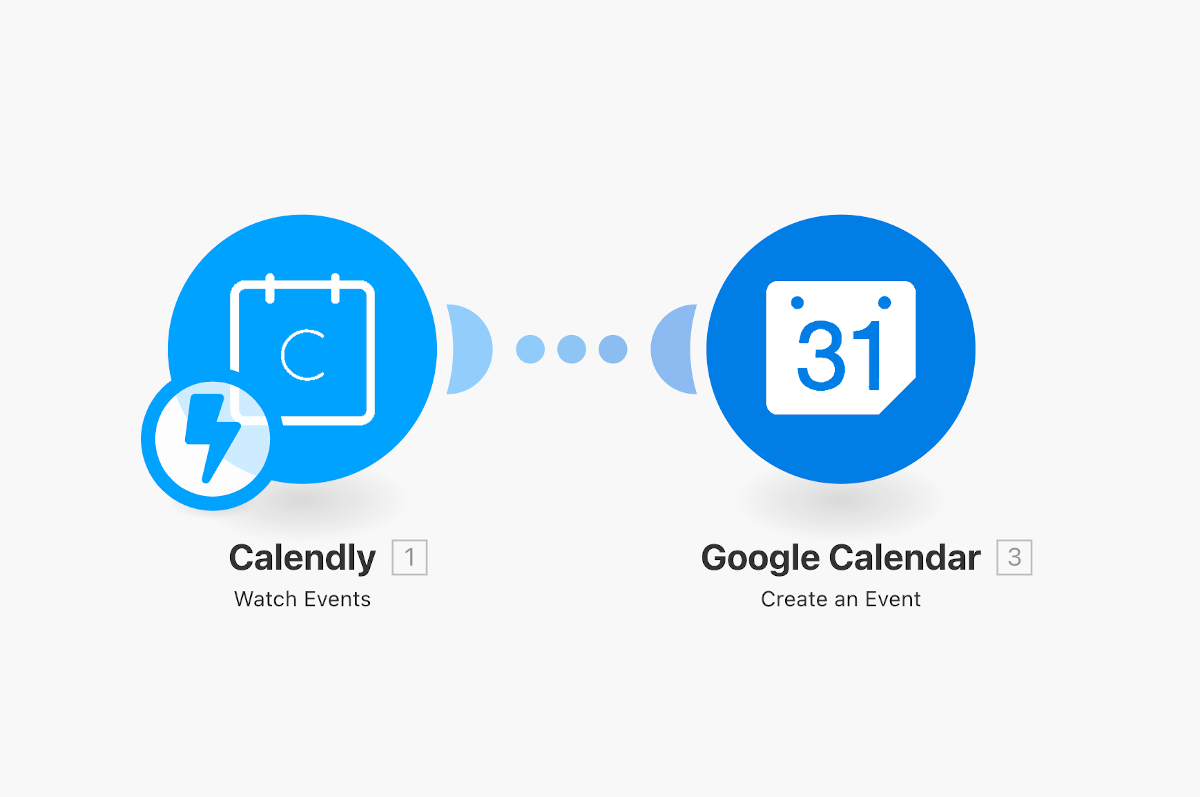
For example, a Make template can automatically add new events created in scheduling applications like Calendly directly to your Google Calendar. This seamless integration keeps your schedule synchronized across all platforms, eliminating manual data entry and reducing the risk of missed appointments, allowing you to focus on the content of your meetings.
7. Automate Your Sales Pipeline to React to Changes Instantly
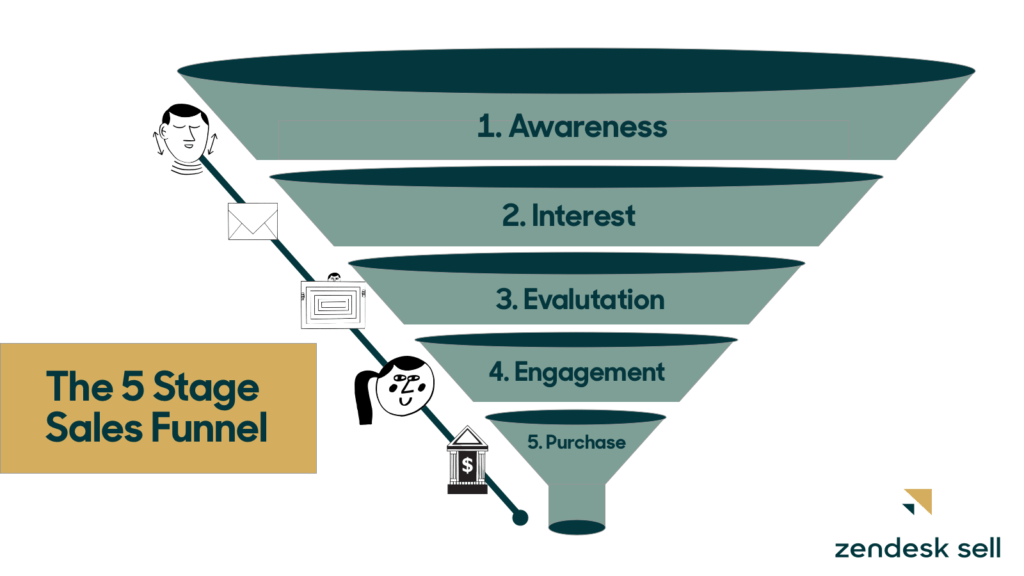
The sales funnel illustrates the journey of a prospect from initial awareness to purchase. As prospects move closer to making a buying decision, each interaction becomes increasingly valuable. Timely reactions at these critical stages are essential to ensure that the effort invested in nurturing a deal does not go to waste.
While managing a small sales pipeline might be straightforward, it becomes significantly more challenging as the number of deals grows. Automation can provide crucial support by setting up reminders and alerts that notify you whenever a deal progresses through the funnel. This ensures you are always aware of key milestones and when it's the opportune moment to engage.
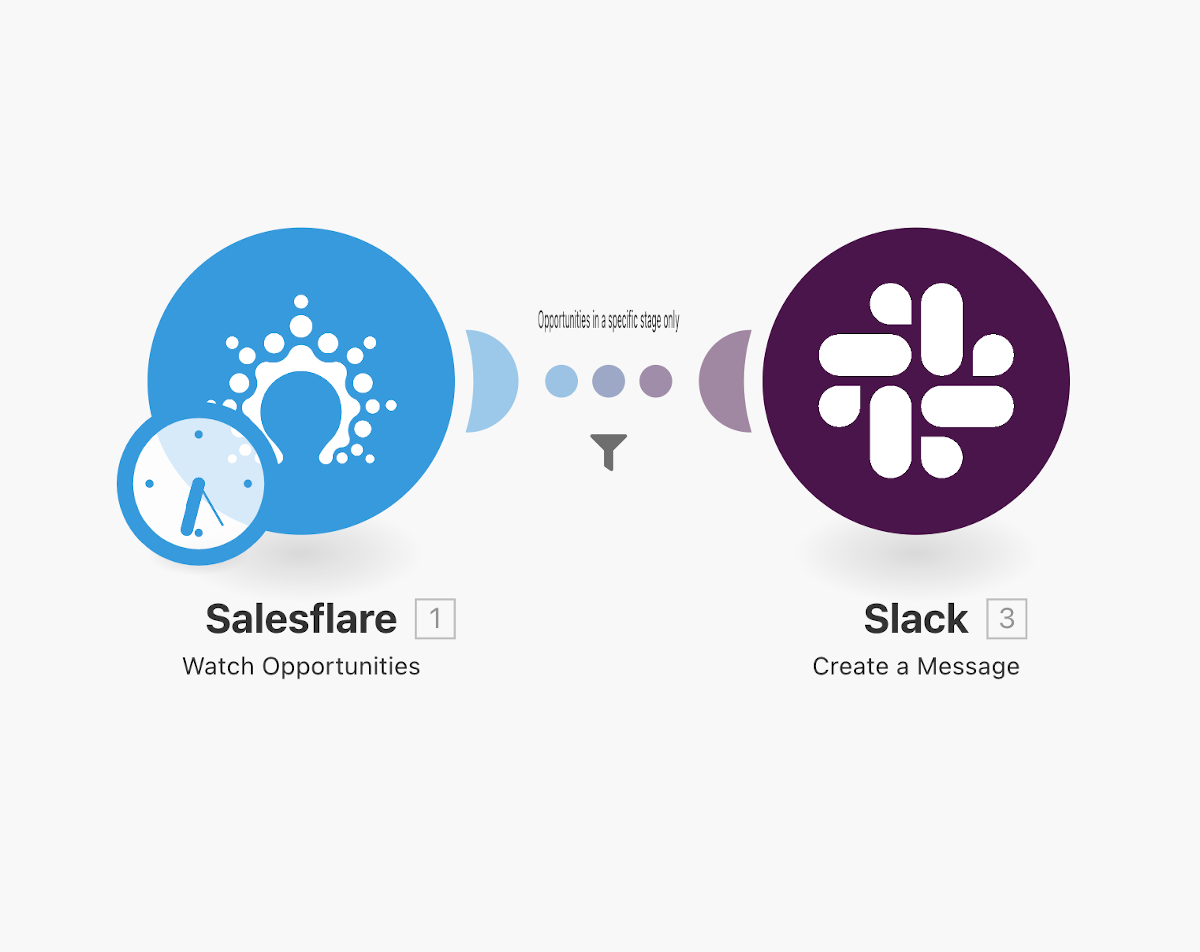
For example, a Make template can be configured to send automatic Slack messages when an opportunity in your CRM, such as Salesflare, reaches a specific stage. This real-time notification system allows sales teams to react promptly, ensuring that no critical moment is missed and maximizing the chances of closing deals efficiently.
8. Send Leads to the Appropriate Rep Based on Specific Criteria
Lead routing, also known as lead distribution, is the strategic process of assigning incoming leads to different sales team members based on predefined criteria. This ensures that each lead is handled by the most suitable representative, optimizing the chances of conversion and improving overall sales efficiency.
The criteria for lead routing can vary widely, from basic requirements like language proficiency or geographical location to more granular traits such as industry experience, company size, or specific product interest. Implementing an effective lead routing system can be achieved through several methods: utilizing native features within your CRM, employing a dedicated lead routing solution like LeadSquared, or setting up a custom automation using a sales process automation tool.

Make.com excels in the third category, offering unparalleled flexibility and customization. By enabling the linking of different bases on platforms like Airtable, Make allows you to create sophisticated internal automations, including highly tailored lead routing processes. This level of customization ensures that leads are always directed to the best-fit sales rep, maximizing engagement and conversion potential.
9. Get Notified When a Payment is Due to Ease the Collection Process
Managing accounts receivable is an unavoidable part of sales, and while chasing overdue payments isn't the most enjoyable task, it's crucial for business cash flow. Depending on the organizational structure, this responsibility might fall to sales teams, who often have an existing relationship with the customer.
The key to effectively managing payment collections is having a robust process in place. Many modern invoicing tools, such as QuickBooks or Invoice Ninja, come equipped with built-in reminder and alert features that can automatically notify you via email when an invoice is due. This proactive approach helps prevent payments from becoming significantly overdue.
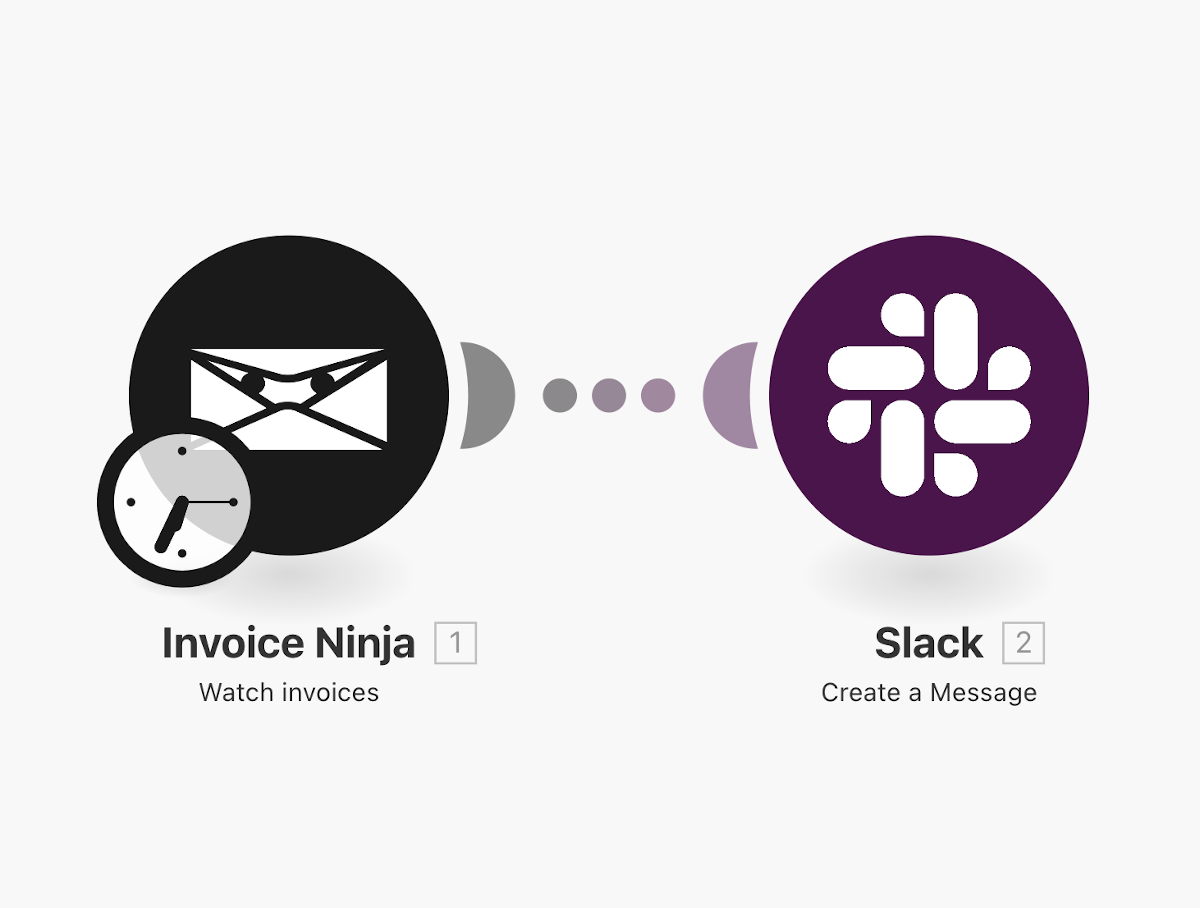
Alternatively, you can leverage automation platforms like Make to integrate your invoicing software with your preferred communication tools. This allows you to receive instant notifications, for example, on Slack, whenever an invoice is created or becomes due. Such integrations streamline the collection process, ensuring timely follow-ups and reducing the administrative burden on your sales team.
10. Go the Extra Mile to Delight Prospects and Customers
While automation is typically best suited for repetitive, non-personal tasks, there are strategic exceptions where it can be used to enhance personalized customer experiences. The goal is to create memorable moments that build stronger relationships and foster loyalty.
Services like Thankster, which allow you to create and send handwritten cards online via snail mail, offer a unique opportunity for automated personalization. When integrated with Make, this becomes a powerful tool for creating thoughtful, automated outreach. Imagine automatically sending:
- A personalized welcome letter to new customers.
- An appreciation letter to customers whose subscriptions are nearing their end.
- A "Happy New Year" card to clients you've successfully closed over the past year.
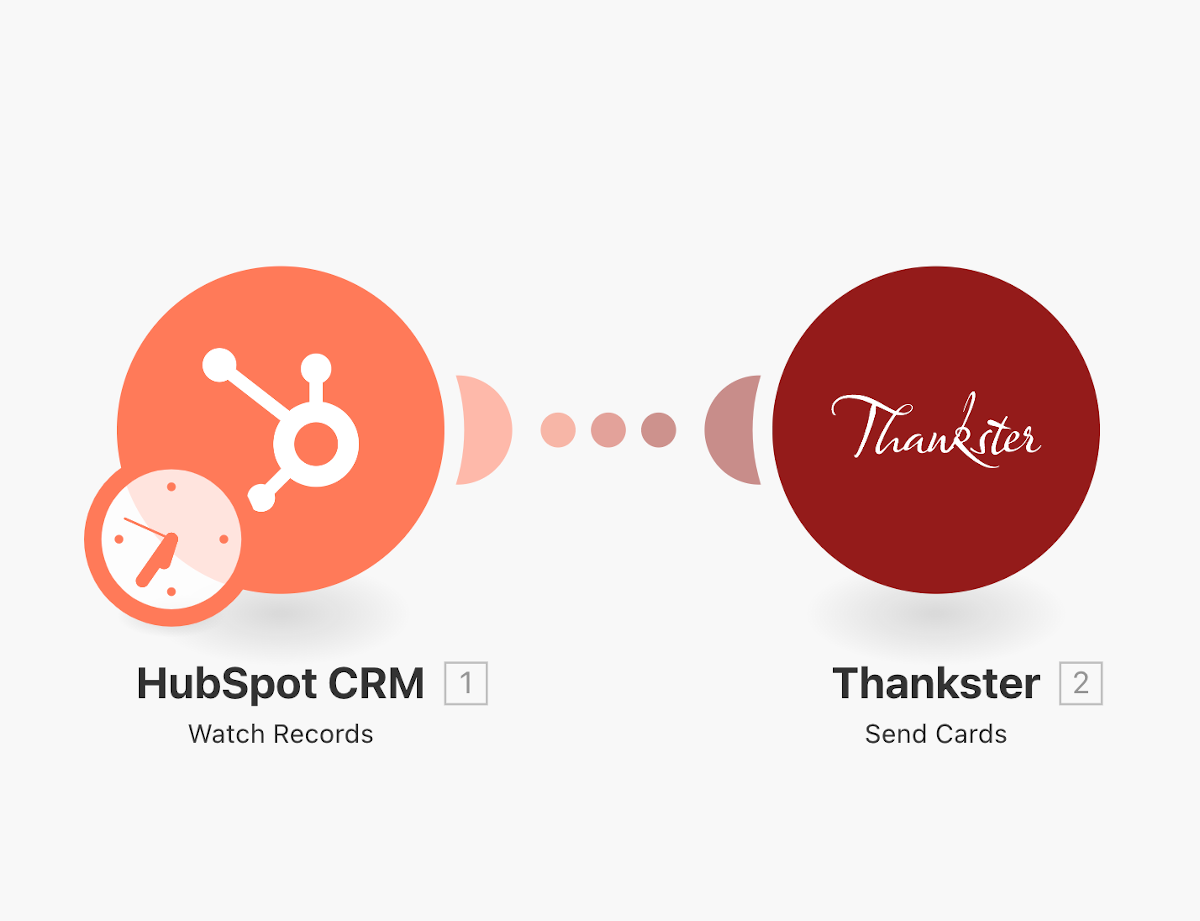
When integrated with your CRM, these automated gestures can form part of a delightful and effective customer engagement campaign. A Make template can be used to automatically create a new Thankster card whenever a new contact is added to HubSpot CRM, ensuring that every new client receives a warm, personalized welcome.
Important Considerations for Sales Automation
While the benefits of sales automation are undeniable, it's crucial to approach its implementation strategically. Automation is a powerful tool, but it's not a universal solution for every business challenge. Some sales activities inherently require a human touch and undivided attention, and attempting to automate them can be counterproductive.
To ensure successful and effective sales automation, consider these four simple rules:
- Don’t overdo it: Focus automation on truly menial and repetitive tasks, preserving personal interaction for critical moments.
- Watch the deal value: For high-value or complex deals, human interaction becomes more important. The more significant the deal, the less you should rely solely on automation.
- Test before using: Always thoroughly test your automated workflows before deploying them broadly. Avoid generic placeholders like "hi {{first_name}}!" that can undermine personalization efforts.
- Value the human: Activities such as product demonstrations, sensitive financial discussions, and resolving complex customer issues are best handled by human interaction to build rapport and trust.