
Revenue operations (RevOps) teams frequently find themselves overwhelmed, juggling numerous projects and struggling to keep pace. This often leads to a feeling of being constantly underwater, a common experience in many organizations.
In day-to-day operations, it's common to see marketing, sales, and customer success teams working in silos. This lack of alignment often results in broken processes, messy data, and fragmented customer journeys, ultimately hindering overall efficiency and customer satisfaction.
The critical question then becomes: how can your team shift its focus from merely maintaining operations to engaging in innovative, revenue-impacting projects that truly drive growth? This article will explore three practical solutions for marketing, sales, and customer success operations teams, designed to free up valuable time and enable a focus on what truly matters.
Turning Lead Generation into a Well-Oiled Machine
Marketing operations (Mops) teams consistently face the challenge of integrating and optimizing an ever-expanding tech stack. Their primary goal is to ensure that leads move swiftly and smoothly through the sales funnel, from initial contact to conversion.
Marketers typically employ a diverse array of strategies and channels to generate leads. These can range from targeted paid campaigns on social media and search engines to various static and dynamic digital forms embedded across different websites and landing pages. Managing these multiple touchpoints effectively is a significant undertaking.
With such a broad spectrum of lead sources, marketers are also tasked with collecting and accurately classifying vast amounts of lead data. This process, more often than not, is performed manually, which is prone to errors and consumes an excessive amount of the marketing team's time on a recurring basis. The most effective way to overcome this bottleneck is to implement end-to-end automation for the entire lead generation process.
Let's delve deeper into how you can automate your lead generation activities to create a more efficient and error-free system.
1. Automatically Collect Lead Data from Paid Lead Generation Campaigns
LinkedIn Lead Gen Forms are a highly effective tool for marketers running advertising campaigns on the platform. However, the challenge arises once a lead submits one of these forms: manually collecting and processing the data. This manual step consumes valuable time and can create a "domino effect," leading to increased lead response times and negatively impacting campaign conversion rates.
The solution to this common problem is both straightforward and highly effective: automate the data collection process. By connecting LinkedIn Lead Gen Forms directly to a spreadsheet or CRM system using an automation platform like Make.com, you can automatically capture all incoming lead data the moment it's submitted. This eliminates manual intervention, ensures data accuracy, and significantly speeds up the lead qualification and follow-up process.
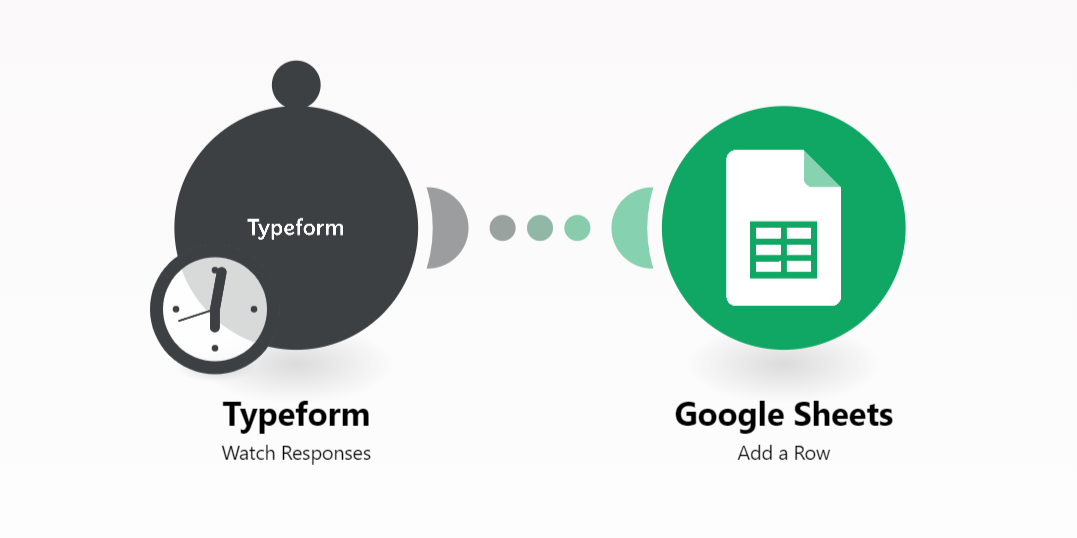
A significant advantage is that many automation platforms offer pre-built templates for such scenarios, making it even easier to implement. These templates allow you to quickly set up the connection and start automating without extensive configuration, ensuring that your marketing team can focus on strategic initiatives rather than data management.
2. Automatically Collect Data from Static and Dynamic Web Forms
Web forms, whether static or dynamic, displayed across a company's various web pages, often present the same data collection challenges as paid lead generation campaigns. If form submissions are collected manually, there's a high risk that valuable "hot" leads will cool down or be lost due to the time lag in processing. This delay can severely impact the effectiveness of your lead nurturing efforts.
To combat this, you can effectively leverage automation platforms like Make.com to automatically collect all form submissions. This approach allows your team to immediately shift their focus to qualifying these leads, rather than spending precious time on the repetitive and error-prone task of manually moving data from one system to another. By automating this crucial step, you ensure that every lead is captured and processed efficiently, maximizing your chances of conversion.
Pro tip: Regularly review your automated lead collection workflows to ensure they are capturing all necessary data fields and integrating correctly with your CRM. Small adjustments can significantly improve data quality and lead management efficiency.
Sales Operations: Frictionless Lead Routing to Increase Conversion Rates
Sales operations (SalesOps) teams are constantly seeking ways to create frictionless sales processes and collaborate seamlessly with marketing to ensure that inbound leads reach the right sales representatives promptly. However, a common and significant problem is that a substantial portion—between 50% and 70%—of marketing-generated leads sent to sales never receive follow-ups. These leads are either lost in the process or incorrectly assigned, leading to missed opportunities.
Such inefficiencies have a cascading negative effect: they slow down customer response times, cause deals to stagnate, and ultimately result in lost revenue for the business. The good news is that the entire lead routing process can be easily and effectively automated, transforming a potential bottleneck into a streamlined operation.
In the following sections, you will discover how to instantly assign and route incoming leads to your global sales representatives faster than ever before, ensuring that no valuable lead is overlooked and every opportunity is pursued with maximum efficiency.
1. Automated Lead Routing
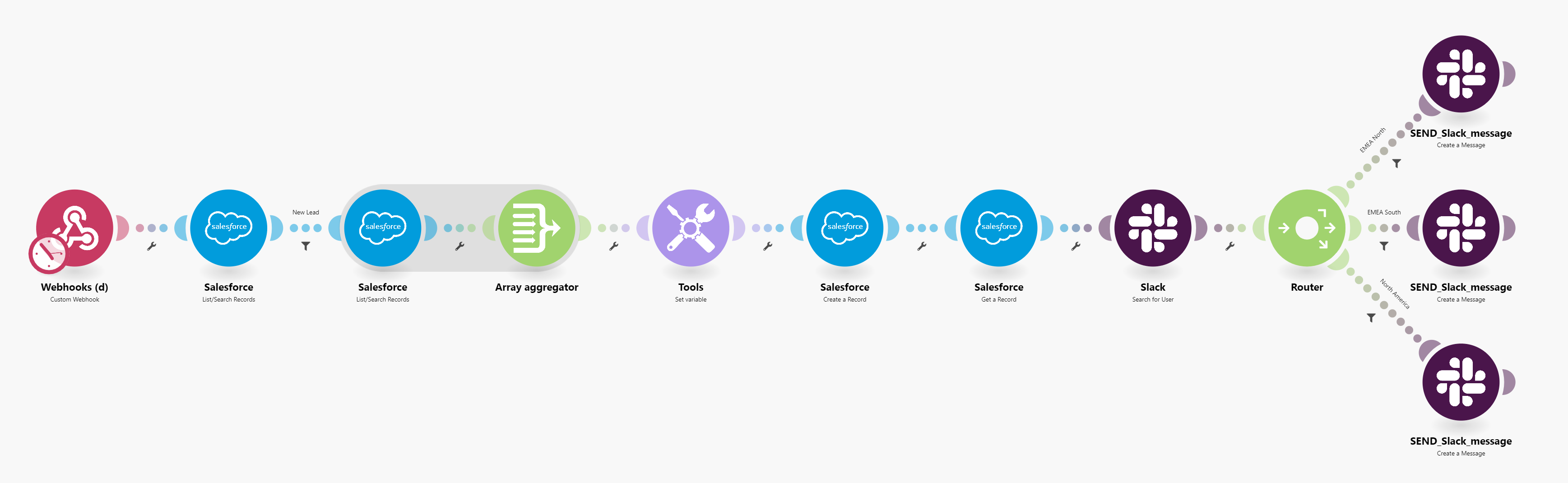
In a typical automated lead routing scenario, a webhook is configured to 'listen' for new signups or contact form submissions on your website. The moment a form is submitted, this webhook instantly triggers an automation workflow. As part of this process, the automation platform, such as Make.com, will first check your Customer Relationship Management (CRM) system to determine if the lead already exists.
If the lead is new and not found in the CRM, the automation proceeds to create a new lead record and automatically assigns it to an appropriate sales representative. This ensures that every new inquiry is captured and allocated without manual intervention, significantly reducing response times and improving the efficiency of your sales team. This seamless flow of information prevents leads from getting lost and ensures timely follow-up.
2. Dynamic Routing
Consider the power of dynamic routing, exemplified by the use of multiple Slack routes in an automation scenario. If your sales organization operates across different regions, each with its own dedicated Slack channel, an automation platform like Make.com allows you to set up specific routes for each region. This means that leads are not just assigned, but are routed directly to the relevant team's communication channel.
This capability significantly enhances customer follow-up efficiency and improves the visibility of all incoming leads within each specific sales region. By ensuring that the right information reaches the right team member instantly, dynamic routing helps sales teams respond faster, collaborate more effectively, and ultimately increase their conversion rates. Many companies have reported a substantial increase in the conversion rate of leads to meetings after implementing such dynamic lead routing systems.
While sales are crucial for increasing revenue, they are not the final step in the customer journey. It's equally important to consider the post-sales stage and how automation can streamline onboarding processes to deliver a superb customer experience. A smooth transition from sales to customer success is vital for long-term customer retention and satisfaction.
How to Automate Onboarding in Your Customer Success Operations
Customer onboarding is a critical phase that needs to be meticulously executed to create an exceptional experience for new customers. A well-structured and engaging onboarding process sets the stage for customer satisfaction and long-term loyalty.
However, many organizations still rely on manual onboarding procedures, which often lead to slow execution, inconsistencies, and the loss of vital information across different stages. This manual approach can leave new customers feeling frustrated and unsupported, significantly increasing their likelihood of churning.
To effectively break down these operational silos and deliver a truly seamless onboarding experience, automation is the key. We will demonstrate how to automate your onboarding processes, ensuring that new customers can get up and running quickly and effortlessly, leading to higher engagement and retention.
Automated Customer Onboarding
A nimble and effective customer onboarding experience is paramount, yet it inherently involves numerous moving parts. This includes managing sensitive customer data, handling crucial documentation, and coordinating various training sessions. Without proper orchestration, this complexity can quickly lead to chaos and a poor experience for newly acquired customers.
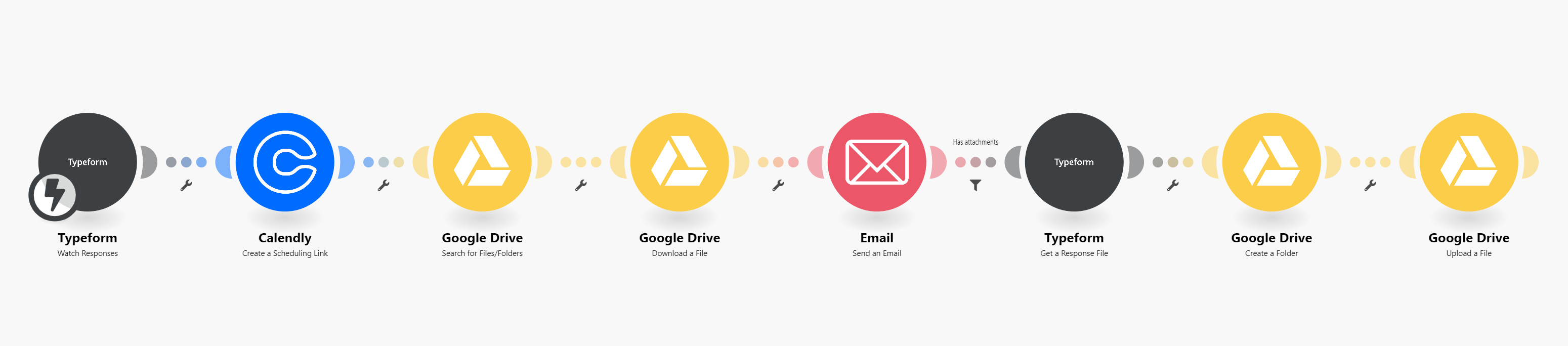
Automation provides the definitive answer to this challenge. By implementing automated workflows, you can ensure that every step of the onboarding process is executed precisely and efficiently. For instance, consider a scenario where a Typeform submission instantly triggers an automation. This workflow can then automatically upload and securely store sensitive documents in Google Drive, ensuring compliance and easy access.
Following this, customers can be automatically invited to a kick-off call to discuss next steps, and relevant training resources are made available to them without delay. Subsequent scenarios can further enhance the experience by providing customers with all necessary key data via platforms like Slack. Finally, additional training sessions can be automatically scheduled and sent out, ensuring continuous support and engagement. Solutions like these eliminate the need for constant IT requests and other cumbersome tasks, significantly improving the customer onboarding experience and allowing your team to focus on building stronger customer relationships.
These automated solutions empower your team to focus on strategic customer engagement rather than getting bogged down in administrative tasks. They ensure that every customer receives a consistent, high-quality onboarding experience, which is crucial for product adoption and long-term success. By removing manual bottlenecks, you can significantly reduce the time and effort spent on onboarding, allowing your customer success team to scale more effectively.
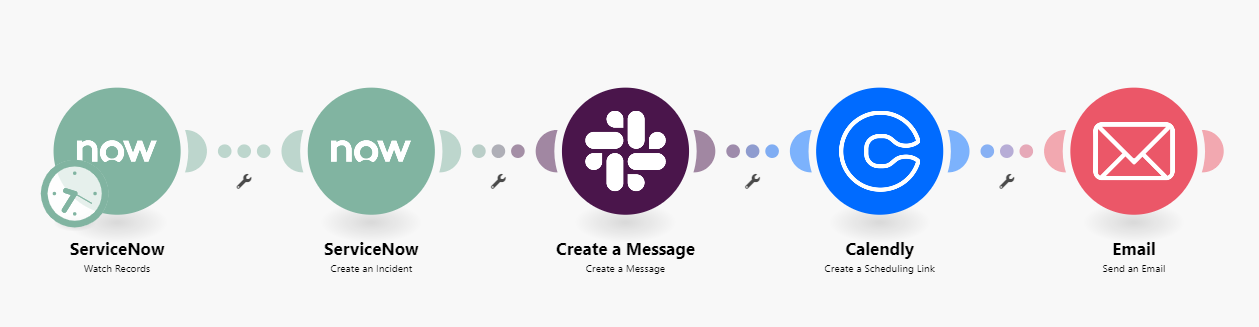
To gain a deeper understanding of how companies are revolutionizing their onboarding processes with Make.com automation, you can explore detailed demo videos and case studies. These resources often provide practical examples and insights into implementing similar solutions within your own organization, showcasing the tangible benefits of automated customer onboarding.