Make.com AI Automation Customer Feedback

AI Sentiment Analysis for Product Satisfaction Surveys: A Tutorial

Learn how to automate sentiment analysis for product surveys using Make and ChatGPT with this step-by-step tutorial

AI analyzing product survey responses with sentiment analysis

Up until recently, people conducting sentiment analysis had to make a trade-off between accuracy and efficiency. Traditional methods either required extensive manual review or relied on simplistic keyword matching that often missed nuances in customer feedback.

With the emergence of large language models like ChatGPT, we can now achieve highly accurate sentiment analysis at scale. This tutorial shows how to combine Make's automation capabilities with ChatGPT's natural language understanding to analyze product satisfaction surveys automatically.

Pro tip: While this guide uses Typeform for surveys, Make supports dozens of survey platforms. The same principles apply whether you're using Google Forms, SurveyMonkey, or other tools.

Step 1: Create a new scenario and add the Typeform module

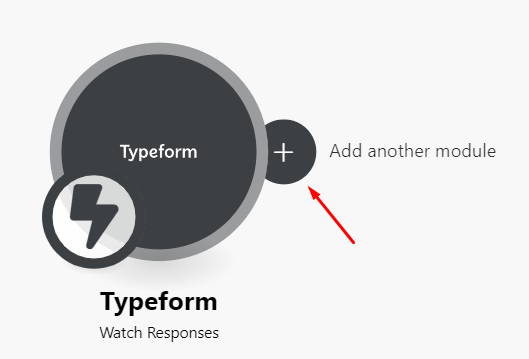
Begin by logging into your Make account and creating a new scenario. This provides the canvas where we'll build our automation workflow. The first component we'll add is the Typeform integration to capture survey responses as they're submitted.

The "Watch responses" module in Typeform uses webhooks to instantly trigger your workflow whenever someone completes your survey. This real-time processing ensures feedback gets analyzed immediately rather than waiting for batch processing.
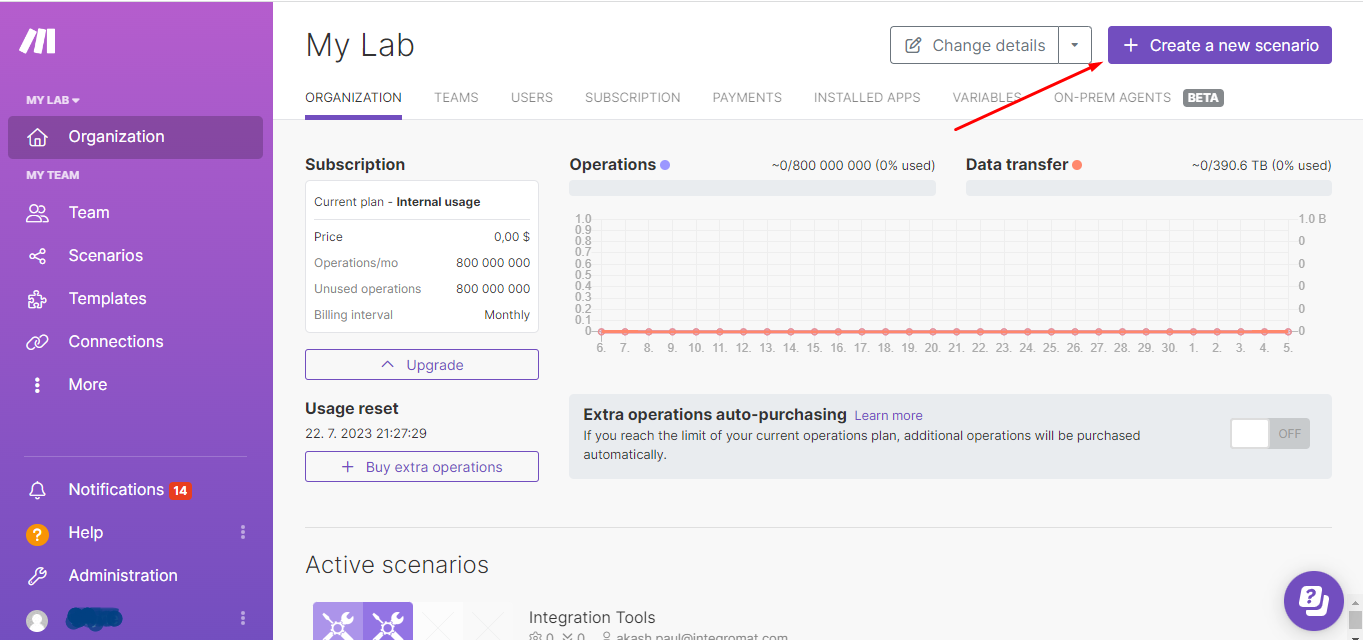
Creating new scenario in Make interface
The Make scenario builder interface where we'll construct our automation

Step 2: Add the OpenAI module

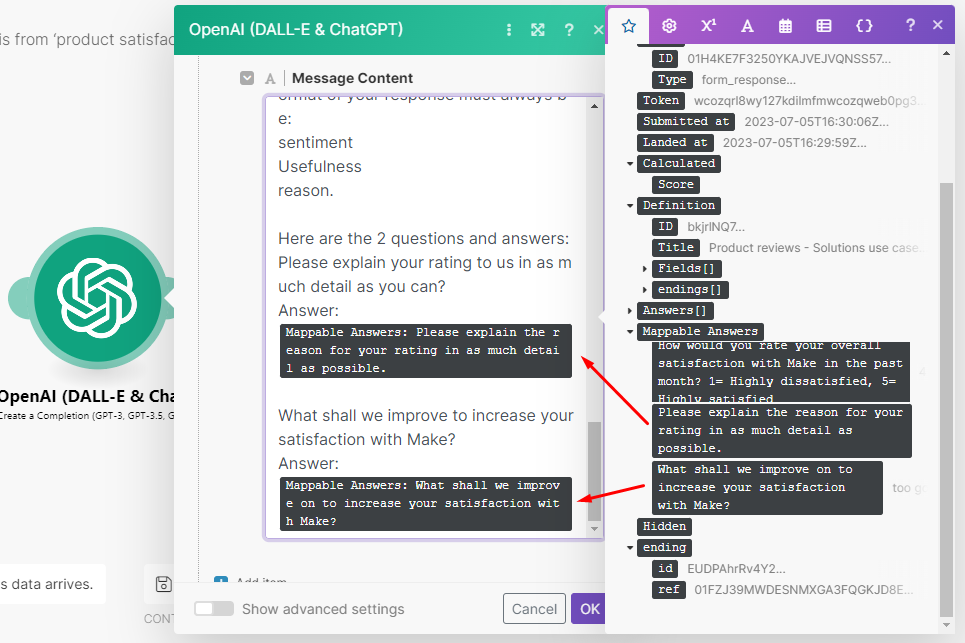
After configuring the Typeform trigger, we'll add the OpenAI module to process the survey responses. The "Create a Completion" module allows us to send the survey text to ChatGPT for analysis.

Key configuration points for the OpenAI module include selecting the gpt-3.5-turbo model (which offers the best balance of cost and performance) and crafting a detailed prompt that specifies exactly how we want the sentiment analysis performed.
Adding OpenAI module in Make
Configuring the OpenAI module to analyze survey responses

Step 3: Add a variable module to your scenario

ChatGPT returns sentiment analysis results as a single text block. We'll use Make's "Set variable" tool to parse this into structured data by splitting the response at line breaks.

This step is crucial for mapping the analysis to database fields later. The variable module assigns numbers to each line of the response, making it easy to reference specific components like sentiment score, usefulness rating, and analysis comments.

Pro tip: When configuring the split function, use the newline character (\n) as your delimiter to properly separate the different components of ChatGPT's response.

Step 4: Add the Airtable module

With the sentiment data properly parsed, we'll add an Airtable module to store the results. The "Create a record" action lets us map each piece of analyzed data to specific fields in our database.

This creates a searchable, sortable repository of customer feedback that you can use to identify trends over time. The tutorial includes a pre-built Airtable base you can copy, or you can connect to your existing customer feedback database.
Mapping data to Airtable fields
Configuring Airtable to store analyzed survey data

Step 5: Add the final module to your scenario

As an optional final step, we'll add a Slack notification to alert your team when new feedback comes in. This keeps stakeholders informed in real-time about customer sentiment.

The Slack message can include key details like the sentiment score and a summary of the feedback. You can customize this to highlight particularly negative responses that might require immediate attention or positive feedback worth celebrating.

Final words: Outgrowing old processes with new technologies

This automated sentiment analysis solution demonstrates how AI can transform previously manual, time-consuming processes. What used to require hours of human review can now be handled in seconds with greater consistency and accuracy.

The combination of Make's automation platform with ChatGPT's language understanding creates powerful possibilities for customer experience management. You can adapt this foundation to analyze support tickets, social media mentions, or any other text-based customer feedback.

Frequently Asked Questions

Common questions about automated sentiment analysis

Sentiment analysis evaluates customer feedback to determine emotional tone (positive, negative, neutral). For product surveys, it helps identify satisfaction levels and areas needing improvement by analyzing open-ended responses.

Unlike simple rating scales, sentiment analysis extracts insights from written comments where customers express their opinions in their own words. This provides richer, more nuanced understanding of customer perceptions.

AI-powered sentiment analysis processes responses faster and more consistently than humans. Large language models like ChatGPT understand context and nuance better than traditional keyword-based analysis, providing more accurate results.

Manual analysis becomes impractical at scale - a human might take 5 minutes to properly analyze each response, while AI handles hundreds in seconds. AI also eliminates subjective bias that can affect human reviewers.

Yes, Make supports dozens of survey platforms including Google Forms, SurveyMonkey, and Qualtrics. The workflow structure remains similar - you'd just replace the Typeform module with your preferred survey tool's trigger.

Each platform has slightly different data structures, so you may need to adjust how you map response fields to the ChatGPT analysis. The core sentiment analysis process remains unchanged regardless of the survey tool.

GPT-3.5 achieves 85-90% accuracy for sentiment analysis when properly prompted. The tutorial includes optimized prompts that specify response formats and evaluation criteria to maximize accuracy for product feedback.

Accuracy depends on providing clear guidelines in your prompt. The model performs best when you define specific sentiment categories and provide examples of how to classify different types of responses.

Costs include Make subscription ($9-29/month) and OpenAI API usage (~$0.002 per 1K tokens). For 500 survey responses/month analyzing 100 words each, expect ~$5-10 in API costs plus your Make plan.

The total cost is typically far less than manual analysis, especially when you factor in the time savings and improved consistency of AI-powered analysis versus human reviewers.

Modify the prompt in the OpenAI module to specify your desired sentiment labels (e.g. 'Very Positive' to 'Very Negative' scale) and criteria. The tutorial explains how to adjust the analysis framework.

You can add custom categories like "Mixed" for neutral feedback or "Urgent" for complaints requiring immediate action. The key is providing clear definitions so ChatGPT applies your criteria consistently.

Yes, our team builds tailored sentiment analysis systems for specific business needs. We can customize the survey integration, analysis parameters, reporting formats, and connect to your existing tools.

Custom solutions might include sentiment trend dashboards, automated alerting for negative feedback, or integration with your CRM to link feedback to customer profiles. We'll design a system that fits your unique requirements.

  • Custom survey tool integration
  • Tailored analysis criteria
  • Automated reporting and alerts

Need Custom Automation Help?

This guide is a starting point. Our team builds fully tailored automation systems for your specific workflow needs.