From raw data to actionable insights in seconds
Customer feedback is invaluable for businesses of all sizes, yet it often gets buried in forms and spreadsheets, lost in day-to-day operations. Manual processing is time-consuming - translating responses, categorizing sentiment, and determining priority actions.
Make's AI changes this dynamic completely. The AI survey form manager acts as a digital team member that processes feedback instantly. It eliminates the lag between customer input and company response, creating a closed-loop system where every voice is heard and addressed appropriately.
Pro tip: Start with your most critical feedback channels first (like product surveys or support tickets) before expanding to all customer touchpoints.
What can the AI submission manager do for you?
Imagine you're a customer success lead drowning in survey data. Previously, you might spend hours each week just sorting through responses. Now, Make's AI handles the heavy lifting while you focus on strategic improvements.
The system's core capabilities include:
- Collecting feedback from any survey tool (JotForm, Typeform, Google Forms)
- Detecting sentiment with AI (positive, neutral, negative)
- Translating responses into your team's working language
- Routing feedback based on predefined rules
- Alerting teams via Slack for urgent cases
- Maintaining a centralized feedback database
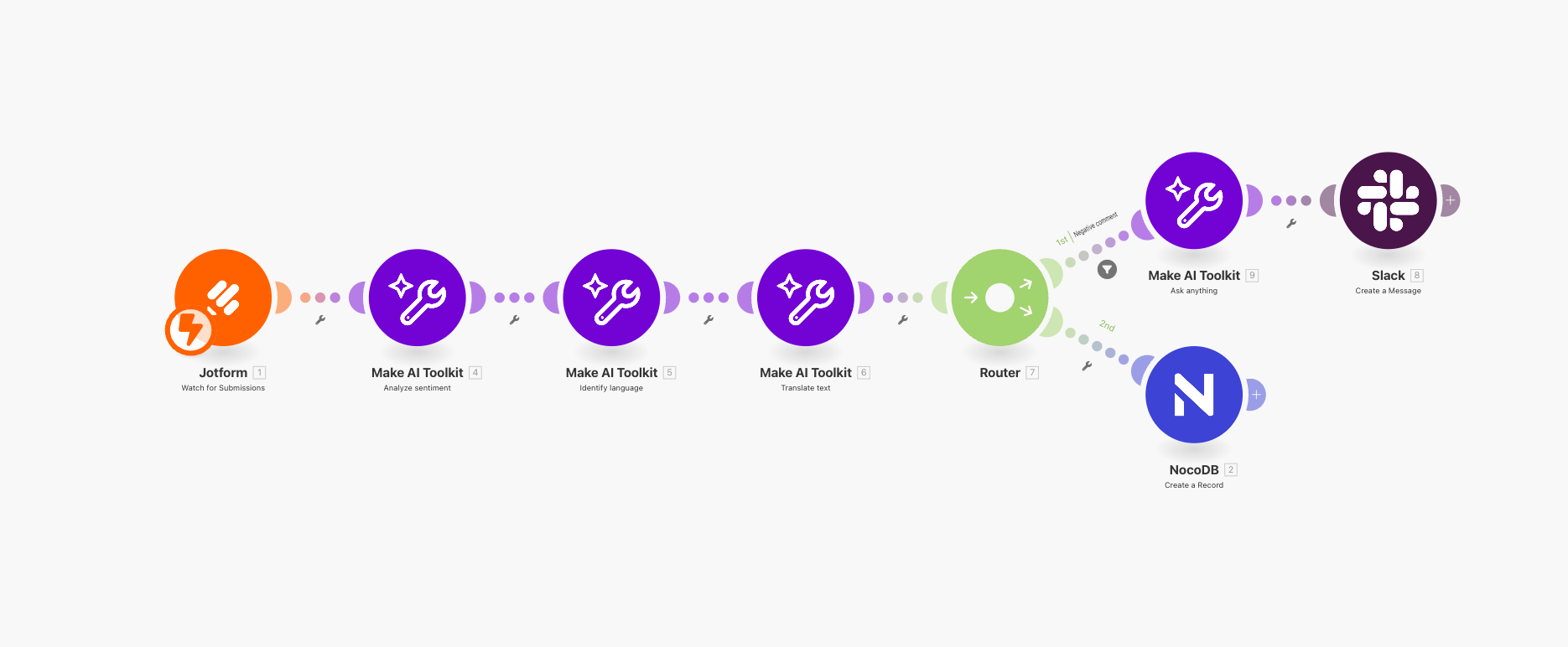
Automating customer feedback with AI: Step by step
The workflow follows a clear, logical progression that ensures no feedback falls through the cracks while prioritizing urgent issues. Here's how it works:
1. Watching for new survey submissions
The system constantly monitors your connected survey tools for new submissions. As soon as a customer hits submit, the workflow triggers instantly. This real-time processing means you're working with fresh data rather than stale feedback.
The setup supports multiple form fields - ratings, open-ended responses, and demographic information. All this data gets structured for consistent processing regardless of how customers express their feedback.
2. Analyzing sentiment and language
Make's AI module evaluates each response using natural language processing. It detects not just positive/negative sentiment but also the intensity of emotion. A mildly frustrated comment gets different handling than an angry rant.
Simultaneously, the system identifies the response language and provides translations if needed. This is particularly valuable for global businesses receiving feedback in dozens of languages.
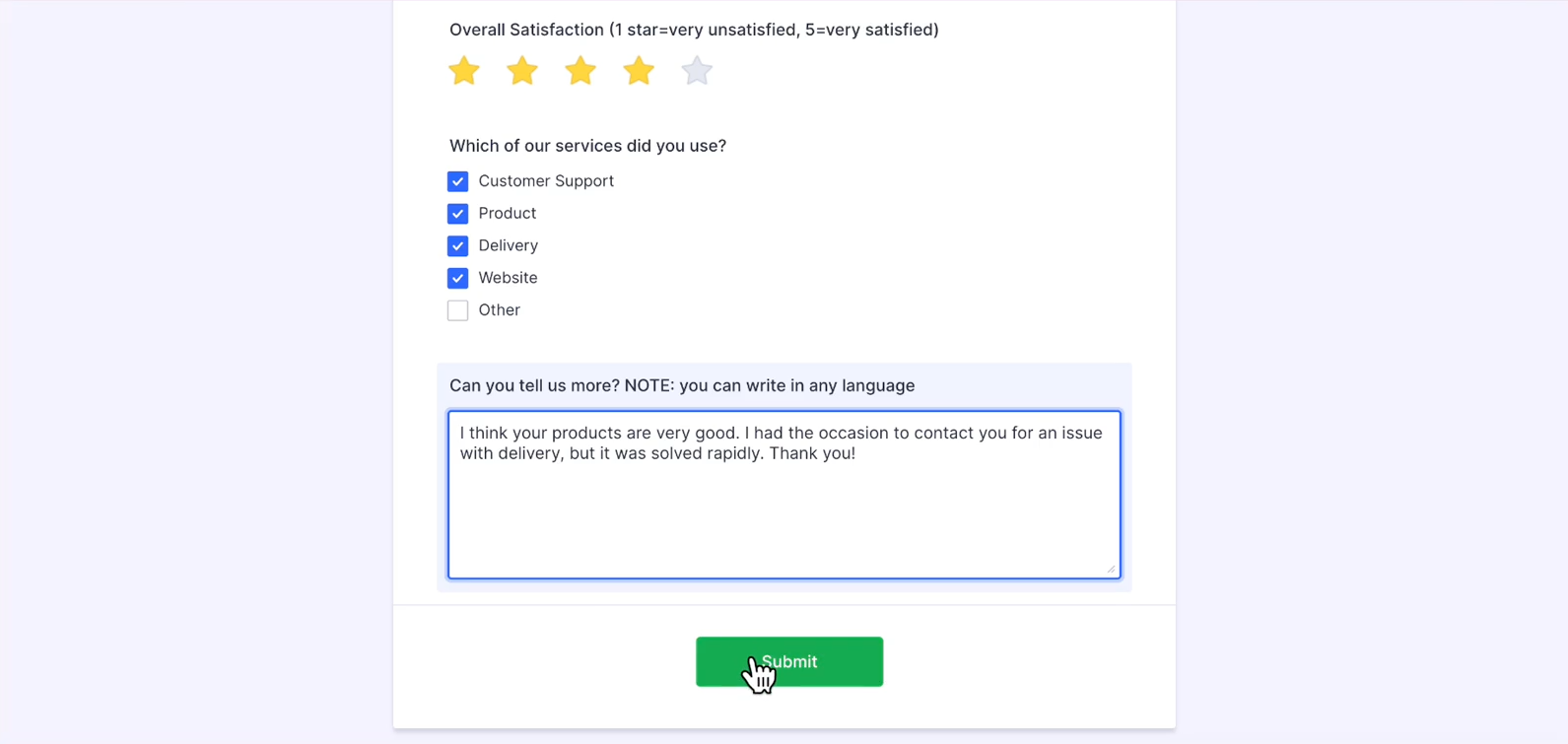
3. Deciding on the next step
Based on sentiment scores and other criteria, the system routes each piece of feedback appropriately. Positive comments (typically scores of 4-5) get logged directly to your database for trend analysis.
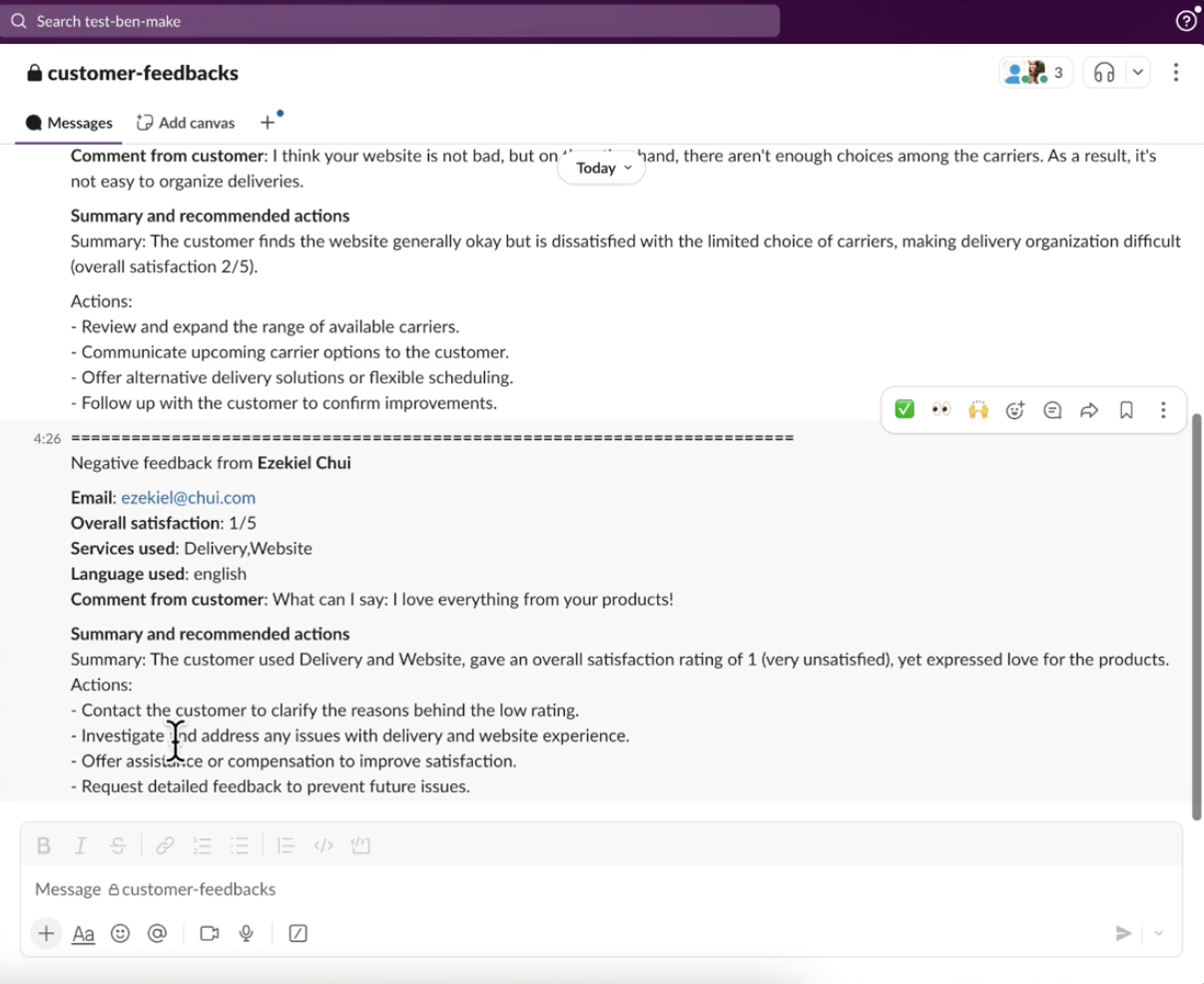
Negative feedback (scores 1-3) triggers an escalation workflow. The system also flags potential mismatches - like positive text with low scores - for human review since these often indicate customer confusion.
4. Sending the message to support
For escalated cases, the system creates detailed Slack notifications containing:
- The original customer feedback
- Translation (if applicable)
- Sentiment analysis results
- Recommended next steps
- Customer contact information
5. Logging data in a database
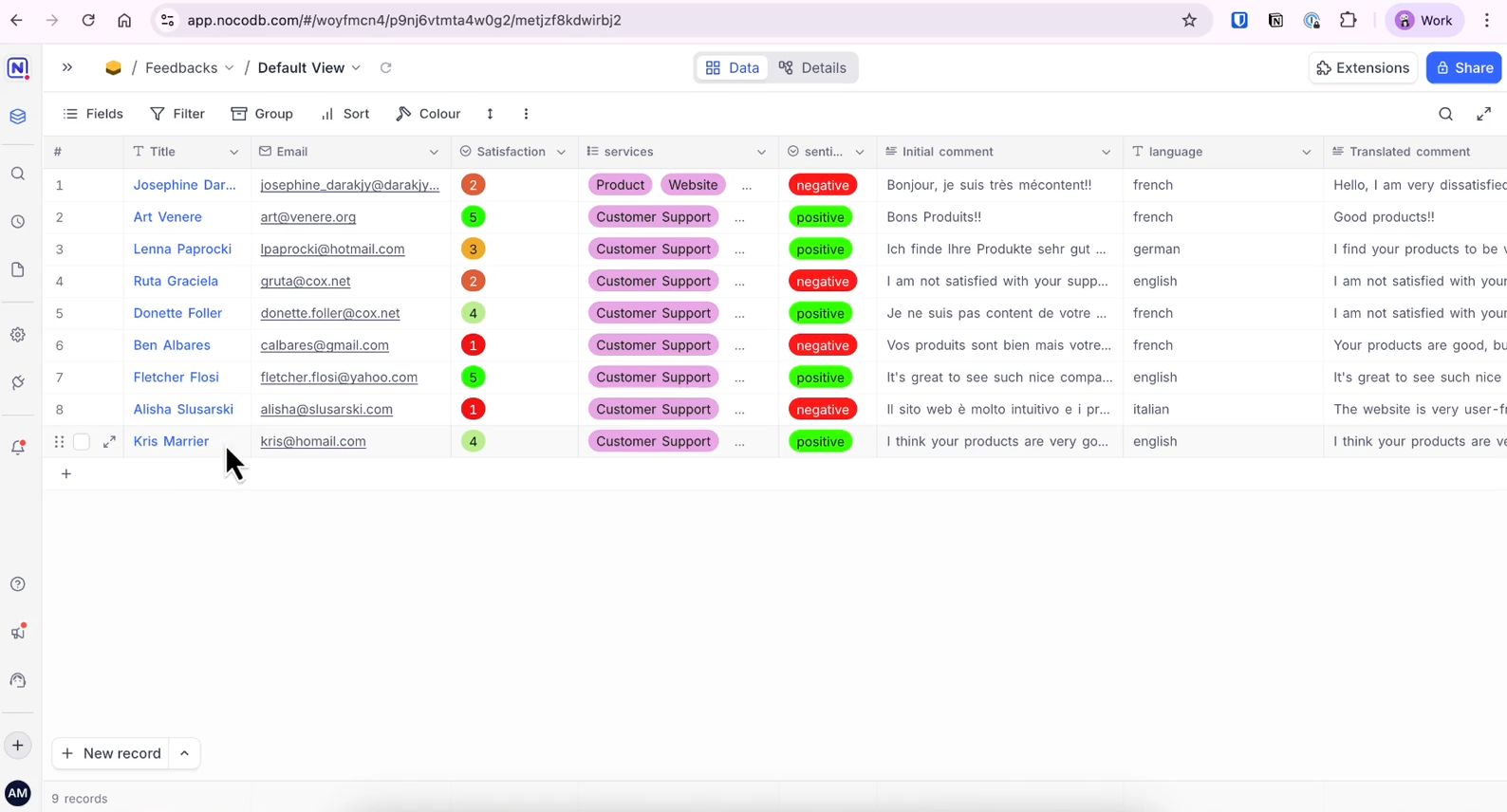
All feedback gets stored in your central database (like NocoDB) with consistent formatting. Each record includes:
- Customer name/ID
- Submission timestamp
- Original score
- Sentiment classification
- Detected language
- Translation (if applicable)
- Any follow-up actions taken
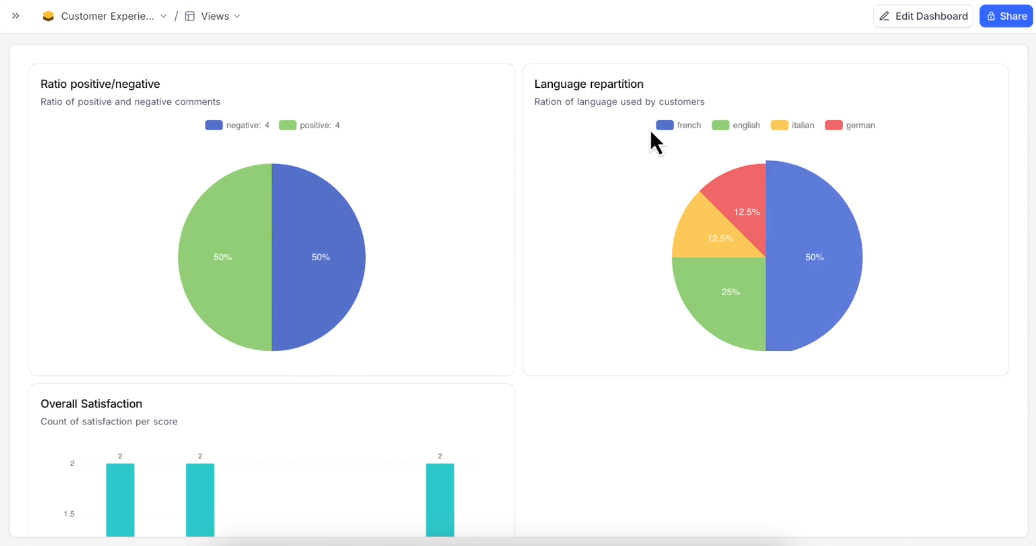
This creates a searchable historical record that powers your analytics dashboards and reporting. Over time, you can spot trends, measure CSAT improvements, and identify recurring issues.
What's the impact?
Implementing this AI-powered workflow transforms how teams handle customer feedback:
Pro tip: Measure your current feedback response times before implementation to quantify your efficiency gains.
The tangible benefits include:
- 100% coverage: No feedback gets missed or buried in inboxes
- Faster response times: Critical issues get attention within minutes
- Global consistency: Multilingual support without translation teams
- Actionable analytics: Spot trends and pain points quickly
- Team efficiency: Staff focus on solving issues rather than sorting them
Customers feel heard when their concerns get prompt attention, leading to higher satisfaction scores and loyalty. Meanwhile, your team spends less time on manual processing and more on meaningful improvements.
Build your own AI feedback form manager
This system demonstrates the power of combining Make's automation capabilities with AI tools. The same principles can be adapted to:
- Employee feedback systems
- Product feature requests
- Market research surveys
- Quality assurance forms
The key is starting with a clear workflow, then iterating based on your specific needs. Begin with your most critical feedback channel, prove the value, then expand to other sources.