
Connect Make to Site Search 360 to Perfect Site Search
Site Search 360 (SS360) provides a robust search solution that can be easily added to any website. Unlike basic CMS search tools, SS360 offers faster, more customizable search functionality with valuable analytics and document indexing capabilities.
By connecting SS360 to Make (formerly Integromat), you can automate many aspects of your site search management. Make serves as the glue between SS360 and hundreds of other apps, allowing you to create powerful automation scenarios without coding.

The current SS360 modules in Make include a Trigger for monitoring indexing progress and an Action for adding documents to your index. These modules form the foundation for automating your search content management.
Pro tip: Before automating, map out your ideal search workflow. Identify which content sources should be automatically indexed and how often updates should occur.
What Can It Help You Do?
Make unlocks powerful automation possibilities for SS360 by connecting it to thousands of other apps. Here are some of the most valuable use cases:
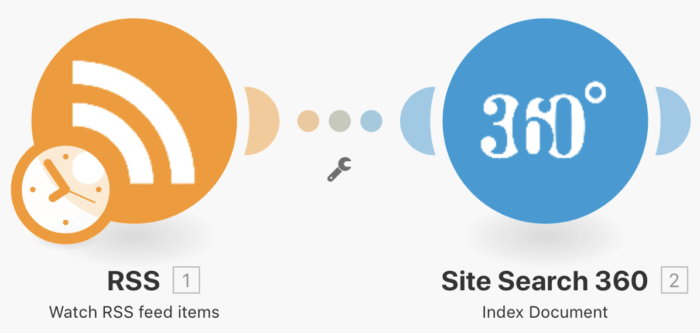
1. Send New Entries from Your RSS Feed to SS360
Automatically index new content from RSS feeds by creating a scenario that watches for feed updates. When new items appear, Make extracts the URLs and sends them to SS360 for indexing.
This ensures your site search always includes your latest content without manual updates. The scenario can be customized to watch multiple feeds and apply filters to determine which items should be indexed.
2. Watch Tweets for Links and Add Them to Your Domain
Create a scenario that monitors specific Twitter accounts for tweets containing links you want to index. When matching tweets are found, Make extracts the URLs and sends them to SS360.
This is particularly useful for curating content from thought leaders or keeping your search index updated with relevant external resources. You can configure the scenario to watch for specific keywords or domains in the tweets.

These examples just scratch the surface. You could also automate indexing from sitemaps, document repositories, or any other content source that provides an API or integration options.
How to Connect to Make
Setting up the connection between Site Search 360 and Make is straightforward:
- Create a free Make account at www.make.com if you don't have one
- Go to your Dashboard and click "Create a new scenario"
- Select Site Search 360 from the app list
- Click "Add" when prompted to create the connection
- Enter your SS360 API Key (found in your Control Panel under API)
- Click "Continue" to complete the connection
Once connected, you can start building scenarios that automate your search content management. The connection only needs to be established once - after that, you can use it in multiple scenarios.
Pro tip: For complex scenarios, start with simple test cases to verify your setup works before scaling up to production workflows.