
Creating custom online forms can often be a time-consuming and repetitive task. Many individuals and businesses spend countless hours on this process, leading to frustration and a search for more efficient solutions. The need for a simpler way to build forms was the driving force behind the creation of JotForm.
JotForm emerged from the idea that form creation shouldn't be a tedious chore. It was developed to provide an intuitive platform that simplifies the entire process, making it accessible to users across various industries and for diverse purposes. This innovation transformed how people approach online data collection.
Automate your JotForm tasks using Make
JotForm is a user-friendly online form builder designed for a wide range of business applications. Its primary appeal lies in its drag-and-drop interface, which allows users to construct forms effortlessly without needing any coding expertise. This intuitive design makes form creation accessible to everyone, regardless of technical skill.
With JotForm, you can design various types of forms, including registration forms, contact forms, report forms, polls, and donation forms. The platform boasts an extensive library of integrations and thousands of templates, enabling connections with numerous web services. While JotForm automates the form-building aspect, the subsequent step of processing and utilizing the collected data often requires further automation.
This is where Make comes in as a powerful solution. Make offers a comprehensive suite of JotForm modules that allow you to seamlessly connect your forms to other applications or any REST service. This integration capability ensures that the data you collect can be automatically transferred and acted upon, extending the automation beyond just form creation.
By linking JotForm with Make, you can transform raw data into actionable insights and streamline your workflows. Whether it's sending notifications, updating databases, or initiating other business processes, Make provides the tools to automate the entire data lifecycle, eliminating manual data handling and enhancing efficiency.
Triggers
Make offers a powerful trigger module for JotForm that initiates scenarios automatically. The "Watch for submissions (instant)" module is designed to detect new form entries in real-time. As soon as a new submission is received, this trigger fires, prompting the connected Make scenario to execute immediately.
- Watch for submissions (instant) — Triggers when a new submission comes and fires the scenario automatically after a new submission message is received.
This instant triggering capability is essential for time-sensitive operations, ensuring that your automated workflows begin without delay. It eliminates the need for manual checks or scheduled polling, providing a responsive and efficient system for handling incoming JotForm data.
Actions
Make provides several action modules for JotForm, enabling you to programmatically manage your forms and their associated data. These modules allow for dynamic interaction with your JotForm account, extending its capabilities through automation.
- Create a new form — Creates new forms with questions, properties, and email settings.
- Get a sub-user account list — Retrieves a list of sub-users associated with your account, along with their access privileges to forms and folders.
- Get monthly user usage — Provides statistics on form submissions, SSL form submissions, and storage space used within the current month.
These action modules empower you to automate administrative tasks, manage user access, and monitor usage, making your JotForm experience more integrated and less manual. They are crucial for building comprehensive workflows that go beyond simple data collection.
Searches
Make's search modules for JotForm allow you to retrieve specific data from your forms, providing flexibility in how you access and utilize collected information. These modules are designed to fetch submission details based on various criteria.
- Get user submissions — Retrieves a list of all submissions across all forms for a particular account.
- Get form submissions — Fetches a list of responses for a specific form.
These search capabilities are invaluable for reporting, data analysis, and triggering subsequent actions based on existing form data. They ensure that you can access the information you need precisely when your automated workflow requires it, enhancing the intelligence and responsiveness of your integrations.
Make serves as a bridge to transfer the data collected from your JotForm forms to virtually any other application you use. This capability allows for the creation of scenarios that can be as simple as two steps or as intricate as multi-step, complex workflows. These automations can fulfill various purposes, such as communicating submission results, adding information to other apps, generating comprehensive reports, or even re-confirming form details with users.
The flexibility of Make's platform means you're not limited to basic data transfers. You can design sophisticated processes that adapt to your specific needs, ensuring that every piece of information from your JotForm submissions is utilized effectively. This transforms passive data collection into an active component of your business operations.
To illustrate the power and versatility of these integrations, let's explore a few practical examples. These scenarios demonstrate how JotForm modules within Make can be combined with other applications to create efficient and impactful automated workflows, sparking ideas for your own custom solutions.
JotForm Integrations
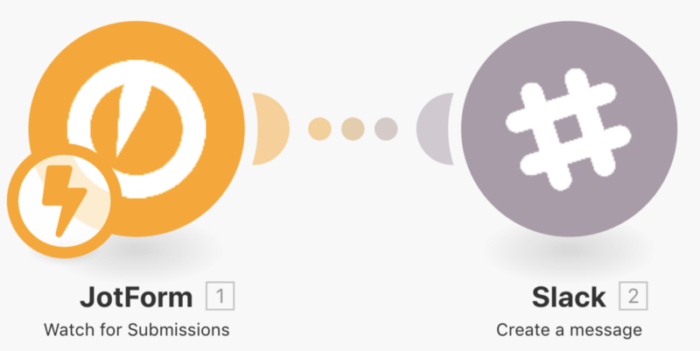
Do you want to be notified every time a new form is filled out? Send Slack messages from new JotForm form submissions.
Whenever someone completes and submits your JotForm, Make can automatically dispatch a notification message directly to a designated Slack channel. This ensures that your team is immediately aware of new entries, allowing for prompt follow-up or action. The setup involves simply mapping the relevant details from your JotForm submission to the Slack module within your Make scenario.
This automation is particularly useful for lead generation, customer inquiries, or internal data collection, where timely awareness is critical. By eliminating manual checks, you streamline communication and improve response times, making your workflow more efficient and responsive. You can find a template for this specific scenario to get started quickly.
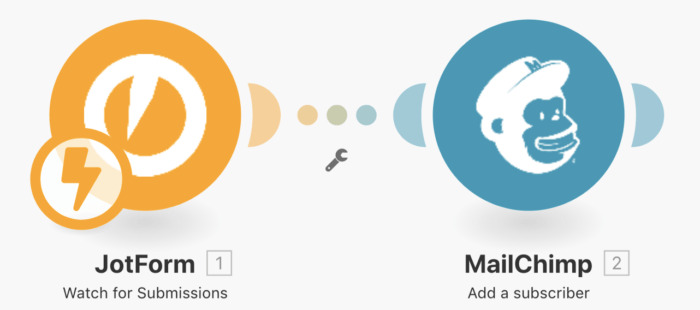
Do you want to automatically add a new subscriber to your newsletter subscription list when they sign up on your website using a JotForm form? Create Mailchimp subscribers for new JotForm submissions.
When a new individual signs up through your JotForm, Make can automatically add them as a new subscriber to your Mailchimp audience. This automation ensures that your newsletter list is always up-to-date without any manual data entry. To configure this, you simply map the email address collected in JotForm to the "Add a subscriber" module in Mailchimp within your Make scenario, setting their status to "Subscribed."
This integration is invaluable for businesses looking to grow their email marketing lists efficiently and accurately. It removes the risk of human error and ensures that new leads are immediately integrated into your communication funnels, allowing for timely engagement and nurturing.
Pro tip: When setting up your Mailchimp integration, you can choose to either create new subscribers exclusively or enable the option to update existing subscribers. This prevents duplicate entries and keeps your audience list clean and current, ensuring you don't send redundant communications to the same contact.
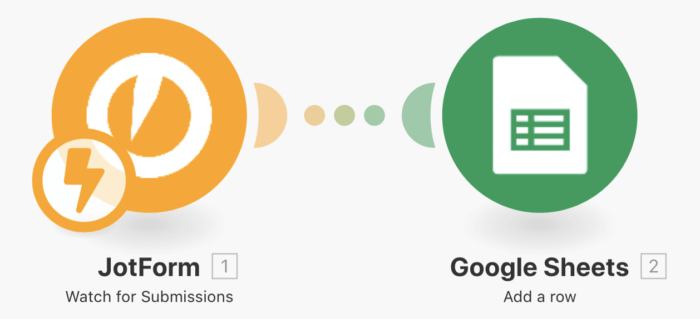
Do you want to easily pull the data from your submissions to a spreadsheet for easier reporting? Save new JotForm form submissions to a Google Sheets spreadsheet.
Every time a user completes and submits your JotForm, Make can automatically transfer that submission data into a new row in a designated Google Sheets spreadsheet. This automation is incredibly useful for centralizing data, simplifying reporting, and facilitating analysis. It eliminates the need for manual copy-pasting, saving significant time and reducing the potential for errors.
This scenario is particularly beneficial for tracking survey responses, collecting event registrations, or managing internal data. The structured format of Google Sheets makes it easy to sort, filter, and visualize your data, providing immediate insights into your form submissions. A specific template is available for this scenario, which also includes guidance on using tables for optimal data organization.
Of course, the scenarios outlined above are just starting points. Make's flexibility allows you to expand and customize these integrations to perfectly match your unique operational needs and individual preferences. You can add more steps, introduce conditional logic, or connect to additional applications to create truly bespoke automated workflows.
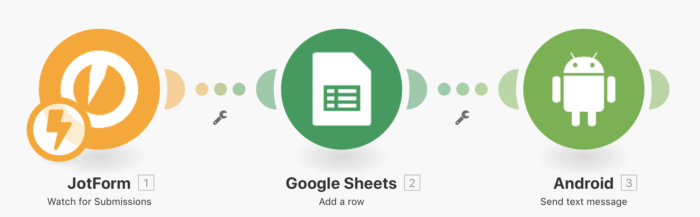
Do you want to confirm registration or submission details for customers by SMS? Save new JotForm submissions to a Google Sheets spreadsheet and confirm submission details via SMS.
Building upon the previous scenario, you can easily extend the workflow to include SMS confirmations. Imagine a customer filling out a JotForm to register for an event; you can automate sending them a confirmation text message. After the submission is saved to Google Sheets, you would integrate an "Send a text message by Android" module into your Make scenario.
Within this Android module, you would map the "Recipient" field to the customer's phone number from the Google Sheets data and populate the "Message" field with the specific confirmation details you wish to convey. This ensures that customers receive instant, personalized updates directly to their mobile devices, enhancing their experience and providing peace of mind.
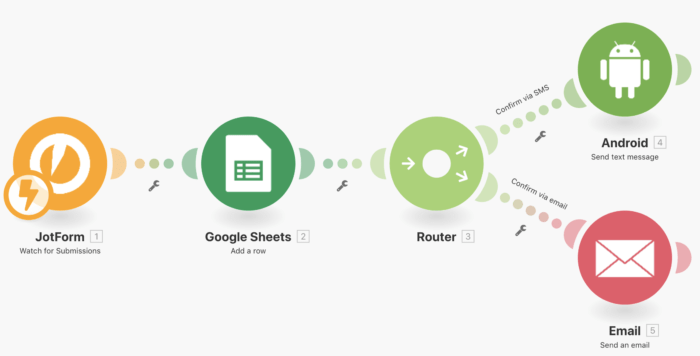
In today's diverse world, offering choices to your customers is paramount. Consider a scenario where you want to provide your customers with the flexibility to choose between receiving notifications via text message or email. Make's router module is the ideal tool for implementing this kind of conditional logic within your automation.
By incorporating a router into your workflow, you can create two distinct pathways for the notification process. One path would be configured to send an SMS message, while the other would handle email notifications. The router intelligently directs the workflow down the appropriate path based on the customer's selection made in the JotForm.
This setup ensures that if a customer indicates a preference for SMS, they receive a text message, and if they opt for email, an email is sent. For the email module, you would map the "To," "Subject," and "Content" fields using the customer's email address and the relevant confirmation details from the JotForm submission, just as you would for an SMS. This level of customization significantly enhances the customer experience by respecting their communication preferences.
For comprehensive instructions on how to establish a connection between JotForm and Make, refer to Make's dedicated "Connecting to services" page. This resource provides detailed guidance on setting up the initial link, ensuring a smooth integration process.
To explore the full range of possibilities and available modules for JotForm within the Make ecosystem, visit their JotForm integration page. You'll find a wealth of information and tools to help you leverage the power of no-code automation. With these resources, you can confidently begin building your own custom workflows and streamline your operations.