Make.com Notion Twitter Automation

Can You Tweet From Notion? Yes, and Here's How to Do It [Tutorial]

Learn how to schedule and post tweets automatically from a Notion database with this step-by-step Make tutorial.

Illustration showing Twitter and Notion integration

One of the most powerful aspects of Notion is its ability to serve as a centralized workspace for all your productivity needs. With the introduction of the Notion API, this capability now extends to social media management, specifically Twitter.

Using Make (formerly Integromat), you can create an efficient Twitter scheduler that allows you to:

  • Compose tweets directly in Notion
  • Schedule posts for specific dates and times
  • Monitor published content without leaving Notion

This tutorial requires three accounts:

  • A Notion account with edit permissions
  • A paid Make.com account
  • A Twitter developer account

Step 1: Configuring Notion

The foundation of this automation begins in Notion. You'll need to create a dedicated database to manage your scheduled tweets. We recommend naming it something clear like "Twitter Scheduler" or "Notion Tweet Queue".

Within this database, you'll need to configure several key properties:

Pro tip: Create all these properties before connecting to Make to avoid synchronization issues.

Notion database setup for tweet scheduling
Example of a properly configured Notion database for tweet scheduling

Step 2: Creating the first Make scenario

With your Notion database prepared, we'll now move to Make to build the first part of our automation. This scenario will monitor your Notion database for new or updated tweets and prepare them for scheduling.

The workflow consists of three main components:

  1. A Notion trigger module
  2. A filter to validate tweet readiness
  3. A data store for temporary holding
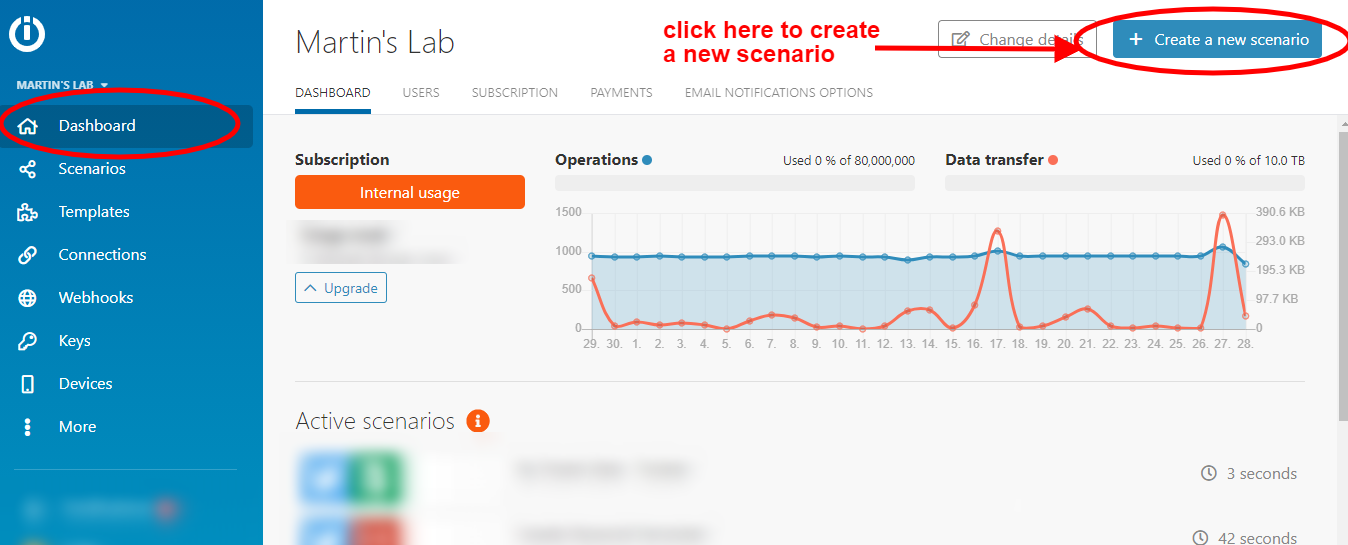
Make dashboard showing scenario creation
Creating a new scenario in Make's visual interface

Step 3: Creating the second Make scenario

The second scenario handles the actual posting of tweets at their scheduled times. This more complex workflow involves:

  • Checking the data store for due tweets
  • Posting to Twitter via API
  • Updating Notion with posting confirmation
  • Cleaning up the data store
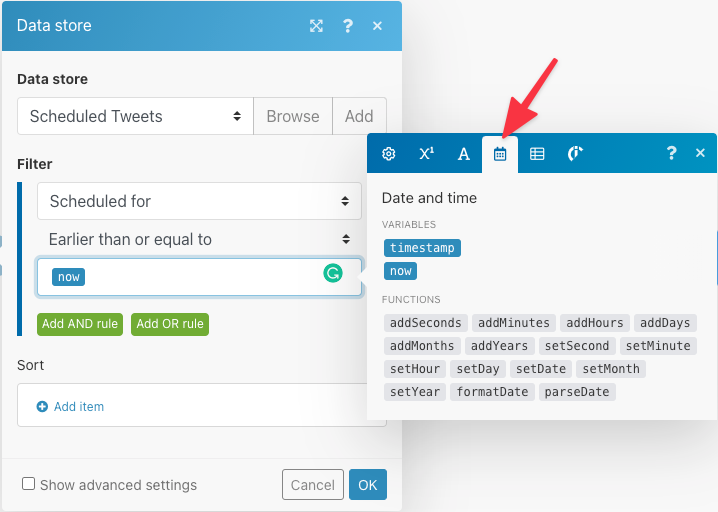
Make scenario for executing scheduled tweets
Complete tweet execution scenario in Make

Frequently Asked Questions

Common questions about Twitter automation with Notion

Yes, this integration allows you to schedule tweets in advance by setting a date and time in your Notion database. The Make automation will automatically post them at the scheduled time.

The system checks your Notion database at regular intervals (configurable in Make) to find tweets that are ready to be published based on their scheduled time.

No coding required. The setup uses Make's visual interface to connect Notion and Twitter with pre-built modules. Our guide walks you through each step.

You'll be working with:

  • Drag-and-drop modules
  • Simple field mappings
  • Visual workflow builders

You can configure the checking frequency in Make. We recommend checking every 30 minutes to balance efficiency with task usage limits.

More frequent checks (e.g., every 5 minutes) will use more of your Make task allocation but provide more precise timing for your scheduled tweets.

Yes, you can edit tweets in Notion before they're posted. The Ready checkbox prevents drafts from being sent accidentally while you're editing.

Simply uncheck the Ready box while making changes, then check it again when your tweet is finalized and ready for scheduling.

The automation includes a filter to check tweet length. If a tweet is too long, it won't be posted and you'll be notified to adjust it.

The system checks for both standard tweets (280 characters) and tweets with links (257 characters maximum when including a URL).

Yes, you can configure the scenario to post to different Twitter accounts by connecting multiple Twitter modules in Make.

You might add a property in Notion to specify which account should receive each tweet, then route them accordingly in your Make scenario.

Absolutely! Our team can build a fully customized Twitter scheduling system tailored to your specific Notion setup and posting requirements.

We can add advanced features like:

  • Multiple account support
  • Media attachments
  • Threaded tweets
  • Performance analytics

Need Custom Automation Help?

This guide is a starting point. Our team builds fully tailored automation systems for your specific workflow needs.