
Make's automation platform goes beyond simple app connections with powerful workflow control tools. These specialized functions let you manipulate data flows with precision, transforming how you automate complex business processes.
Imagine needing to process email attachments from specific senders, convert file formats, create ZIP archives, and distribute them via multiple channels - all automatically. Make's tools make this possible through visual workflow design without coding.
Pro tip: Always start with a clear map of your data transformation needs before building. Sketching the workflow on paper first helps identify where tools will be most effective.
Filters
Filters act as conditional gatekeepers in your workflows. They evaluate each data bundle against your criteria, only allowing matching items to proceed. This selective processing prevents unnecessary operations and keeps scenarios clean.
To create a filter, click the connection line between modules. The filter panel lets you define multiple conditions using field mappings and logical operators (equals, contains, greater than, etc.). You can combine conditions with AND/OR logic for complex filtering.

Iterator
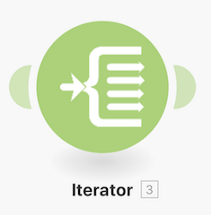
Iterators unpack collections into individual items for processing. When a module returns an array (like multiple email attachments), the iterator feeds them one-by-one to subsequent modules. This enables per-item operations that would be impossible with the full bundle.
Make offers both general iterators (for any array) and app-specific versions (like the Email Attachment iterator). Place iterators mid-scenario after the module producing the collection. Each iteration counts as one operation, so structure carefully with large datasets.
Aggregator
Aggregators combine multiple operations into unified outputs - the inverse of iterators. They're essential when you need to compile data from various sources or operations into single deliverables like reports, archives, or summary notifications.
Make provides several aggregator types: text (concatenation), numeric (sum/average), table (structured data), and array (recombining iterated items). The Archive aggregator is particularly useful for creating ZIP files from processed attachments.

Router
Routers create parallel processing paths in your scenarios. They duplicate incoming data to multiple branches, allowing different operations on the same information. This enables complex workflows like simultaneous database updates and notification sending.
Advanced router use includes adding filters to branches for conditional routing. You can also nest routers for multi-level parallel processing. Remember that each branch's operations count against your plan limits, so monitor usage in complex setups.