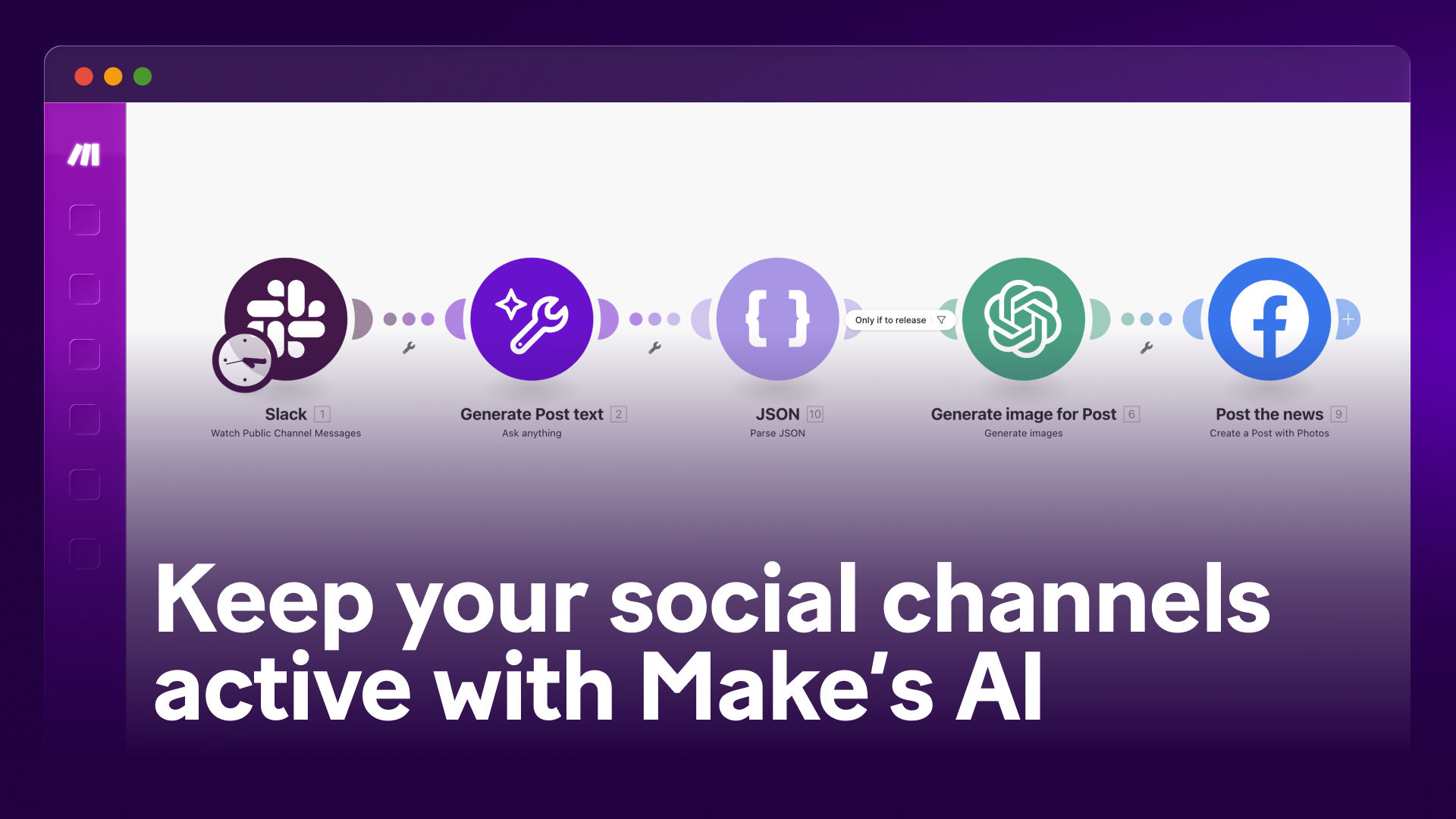
Make.com Social Media AI Automation

Create automated posts with Make's AI

Learn how to automate social media posts from product updates using Make's AI capabilities

Automated social media post creation workflow with Make AI

Why automate your social posts about product releases?

In fast-moving tech companies, product teams often release updates multiple times per week. While keeping customers informed is crucial, manually crafting social posts for every update creates significant workload for marketing teams.

Automating this process with Make's AI provides several key benefits:

  • Ensures timely posting of all important updates without manual effort
  • Maintains consistent brand voice across all social channels
  • Frees up creative teams to focus on strategic campaigns rather than reactive posts
  • Reduces the risk of missing important announcements during busy periods

Pro tip: Start by automating posts for lower-risk updates like minor feature improvements. As you gain confidence in the system, you can expand to more significant announcements.

How does it work?

The automation monitors your internal communication channels (like Slack) for product update announcements. When it detects a new message, Make's AI evaluates whether the update warrants a social post based on your predefined criteria.

For qualified updates, the AI generates:

  • An engaging social media caption (typically 80-120 words)
  • An optional headline/title
  • A custom image using DALL·E integration

The completed post package is then automatically published to your chosen social platforms or held for review depending on your workflow configuration.
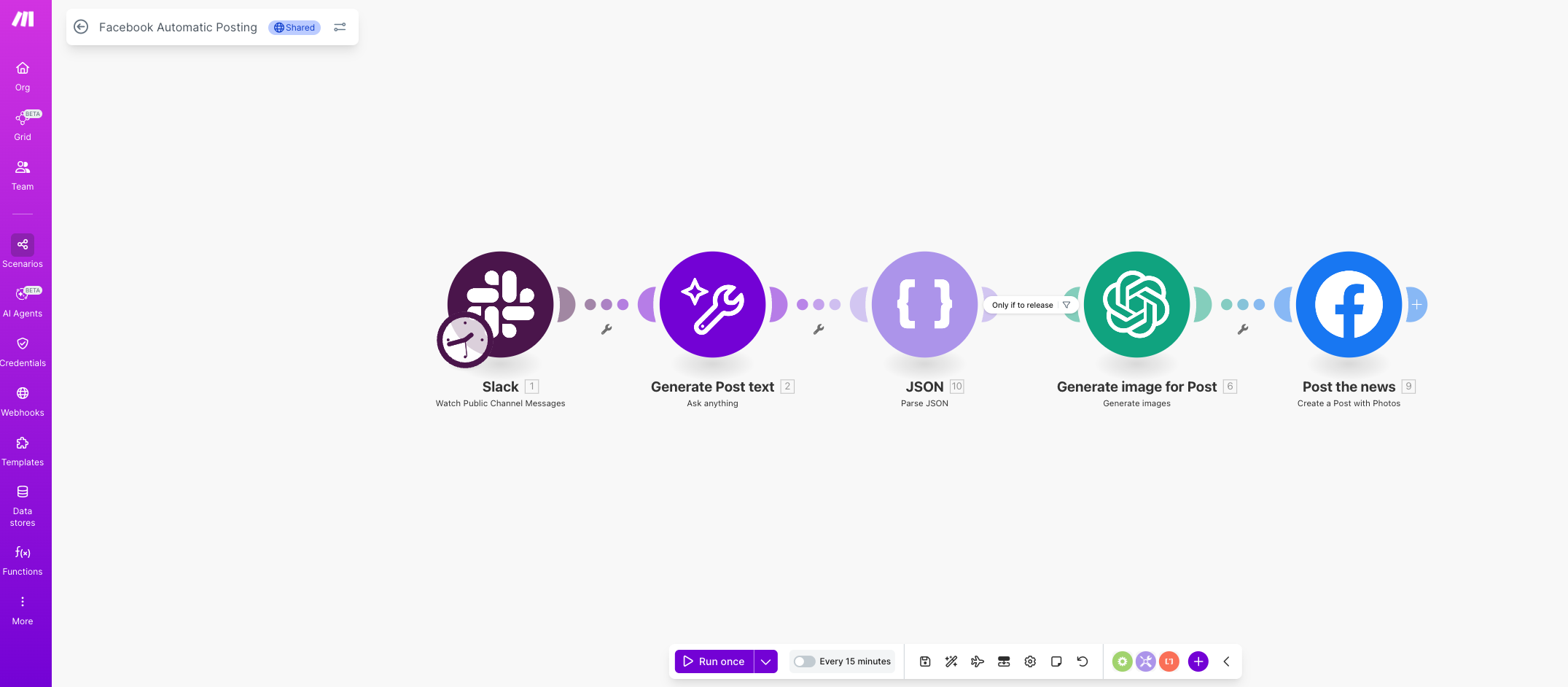
Make scenario for automated social posts
Example Make scenario for automating social posts from product updates

Step-by-step implementation

1. Configure the Slack trigger

Set up the Slack → Watch Public Channel Messages module to monitor your product updates channel. Each new message will initiate the workflow. Configure the module to only watch specific channels where official release announcements are posted.

For best results, work with your product team to standardize how they format release announcements. Consistent message structure helps the AI evaluate updates more accurately.

2. Set up AI evaluation criteria

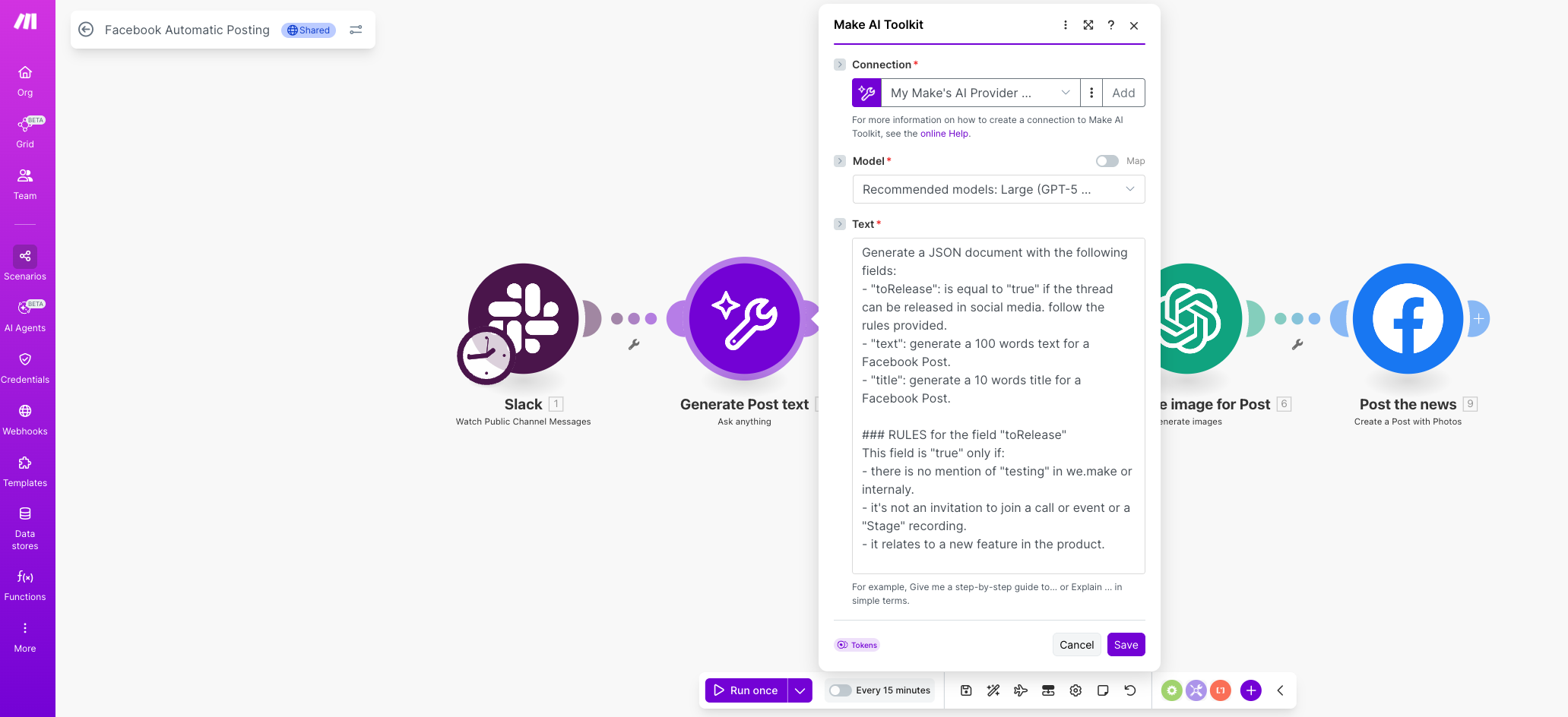
The Make AI Toolkit module analyzes each update against your posting rules. Configure it to check for:

  • Release type (GA vs beta/internal)
  • Customer impact level
  • Specific keywords to include/exclude

You can specify that certain types of updates always or never generate posts, while others may require more nuanced evaluation.
AI evaluation settings in Make
Configuring AI evaluation rules for social post automation

3. Customize post generation

For approved updates, instruct the AI how to craft the social post. Provide guidelines about:

  • Tone and voice (professional, friendly, technical, etc.)
  • Preferred length and structure
  • Required elements (like linking to documentation)
  • Prohibited phrases or references

The AI will generate a JSON response containing the post content and publishing recommendation.

4. Set up image creation

Use the OpenAI → Create an image module to generate custom visuals for each post. Provide a base prompt that aligns with your brand style, for example:

"Minimalist flat illustration of [PRODUCT FEATURE] with bright colors and clean lines, no text"

The AI will incorporate details from the specific update to create unique, on-brand images.

5. Configure publishing

Finally, connect to your social platforms using Make's native integrations. The Facebook Pages module used in the example can be replaced with modules for LinkedIn, Twitter/X, or scheduling tools like Buffer or Hootsuite.

Adding approval steps

For teams wanting oversight before posts go live, you can insert approval steps in several ways:

  • Slack approval buttons that must be clicked before publishing
  • Airtable or Google Sheets review queues
  • Manual approval triggers in the Make scenario

Approval workflows typically add 10-30 minutes to the posting timeline while maintaining most of the automation benefits.

Pro tip: Start with approvals for all posts, then gradually automate more as you gain confidence. You can configure different approval rules based on update type or importance.

Customization options

The basic workflow can be extended in numerous ways:

  • Multi-platform publishing: Share to multiple networks simultaneously
  • Translation: Auto-translate posts for regional accounts
  • Analytics tracking: Log performance data for each automated post
  • Content variations: Create platform-specific versions of each post
  • Internal notifications: Alert relevant teams when posts go live

Example of automated social post
Sample output from the automated posting workflow

Frequently Asked Questions

Common questions about automating social posts with Make's AI

Make's AI analyzes the content of internal release announcements against predefined rules you configure. It looks for key indicators like whether the update is customer-facing, generally available (not beta), and excludes terms like 'internal' or 'test'. You can customize these rules to match your brand's posting criteria.

The system becomes more accurate over time as it learns from your team's decisions about which updates merit social posts. Many organizations start with conservative rules and gradually expand what gets automated as they gain confidence in the system.

Yes, you can provide specific instructions to the AI about writing style, tone, and formatting. Common customizations include requesting clear language for non-native speakers, short easy-to-read sections, avoiding team member names, and maintaining a consistent brand voice across all automated posts.

For best results, provide the AI with 3-5 examples of your ideal social posts. It will analyze these to understand your preferred style. You can also specify word count ranges, emoji usage, hashtag strategy, and other stylistic elements.

While the example focuses on Facebook, Make's integration library supports most major platforms including LinkedIn, Twitter/X, and Instagram. You can also route posts through scheduling tools. The workflow is designed to be platform-agnostic - just swap the publishing module for your preferred platform.

For multi-platform publishing, you can either:

  • Create platform-specific versions of each post
  • Use a social media management tool as your publishing endpoint
  • Configure separate workflows for each network

The AI's accuracy depends on how well you configure its decision rules initially. Most implementations start with 85-90% accuracy and improve over time as you refine the criteria. Many teams begin with human approval steps before gradually moving to full automation as confidence in the system grows.

Key factors affecting accuracy include:

  • Consistency in how product teams format announcements
  • Clear guidelines about what constitutes a post-worthy update
  • Regular review of the AI's decisions to identify needed adjustments

The workflow includes multiple safeguards: content rules in the AI configuration, optional human approval steps, and the ability to review posts in Slack/Airtable before publishing. Any problematic outputs should be analyzed to improve the AI's rules. The system also maintains logs of all generated content for review.

If you encounter off-brand content:

  • Add the problematic phrases to your exclusion list
  • Provide counter-examples of your preferred style
  • Consider tightening your approval workflow temporarily

Absolutely. The workflow can be extended with additional AI modules to automatically translate posts into multiple languages before publishing to regional social media accounts. This maintains consistency while accommodating local language needs.

For best translation results:

  • Provide key terminology in each target language
  • Specify any regional linguistic preferences
  • Include human review for critical translations

Our team specializes in building tailored automation solutions for content workflows. We can adapt this template to your specific platforms, approval processes, and branding guidelines. Book a consultation to discuss automating your social media posting strategy.

Custom implementations typically include:

  • Platform-specific optimizations for your social networks
  • Integration with your existing content management systems
  • Custom approval workflows matching your internal processes

Need Custom Automation Help?

This guide is a starting point. Our team builds fully tailored automation systems for your specific workflow needs.