
What This Workflow Does
This powerful automation streamlines the creation of SEO-optimized product titles, descriptions, and tags for your Shopify store. Instead of manually crafting compelling copy for each new product, this workflow leverages the power of AI to do it for you. It watches for new product additions, sends the product image and details to an AI content extractor, and then automatically updates your Shopify listings with high-quality, search-engine-friendly text.
The core problem this workflow solves is the time-consuming and often inconsistent process of product copywriting. For e-commerce businesses, especially those with large or frequently updated catalogs, generating unique and effective product descriptions can be a major bottleneck. This automation ensures consistency, improves SEO, and frees up valuable time for your team to focus on other growth-driving activities.
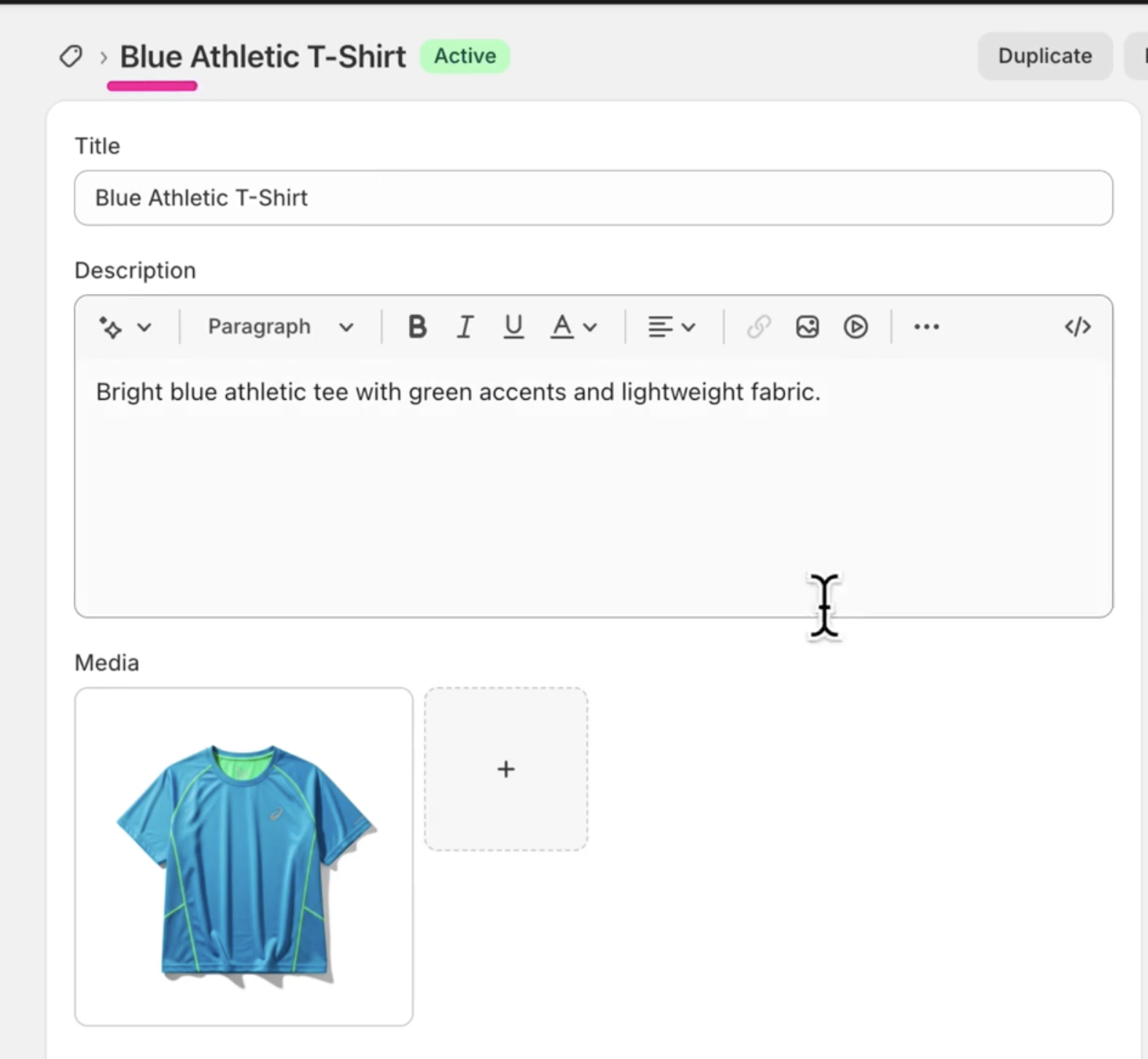
Imagine launching new products in minutes, complete with engaging descriptions that are tailored for search engines and designed to convert. This workflow makes that a reality, ensuring your product catalog is always up-to-date and performing at its best.
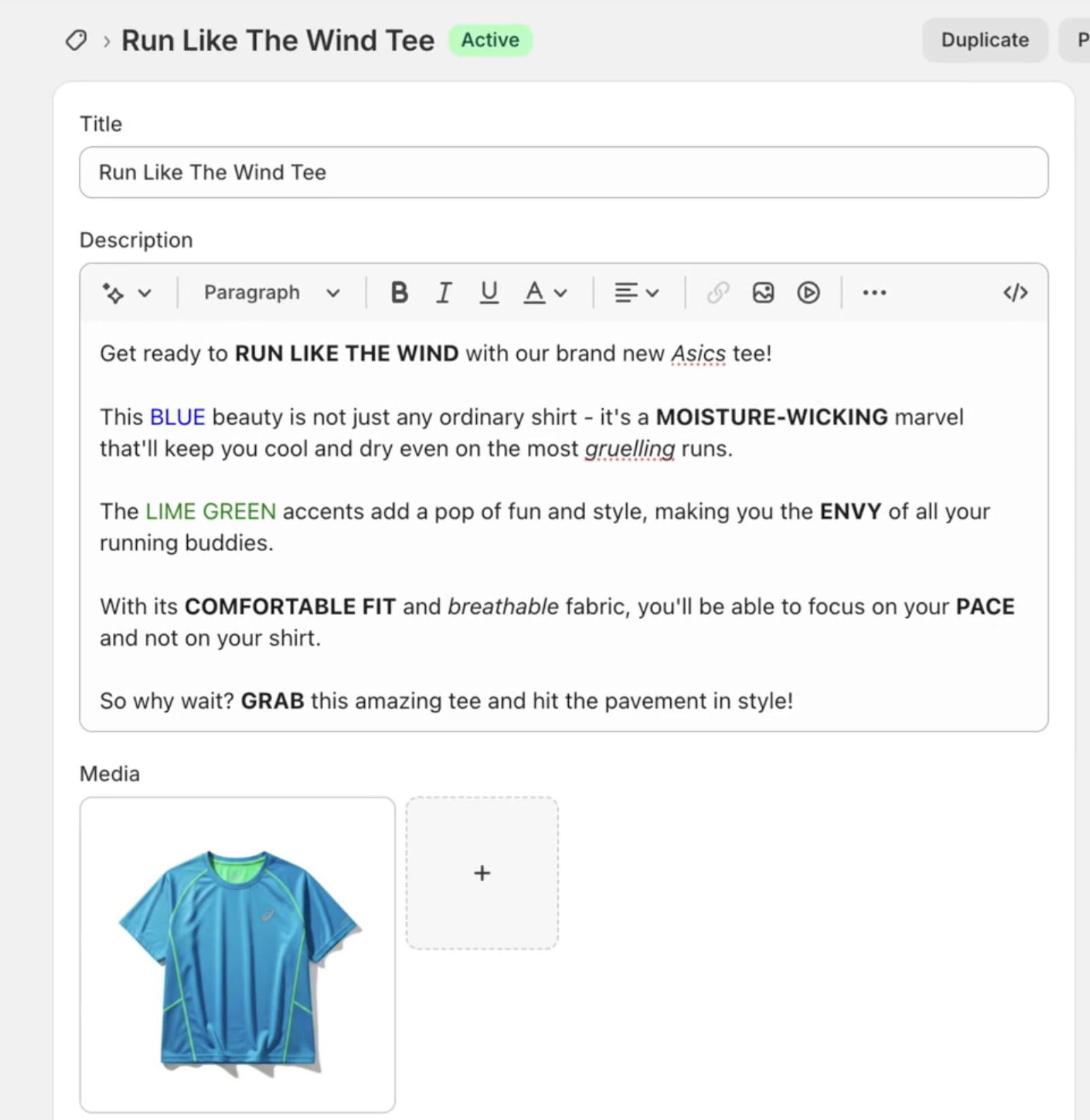
How It Works
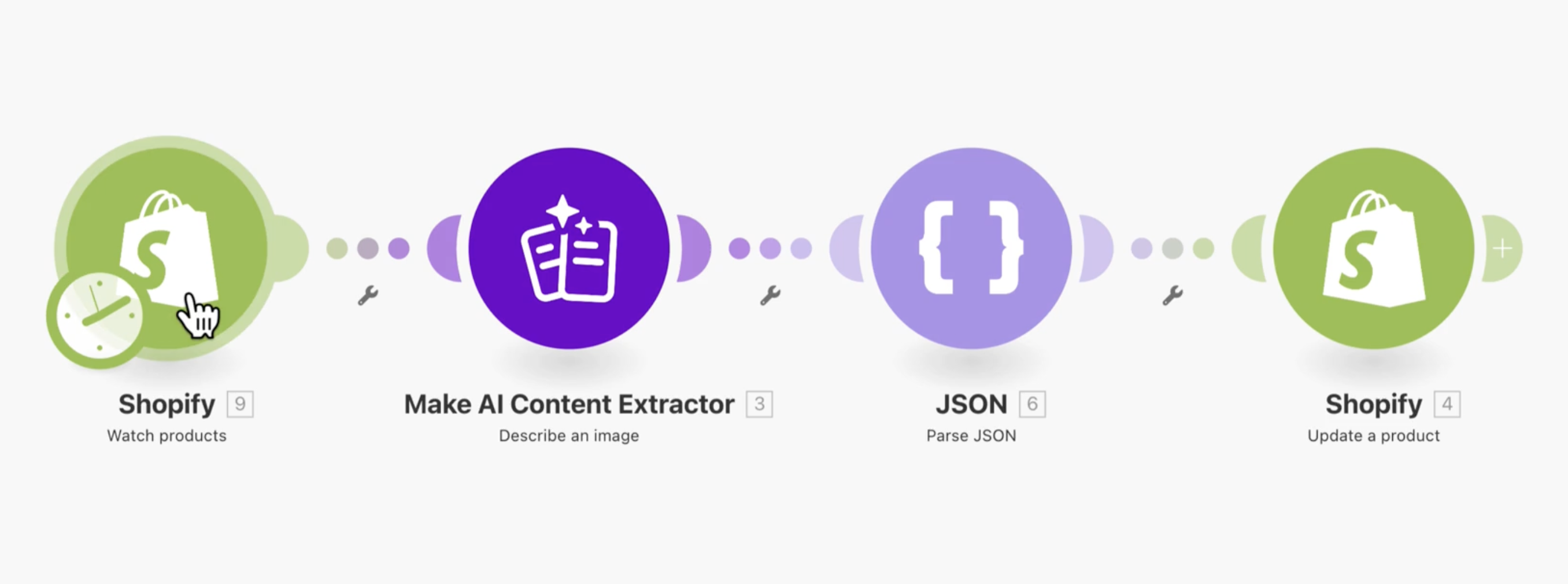
This automation operates in a seamless, four-step process to transform your product listing workflow:
1. Watch for New Products in Shopify
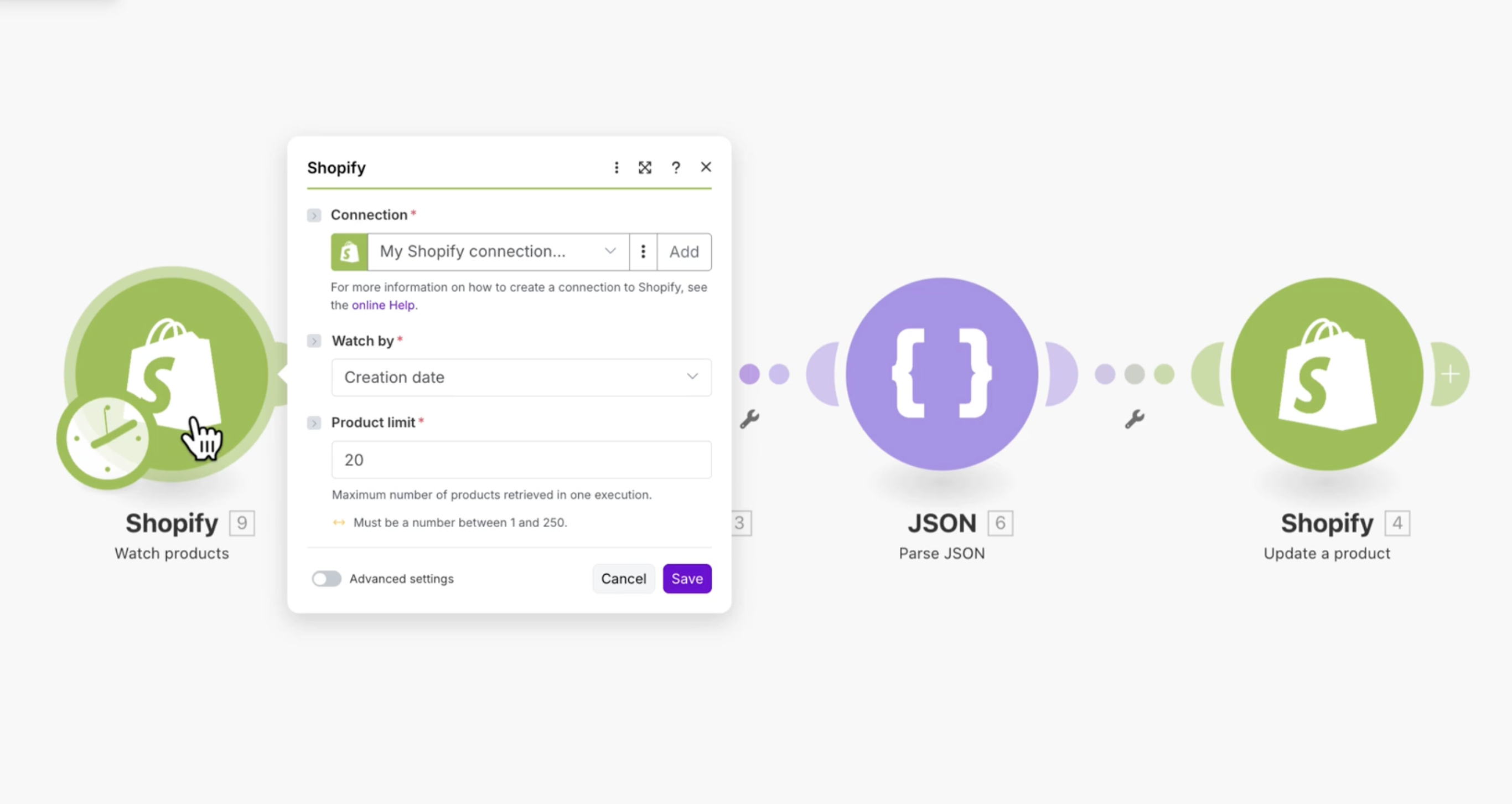
The workflow begins by constantly monitoring your Shopify store for any new products that are added. As soon as a new item is detected, Make captures all its available details, including the product image URL, to prepare for the next steps.
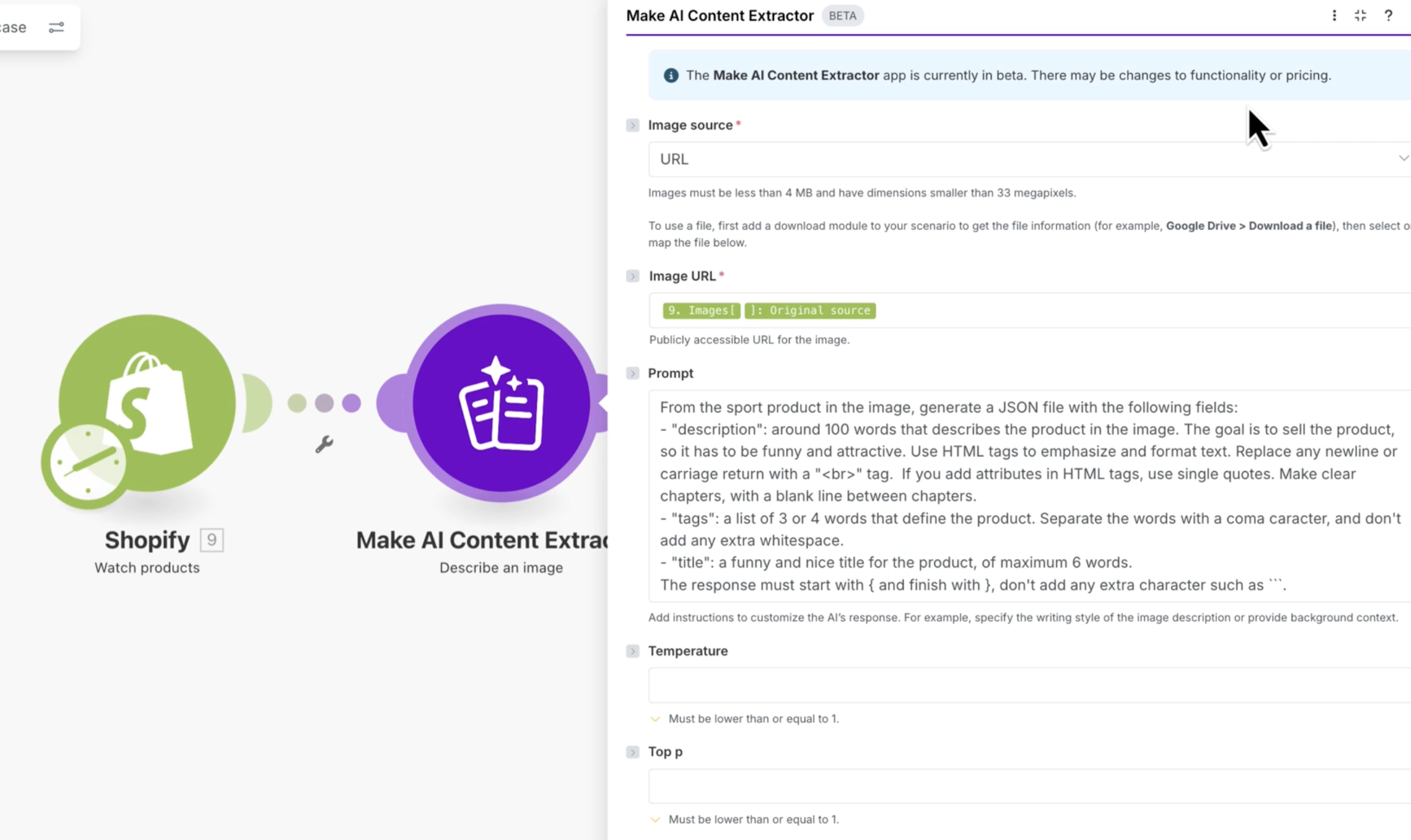
2. Describe the Image with AI
Next, the product image URL and any relevant product data are sent to an AI Content Extractor. Using a custom prompt, the AI is instructed to generate a structured JSON output containing an engaging product title, a detailed description (formatted with HTML tags), and a list of SEO-friendly tags. This ensures the generated content is not only creative but also ready for direct use.
3. Parse the AI Response
The AI's output, which is in JSON format, is then processed by a JSON parsing module. This step extracts the generated title, description, and tags into separate, usable data fields. This makes it easy to map the content to the correct fields in your Shopify product editor.
4. Update the Product in Shopify
Finally, the extracted and parsed data is used to update the corresponding product in Shopify. The new, AI-generated title, HTML-formatted description, and SEO tags are automatically applied, ensuring your product listing is optimized and ready for customers without any manual intervention.
Who This Is For
This automation is ideal for any e-commerce business owner, marketing manager, or product team looking to enhance their online store's efficiency and performance. Specifically, it benefits:
- Small to Medium E-commerce Businesses: Who need to manage a growing product catalog but lack the resources for extensive manual copywriting.
- Online Retailers with Frequent Product Updates: Businesses that regularly add new inventory or seasonal collections and want to accelerate their time-to-market.
- Marketing Teams: Seeking to improve SEO and conversion rates without increasing their workload, ensuring consistent brand messaging across all products.
- Shopify Store Owners: Who want to leverage AI to stay competitive and provide rich, optimized content for their customers.
If you're spending too much time on repetitive product data entry and want to boost your store's search engine ranking and sales, this workflow is designed for you.
What You'll Need
To implement and run this workflow, you will need the following:
- An active Make.com account.
- A Shopify store with administrator access.
- Product images uploaded to Shopify with publicly accessible URLs.
- A Make AI Content Extractor connection (available within Make.com).
Quick Setup Guide
Follow these steps to get your SEO product copy automation up and running:
- Create a New Scenario in Make: Log in to your Make.com account and create a new scenario.
- Add Shopify "Watch Products" Module: Search for the Shopify app and select the "Watch products" module. Connect your Shopify account. This module will trigger the scenario whenever a new product is added to your store.
- Add Make AI Content Extractor "Describe an Image" Module: Add the Make AI app and choose the "Describe an image" module. Map the product image URL from the Shopify module. In the prompt field, use a detailed instruction to guide the AI in generating a JSON output for the product title, description (with HTML tags), and tags.
- Add JSON "Parse JSON" Module: Connect a JSON app and select the "Parse JSON" module. Map the AI's JSON output from the previous step to this module to extract the individual data fields.
- Add Shopify "Update a Product" Module: Finally, add another Shopify module and select "Update a product." Map the parsed title, description, and tags from the JSON module to the corresponding fields in Shopify.
- Test and Activate: Run the scenario once with a test product to ensure everything is working correctly. Once confirmed, activate your scenario to automate product copy generation for all new products.
Key Benefits
Boost SEO and Visibility:
Automatically generate keyword-rich titles and descriptions that improve your product rankings on search engines, driving more organic traffic to your store.Save Hours of Manual Work:
Eliminate the tedious task of writing unique product copy for every item, freeing up your team to focus on strategic marketing and sales initiatives.Ensure Brand Consistency:
Configure AI prompts to maintain a consistent brand voice and style across all your product listings, enhancing customer trust and recognition.Accelerate Product Launches:
Get new products online faster with instant, high-quality descriptions, reducing time-to-market and capitalizing on trends quickly.Improve Conversion Rates:
Deliver compelling and informative product descriptions that answer customer questions and highlight benefits, leading to higher engagement and increased sales.