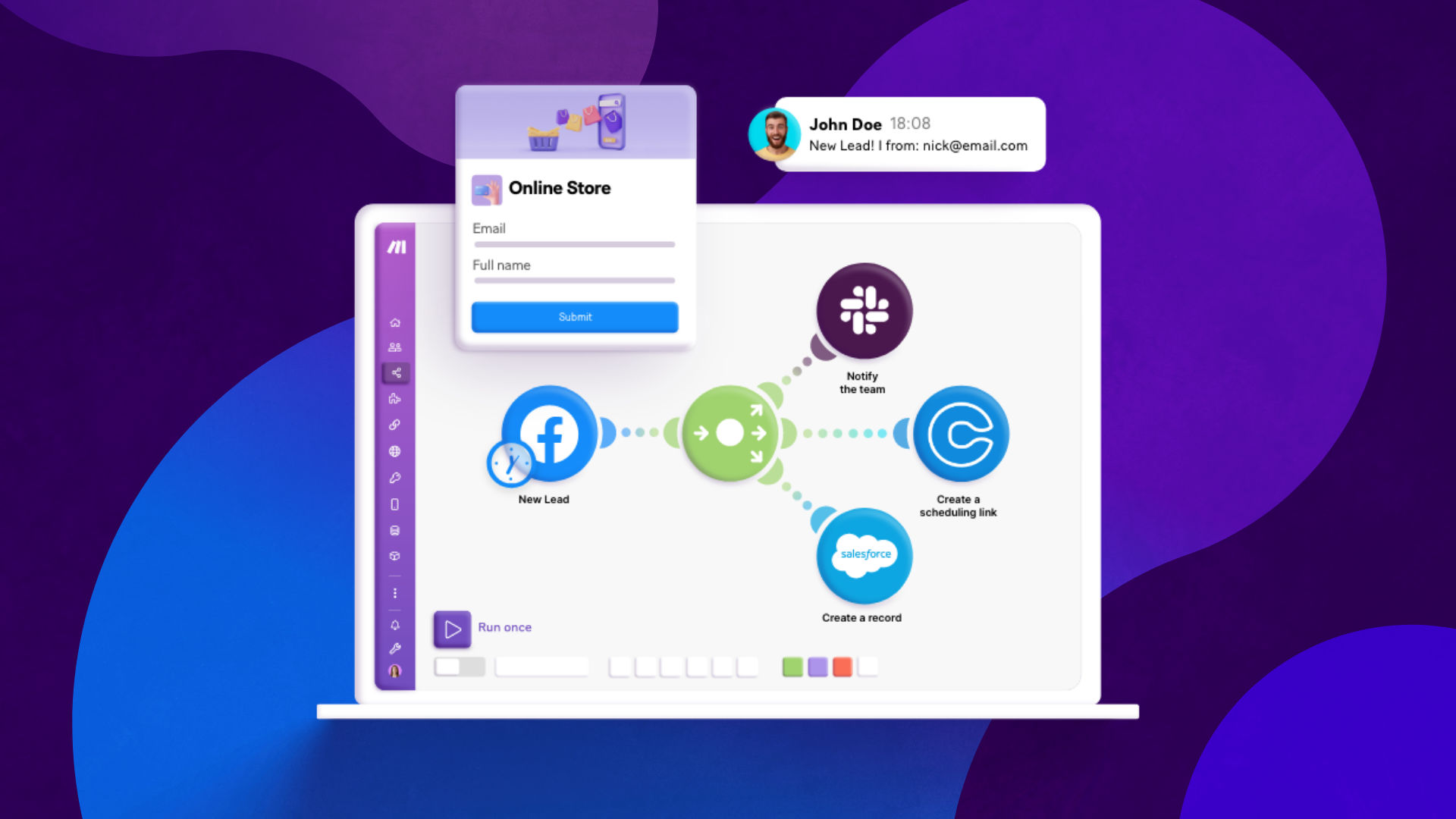
Facebook Lead Ads have become an indispensable tool for businesses aiming to connect with their audience and generate qualified leads efficiently. These ads are designed to be mobile-friendly and leverage Facebook's advanced targeting capabilities, making them highly effective for both small businesses and large enterprises.
Whether you're launching a new campaign or retargeting existing prospects, Lead Ads play a crucial role in building brand trust and converting interest into tangible results. The success of your Lead Ads can depend on various factors, including the relevance of your message and the value proposition you offer. However, the overall efficiency of your campaigns can be significantly enhanced through automation.
This guide will explore how Make.com can revolutionize your Facebook Lead Ads campaigns by saving valuable time and resources. By automating key processes, you can dedicate more effort to creative strategies and precise targeting, ultimately boosting conversion rates and maximizing your return on investment. Before diving into the practical applications, let's briefly understand what Make.com is and how it integrates with Facebook Lead Ads.
Facebook Lead Ads: How can Make help you?
Make.com is an intuitive visual automation platform that empowers users to build and automate complex workflows with just a few clicks. It acts as the central hub for connecting various applications and streamlining data flow between them.
When integrated with Facebook Lead Ads, Make.com's capabilities truly shine. The platform's Facebook Lead Ads app can "listen" for new form submissions in real-time. As soon as a lead completes your Instant Form, Make.com can immediately capture that data and pass it to another designated application, such as a Customer Relationship Management (CRM) system, a spreadsheet, or even an instant messaging app like Slack.
Essentially, Make.com automates all the crucial tasks that occur after a lead shares their contact details through your Facebook Lead Ads campaigns. This means you can eliminate manual data entry, reduce response times, and ensure that every lead is handled promptly and efficiently. To get started, all you need is a Make.com account and an active Facebook Ads account running campaigns that direct your audience to lead forms.
Now, let's delve into some of the most impactful use cases for combining Make.com with Facebook Lead Ads to optimize your lead generation efforts.
1. Download leads from Facebook Ads Manager
Many advertisers often wonder about the destination of leads generated through Facebook Lead Ads. Manually extracting and organizing this data can be a time-consuming and error-prone process. Make.com provides an automated solution to this common challenge, ensuring that no lead is overlooked.
With a simple Make.com template, you can automatically add new lead information directly into a Google Sheets spreadsheet. This creates a centralized and easily accessible repository of all your leads. Such a system is invaluable for sharing lead data with team members, accessing it for analysis, and preparing for follow-up actions whenever needed.

Automating this process not only saves countless hours of manual work but also significantly reduces the risk of human error, ensuring that your lead database is always accurate and up-to-date. This foundational automation sets the stage for more advanced lead nurturing strategies.
2. Connect Facebook Lead Ads to Mailchimp
For marketers focused on nurturing and retargeting Facebook leads through email campaigns, Make.com offers a straightforward and highly effective solution. This integration ensures that your email marketing efforts are timely and consistent, maximizing engagement with new prospects.
A dedicated Make.com template can automatically create or update subscribers in Mailchimp whenever a new submission occurs via your Facebook Lead Ads form. This means that as soon as a person expresses interest by filling out your form, their details are instantly added to your Mailchimp audience, ready for your email sequences.
The flexibility of Make.com extends beyond just Mailchimp. If you utilize a different email marketing platform, you can easily substitute it. Make.com supports over 90 email marketing applications, including popular choices like ActiveCampaign, MailerLite, Klaviyo, and Customer.io, among many others. This broad compatibility ensures that you can integrate your Facebook Lead Ads with your preferred email nurturing tools, maintaining a cohesive marketing ecosystem.
3. Integrate Facebook Leads Ads with your CRM
Sales-oriented teams rely heavily on efficient pipelines to move lead data from initial capture points, like Facebook Lead Ads, directly into their Customer Relationship Management (CRM) systems. Without proper automation, this data transfer often becomes a manual process, leading to delays, errors, and ultimately, missed conversion opportunities.
Make.com addresses this critical need by providing templates that enable rapid deployment of automated pipelines for leads originating from Facebook. This ensures that every new lead is immediately available in your CRM, empowering your sales team to act quickly and effectively.
Pro tip: Always map your Facebook Lead Ad form fields directly to your CRM's required fields. This ensures seamless data transfer and prevents incomplete lead records that could hinder your sales team's follow-up efforts.
Similar to email marketing integrations, Make.com's versatility means you're not restricted to a single CRM. Whether you use HubSpot, Zoho CRM, Salesforce, Pipedrive, or another system, Make.com supports a wide array of CRM tools. This extensive compatibility allows you to maintain your existing CRM infrastructure while significantly enhancing its efficiency with automated Facebook Lead Ad data ingestion.
Tips for getting the most out of Facebook Lead Ads with Make
As you begin to leverage Make.com for automating your Facebook Lead Ads, you'll discover numerous opportunities to refine and enhance your workflows. Simple adjustments can lead to significant time savings and improved lead quality. Here are some of the most effective tips to maximize your automation efforts:
- Ensure mandatory fields are collected: Always verify that your Facebook Lead Ad form collects all necessary information that is marked as mandatory in your target application (e.g., your CRM). If your CRM requires a phone number, make sure your lead form includes a field for it. This prevents incomplete records and ensures smooth data transfer.
- Send automated email confirmations: After a lead submits your form, an immediate email confirmation can provide peace of mind and serve as the first step in your nurturing sequence. Use Make.com to trigger these emails, which can also include valuable content to further engage your new leads.
- Notify your team about new leads: Timely follow-up is crucial. Configure Make.com scenarios to send instant notifications to your sales team via platforms like Slack, Microsoft Teams, email, or even WhatsApp whenever a new lead comes in. This ensures quick action and better conversion rates.
- Add lead source information: Provide your sales team with crucial context by automatically adding the lead source (e.g., "Facebook Lead Ad - Campaign X") to your CRM. Knowing where a lead originated helps them tailor their approach and understand the lead's journey.
- Create distinct Make.com scenarios for each campaign: To maintain data integrity and avoid confusion, it's vital to create a separate Make.com scenario for each unique Facebook Lead Ad campaign. If you launch a new lead form without a corresponding Make.com scenario, the lead data will remain isolated in Facebook Business Suite/Ads Manager and won't be automatically transferred to your desired systems.
- Store leads in an accessible location: Beyond your CRM, consider storing a backup or a shared list of leads in an easily accessible place like Google Sheets or Airtable. This allows various team members to quickly view and utilize lead data without needing specific permissions for other systems.
By implementing these tips alongside your automated Make.com scenarios, you can significantly optimize your Facebook Lead Ads performance. This strategic approach will not only save you considerable time and resources but also help combat the rising cost-per-lead prices often observed in digital advertising.