
The Problem
Customer feedback is critical for every growing business, and it's particularly crucial to catch and act on negative reviews fast. Manual feedback management processes often lead to delayed responses or missed opportunities to address customer concerns.
Traditional approaches require teams to manually send surveys, wait for replies, and then review each one individually. Negative reviews could go unnoticed for too long - or be missed entirely. This creates significant business risk and missed opportunities to improve customer satisfaction.
Pro tip: Research shows customers who receive prompt responses to negative feedback are 50% more likely to become repeat customers than those who don't receive any response.
The Tools
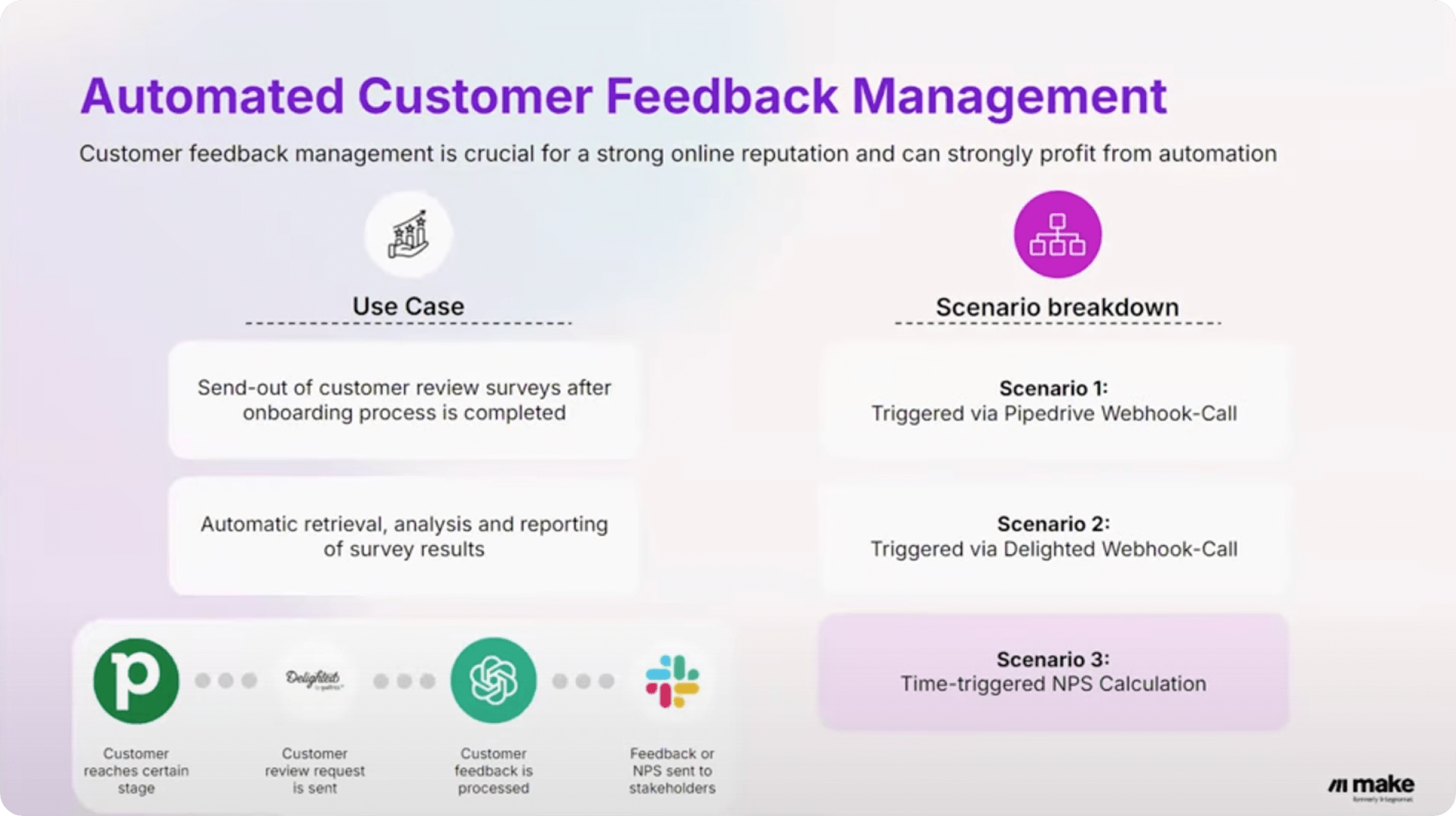
This automation uses Make (formerly Integromat), a visual platform that allows anyone to create, build, and automate workflows without coding. The workflow connects several key applications:
- Pipedrive - CRM to track customer progress
- Delighted - Customer satisfaction survey tool
- OpenAI - For feedback analysis and response drafting
- Slack - For team notifications and alerts
The beauty of Make is its flexibility - with 2,200+ app integrations, you can customize this scenario to work with your existing tech stack. Whether you use HubSpot instead of Pipedrive or Microsoft Teams instead of Slack, the core workflow remains adaptable.
The Setup
The full automation is built across three Make scenarios that work together to create a seamless feedback management system:
Scenario 1: Triggering the Survey
When a customer is marked as 'onboarding completed' in your CRM (Pipedrive in this example), a webhook triggers Make to collect the customer's name and email, then automatically send a satisfaction survey via Delighted.
This ensures every customer receives a survey at the optimal moment in their journey, without requiring manual effort from your team. The timing can be adjusted based on your specific customer lifecycle.
Scenario 2: Analyzing Feedback
After a survey is completed, Delighted sends the data to Make where several actions occur:
- Saves the feedback (rating and comment) to a Make Data Store
- Categorizes responses using NPS scoring
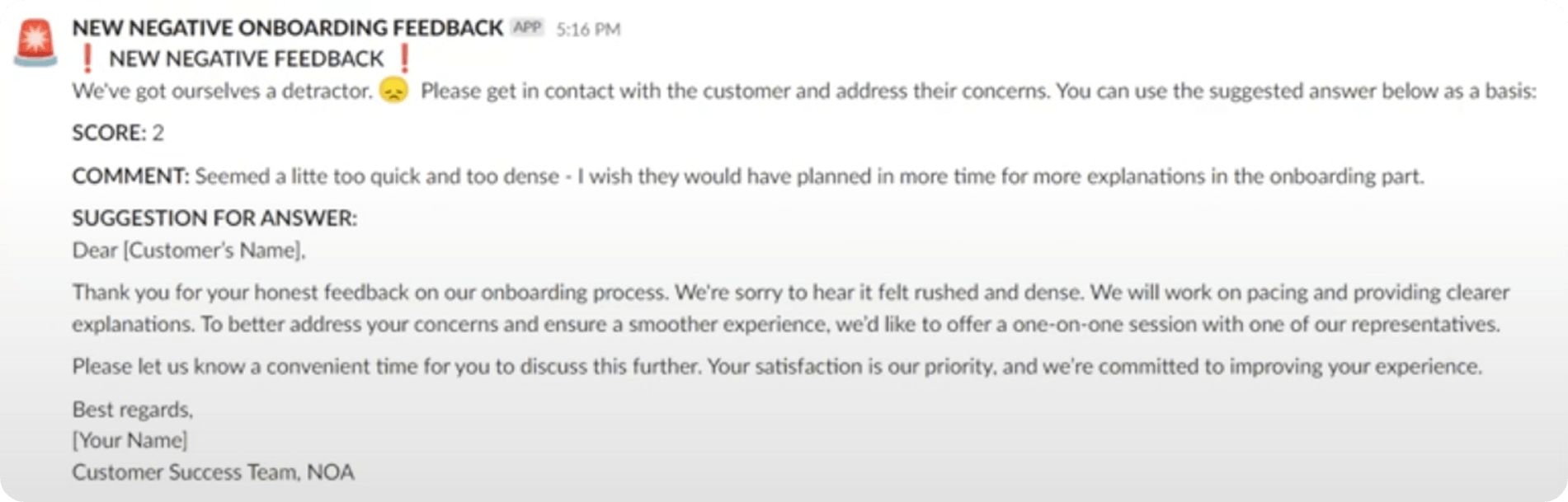
- Instantly alerts your team via Slack about negative feedback
- Drafts a personalized response using OpenAI
Scenario 3: Calculating NPS
A scheduled scenario runs periodically to pull all feedback from storage, calculate your current Net Promoter Score, and post it to Slack along with a summary message. If the score drops below a critical threshold, it triggers an alert for immediate team discussion.
This gives leadership real-time visibility into customer satisfaction trends without manual reporting. The system can be configured to run daily, weekly, or monthly depending on your needs.
How AI Helps
AI supercharges this workflow in several key ways:
Triage: AI automatically identifies low NPS scores and routes them to the appropriate team member for rapid response. This ensures no negative feedback falls through the cracks.
Messaging: OpenAI generates context-aware response drafts that maintain your brand voice while addressing specific customer concerns. The AI references details from the original feedback to create personalized replies.
Consistency: Every negative review receives the same level of attention and prompt response, eliminating variability in your customer service quality.
Pro tip: Train your AI responses by providing examples of your best customer service interactions. This helps the system maintain your brand's unique tone and style.
Do More with Make and AI
This customer feedback automation is just one example of what's possible with Make and AI. The same principles can be applied to:
- Product feedback analysis
- Employee satisfaction surveys
- Net promoter score tracking
- Social media sentiment monitoring