
In the initial part of our comprehensive five-part series on automating data collection, we delve into practical strategies for streamlining the capture of information from your online forms. Data is the fundamental asset for any marketing and sales team, serving as the backbone for personalized and effective campaigns.
Without accurate and accessible data, initiatives ranging from email marketing to sales demonstrations lose their impact, becoming less relevant and ultimately less effective. The true value of data lies not just in its existence, but in the efficiency and precision with which it is collected, categorized, and stored.
Relying on manual processes for these tasks is not only time-consuming but also a significant drain on resources. Businesses should avoid allocating valuable team hours to repetitive data transfer when automation software can perform these functions with greater speed, accuracy, and at a fraction of the cost. The goal is to empower your team to focus on high-impact activities that drive significant return on investment.
This series aims to equip marketing and sales professionals with automation solutions that eliminate tedious, manual data collection, thereby freeing up their schedules for more strategic and impactful work. In this first installment, we will specifically explore Make.com scenarios designed to automate lead data collection from various online forms.
How to Automate Lead Data Collection from Your Online Forms
When it comes to automating lead data collection from online forms, there are two primary categories to consider: no-code forms and custom forms. Each type presents unique opportunities for automation, and understanding these differences is key to implementing an effective strategy.
No-code forms are typically built using specialized platforms that require minimal technical expertise, while custom forms involve bespoke coding for greater flexibility. Below, we will explore tailored solutions for automating data collection for both types of forms, helping you streamline your lead management processes.
1. No-code Forms
No-code forms are created using "forms as a service" software such as Typeform, JotForm, CognitoForms, and Google Forms. These platforms are designed for ease of use, allowing you to embed lead forms onto any website without needing to write a single line of code. They provide a straightforward way to gather information from your audience.
Make.com simplifies the process of monitoring submissions from these no-code forms. It can automatically detect new entries and seamlessly transfer the collected data to your preferred database or spreadsheet, such as Google Sheets or Airtable. This ensures that all your team members have immediate access to the latest lead information, fostering better collaboration and faster response times.
For instance, you can set up a Make.com scenario to continuously watch for new Typeform submissions. As soon as a new response comes in, the scenario will trigger, extracting the relevant data and populating a designated row in your Google Sheet. This eliminates the need for manual data export and import, keeping your records consistently updated.
2. Custom Forms
Automating data collection from custom-coded website forms and directing their submissions to a user-friendly database is generally more complex than with no-code solutions. Custom forms are often integrated with a website's specific backend, where data is processed and stored in a proprietary database.
The primary challenge with these setups is that such databases typically require technical knowledge to access and are often difficult to integrate with third-party services. This can create a bottleneck for marketing and sales teams who need quick and easy access to lead data.
However, Make.com offers a powerful solution through custom webhooks, allowing you to bypass these backend complexities. A webhook acts as a bridge, enabling web services to communicate directly. By default, custom forms send data to a webhook specified in their HTML code. Instead of sending it to a custom-developed service, you can configure your form to send data to a Make.com webhook.
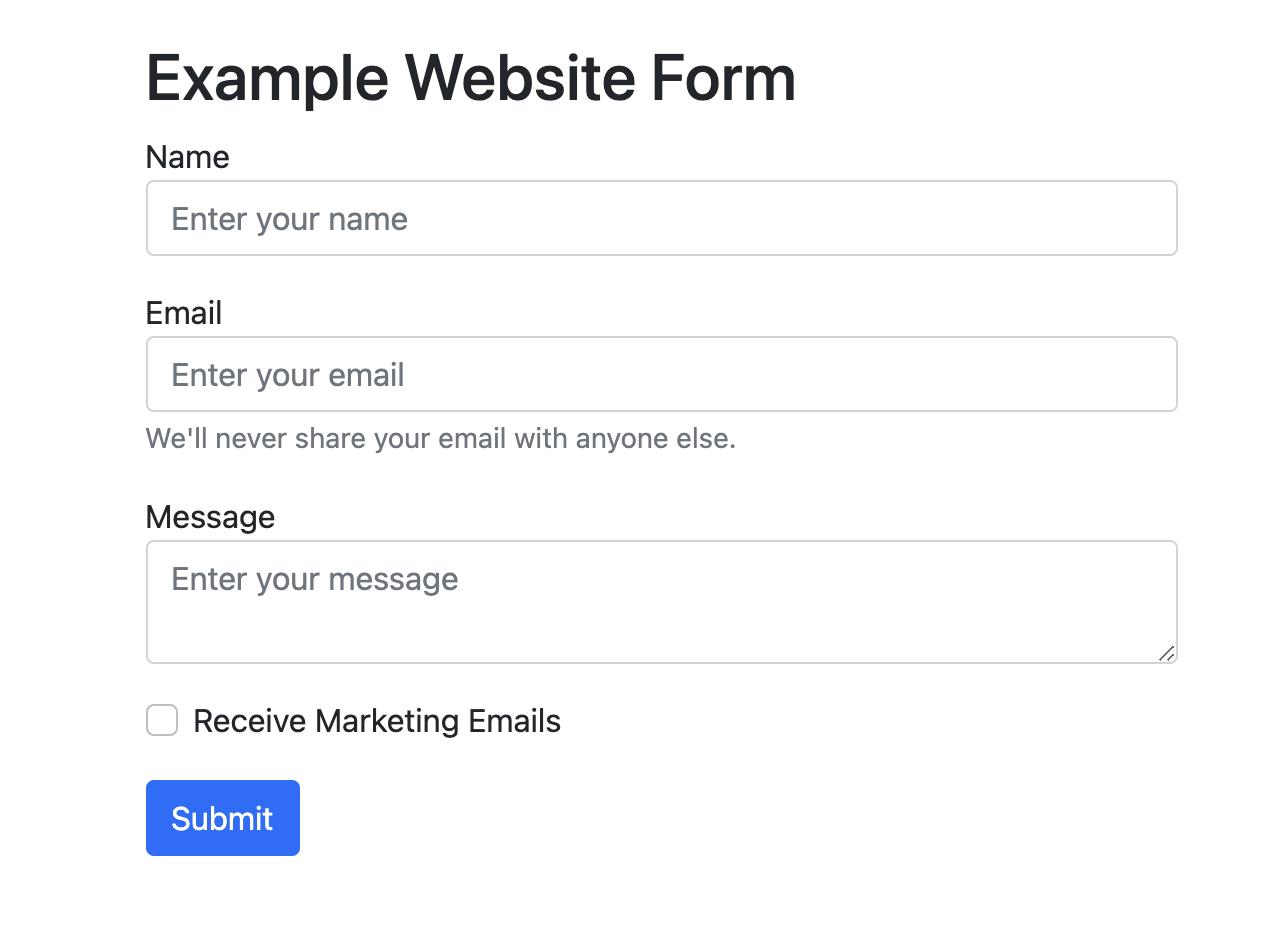
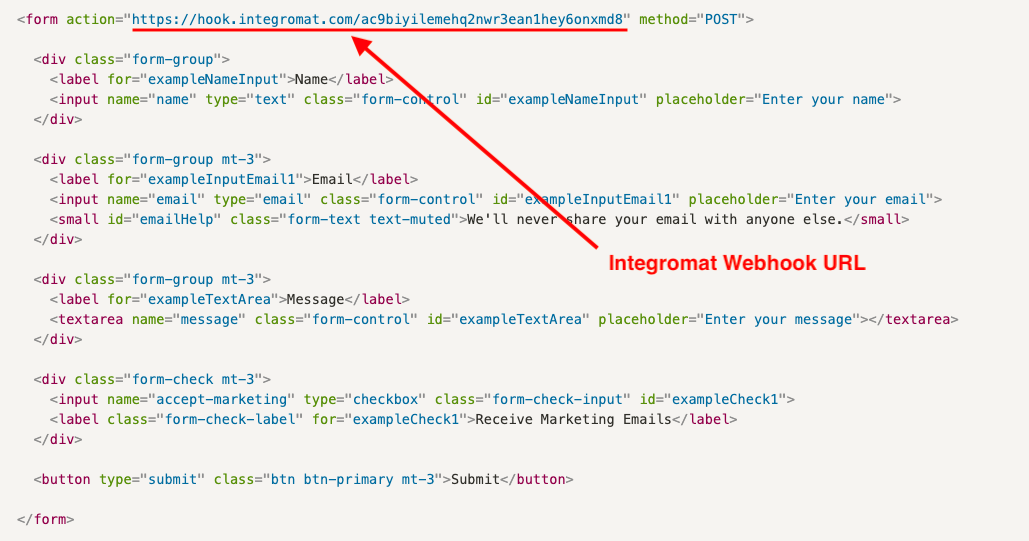
In the HTML code of your custom form, specifically within the opening <form> tag, you'll find an attribute called "action." This is where the webhook's URL resides, and it dictates where the form data is sent once the submit button is clicked. Traditionally, this action would point to a custom backend service.
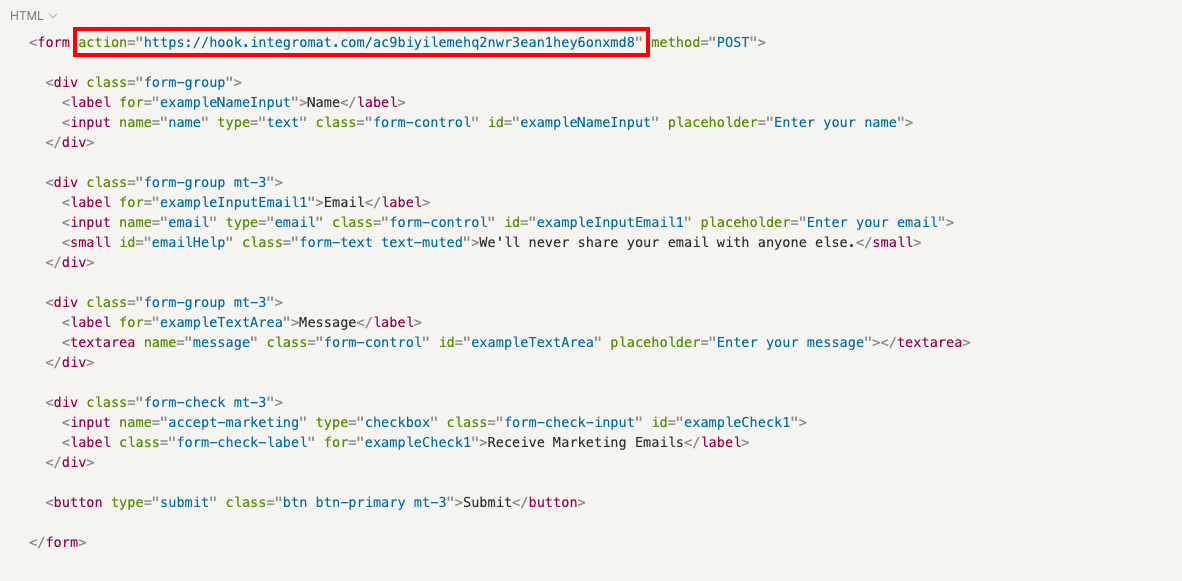
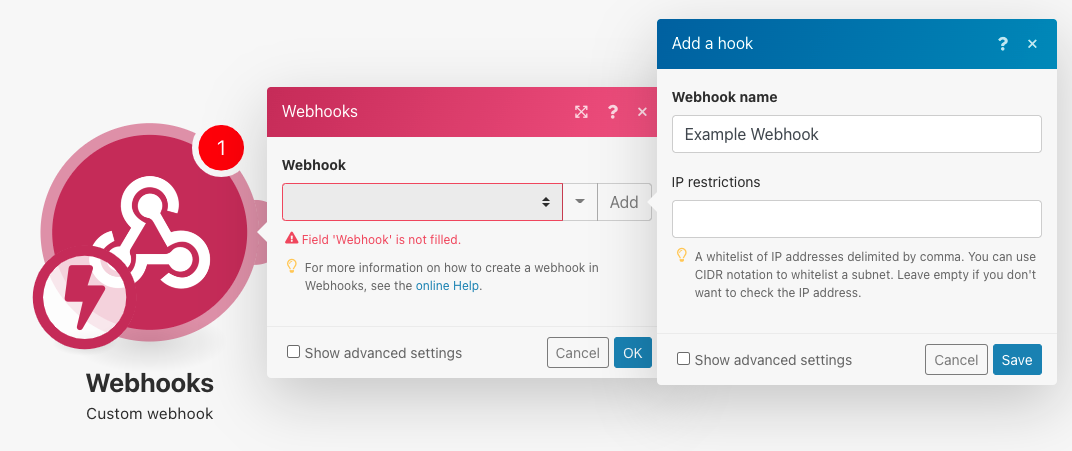
By replacing this traditional URL with a Make.com webhook URL, you can direct the form data directly into a Make.com scenario, avoiding the need for a custom-developed service. To set this up, navigate to the Webhooks app within Make.com.
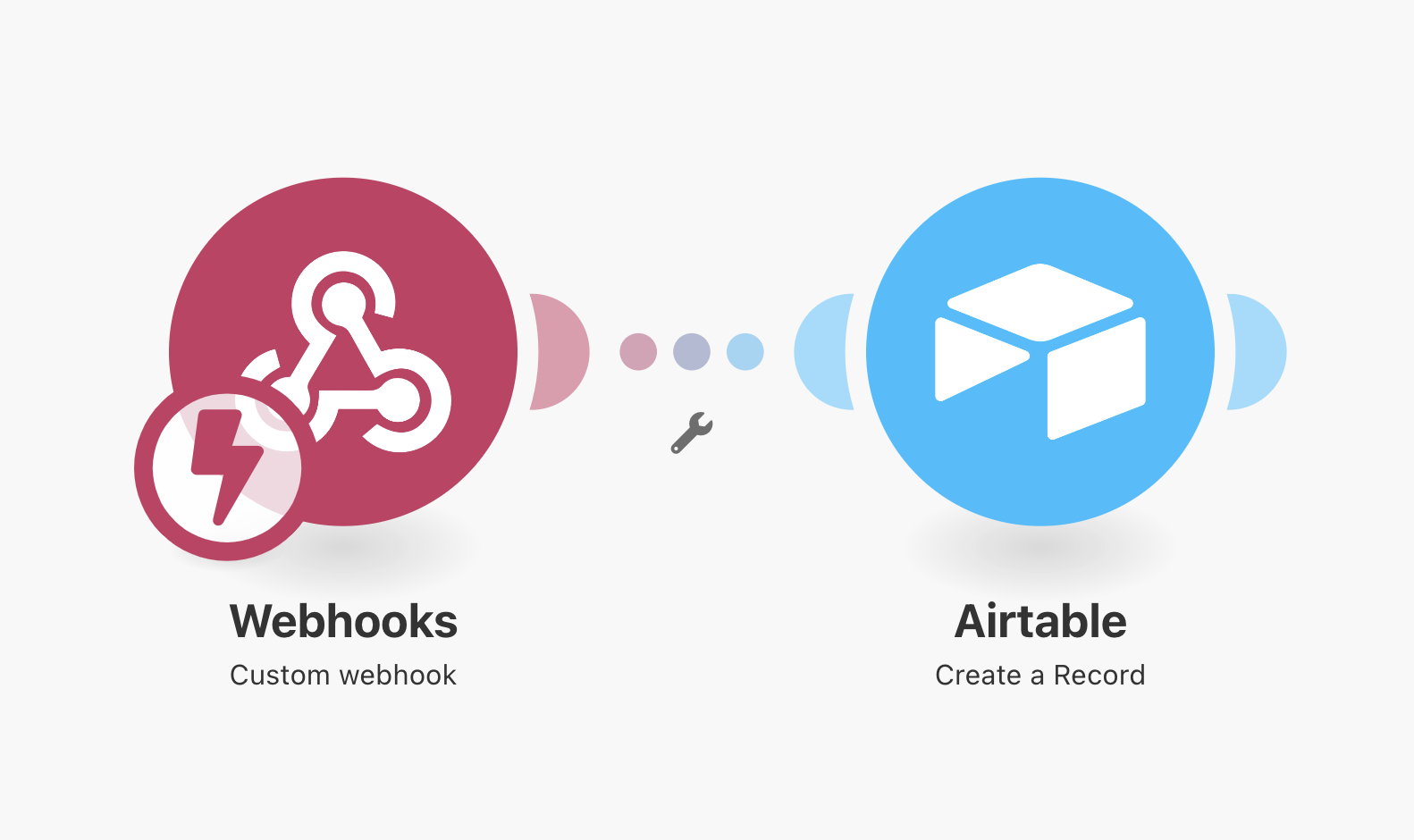
From there, select the "Custom webhook" trigger module and click the "Add" button to generate a new webhook. After naming your webhook and saving it, Make.com will provide you with a unique URL. This URL is what you will insert into your custom website form's "action" attribute. You may need assistance from a technical team member to access and modify the HTML file containing your form.
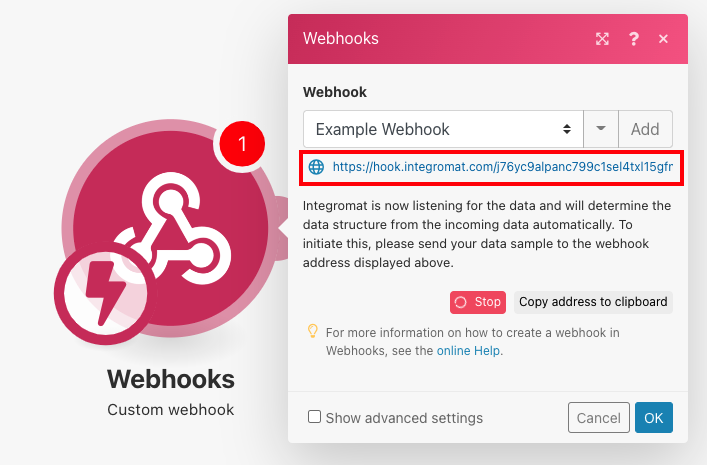
Once the Make.com webhook is integrated into your form, all submission data will be sent directly to the scenario you've built. This scenario can then effortlessly forward the data to any user-friendly database, such as Google Sheets or Airtable, making it easily accessible for your team. For a deeper understanding of webhooks, you can refer to our dedicated article on webhooks and our comprehensive 3-part video course on the topic.
Pro tip: Always test your webhook integration thoroughly after setup. Submit a test entry through your form to ensure that the data is correctly captured by Make.com and routed to its intended destination without errors. This proactive step can prevent data loss and ensure your automation runs smoothly from day one.
This seamless integration ensures that even complex custom forms can contribute to an efficient, automated data collection system, providing your team with the information they need, when they need it, in a format that's easy to use.
Sending Your Form Data to the Places You Need It
Generating leads is a challenging endeavor, and it's essential to ensure that these valuable efforts don't go to waste by allowing data to languish in inaccessible databases. Whether you're utilizing no-code form solutions or custom-coded forms, the goal is to make your lead data actionable and readily available.
By leveraging Make.com scenarios, you can automate the collection of lead data from all your online forms and instantly route that information to the precise locations where it's needed most. This not only results in significant savings of time and energy but also dramatically increases the likelihood of converting these leads into loyal customers. Furthermore, for additional strategies on lead generation, explore our articles on LinkedIn Lead Gen Forms and Facebook Lead Ads.