
What This Workflow Does
Project managers often find themselves buried under a mountain of administrative tasks when new requests come in. From reviewing submissions and chasing missing information to manually creating tasks and notifying teams, the intake process can be a significant time sink, diverting focus from strategic planning and execution. This manual overhead not only slows down project initiation but also introduces a higher risk of errors and overlooked details.
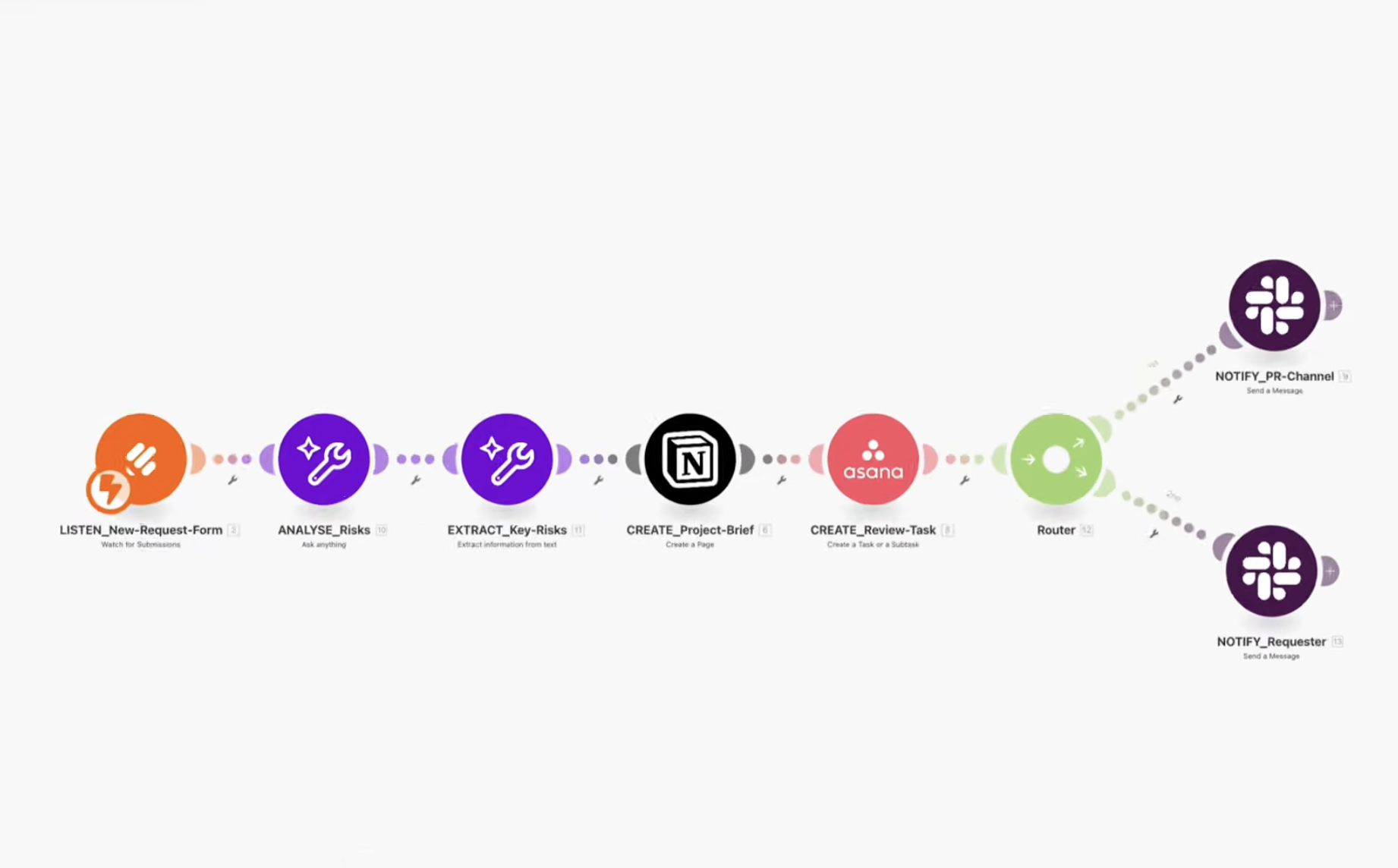
This AI-powered project intake automation built with Make.com transforms this tedious process into a seamless, intelligent workflow. By integrating JotForm for submissions, Make AI for smart analysis, Notion for comprehensive briefs, Asana for task management, and Slack for instant communication, this solution ensures that every project request moves from submission to review in mere seconds, with all stakeholders informed and aligned from day one.
The core value of this workflow lies in its ability to automate the repetitive yet critical steps of project intake. It frees up project managers and teams from administrative burdens, allowing them to concentrate on what truly matters: delivering successful projects. This automation not only boosts efficiency but also enhances the quality and consistency of how new projects are initiated across your organization.
How It Works
This automation orchestrates a series of actions across multiple applications to create a fully intelligent project intake system. Here's a step-by-step breakdown:
1. Watch for New Project Requests (JotForm)
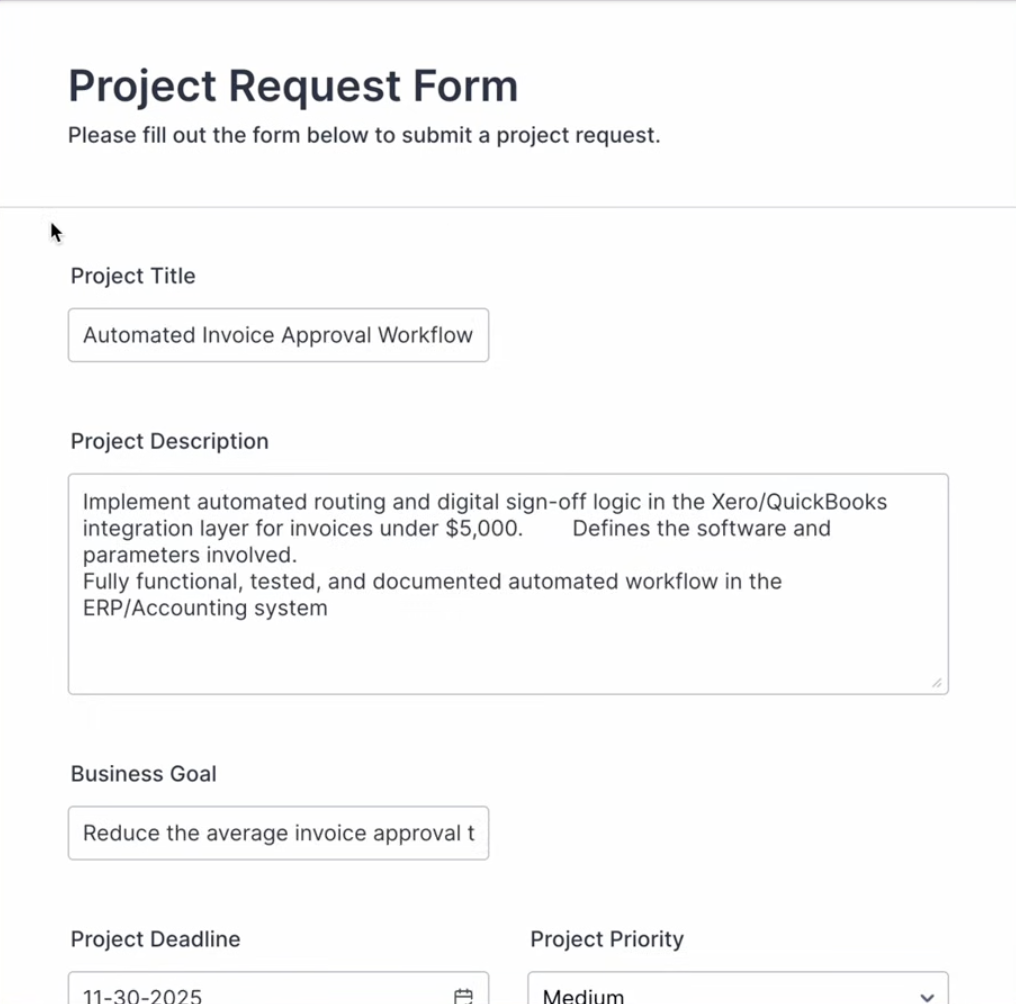
The workflow begins with a trigger in JotForm. Whenever a new project request form is submitted, Make.com instantly captures all the essential details. This includes the project name, description, business goals, deadlines, priority levels, and involved stakeholders. This initial data collection forms the foundation for all subsequent automated steps.
2. Analyze with AI Intelligence (Make AI Toolkit)
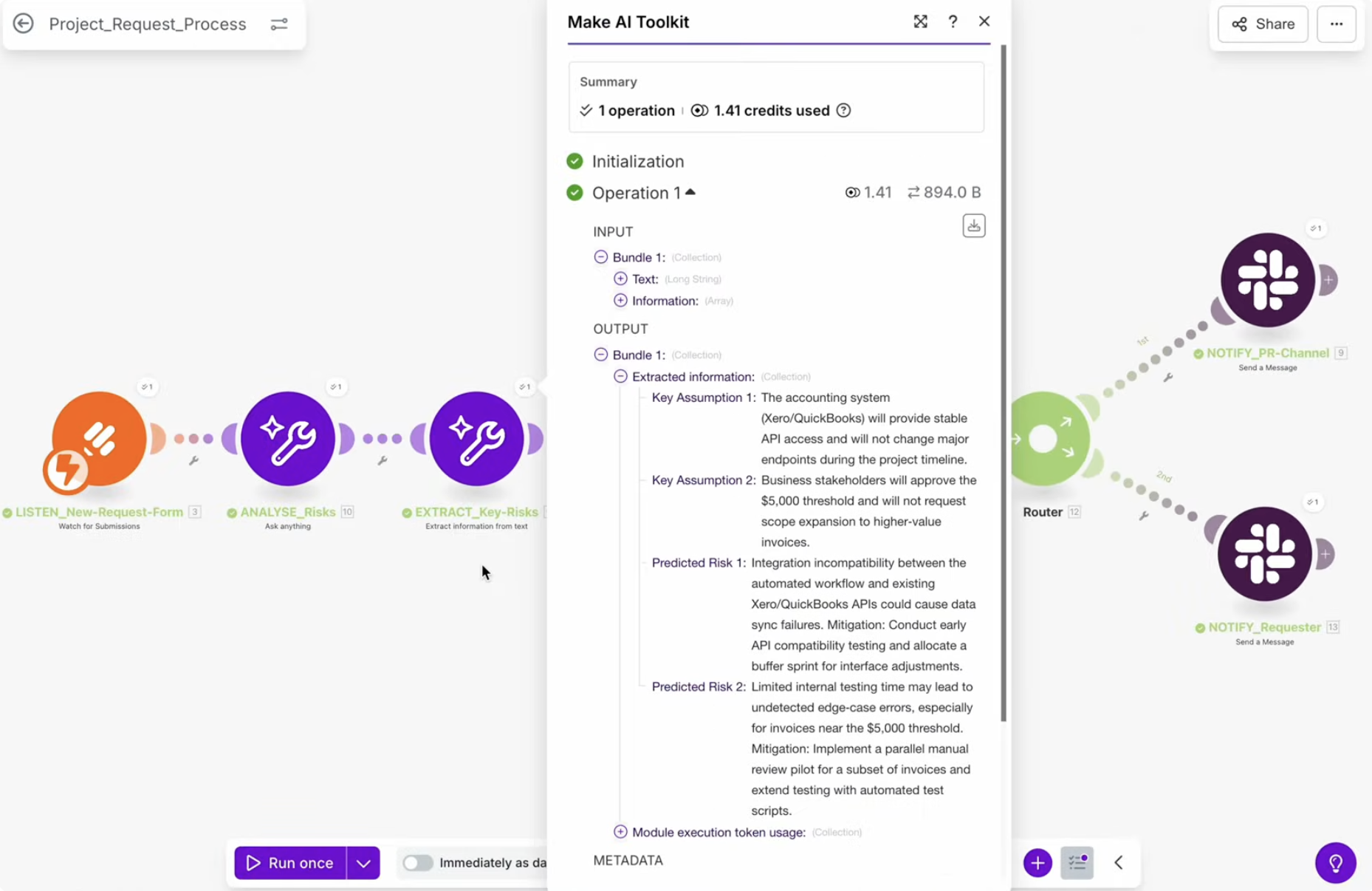
Once the form data is received, Make.com sends these project details to the Make AI Toolkit module. The AI then performs an intelligent review of the submission. It generates critical insights such as potential risks, identifies any missing information that needs clarification, and highlights key assumptions that should be confirmed before the project proceeds. This AI-powered analysis transforms a raw request into an informed starting point, proactively identifying potential issues.
3. Create the Notion Project Brief
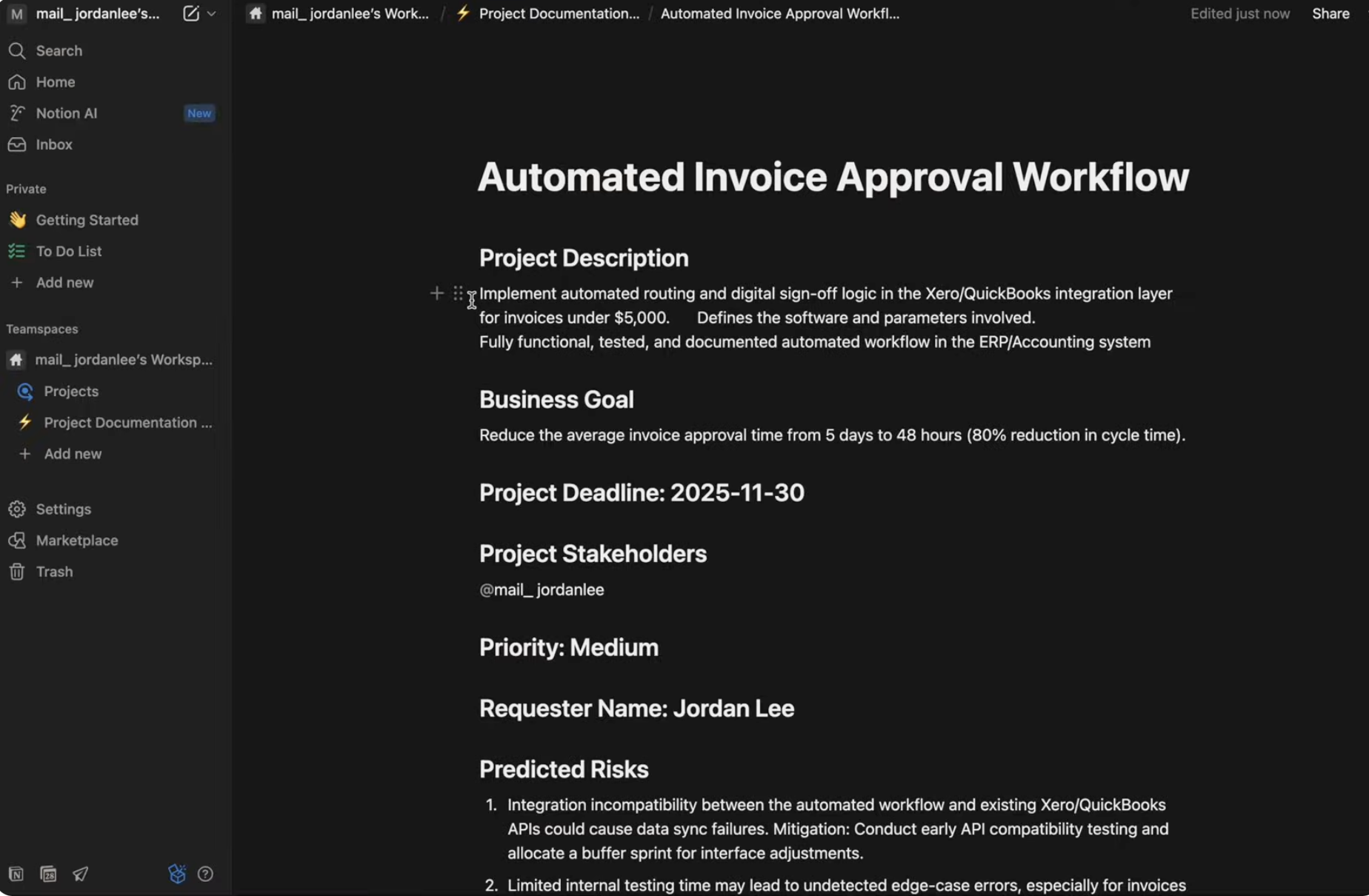
Next, Make.com automatically generates a comprehensive project brief in Notion. This brief combines the original data from the JotForm submission with the AI-generated insights. Notion becomes the central reference hub for the project, ensuring that all relevant information, including risks and assumptions, is organized and accessible in one place for the team's review and planning.
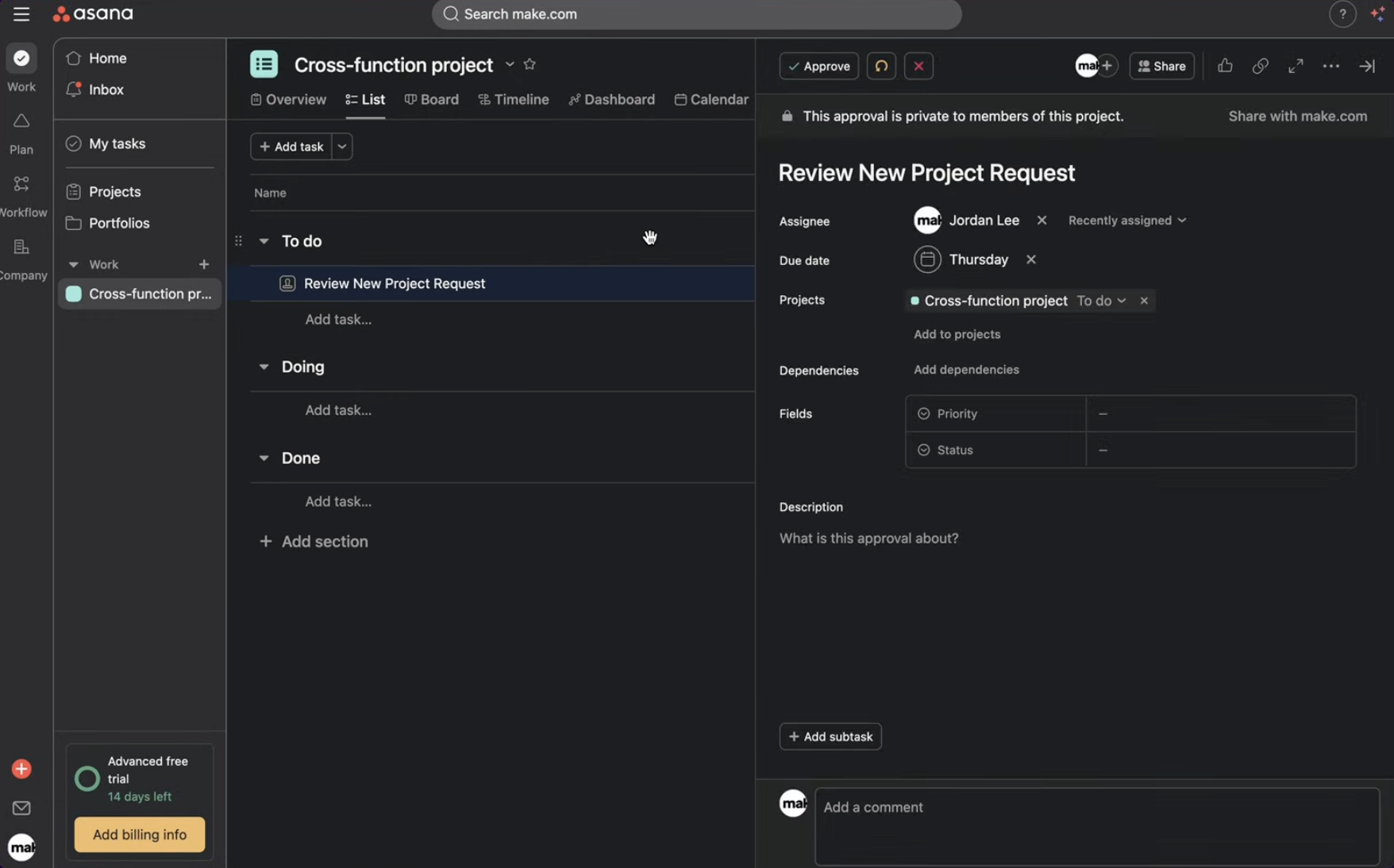
4. Set Up Project Tracking in Asana
Simultaneously, a new task is created in the team's Asana project review board. This task includes all essential project details and a direct link back to the newly created Notion brief, providing immediate context. This step ensures that the project is tracked within your existing project management system, allowing for seamless integration into your team's workflow.
5. Notify the Team in Slack
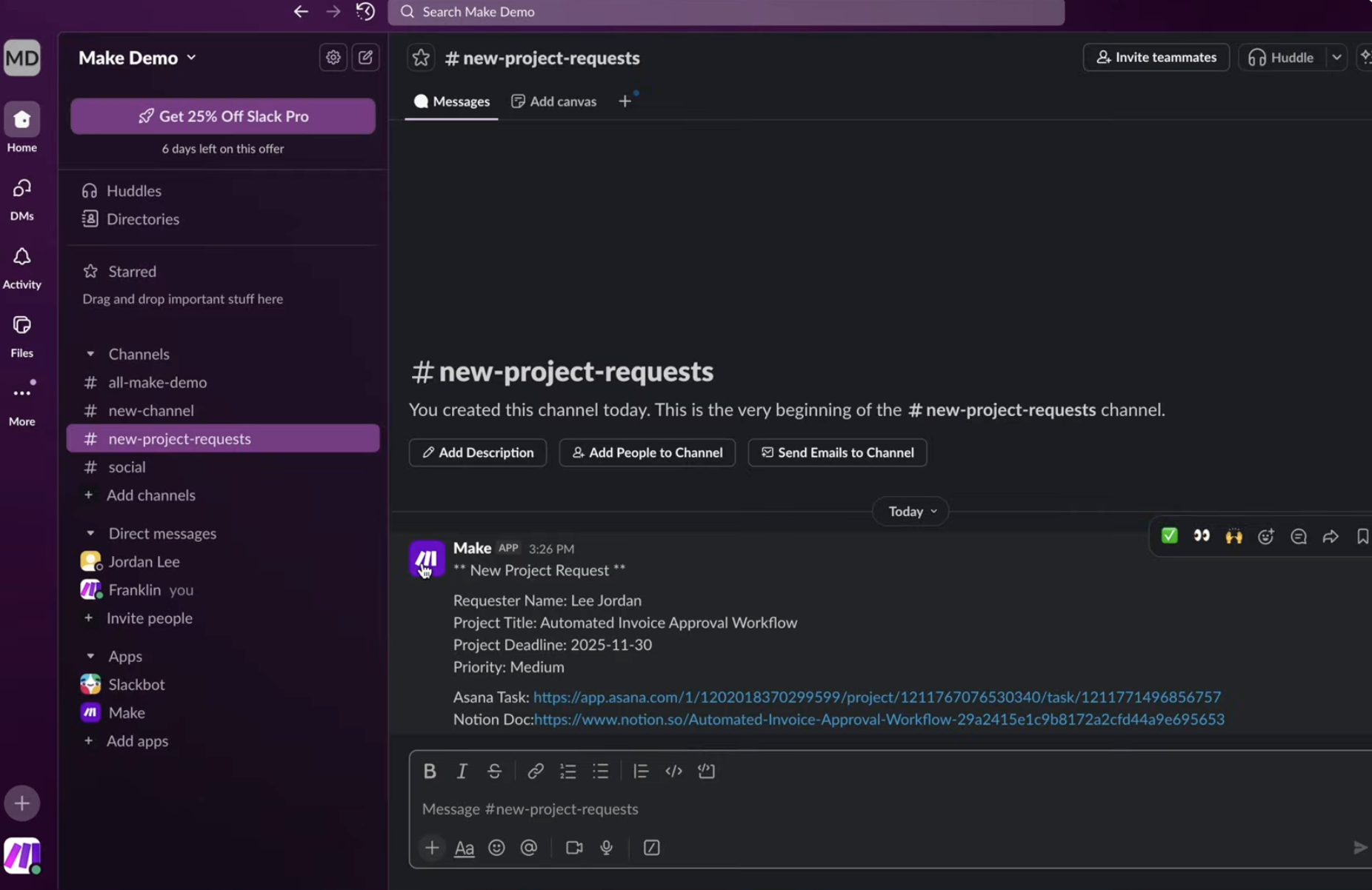
To keep everyone in the loop, the main team Slack channel receives an instant alert. This message contains key information such as the project title, the requester's name, the deadline, the project's priority, and direct links to both the Asana task and the Notion brief. This ensures that all relevant stakeholders are immediately informed about the new project and can access all necessary documentation.
6. Confirm with the Requester (Slack)
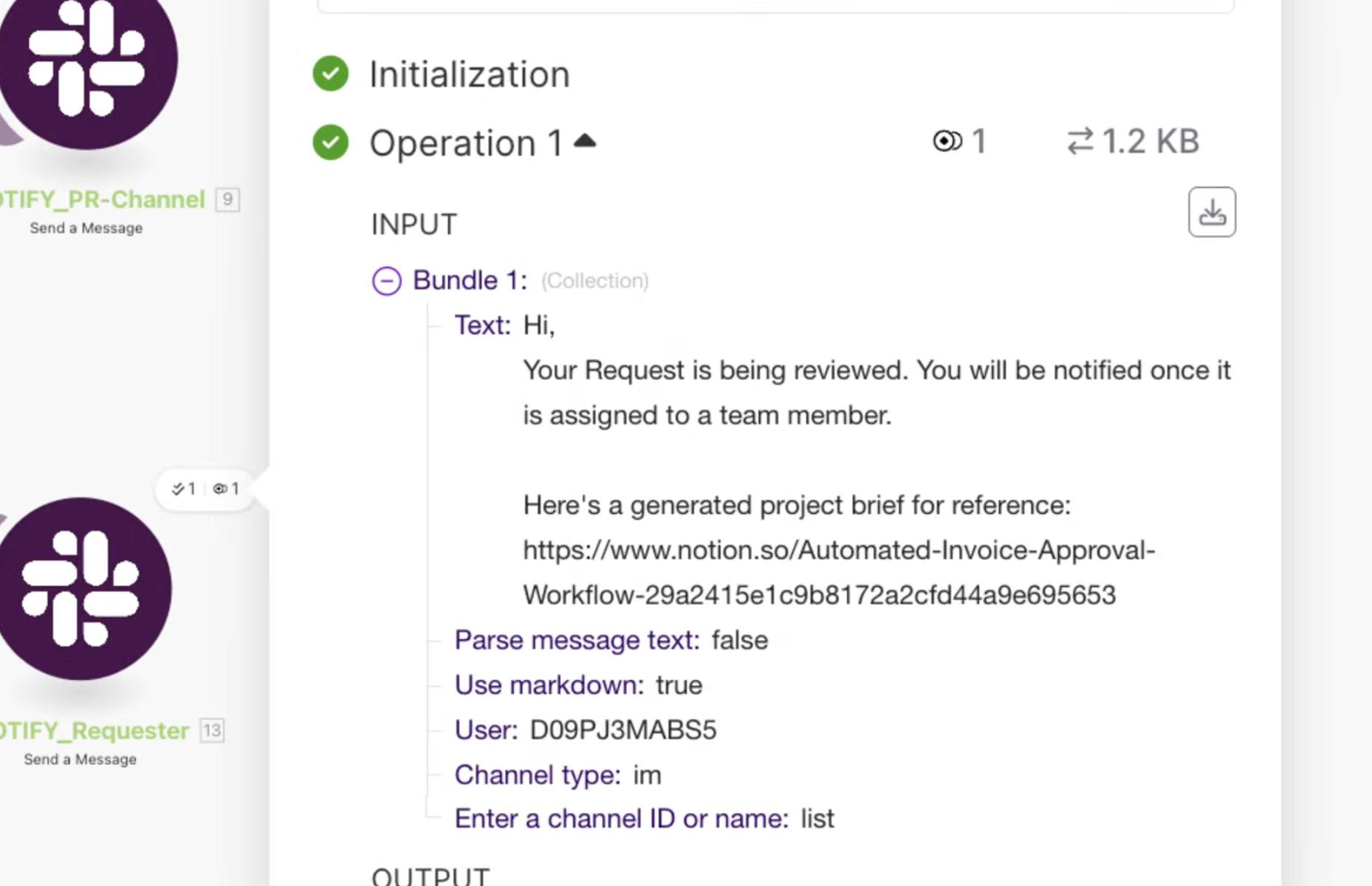
Finally, the person who submitted the project request receives a personalized Slack message confirming that their submission has been received and is now under review. This provides immediate feedback to the requester, assuring them that their request is being processed and keeping them informed about the status of their submission.
Who This Is For
This AI-powered project intake automation is ideal for any organization or team that regularly receives project requests and struggles with manual processing, information silos, or slow initiation times. This includes:
- Project Management Offices (PMOs): To standardize intake, improve project visibility, and reduce administrative burden on project managers.
- Marketing Agencies: For managing client requests, campaign briefs, and content creation tasks efficiently.
- Software Development Teams: To streamline feature requests, bug reports, and development project initiation.
- Internal Departments (HR, IT, Operations): For handling internal service requests, support tickets, and operational tasks with greater speed and accuracy.
- Small to Medium Businesses: Looking to scale their operations without increasing headcount, by automating repetitive administrative work.
If your team spends significant time manually reviewing, categorizing, and distributing project requests, this workflow will deliver immediate and substantial benefits.
What You'll Need
To implement this AI-powered project intake automation, you will need active accounts and basic familiarity with the following platforms:
- Make.com Account: The central automation platform to build and run the workflow.
- JotForm Account: To create and manage the project request submission forms.
- Notion Account: To serve as the central repository for detailed project briefs.
- Asana Account: For project task management and tracking.
- Slack Account: For team notifications and requester confirmations.
- Make AI Toolkit: Access to Make's AI capabilities for intelligent analysis of submissions.
Quick Setup Guide
Setting up this powerful AI-powered project intake automation is straightforward. Follow these steps to get your workflow running:
- Create Your JotForm: Design a JotForm with all the necessary fields for project requests (e.g., Project Name, Description, Deadline, Priority, Requester Email, etc.).
- Set up Make.com Scenario: Log in to your Make.com account and create a new scenario.
- Add JotForm Watch Module: Select JotForm as the first module and configure it to "Watch New Submissions" from your newly created form.
- Integrate Make AI Toolkit: Add the Make AI Toolkit module. Map the relevant fields from your JotForm submission (e.g., Project Name, Description) to the AI module, prompting it to analyze for risks, missing info, and assumptions.
- Configure Notion Module: Add a Notion module to "Create a Database Item." Map the original JotForm data and the AI-generated insights to create a comprehensive project brief in your Notion database.
- Set up Asana Task: Add an Asana module to "Create a Task." Populate the task details with information from JotForm and Notion, including a link to the Notion brief. Assign it to the appropriate project review board.
- Add Slack Notification Modules: Include two Slack modules. One to "Send a Message" to your team's main project channel with key project details and links. Another to "Send a Direct Message" to the requester, confirming receipt and status.
- Test and Activate: Run a test submission through your JotForm to ensure all modules execute correctly and data flows as expected. Once verified, activate your Make.com scenario.
Key Benefits
Significant Time Savings:
Automate up to 80% of manual intake tasks, freeing up project managers for strategic work and reducing project initiation time from hours to minutes.Enhanced Accuracy & Risk Mitigation:
Leverage AI to automatically identify potential project risks, missing information, and critical assumptions, ensuring a more thorough and intelligent review process from the start.Improved Team Alignment & Transparency:
Instantly notify all relevant stakeholders via Slack and centralize project information in Notion and Asana, ensuring everyone is on the same page with real-time access to project details.Standardized & Consistent Process:
Enforce a uniform intake procedure for all project requests, leading to greater consistency, fewer errors, and a more predictable project pipeline.Scalable Operations:
Handle an increasing volume of project requests without needing to scale up administrative staff, allowing your business to grow more efficiently.