
What This Workflow Does
This workflow empowers businesses to build a fully functional, branded client portal from the ground up, without writing a single line of code. It solves the common problem of fragmented client communication and data management by centralizing all interactions in one secure, accessible hub. Imagine a world where your clients never have to chase updates, search for documents, or wait for manual responses – this solution makes that a reality.
By integrating Make.com with AnyDB, this workflow transforms how you interact with your clients. It moves beyond static dashboards to create a dynamic, collaborative environment where clients can access project updates, share files, submit forms, and view invoices in real-time. This not only significantly improves the client experience but also drastically reduces the administrative burden on your internal teams, allowing them to focus on core business activities.
The core value lies in enhancing transparency and trust. Clients gain immediate access to the information they need, fostering a sense of control and partnership. For your business, it means fewer errors, faster processes, and a professional image that sets you apart from competitors still relying on outdated communication methods.
How It Works
This powerful workflow leverages the strengths of Make.com for automation and AnyDB for flexible data management to create a seamless client portal experience. Here's a step-by-step breakdown:
Step 1: Map Your Client Data and Workflows
Before building, you'll identify all critical client information and how it relates to your internal processes. This includes defining entities like clients, projects, purchase orders, deliverables, invoices, and documents. Understanding these relationships forms the foundational structure of your portal.
Step 2: Choose Your Tech Stack (Make.com & AnyDB)
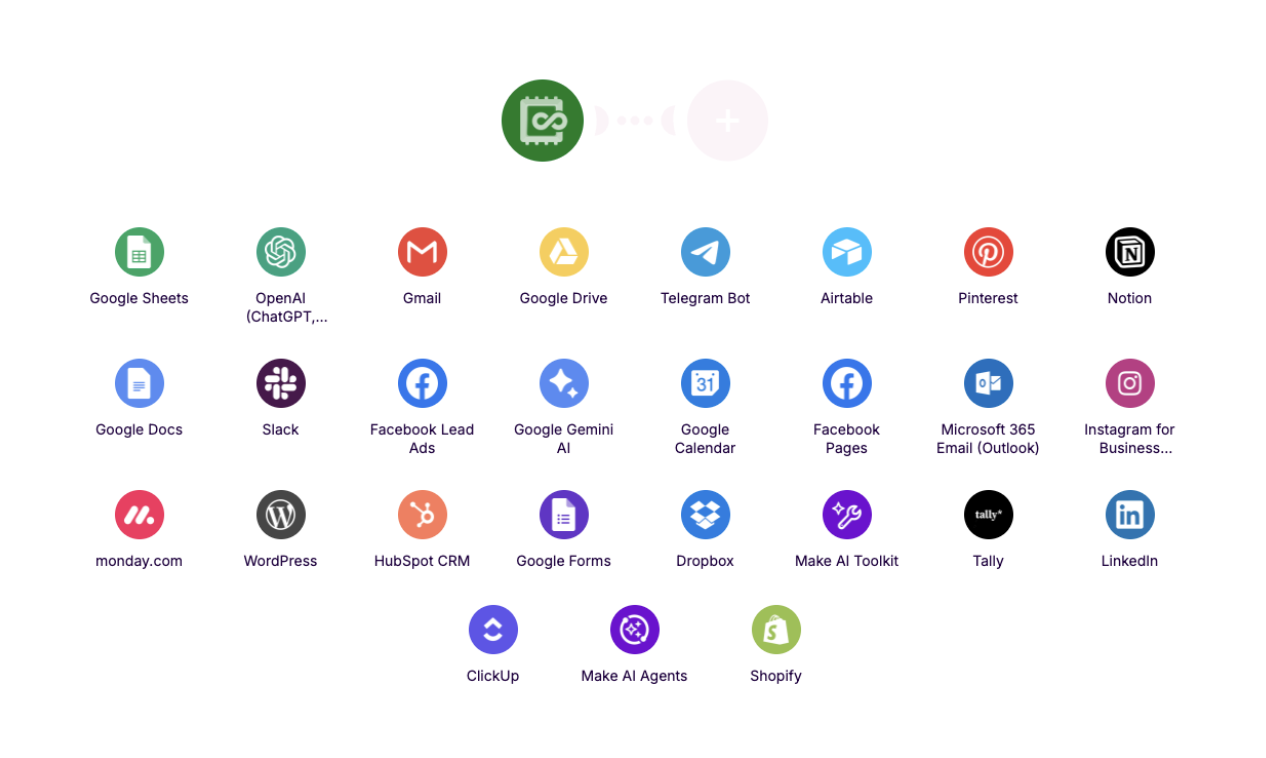
Make.com serves as the central automation engine, connecting various applications, while AnyDB acts as your unified data platform. This combination allows for dynamic data storage and automated actions without complex coding.
Step 3: Set Up Your API Connection
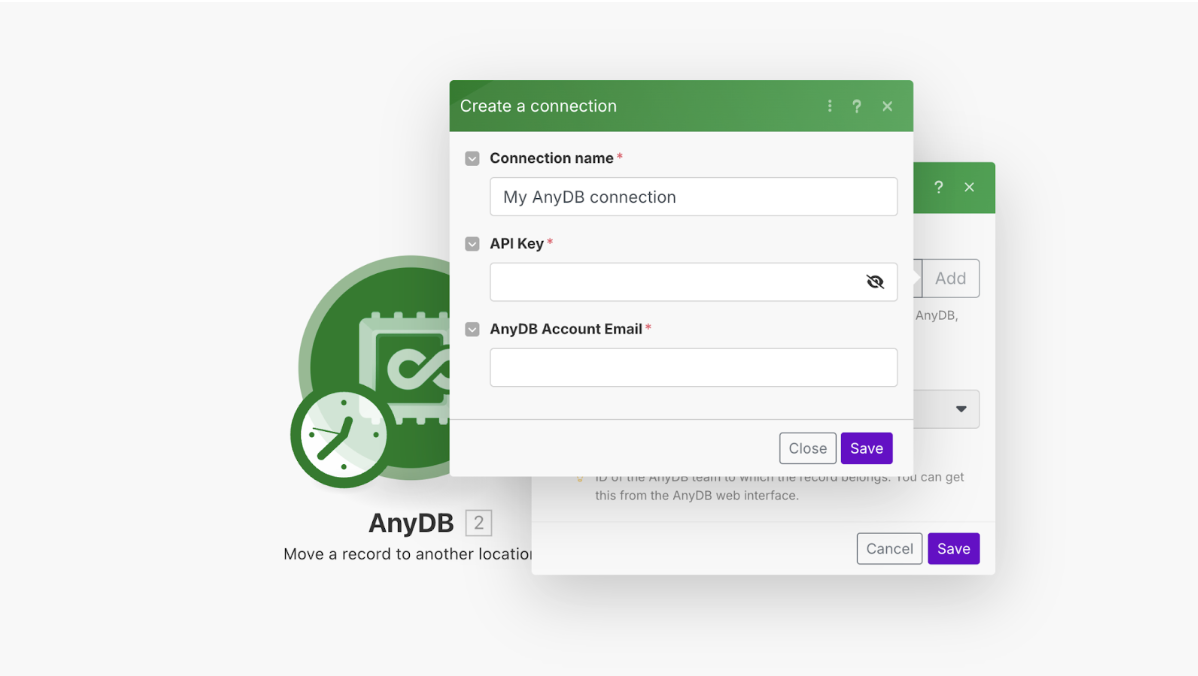
To enable secure communication between Make.com and AnyDB, you'll generate an API key from your AnyDB user profile. This key is then used in Make.com to authenticate connections, ensuring that data exchanges are reliable and secure.
Step 4: Configure the Application Modules
Within your Make.com scenario, you'll configure AnyDB modules by specifying the Team, Database, and individual Record IDs. This precise configuration allows Make.com to interact with specific data points in AnyDB, whether retrieving information, updating fields, or triggering further automations.
Step 5: Create Automations for Forms, Notifications, and Updates
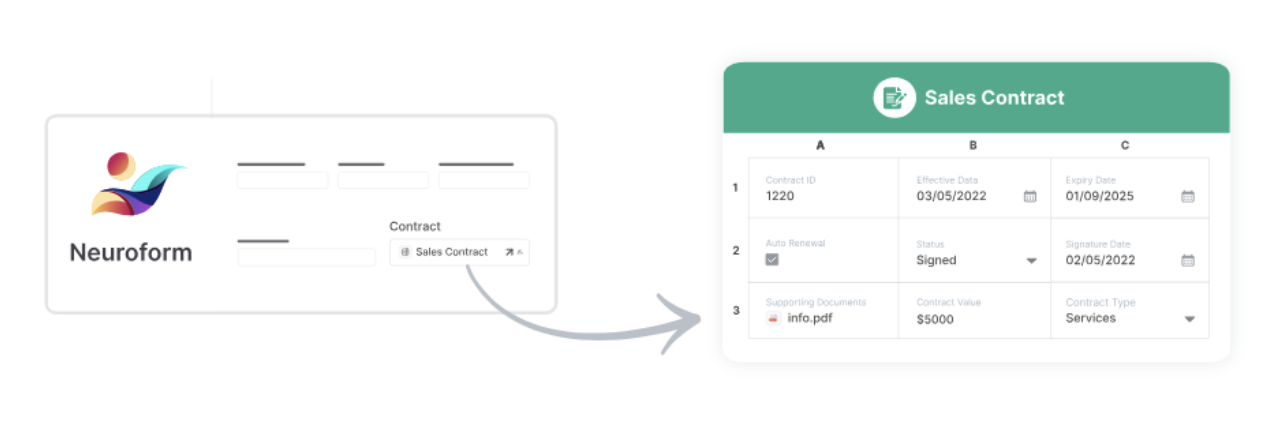
This is where the portal becomes dynamic. You'll create forms directly within AnyDB that are tied to your databases, allowing clients to submit requests or documents. Make.com then automates actions based on these submissions, such as sending notifications, updating project statuses, or triggering alerts.
Step 6: Personalize the Experience
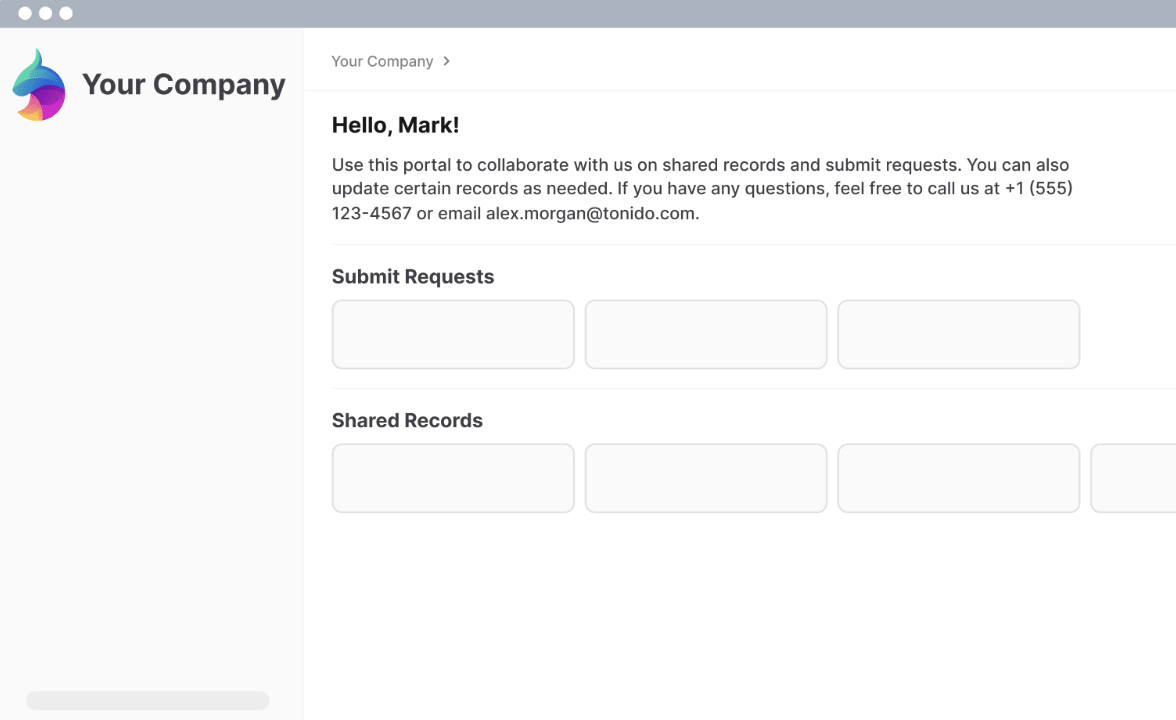
Brand your portal with your company's domain, logo, and color scheme using AnyDB's white-label features. Configure granular permissions to control what each client can view or edit, and design personalized dashboards for an intuitive user experience.
Step 7: Test Access, Permissions, and Synchronization
Thoroughly test every aspect of the portal from a client's perspective before launch. Verify that forms function correctly, notifications are triggered as expected, and all access levels are precisely enforced to ensure a flawless user experience.
Who This Is For
This client portal workflow is ideal for any business that regularly interacts with clients, manages projects, shares documents, or processes client-related data. This includes:
- Marketing Agencies: Provide clients with real-time campaign performance, creative assets, and project timelines.
- Consulting Firms: Share reports, proposals, and project milestones securely with individual clients.
- Freelancers & Small Businesses: Offer a professional, organized space for clients to track progress, submit requests, and access invoices.
- Software & SaaS Companies: Deliver personalized onboarding experiences, support documentation, and feature updates.
- Financial Advisors: Securely share financial statements, investment reports, and tax documents.
If you're looking to reduce administrative tasks, improve client satisfaction, and enhance your professional image through streamlined communication, this workflow is for you.
What You'll Need
To implement and run this client portal workflow, you will need the following:
- A Make.com account (free tier or higher).
- An AnyDB account.
- Access to the AnyDB API key (found in your user profile under Integrations).
- Basic understanding of your client data structure and desired workflows.
- Any other applications you wish to integrate (e.g., Slack, Gmail, CRM systems) with active accounts.
Quick Setup Guide
Follow these steps to get your client portal up and running quickly:
- Sign up for Make.com and AnyDB: Ensure you have active accounts for both platforms.
- Generate AnyDB API Key: In AnyDB, navigate to Profile → Integrations → Show Key and copy your API key.
- Create a New Scenario in Make.com: Start a new scenario and add the AnyDB module.
- Connect AnyDB in Make.com: Use your copied API key to establish the connection between Make.com and AnyDB.
- Define Your Data Structure in AnyDB: Set up your databases and tables in AnyDB to reflect your client, project, and document relationships.
- Build Forms in AnyDB: Create client-facing forms directly in AnyDB for submissions like requests or document uploads.
- Design Make.com Automations: Configure Make.com modules to trigger actions based on AnyDB events (e.g., new form submission → send email notification).
- Personalize Your Portal: Apply your branding (logo, colors, domain) within AnyDB's white-label settings.
- Set Permissions: Configure granular access controls in AnyDB to ensure clients only see relevant information.
- Test Thoroughly: Simulate client interactions to verify all forms, notifications, and access levels work as intended.
Key Benefits
- Boost Client Satisfaction by 30%: Provide instant access to project updates, documents, and communication, reducing client frustration and improving their overall experience.
- Reduce Administrative Overhead by 40%: Automate routine tasks like sending updates, managing document versions, and processing forms, freeing up your team's time for strategic work.
- Enhance Data Security and Compliance: Centralize sensitive client data in a secure, permission-controlled environment, minimizing risks associated with scattered information and ensuring regulatory adherence.
- Strengthen Brand Professionalism: Offer a fully branded, seamless client experience that reflects your company's commitment to modern, efficient service delivery.
- Improve Project Transparency: Give clients a clear, real-time view into project progress, deadlines, and deliverables, fostering trust and accountability.