
Instagram, with its massive user base of over a billion, has become an indispensable platform in today's social media landscape. This extensive reach naturally attracts significant advertising investment, leading to the development of "Instagram for Business" tools designed to help companies promote products, launch campaigns, and expand their audience.
Beyond advertising, Instagram for Business provides access to crucial features like Instagram Shopping, pinned comments, call-to-action buttons, and detailed insights. While these tools are invaluable for enhancing social media marketing, managing a successful Instagram presence involves numerous time-consuming tasks.
These tasks range from developing content strategies and calendars, capturing and editing visuals, crafting compelling post captions with relevant hashtags, and maintaining a consistent posting schedule. Additionally, businesses must monitor trends, analyze competitor activity, and manage a constant stream of comments, direct messages (DMs), and other inquiries.
Without a dedicated social media manager, these responsibilities can quickly become overwhelming. This is where automation plays a transformative role. By automating repetitive and routine tasks, businesses can significantly reduce their workload, freeing up valuable time and resources. This strategic shift allows teams to concentrate on activities that require human creativity, strategic thinking, and personalized engagement, ultimately leading to a more effective and sustainable Instagram presence.
Benefits of Automating Instagram for Business
Automation is most effective when applied to repetitive tasks that occur regularly. For businesses utilizing Instagram, automation can address many common challenges, transforming how they manage their social media presence. By streamlining these recurring activities, companies can achieve greater efficiency and focus on higher-value strategic initiatives.
Let's explore some of the key advantages that automation brings to Instagram for Business.
Facilitating Social Monitoring and Listening
Social monitoring is a critical component of any effective social media strategy. It involves actively tracking conversations, trends, and brand mentions across the platform. Whether the goal is content curation, identifying emerging topics, or understanding public sentiment about your brand, staying informed is paramount.
However, manually keeping track of trends, relevant content, and every mention can be incredibly time-consuming. Automation provides a powerful solution by continuously monitoring your audience and industry. It gathers the necessary data, ensuring you remain aware of important developments without constant manual oversight.
This proactive approach allows businesses to react quickly to opportunities, address potential issues, and tailor their content to resonate with current discussions, all while saving significant operational time.
Gathering Insights in an Instant
Instagram for Business offers a wealth of data that can inform your strategy and deepen your understanding of your audience. Delving into these insights can reveal valuable information, such as optimal posting times, the types of content that resonate most with your followers, ideal posting frequency, and what drives sign-ups or engagement.
This data is crucial for refining your Instagram strategy and making informed decisions. Automation plays a key role here by efficiently collecting and filtering this information, preventing the need for extensive manual data compilation. By automating data gathering, businesses can quickly access actionable insights, allowing them to adapt their approach and maximize their social media impact without expending extra resources on data management.
Simplifying Ad Campaigns
Instagram provides a diverse array of advertising options, including photo and video ads, carousel ads, Stories ads, Explore ads, and Instagram Shopping ads. While these formats offer extensive reach and engagement opportunities, Instagram ads can often be significantly more expensive than those on other platforms. This necessitates careful attention, especially for businesses operating with strict budgets.
Automation can revolutionize how ad campaigns are managed and measured. By removing human bias, automated systems can objectively track and analyze campaign effectiveness. They can monitor performance metrics in real-time, identify underperforming ads, and even suggest adjustments to targeting or creative elements.
This "facts-only" approach to ad optimization ensures that resources are allocated efficiently, leading to improved campaign performance and a higher return on investment. Automation helps businesses make smarter, data-driven decisions, maximizing the impact of every advertising dollar spent.
Identifying High-Value Followers and Partnership Opportunities
Beyond monitoring trends and competitors, social media platforms like Instagram are ideal for fostering collaborative efforts. From engaging with influencers to forming brand partnerships, promoting products on Instagram is an excellent way to expand exposure and build social proof. Research indicates that a significant percentage of Instagram users become more interested in a brand or product after seeing it featured in Stories, highlighting the power of authentic content.
Creating branded content, collaborating with creators, or regramming user-generated content are effective strategies to engage users with content they already enjoy. However, identifying the right opportunities and managing these collaborations can be time-consuming. Automation can assist by analyzing data to pinpoint potential high-value followers, influential accounts, and relevant partnership opportunities, making the process more efficient and strategic.
Sorting Through Incoming Requests and Comments
A high volume of direct messages (DMs) and comments can be a double-edged sword for businesses. While it signifies engagement and interest, it can quickly become overwhelming to manage manually. Instagram for Business offers a primary/general tab system to help sort messages, but automation can take this a step further.
Automated solutions can filter messages based on keywords, prioritize urgent inquiries, or even provide instant responses to frequently asked questions. This ensures that important messages are addressed promptly, improving customer service and preventing valuable opportunities from being missed. By automating the initial sorting and response processes, businesses can maintain efficient communication channels without being bogged down by the sheer volume of interactions.
Starting with Instagram for Business Automation
Automating tasks within Instagram for Business can be approached in several ways, each with its own set of advantages and disadvantages. The best method depends on your specific goals, budget, and desired level of control. Understanding these options will help you choose the right tools and strategies to streamline your Instagram operations effectively.
The primary methods for automating Instagram for Business include utilizing native features, specialized third-party tools, and comprehensive automation platforms. Each category offers different capabilities, from basic scheduling to complex, multi-app workflows. To illustrate how to implement automation, we'll focus on three common challenges faced by Instagram users:
- Consistently posting a high volume of content.
- Efficiently sharing content across multiple social media platforms.
- Gathering and leveraging key data to inform strategic decision-making.
Let's delve into these areas to see how automation can provide practical solutions.
Create a Content Calendar to Prepare Posts in Advance
Maintaining consistency is one of the most significant hurdles to achieving success on social media. Brands often post numerous times a month, a volume that can be challenging to sustain over time due to the diverse tasks involved. These tasks include brainstorming ideas, producing high-quality images and videos, crafting engaging copy, and experimenting with optimal posting times.
Fortunately, automated solutions are available to alleviate this burden. By leveraging these tools, businesses can ensure a steady stream of content without constant manual effort, allowing for more strategic planning and execution.
1. Native Feature for Posting: Facebook for Business
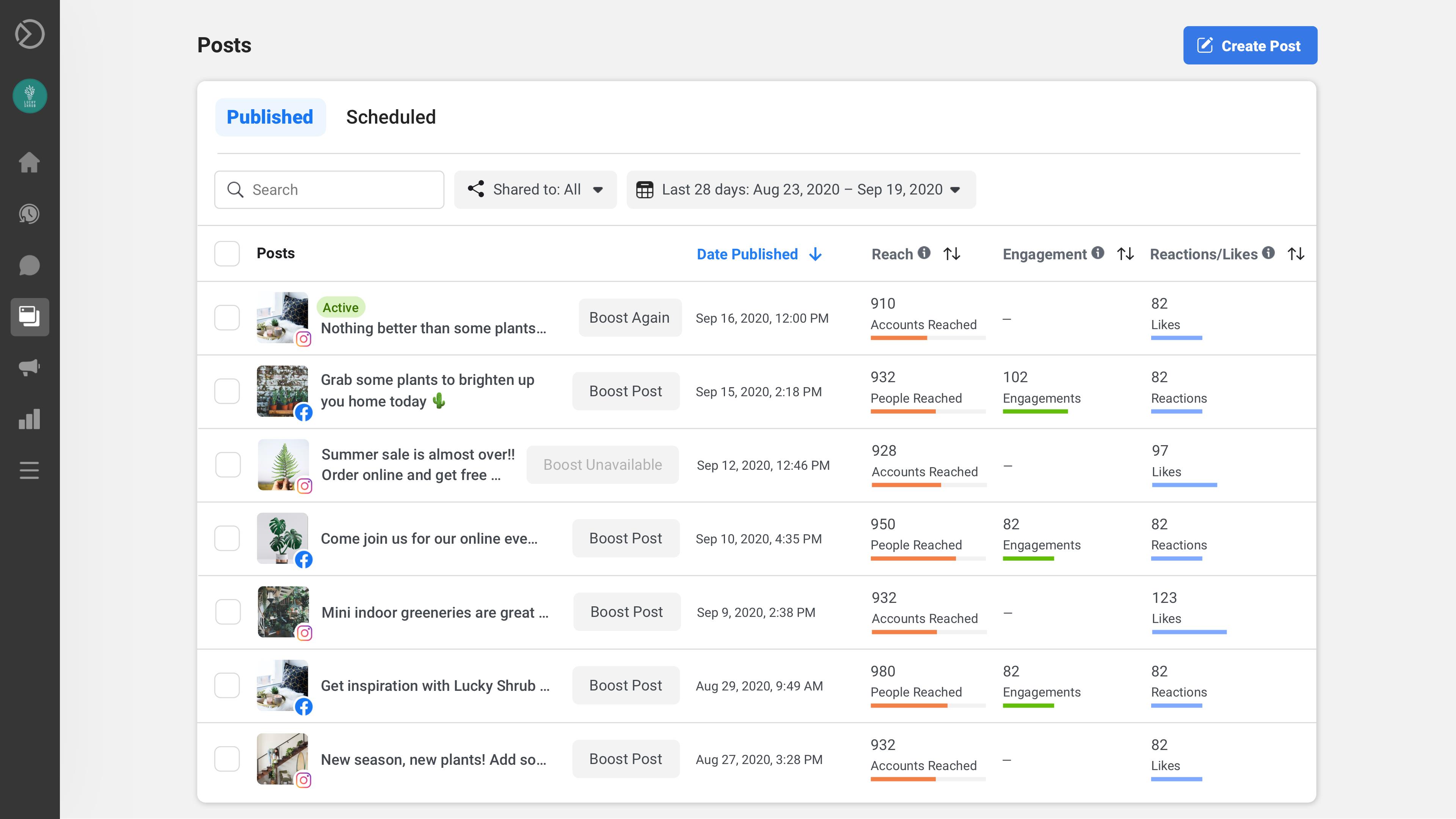
Facebook for Business, now integrated into Meta Business Suite, serves as the native content scheduling tool for managing your Instagram for Business interface. This platform allows you to schedule upcoming posts and publish them automatically at a predetermined date and time.
This is arguably the simplest and most accessible method for scheduling Instagram content. Its interface is user-friendly, readily available, and effectively handles basic scheduling needs, all at no cost. However, for businesses seeking advanced customization or deeper personalization, Facebook for Business might not offer the extensive features required to achieve maximum results.
Pro tip: While native scheduling tools are convenient, consider creating a content approval workflow using a tool like Asana or Trello. This ensures all posts are reviewed and approved by relevant team members before they go live, maintaining brand consistency and quality.
2. Specialized Content Scheduling Tools: Buffer, Hootsuite
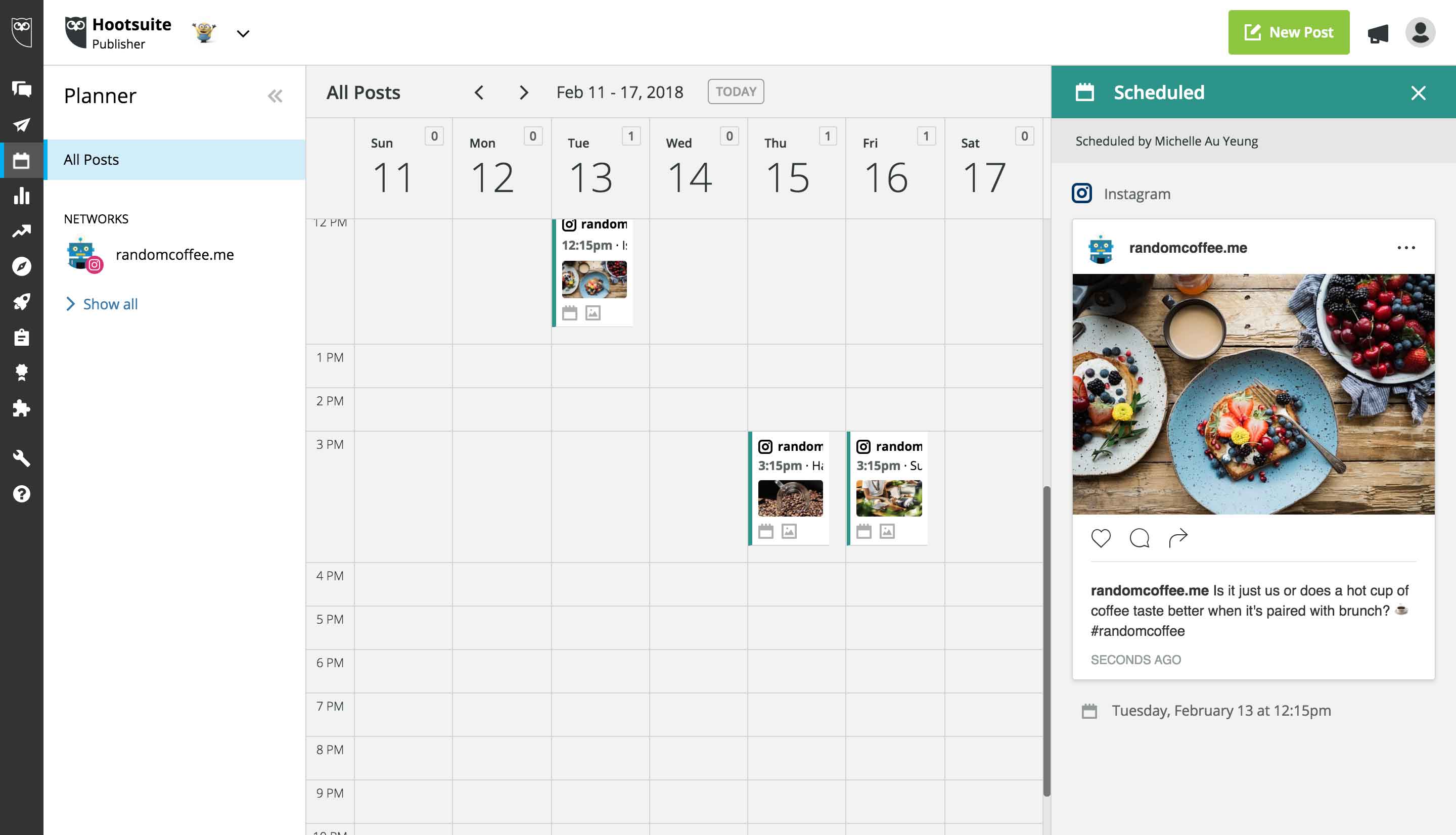
For businesses looking for more advanced features and deeper control over their social media scheduling, specialized tools like Buffer or Hootsuite are excellent options. These platforms go beyond basic scheduling, offering a comprehensive suite of functionalities designed to enhance your content strategy.
Key features often include image editing capabilities, detailed post insights, smart recommendations for optimal posting times, and robust trend monitoring. Buffer and Hootsuite are particularly beneficial if you manage multiple social media platforms or oversee several brands, as they provide a centralized dashboard for all your activities. However, for smaller operations with limited budgets, the cost of these premium tools might be a consideration.
3. Automation Platform: Make
Automation platforms like Make offer the most flexibility and control for automating Instagram for Business. With Make, you can connect Instagram with thousands of other applications, enabling you to design virtually any custom automated workflow imaginable. This level of customization is ideal for users who require precise control over their processes and want to integrate Instagram seamlessly into broader business operations.
Make is particularly well-suited for crafty users who thrive on building bespoke solutions and for budget-conscious teams that want to avoid paying for features they won't use. The platform also provides pre-built templates, allowing you to implement powerful automations quickly and efficiently, saving valuable development time from the outset.
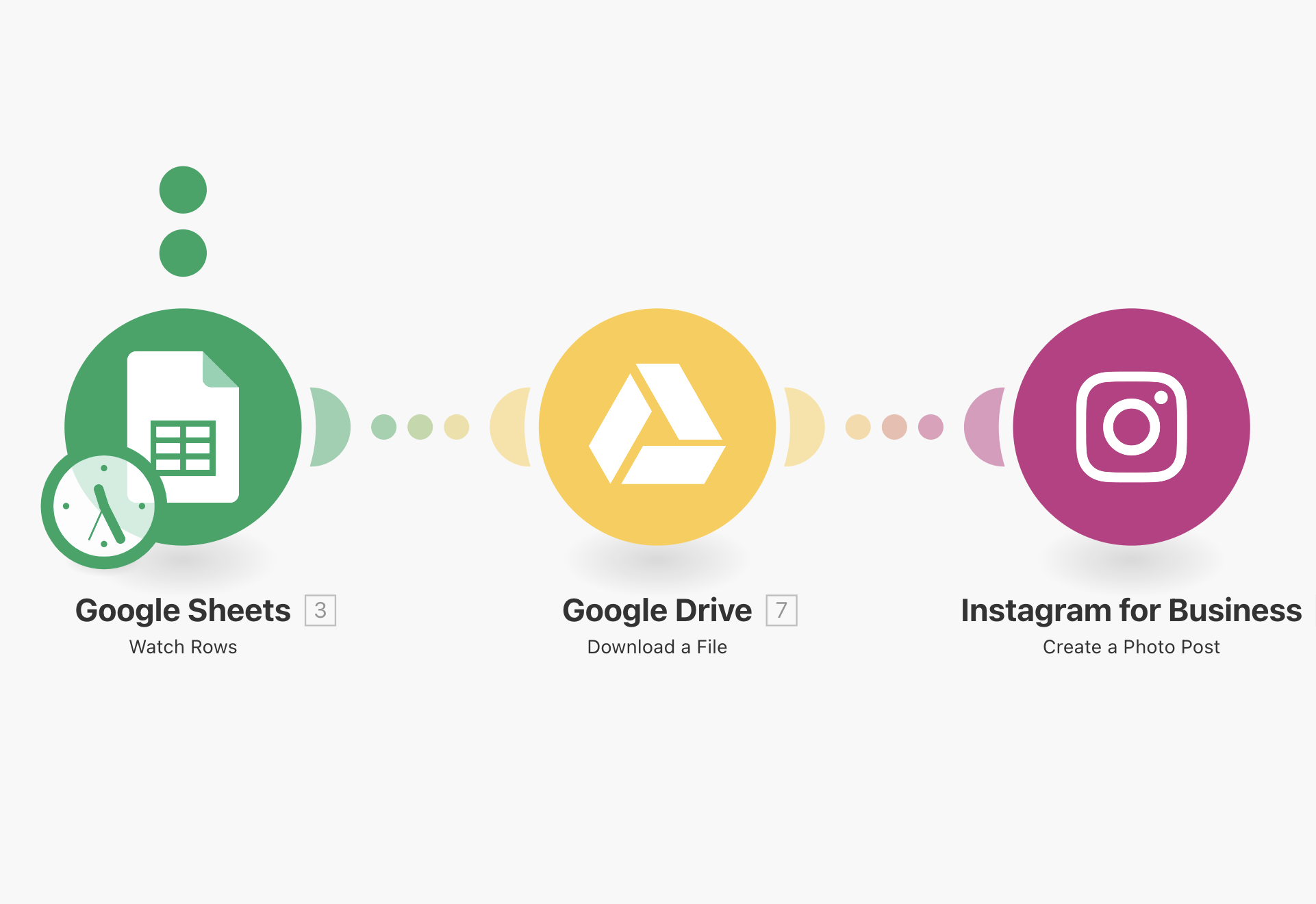
For example, you can use a Make template to automatically create an Instagram post from a file stored in Google Drive whenever a new row is added to a Google Sheets spreadsheet. This streamlines content creation and publishing, ensuring consistency and reducing manual effort.
Share Your Content Across Platforms
While Instagram is incredibly popular, your target audience is likely active on various other social media platforms. In fact, a significant majority of Instagram users also engage with other social networks. To maximize reach and engagement, most businesses adopt a strategy of sharing content across multiple platforms.
However, repurposing content for different platforms can be time-consuming. It often requires adapting formats, creating variations, and manually posting to each network. This process can be streamlined with two main objectives in mind: boosting the reach of your Instagram posts by promoting them elsewhere, and efficiently repurposing Instagram content across various social media channels. Let's explore examples for each approach.
1. Promoting Your Instagram Posts Elsewhere to Boost Their Reach
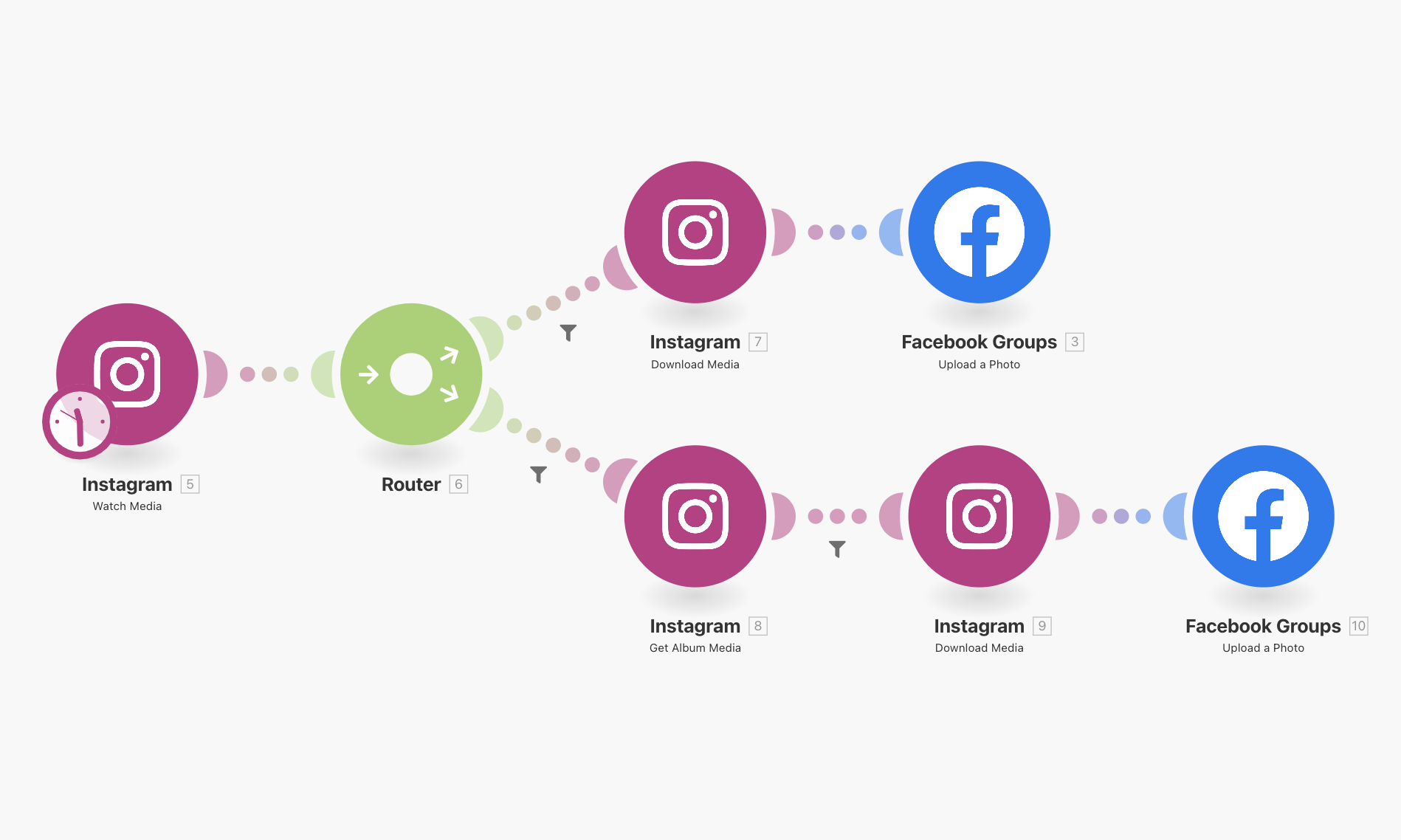
A significant challenge in social media management is gaining traction and directing users to your content. While paid advertising is always an option, automation can help promote your content effectively without breaking the bank. One powerful strategy is to share your Instagram posts in relevant online communities.
Depending on your industry, these communities could include Facebook groups, specialized subreddits, various online forums, and Q&A platforms like Quora. This process can be automated by compiling a list of pertinent online spaces and configuring a system to automatically publish your new content there. While it's crucial to avoid appearing spammy, this approach can form a robust foundation for an automated Instagram promotion machine, significantly extending your content's organic reach.
Pro tip: When automating cross-platform promotion, always tailor your message and format to suit each platform's audience and best practices. A direct copy-paste might not perform as well as a slightly adapted version.
2. Repurposing Instagram Posts Across Social Media Platforms
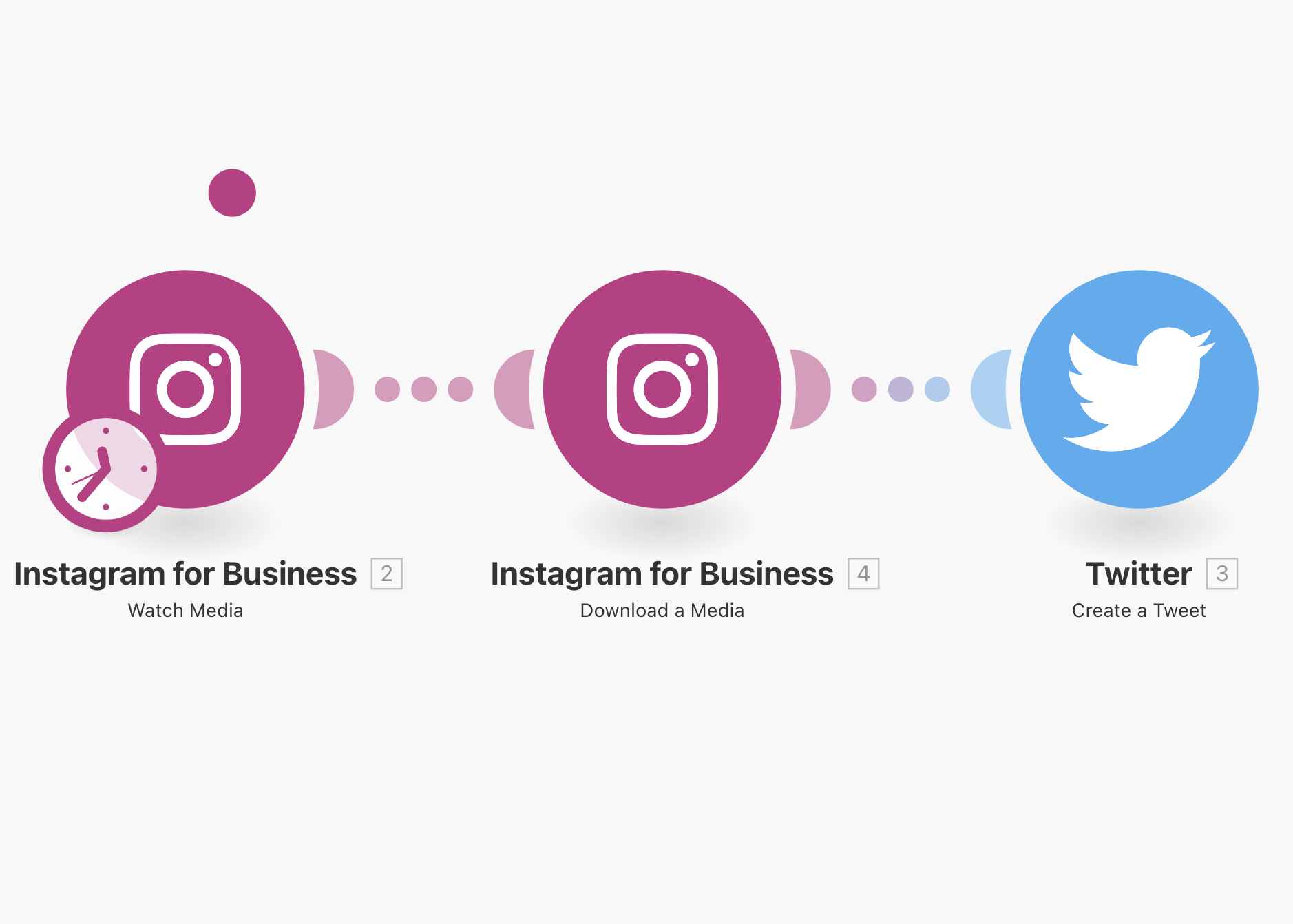
The second objective involves directly cross-posting your content to other platforms. Since you've already invested time and effort into creating content for Instagram, it makes sense to share it with your followers on other networks like Facebook and Twitter. This is a classic use case for automation.
The content is already prepared, requiring only a copy-paste action to other platforms, which automation can handle seamlessly. Similar to content scheduling, this can be managed through three main avenues:
- Facebook for Business: Ideal if your cross-posting is limited to Facebook and Instagram.
- Specialized scheduling tools: Best if you need to manage multiple social media platforms from a single dashboard.
- Automation platforms like Make: Provides the most cost-effective and flexible solution for automatically cross-posting to virtually any platform.
Gather Insights and Improve Your Social Media Strategy
If managing your social media feels like a guessing game, it's time to re-evaluate your approach. A truly effective social media strategy should be grounded in data. It's essential to analyze the success of your past efforts to make informed decisions for future campaigns.
Fortunately, Instagram for Business provides extensive insights into your post and campaign performances. These analytics offer valuable information about your audience, engagement metrics (likes, comments, follows), and the best times to post for maximum impact.
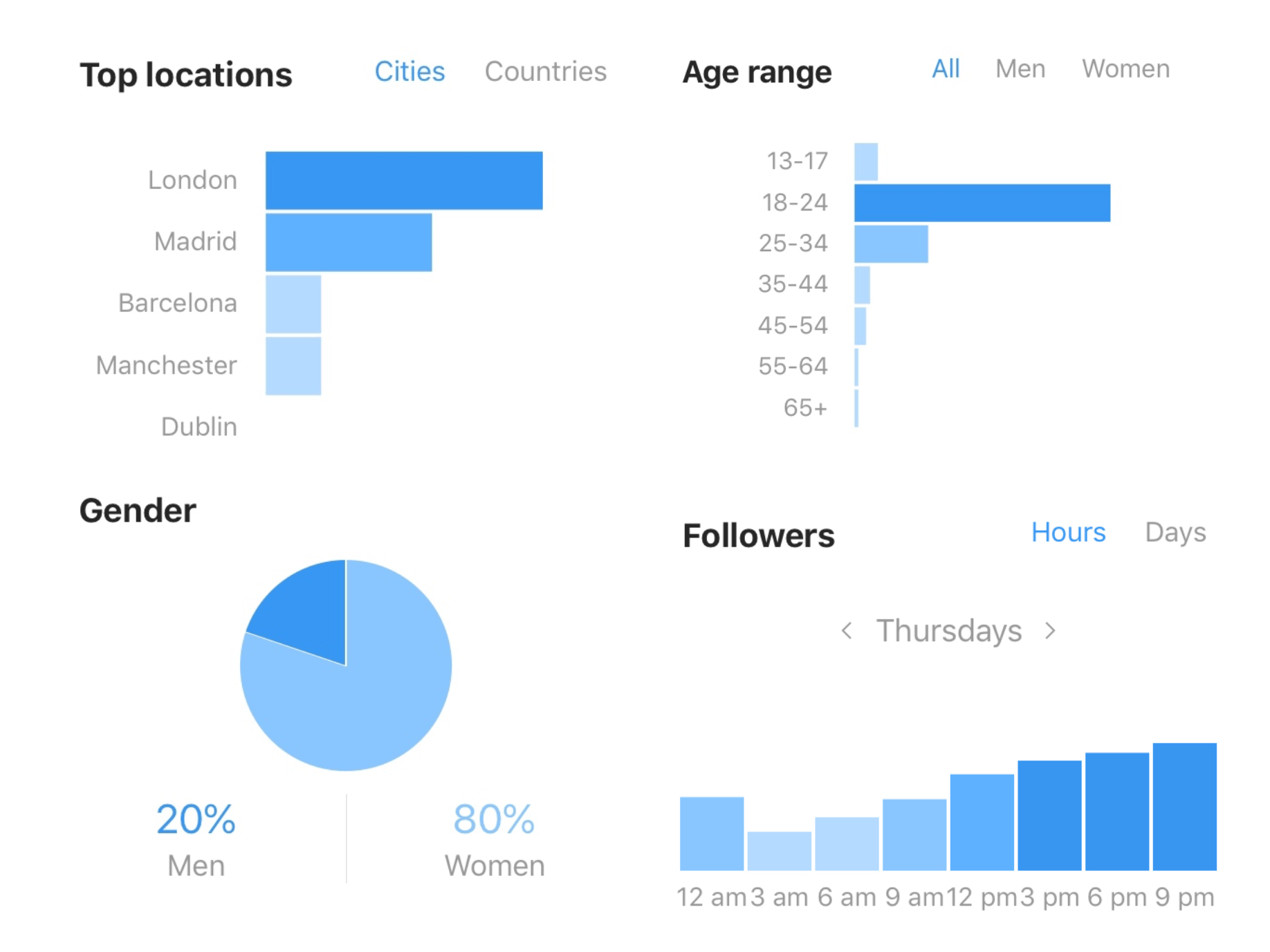
While this data is invaluable, manually checking and compiling it can be tedious and time-consuming. This is where automation platforms like Make can significantly help. Make can automatically forward this information to your preferred destinations, streamlining your data analysis process.
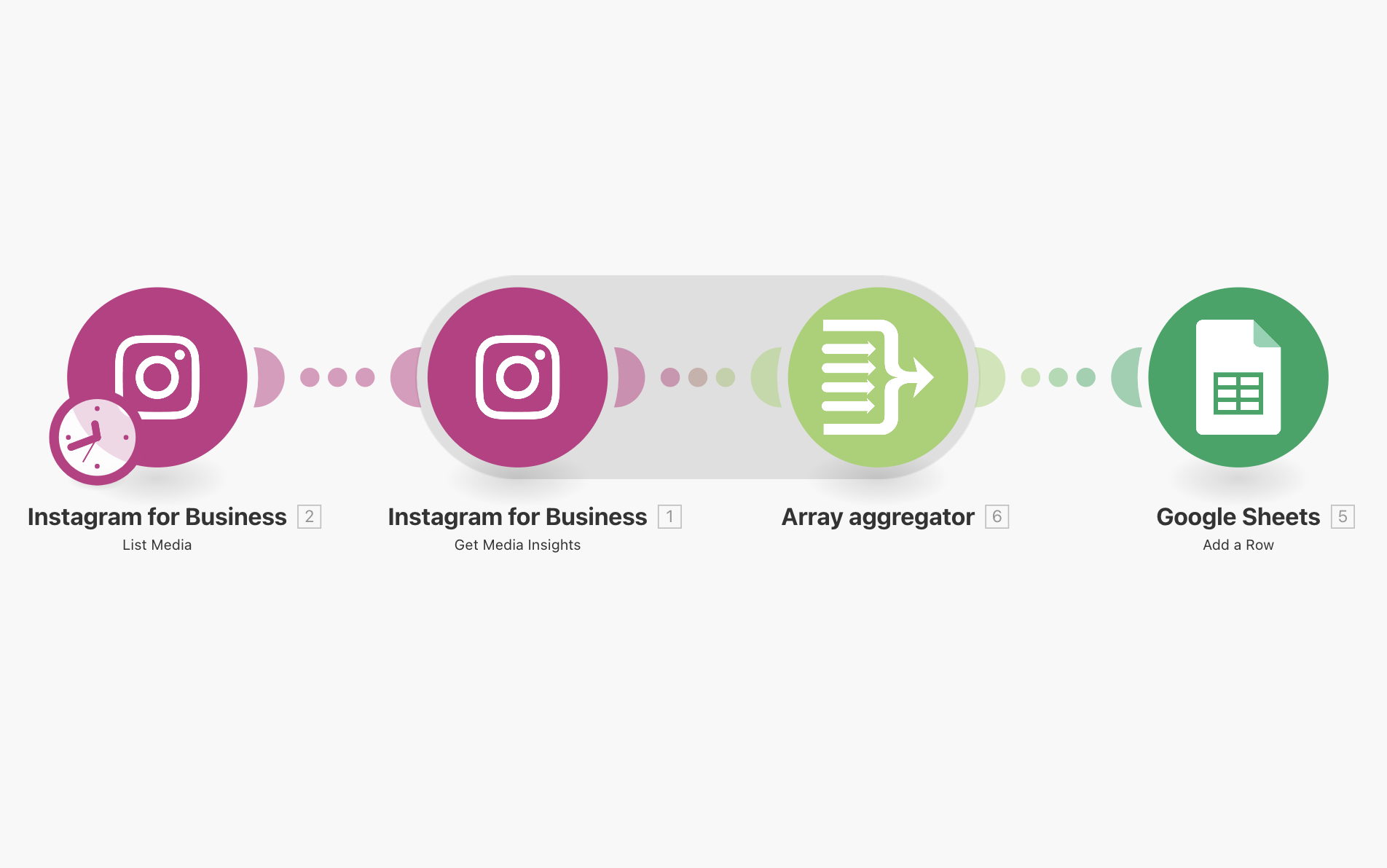
Examples of projects you could implement include receiving a weekly performance summary via email, building a custom social media dashboard to visualize your progress, or creating a graph that correlates posting times with engagement levels. You could also automate the identification of new high-profile followers for potential outreach. A simple yet powerful starting point is to automatically forward Instagram for Business insights directly to Google Sheets, providing an easily accessible and organized record of your performance.
Pro tip: Don't just collect data; use it. Set up automated alerts for significant changes in engagement or follower growth. This allows you to quickly identify what's working and what's not, enabling agile adjustments to your strategy.