
In the dynamic world of e-commerce and digital marketing, seamless integration between platforms is crucial for efficient operations. When MailChimp and Shopify announced the dissolution of their direct integration on March 21st, 2019, many businesses were left seeking alternative solutions to maintain their synchronized workflows.
Fortunately, platforms like Make.com (formerly Integromat) stepped in to bridge this gap, offering comprehensive support for both MailChimp and Shopify. This guide explores how Make.com provides a flexible and powerful way to integrate these two essential services, ensuring your e-commerce and email marketing efforts continue to work in harmony.
Whether you're a new user looking for an initial setup or an existing user transitioning from the deprecated native integration, Make.com offers a robust, no-code environment to build custom integrations that suit your specific needs.
MailChimp and Shopify Integrations
Make.com stands out by offering extensive module libraries for both MailChimp and Shopify, enabling users to create highly customized integrations. These modules provide the flexibility to connect platforms in virtually any way imaginable, moving beyond the limitations of basic, pre-built integrations.
For MailChimp, Make.com supports over 22 distinct modules. These include various triggers that can initiate a workflow based on events within MailChimp, such as a new subscriber joining a list or a campaign being sent. Additionally, there are numerous action modules that allow you to perform tasks in MailChimp automatically, like creating new campaigns, managing lists, uploading files, or updating member information.
Similarly, Make.com has significantly expanded its Shopify module offerings, now boasting over 50 modules. These modules empower users to monitor, create, update, delete, and search a wide array of Shopify data. This includes managing orders, products, product variants, customer information, articles, pages, refunds, inventory levels, abandoned checkouts, and transaction details. This comprehensive suite ensures that nearly every aspect of your Shopify store can be integrated and automated.
The power of these extensive module lists means that businesses can design intricate workflows that precisely match their operational requirements, ensuring data consistency and automating repetitive tasks across their e-commerce and marketing platforms.
Add New Shopify Customers to a MailChimp Mailing List
One of the most common and essential integrations for e-commerce businesses is ensuring that new customers from Shopify are automatically added to a MailChimp mailing list. This allows for immediate engagement through welcome sequences, promotional emails, and other marketing communications.
Make.com simplifies this process with a ready-to-use template designed specifically for this purpose. This template streamlines the setup, requiring only your credentials to connect your MailChimp and Shopify accounts. Once connected, the template automatically configures the workflow to capture new customer data from Shopify and transfer it to your chosen MailChimp list.
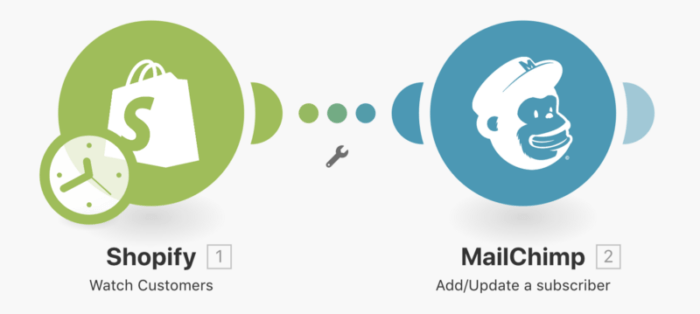
The beauty of this solution lies in its no-code approach. You don't need any programming knowledge to get this integration up and running. The template guides you through each step, from establishing secure connections to mapping customer data fields between Shopify and MailChimp, ensuring that information like names and email addresses are correctly transferred.
Pro tip: After setting up the basic customer sync, consider enhancing your workflow by adding conditional logic. For instance, you could segment customers into different MailChimp lists based on their purchase history, total spend, or specific products bought in Shopify, allowing for more targeted marketing efforts.
Once the template is activated, every new customer created in your Shopify store will automatically be added to your designated MailChimp mailing list. This automation saves valuable time, reduces manual errors, and ensures that your marketing efforts are always up-to-date with your latest customer base. Furthermore, this template serves as an excellent foundation for building more complex automations, allowing you to expand and customize your integrations with other apps and features as your business evolves.