
Files Tasks Automation
Managing files across different platforms can be time-consuming, but Make.com provides powerful automation solutions for common file management tasks. Whether you're backing up important documents, syncing between cloud services, or sharing files with team members, automation can save you hours of manual work.
These automations are particularly valuable for professionals who work with multiple cloud storage platforms or need to maintain organized file repositories. From designers to accountants, anyone who handles digital files regularly can benefit from setting up these workflows.
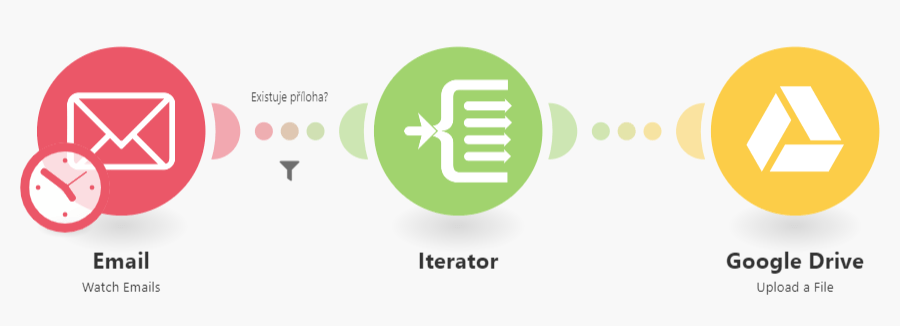
1. Save Email Attachments to Google Drive
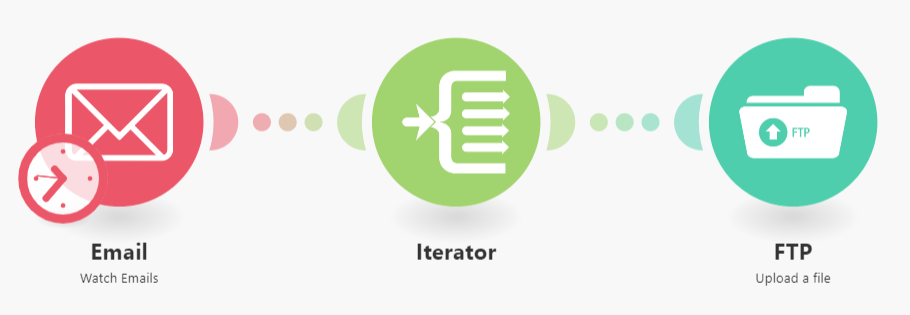
Manually saving email attachments is a repetitive task that can easily be automated. With Make, you can set up a workflow that automatically detects email attachments and saves them to a designated Google Drive folder. This ensures important files are never lost in your inbox.
The automation preserves the original file format and can be configured to organize attachments by sender, date, or file type. It works with all major email clients including Gmail, Outlook, and others, making it universally applicable for both personal and professional use.
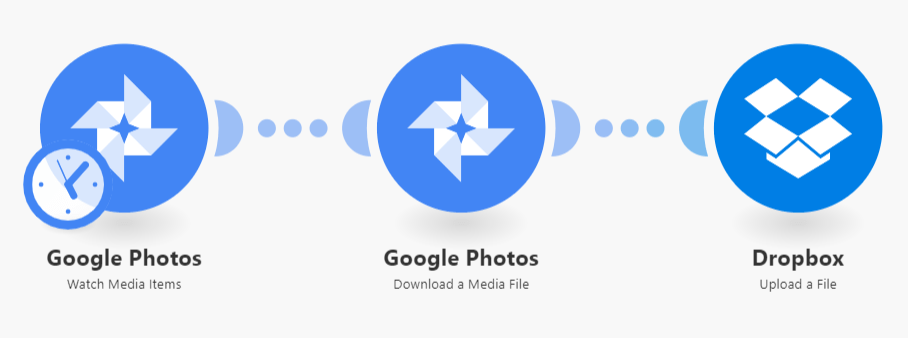
2. Backup New Google Photos to Dropbox
Photo backups are essential but often neglected. This automation solves the problem by creating a seamless bridge between Google Photos and Dropbox. Every time you add a new photo to Google Photos, Make automatically uploads a copy to your specified Dropbox folder.
The automation runs in the background, ensuring your memories are safely duplicated without any manual effort. You can configure it to maintain the same folder structure or create a new organization system in Dropbox, providing flexibility in how your photos are archived.
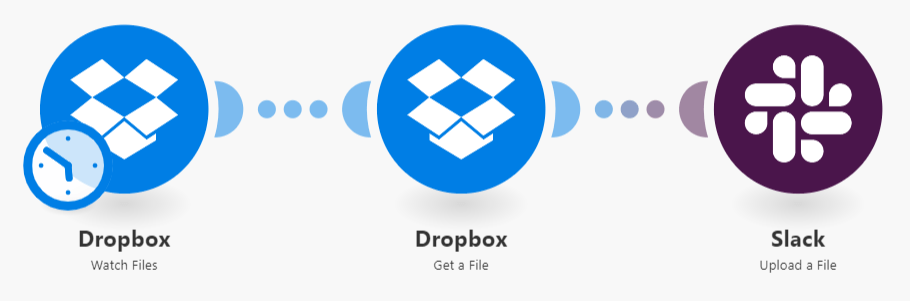
3. Automatically Upload New Dropbox Files to Slack
Team collaboration often requires sharing files through Slack, but manually uploading files can interrupt workflow. This automation monitors specified Dropbox folders and automatically shares new files in designated Slack channels.
It's particularly useful for creative teams, legal professionals, and project managers who need to distribute files to team members quickly. The automation can include file descriptions, notify specific team members, and even categorize files based on folder structure.
Social Media Tasks Automation
Managing multiple social media platforms is time-consuming, but automation can help maintain a consistent presence while saving hours each week. Make.com offers powerful tools for cross-posting content, scheduling updates, and analyzing performance across platforms.
These automations are ideal for social media managers, content creators, and businesses looking to maximize their online presence without dedicating excessive time to manual posting and monitoring.
8. Autopost Tweets to a Facebook Page
Maintaining consistent messaging across Twitter and Facebook can be challenging. This automation monitors your Twitter account and automatically shares new tweets as posts on your Facebook Page.
The automation handles character limits intelligently and can be configured to include or exclude media, hashtags, and mentions based on your preferences. It ensures your Facebook audience sees your Twitter content without manual cross-posting.
9. Post New Tweets to Discord
For communities that want to stay updated with Twitter content in their Discord channels, this automation provides a seamless solution. It monitors specified Twitter accounts and posts new tweets directly to your Discord server.
The automation can be configured to post to specific channels, include or exclude replies and retweets, and even format the messages differently based on content type. It's perfect for gaming communities, brand followers, and news aggregators.
Analytics Tasks Automation
Data-driven decision making requires regular access to analytics, but manually compiling reports can be tedious. Make.com automations can gather, process, and distribute analytics data from various sources automatically.
These workflows are particularly valuable for marketers, SEO specialists, and business owners who need to monitor performance metrics without spending hours each week on manual reporting.
17. Automatically Send Daily Analytics Reports to Slack
Instead of manually checking analytics dashboards, this automation compiles key metrics and sends them directly to your Slack channel every morning. It can include data from Google Analytics, social media platforms, and other sources in a consolidated report.
The automation saves time by eliminating the need to log into multiple platforms and can be customized to highlight the metrics most important to your business. Team members receive the same information simultaneously, ensuring alignment.
Billing Tasks Automation
Financial processes often involve repetitive data entry that's prone to human error. Make.com automations can streamline billing workflows by connecting accounting software, e-commerce platforms, and payment processors.
These automations are ideal for e-commerce businesses, freelancers, and finance teams looking to reduce manual work while improving accuracy in their billing processes.
19. Create Invoice Ninja Invoices for New WooCommerce Orders
This automation eliminates the manual step of creating invoices for online orders. Whenever a new order is placed in WooCommerce, Make automatically generates a corresponding invoice in Invoice Ninja with all relevant details.
The workflow ensures invoices are created immediately, improving cash flow and reducing administrative work. It can be configured to include product details, customer information, and payment terms according to your business requirements.
Forms Tasks Automation
Form submissions often trigger multiple follow-up actions that can be automated to save time and ensure prompt responses. Make.com can connect form platforms with various productivity tools to streamline form processing.
These automations are valuable for educators, HR departments, customer support teams, and anyone who regularly collects information through online forms.
22. Send Slack Messages for New Google Forms Responses
Instead of manually checking for new form submissions, this automation sends instant notifications to Slack whenever someone completes your Google Form. The message can include key response data and even @mention relevant team members based on the submission.
This ensures timely follow-up on leads, applications, or customer feedback while eliminating the need to monitor your forms constantly. The automation can be customized to filter notifications based on specific responses.

Frequently Asked Questions
Common questions about Make.com automation
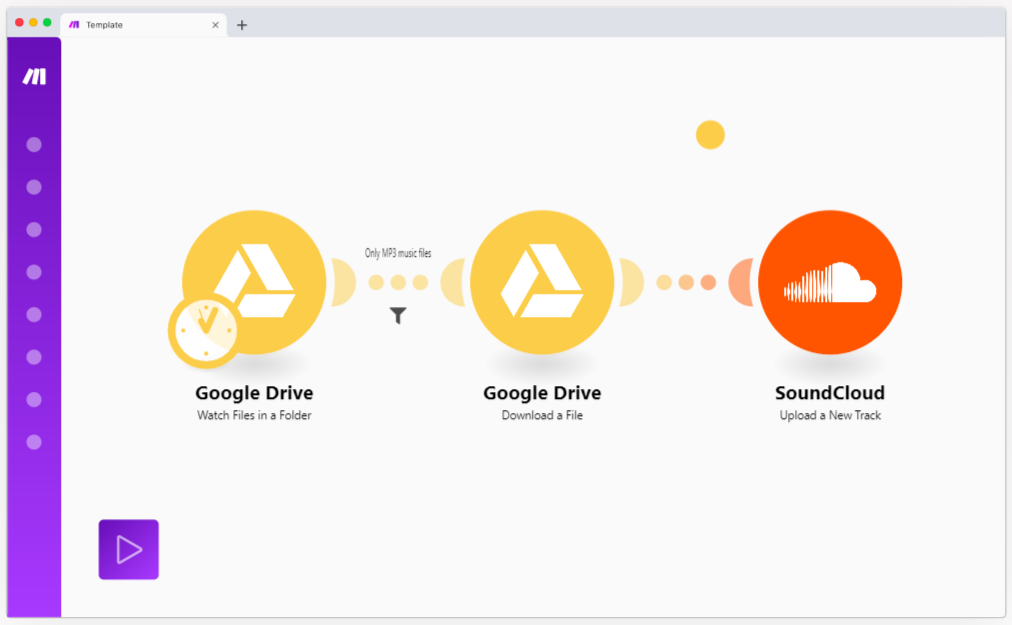
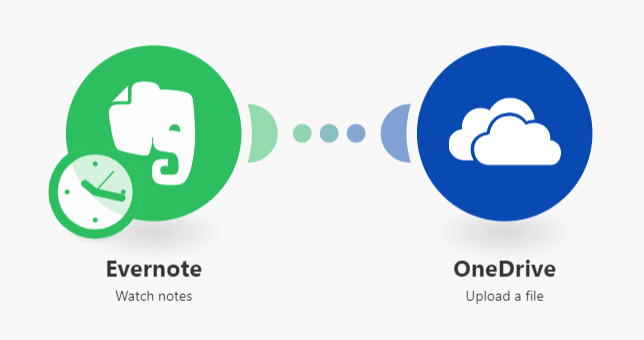
Make allows you to automate various file management tasks including saving email attachments to cloud storage, backing up photos between services, syncing notes across platforms, and transferring files between collaboration tools. Common automations include Google Drive to Dropbox syncs, Evernote to OneDrive transfers, and automatic Slack file uploads from watched folders.
These automations work across personal and business use cases, helping individuals maintain organized digital archives while enabling teams to collaborate more efficiently. The platform supports all major file types and can handle complex workflows involving multiple steps and conditional logic.
Make provides powerful social media automation capabilities like cross-posting content between platforms (Twitter to Facebook, Instagram to Slack), automatically sharing Twitch clips to Discord, creating Facebook posts from Google Photos, and replicating posts across multiple Facebook Pages. These automations save hours of manual posting time.
The platform maintains the integrity of your content while adapting it appropriately for each platform's requirements. You can schedule posts, analyze performance, and engage with your audience more effectively by automating repetitive social media tasks.
Yes, Make excels at billing automation. You can set up workflows to automatically create invoices for new orders, sync billing data to spreadsheets, track Stripe charges in Google Sheets, and maintain financial records across QuickBooks, WooCommerce, and other platforms without manual data entry.
These automations reduce accounting errors and ensure timely processing of financial transactions. They're particularly valuable for e-commerce businesses, freelancers, and finance teams handling high volumes of transactions.
Make can automate analytics reporting by sending daily Google Analytics summaries to Slack, tracking website traffic history from Alexa Internet to spreadsheets, and compiling social media post analytics into organized databases for performance tracking and historical records.
These automations ensure stakeholders receive consistent, up-to-date performance data without manual report generation. They can be customized to highlight key metrics and trigger alerts when performance deviates from expectations.
Make can automatically process form responses from Google Forms, Typeform and other platforms by creating tasks in project tools like ClickUp, sending notifications to Slack channels, compiling responses in spreadsheets, and triggering follow-up actions based on submission data.
This eliminates manual data entry and ensures prompt response to submissions. The platform can parse complex form responses and route information appropriately based on your business rules and workflows.
Make offers pre-built templates for most common automations featured in this guide, making setup straightforward. The visual interface allows you to connect apps with minimal technical knowledge, though some workflows may require basic configuration to match your specific needs.
The platform provides extensive documentation and community support to help users create and customize automations. Many tasks can be automated with just a few clicks using the template library.
Our team specializes in building tailored automation solutions for businesses. We can create custom Make workflows that integrate your specific apps and processes, saving you time on repetitive tasks. Contact us for a free consultation about automating your unique business needs.
We handle everything from simple task automation to complex multi-system integrations, ensuring your workflows operate smoothly and efficiently. Our solutions are designed to grow with your business and adapt to changing requirements.