
What Can It Help You Do?
Make (formerly Integromat) enables powerful automation between QuickBooks and hundreds of other business applications. By connecting QuickBooks to your e-commerce platforms, payment processors, and productivity tools, you can eliminate manual data entry and streamline accounting workflows.
The integration passed Intuit's rigorous security review, ensuring your financial data remains protected while automating repetitive tasks. With thousands of pre-built modules, Make provides flexible automation options whether you need simple triggers or complex multi-step workflows.
Pro tip: Start with one automation use case that addresses your most time-consuming manual process, then expand to additional workflows once you're comfortable with the platform.
1. Create QuickBooks Invoices for New WooCommerce Orders
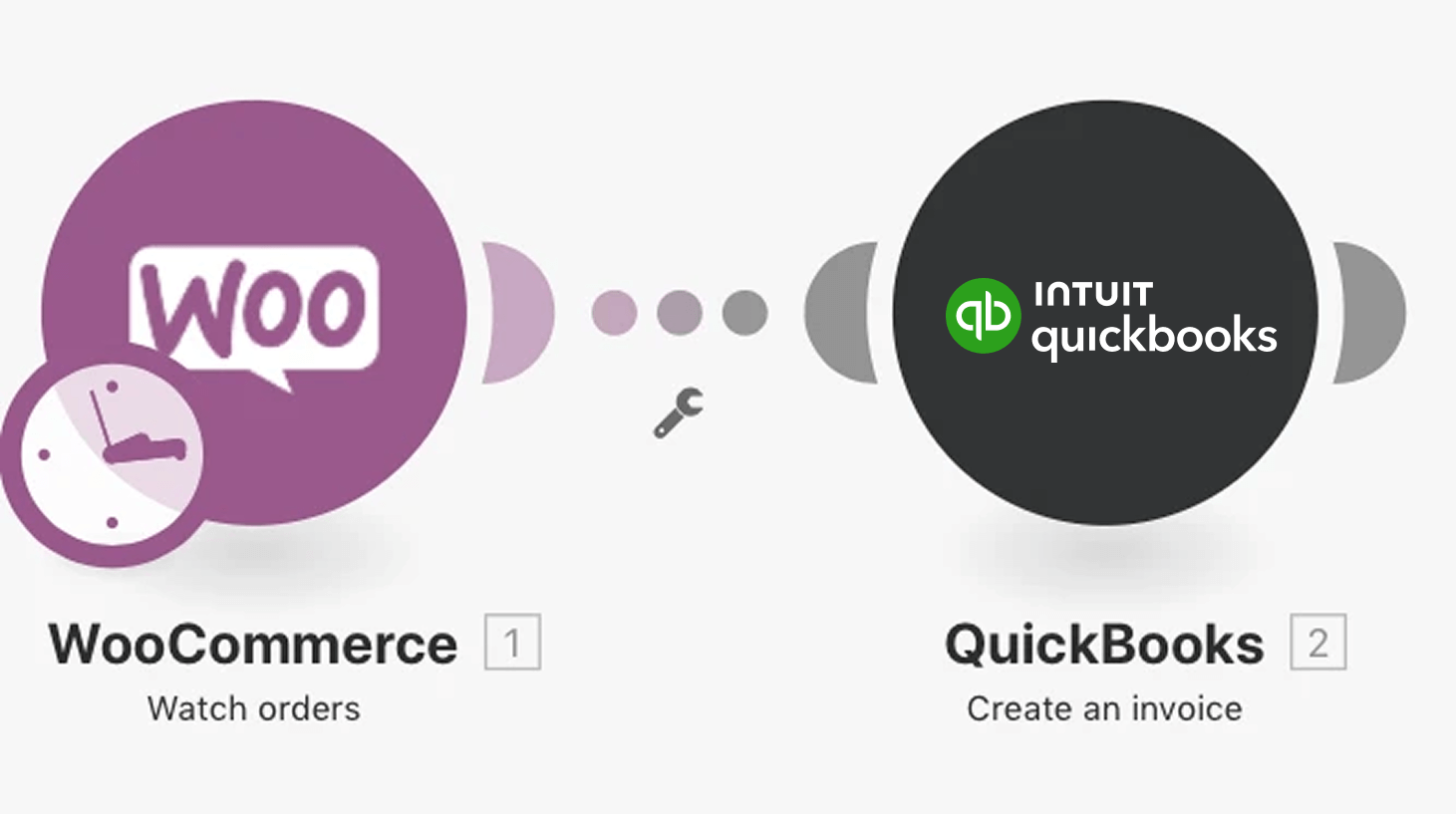
Make can automatically generate QuickBooks invoices whenever a new order is placed in WooCommerce. This eliminates the need to manually transfer order details between systems, reducing errors and saving hours each week.
The automation watches for new WooCommerce orders, extracts relevant customer and product information, then formats and submits this data to QuickBooks as a properly structured invoice. You can customize field mappings to match your chart of accounts and invoice templates.
2. Update Your QuickBooks Invoice When Shopify Order Changes
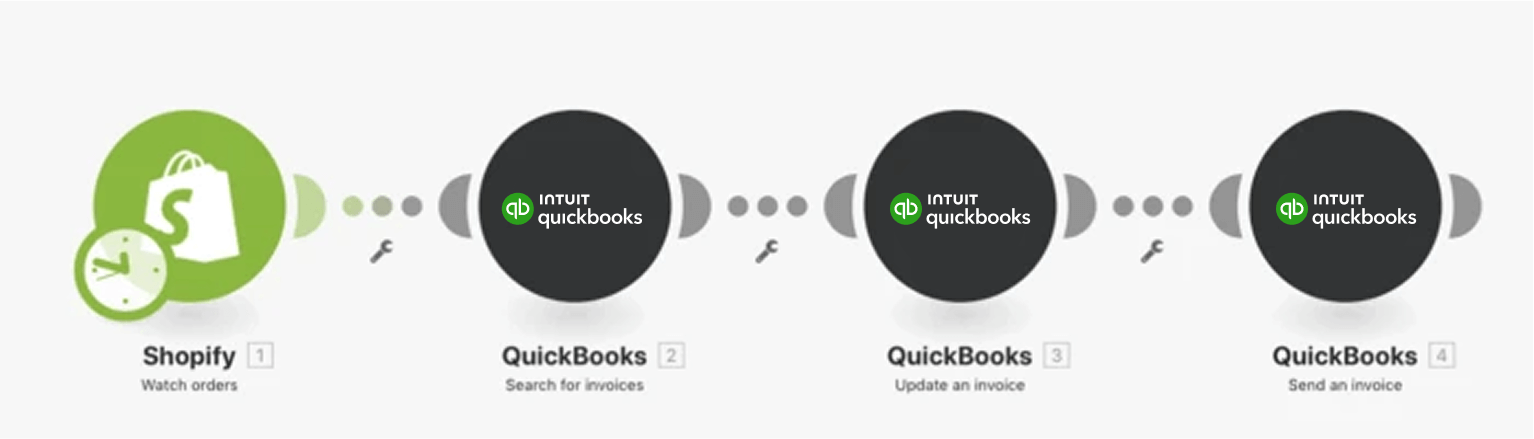
When customers modify existing orders in Shopify, Make can automatically locate and update the corresponding QuickBooks invoice. This ensures your accounting records always reflect the current order details without manual intervention.
The workflow triggers when Shopify order changes are detected, searches QuickBooks for the original invoice by order ID or customer reference, then applies all updates before sending the revised invoice to the customer. This is particularly valuable for businesses handling frequent order modifications.
3. Instantly Send QuickBooks Sales Receipts After Payment
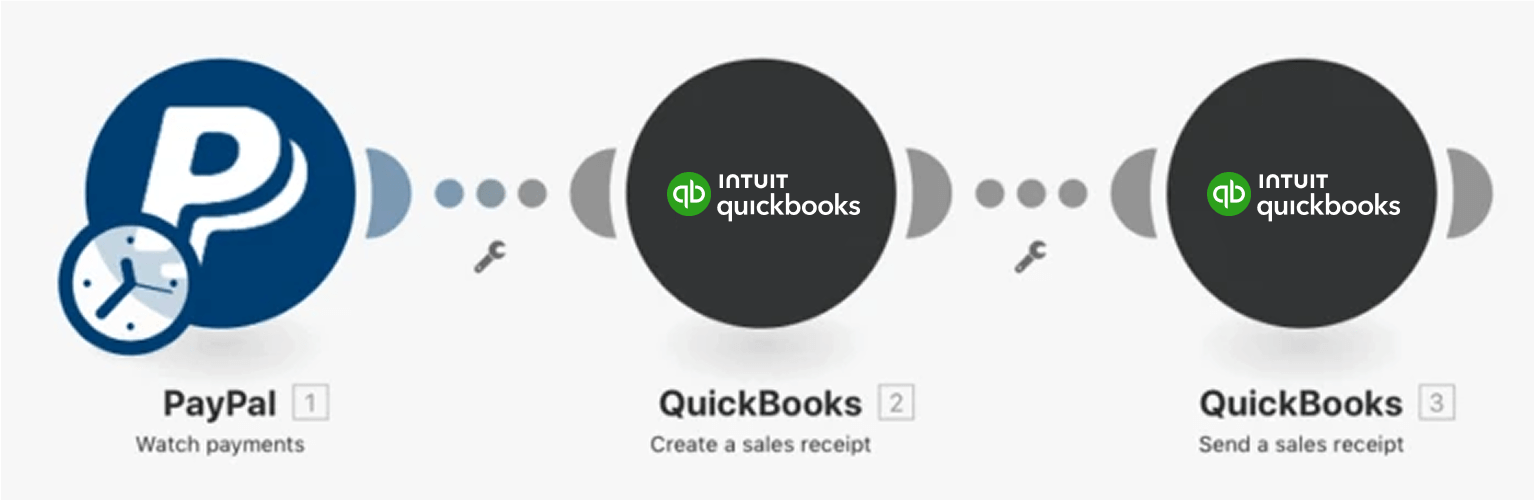
When payments are received through PayPal, Make can automatically generate and send QuickBooks sales receipts to customers. This creates immediate confirmation of payment while maintaining accurate accounting records.
The automation monitors PayPal for new payments, extracts relevant transaction details, then creates a properly formatted sales receipt in QuickBooks before emailing it to the customer. This eliminates the delay between payment processing and receipt generation that often occurs with manual workflows.
4. Save New QuickBooks Invoices to Multiple Locations
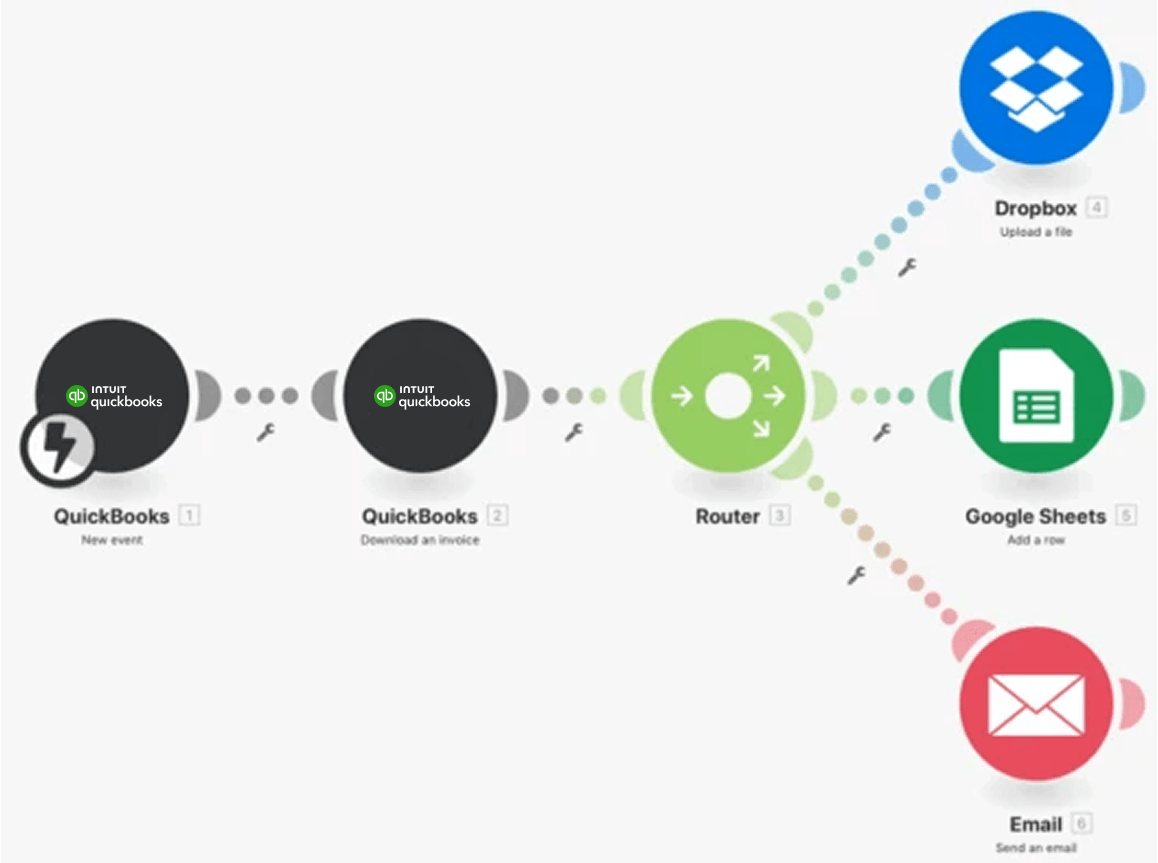
Make can simultaneously archive QuickBooks invoices to Google Sheets, Dropbox, and email customers whenever new invoices are created. This creates redundant records while distributing documents to appropriate stakeholders.
The automation listens for new QuickBooks invoices, downloads them as PDFs, then uses Make's router module to distribute copies to multiple destinations simultaneously. This ensures your accounting documents are properly backed up while eliminating manual file management.
How to Connect Make to QuickBooks
To implement any QuickBooks automation, you'll first need to establish the connection between Make and your QuickBooks account. This process requires an active QuickBooks Online subscription.
The connection setup follows OAuth 2.0 security protocols, ensuring your financial data remains protected. Make has been verified by Intuit as a trusted integration partner, so you can be confident the connection meets all security requirements.
- Log in to your Make account and click "Create a new scenario"
- Add the QuickBooks module as your first step
- When prompted, click "Add" to create a new connection
- You'll be redirected to QuickBooks to authorize the integration
- Select your company file and grant the necessary permissions
- You'll be returned to Make with the connection established
Pro tip: For first-time users, start with a simple test scenario like fetching your QuickBooks company info to verify the connection works before building complex workflows.