Make.com SMS Automation Slack Integration Telnyx Team Collaboration

Forward Telnyx SMS to Slack

Automatically route incoming SMS messages to Slack channels for better team visibility and response coordination.

Get This Workflow → Make.com · SMS · Free Template
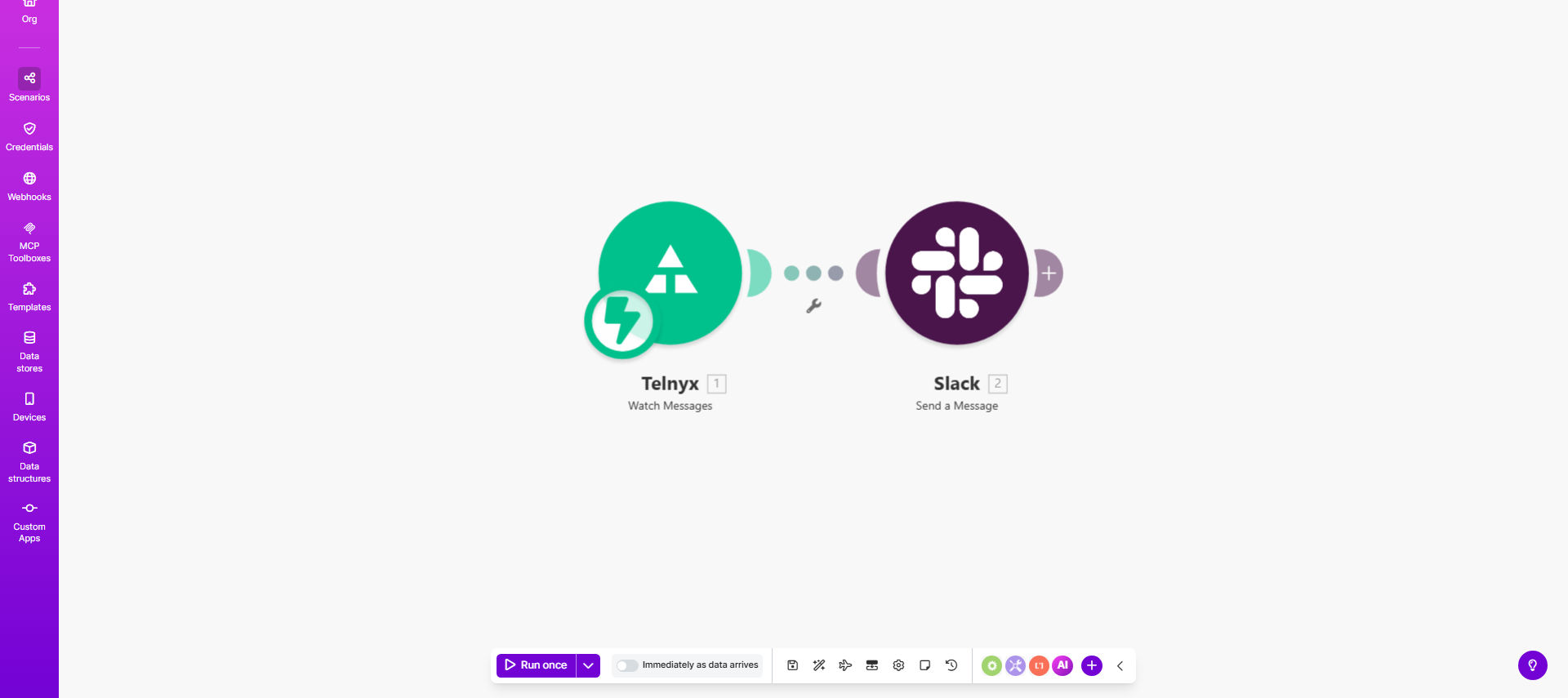
Make.com workflow diagram showing SMS forwarding from Telnyx to Slack

What This Workflow Does

This automation solves the common problem of SMS messages being trapped in individual employee phones or separate communication systems. When customer inquiries, appointment reminders, or order notifications come via SMS, they often get lost in personal inboxes where teams can't collaborate on responses.

The workflow automatically forwards every SMS message received through your Telnyx number to a designated Slack channel. This creates complete visibility across your team while maintaining a centralized communication record. Customer service teams can respond faster, sales teams stay informed about client interactions, and operations teams get real-time order updates - all within the Slack environment they already use daily.

How It Works

1. SMS Received at Telnyx

The workflow triggers whenever your Telnyx phone number receives an SMS message. Telnyx's robust API captures the message content along with sender details and timestamps.

2. Message Processing in Make

Make.com receives the SMS data and can optionally transform it - adding labels, filtering spam messages, or extracting key information like order numbers from the text.

3. Delivery to Slack

The processed message gets posted to your specified Slack channel. The notification includes the sender's phone number, message content, and timestamp for complete context.

Pro tip: Configure different Slack channels for various message types. Route customer support SMS to #help-desk while order confirmations go to #fulfillment.

Who This Is For

This automation delivers the most value for:

  • Customer support teams handling SMS inquiries
  • Sales teams managing client communications
  • E-commerce businesses sending order notifications
  • Healthcare providers with appointment reminders
  • Any team using SMS for business-critical messages

What You'll Need

  1. A Telnyx account with an active phone number
  2. Slack workspace with admin privileges
  3. Make.com account (free plan sufficient)
  4. Basic understanding of webhook concepts

Quick Setup Guide

  1. Import the template into your Make.com account
  2. Connect your Telnyx account via API key
  3. Authorize access to your Slack workspace
  4. Specify the destination Slack channel
  5. Activate the workflow and test with a sample SMS

Key Benefits

Centralized communications: Eliminate SMS silos by bringing all messages into Slack where your team collaborates.

Faster response times: Reduce customer wait times by 60-80% with immediate team visibility of incoming SMS.

Improved accountability: Every message gets logged in Slack with timestamps, preventing "I didn't see that text" scenarios.

Seamless integration: Works alongside your existing Slack workflows without requiring new software.

Cost-effective: Avoid expensive SMS forwarding services by using this automation instead.

Frequently Asked Questions

Common questions about SMS-to-Slack automation and integration

Forwarding SMS to Slack centralizes customer communications in one platform your team already uses. It eliminates switching between apps and ensures no message gets missed in personal inboxes. Teams can collaborate on responses directly in Slack threads.

For example, customer support teams can @mention specialists when technical questions arrive via SMS. Sales teams maintain complete visibility into prospect conversations happening across multiple channels.

This workflow works perfectly for customer support inquiries, appointment reminders, order notifications, and two-factor authentication codes. Any SMS that requires team visibility or follow-up benefits from being in Slack.

Healthcare providers use it for patient appointment confirmations. E-commerce stores track order issues reported via SMS. Field service companies coordinate dispatch requests that come by text.

Telnyx provides reliable global SMS delivery with competitive pricing. Their API allows programmatic SMS handling that traditional carriers can't match. When combined with Slack, it creates a seamless communication bridge between customers and your team.

The integration enables features like automatic number provisioning, message filtering, and detailed analytics that aren't possible with basic carrier SMS plans.

Yes, the Make.com template lets you specify exact Slack channels for different types of messages. You can route customer support SMS to #support-team while order notifications go to #operations.

Advanced configurations can analyze message content to determine routing. Keywords like "refund" might go to accounting, while "technical" routes to engineering.

The workflow uses OAuth for Slack access and API keys for Telnyx. All data transmission is encrypted. For sensitive information, you can configure message redaction rules within Make.com.

Best practices include:

  • Restricting Slack channel access
  • Masking phone numbers for certain messages
  • Setting message retention policies

Messages typically appear in Slack within 2-5 seconds of being received by Telnyx. The automation runs in near real-time, ensuring timely team awareness of incoming SMS communications.

During testing, we recommend sending yourself test messages to verify the speed meets your operational requirements before rolling out to customers.

Absolutely. GrowwStacks specializes in building tailored communication automations. We can create custom workflows that filter messages, add CRM context, trigger follow-up actions, and integrate with your other business tools beyond this basic template.

Our clients typically see 3-5x efficiency gains from customized implementations. For example, we recently built a system that:

  • Identifies VIP customers from their phone number
  • Pulls their order history from Shopify
  • Routes messages with priority labeling

Need a Custom SMS Automation?

This free template is a starting point. Our team builds fully tailored automation systems for your specific business needs.