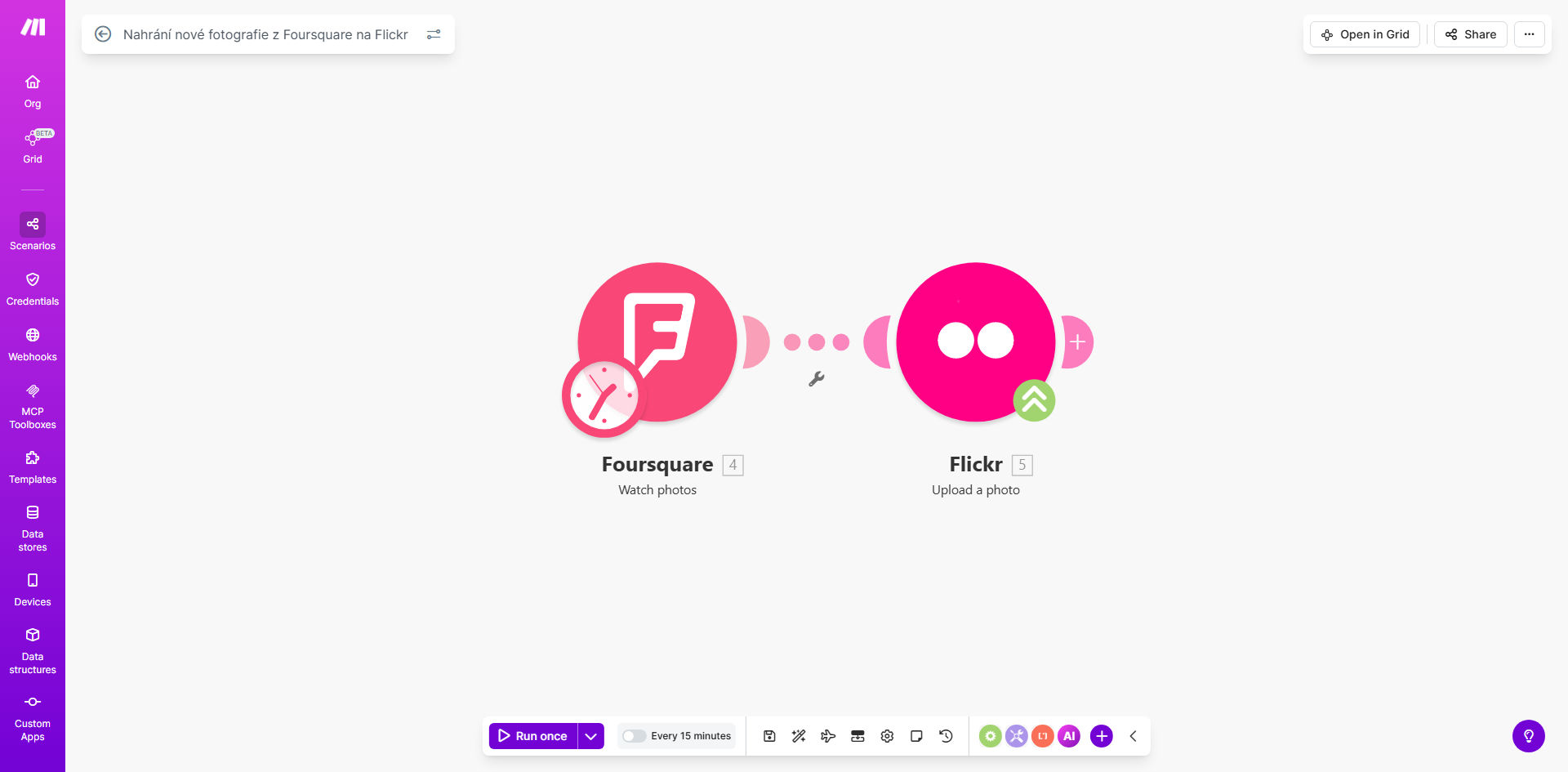
What This Workflow Does
This automation solves the problem of manually transferring photos between Foursquare and Flickr. Every time you or selected users add new photos to Foursquare check-ins, the workflow automatically saves those photos to specified Flickr albums. This eliminates the tedious process of downloading and re-uploading photos while ensuring your location-based photos are properly archived.
The workflow maintains organization by allowing you to specify destination albums in Flickr based on location, date, or other criteria. It preserves all photo metadata during transfer, including geotags and timestamps, creating a seamless bridge between your location check-ins and photo storage platforms.
How It Works
1. Monitoring Foursquare for new photos
The workflow continuously checks your specified Foursquare account or selected users for newly added photos. You can configure it to monitor specific locations or all check-ins.
2. Capturing photo details
When a new photo is detected, the automation extracts all relevant information including the image file, caption, location data, and timestamp from Foursquare.
3. Preparing for Flickr upload
The system organizes the photo data according to your preset rules, determining which Flickr album to use based on location, date, or other criteria you've established.
4. Uploading to Flickr
The workflow then connects to your Flickr account and uploads the photo to the designated album, preserving all metadata and maintaining original image quality.
Pro tip: Set up separate Flickr albums for different cities or trip dates to automatically organize your location photos as they're transferred.
Who This Is For
This workflow is ideal for travel bloggers, photographers, and location-based businesses who regularly post photos to Foursquare but want them archived in Flickr. It's particularly valuable for:
- Travel enthusiasts documenting trips through check-ins
- Food bloggers photographing restaurant visits
- Real estate agents showcasing properties
- Local businesses maintaining visual archives of locations
- Photographers who want automatic backups of location shots
What You'll Need
- A Make.com account (free tier available)
- Foursquare account with photos you want to transfer
- Flickr Pro account (recommended for unlimited storage)
- API access enabled for both platforms
- Basic understanding of album organization in Flickr
Quick Setup Guide
- Install the template from Make.com
- Connect your Foursquare account in the workflow settings
- Specify which users/locations to monitor for photos
- Connect your Flickr account and select default album
- Set up any conditional rules for album selection
- Test with a recent Foursquare photo to verify transfer
- Activate the workflow for automatic operation
Key Benefits
Saves 2-3 hours per week by eliminating manual photo transfers between platforms. The automation handles everything in the background.
Reduces photo loss risk by automatically archiving location photos to Flickr where they're safely stored and organized.
Maintains metadata integrity during transfer, preserving geolocation, timestamps, and other valuable information with each photo.
Creates searchable archives by properly organizing photos in Flickr albums based on your predefined rules.
Works 24/7 to monitor Foursquare and transfer new photos according to your schedule, even when you're not actively managing the process.