Make.com Telnyx Google Sheets Call Tracking

Record Incoming Calls to Google Sheets

Automatically log call details from Telnyx to a spreadsheet for tracking and analysis

Get This Workflow → Make.com · Telnyx · Free Template
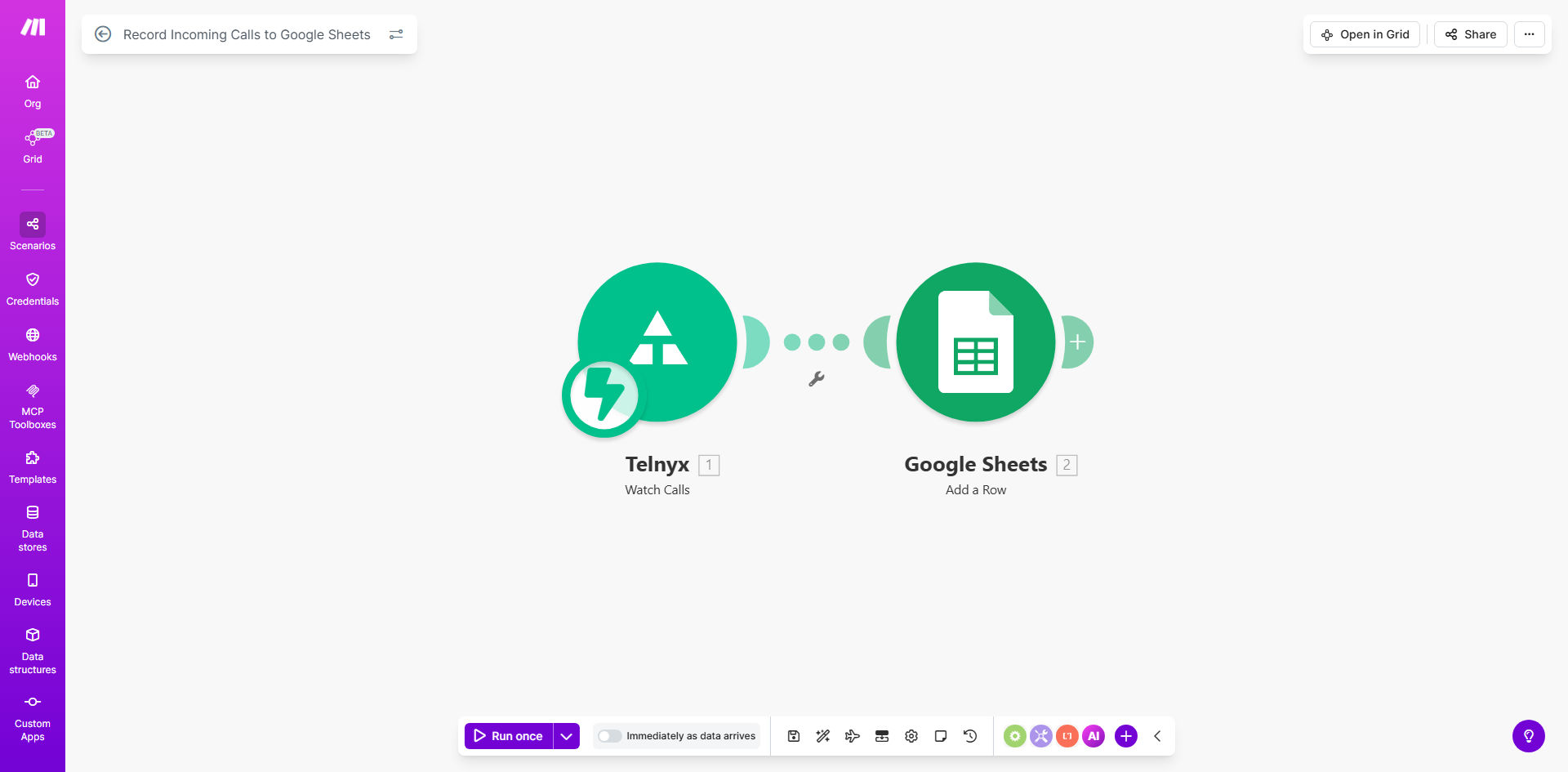
Make.com workflow diagram showing Telnyx call logging to Google Sheets

What This Workflow Does

This automation solves the common business challenge of manually tracking incoming phone calls. When customers call your Telnyx phone number, the workflow automatically records each call's details in a Google Sheets spreadsheet, creating a searchable call log.

The system captures essential call metadata including caller number, call duration, timestamps, and call direction. This eliminates the need for receptionists or sales teams to manually jot down call information, reducing errors and saving significant administrative time.

How It Works

1. Telnyx triggers on new call

The workflow activates whenever Telnyx receives an incoming call to your configured phone number. Telnyx's webhook sends the call details to Make.com in real-time.

2. Process call data

Make.com structures the incoming call information, extracting key fields like caller ID, call start/end times, and duration. You can add custom processing to enrich the data with business context.

3. Update Google Sheets

The formatted call record gets appended to your designated Google Sheet, creating a chronological log. Each call becomes a new row with timestamped details for future reference.

Pro tip: Add a second Google Sheets action to update a summary tab with call statistics like daily call volume and average duration.

Who This Is For

This workflow benefits any business receiving customer calls that needs better call tracking:

  • Sales teams tracking prospect inquiries
  • Customer support departments measuring response times
  • Service businesses scheduling callbacks
  • Marketing teams analyzing call conversion rates

What You'll Need

  1. A Telnyx account with at least one active phone number
  2. A Google Sheets spreadsheet prepared with column headers
  3. A Make.com account (free plan works)
  4. Basic understanding of webhook configurations

Quick Setup Guide

  1. Copy this template to your Make.com account
  2. Connect your Telnyx account in the first module
  3. Configure which Telnyx events should trigger the workflow
  4. Connect your Google account and select the target spreadsheet
  5. Map the Telnyx call fields to your spreadsheet columns
  6. Test with a real call to verify the logging works

Key Benefits

Save 5-10 minutes per call by eliminating manual data entry while ensuring more accurate records.

Improve customer service with complete call history visibility for your team.

Gain business insights from analyzing call patterns, peak times, and caller demographics.

Enhance compliance with automatic record-keeping for regulated industries.

Scale effortlessly as call volume grows without additional administrative overhead.

Frequently Asked Questions

Common questions about call logging automation and integration

Call logging provides valuable data for analyzing customer interactions, tracking response times, and identifying peak call periods. This helps businesses improve customer service and optimize staffing.

For sales teams, logged calls become a searchable database of prospect interactions. Support teams can reference previous calls when assisting repeat customers, creating more personalized service.

The workflow captures caller number, call duration, timestamps, and direction (inbound/outbound). Additional Telnyx metadata like call status and recording URLs can also be included.

You can extend the basic template to log custom fields like call disposition, agent notes, or CRM record links. The spreadsheet format makes it easy to add columns for business-specific data needs.

Manual call logging wastes 5-10 minutes per call entry. Automation eliminates this repetitive task while ensuring complete, accurate records without human error.

For a business receiving 20 calls daily, this automation saves 16-33 hours monthly that staff can redirect to higher-value activities like customer follow-ups or sales outreach.

Yes, Google Sheets allows creating pivot tables, charts, and reports from the logged data to analyze call patterns, agent performance, and customer trends.

Common analyses include call volume by hour/day/week, average handle time, call abandonment rates, and geographic distribution of callers. These insights help optimize operations.

Both Telnyx and Google Sheets offer enterprise-grade security. You can restrict spreadsheet access and encrypt sensitive fields like caller numbers if needed.

For HIPAA or other compliance requirements, additional measures like signed BAAs with both providers and field-level encryption may be necessary depending on your data handling policies.

The spreadsheet data can integrate with CRM systems, help desks, or BI tools to enrich customer records and generate insights.

Popular extensions include pushing call logs to Salesforce opportunities, creating Zendesk tickets from missed calls, or visualizing call metrics in Tableau dashboards alongside other business data.

Yes, GrowwStacks specializes in building tailored call tracking systems with custom fields, alerts, and integrations specific to your business needs.

Our automation consultants can design a solution that matches your existing tools and workflows, whether you need complex call routing logic, AI-powered call transcription, or real-time dashboards.

  • Custom call scoring and prioritization
  • Automated follow-up tasks based on call content
  • Integration with your existing CRM or helpdesk

Need a Custom Call Logging Automation?

This free template is a starting point. Our team builds fully tailored automation systems for your specific business needs.