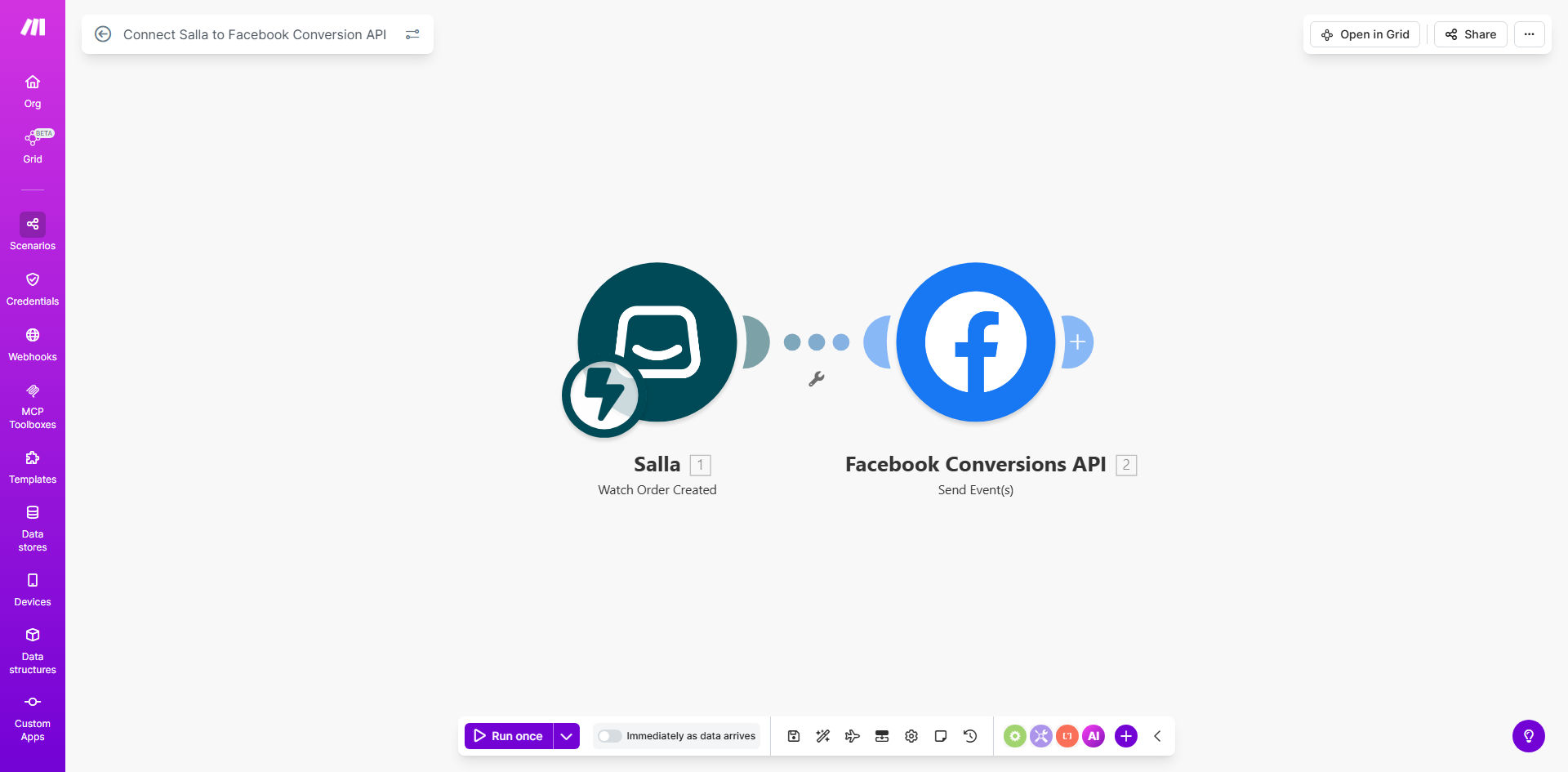
What This Workflow Does
This automation solves a critical challenge for ecommerce businesses running Facebook ads: accurately tracking purchases when customers block browser cookies or use privacy-focused browsers. The workflow automatically sends complete purchase data from your Salla store directly to Facebook's Conversion API (CAPI), ensuring you get full credit for conversions driven by your ads.
Without this integration, you could be losing visibility into 20-40% of your conversions due to browser restrictions. The server-to-server connection bypasses these limitations, providing Facebook's algorithm with the complete purchase data it needs to optimize your ad delivery and reporting.
How It Works
1. New purchase detected in Salla
The workflow monitors your Salla store for completed orders. When a customer completes a purchase, Salla triggers the automation with all relevant order details.
2. Data formatting for Facebook CAPI
The workflow transforms the Salla order data into the exact format required by Facebook's Conversion API, including product details, order value, customer parameters, and event metadata.
3. Secure transmission to Facebook
Using your Facebook Pixel ID and access token, the workflow securely sends the conversion event directly to Facebook's servers via API, bypassing any browser restrictions.
4. Error handling and retries
If the connection fails temporarily, the workflow automatically queues the event and retries according to Facebook's best practices, ensuring no purchase data is lost.
Who This Is For
This integration is essential for:
- Salla store owners running Facebook ads
- Marketing teams needing accurate conversion data
- Ecommerce businesses experiencing attribution gaps
- Merchants spending $500+/month on Facebook ads
- Businesses using value-based optimization
What You'll Need
- A Salla store with API access enabled
- Facebook Business Manager account
- Facebook Pixel ID
- Facebook Conversion API access token
- Make.com account (free plan sufficient)
Quick Setup Guide
- Install the template in your Make.com account
- Connect your Salla account in Make
- Add your Facebook Pixel ID and access token
- Test with a real purchase to verify data flow
- Monitor your Events Manager for incoming conversions
Pro tip: Combine this with your existing Facebook Pixel implementation for maximum tracking coverage. Use both browser-based and server-side tracking for complete conversion visibility.
Key Benefits
Improve ad performance by 15-30%: More complete conversion data helps Facebook's algorithm optimize your ad delivery more effectively.
Recover lost attribution: Capture conversions that would otherwise be invisible due to browser restrictions or ad blockers.
Accurate ROAS calculation: Get the true picture of your Facebook ad performance with complete purchase data.
Future-proof tracking: Server-side tracking works regardless of browser privacy changes or cookie restrictions.
Automated reliability: No manual exports or CSV uploads - your conversion data flows automatically in real-time.