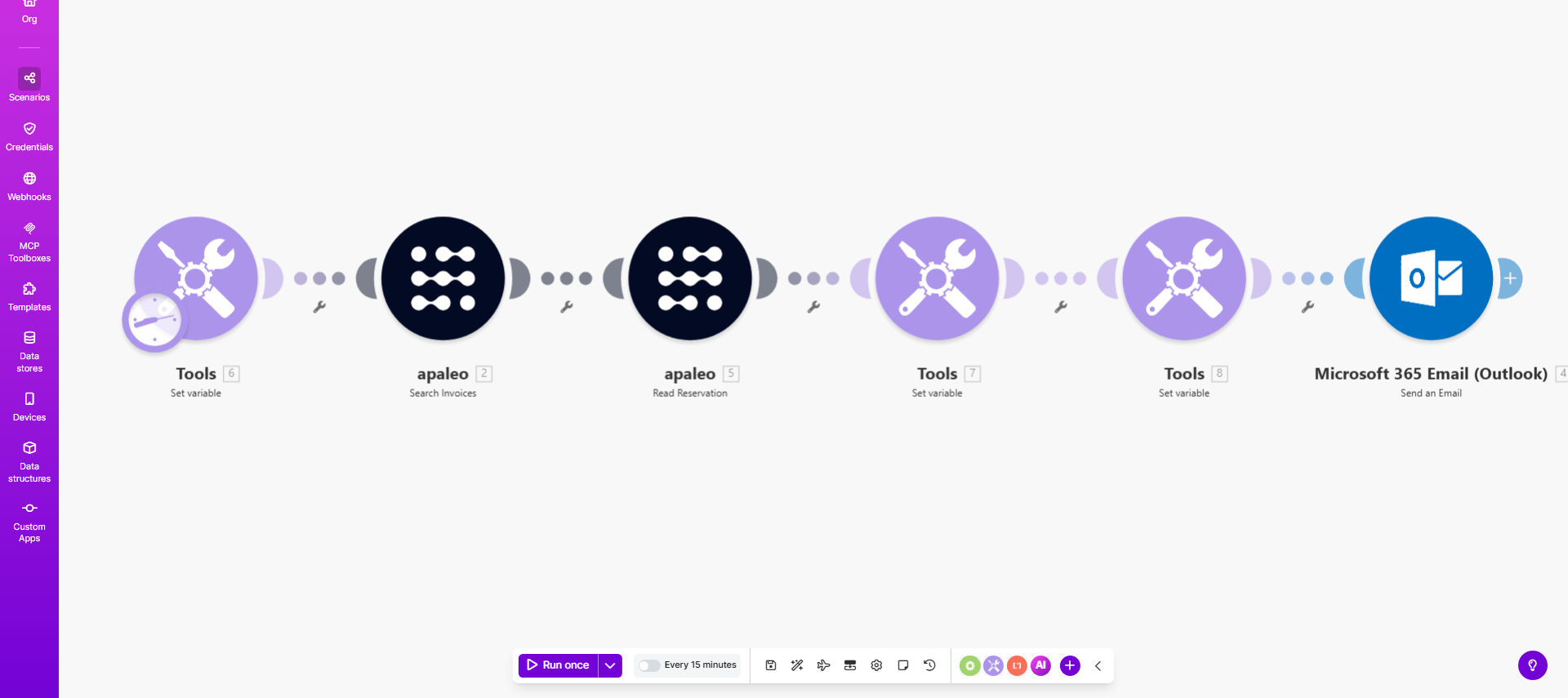
What This Workflow Does
This automated dunning process template helps businesses systematically collect overdue payments by sending timely, professional reminders to customers with outstanding invoices. It eliminates the manual work of tracking due dates, composing reminder emails, and following up repeatedly with late-paying clients.
The workflow automatically identifies unpaid invoices in your accounting system, sends graduated reminders (from polite notifications to urgent warnings), and can escalate to different departments if needed. This ensures consistent, documented communication while freeing your finance team to focus on strategic work rather than collections.
How It Works
1. Invoice Status Monitoring
The workflow regularly checks your accounting system for invoices that have passed their due date without payment. It identifies which reminder stage each overdue invoice should receive based on your configured timeline.
2. Graduated Reminder Sequence
For each identified overdue invoice, the system sends an appropriately worded email based on how long the payment is late. Early reminders are friendly, while later notices become more urgent and may include late fees.
3. Customer Communication
Each reminder is personalized with the customer's name, invoice details, and payment options. The system can send via email, SMS, or other channels based on your preferences and the customer's communication history.
4. Escalation Handling
If invoices remain unpaid after multiple reminders, the workflow can automatically notify your collections team, flag the account in your CRM, or trigger other escalation processes you define.
5. Payment Verification
When payments are received, the system updates invoice statuses and stops sending reminders for those invoices, preventing awkward "already paid" communications.
Who This Is For
This automation is ideal for:
- Small businesses tired of manually tracking and chasing late payments
- Accounting teams wanting to standardize their collections process
- Companies with recurring billing that need consistent follow-up
- Businesses scaling up where manual follow-up becomes impractical
- Organizations wanting to improve cash flow through timely collections
What You'll Need
- A Make.com account (free or paid)
- Access to your accounting/invoicing software (QuickBooks, Xero, etc.)
- Email service or SMS provider configured
- Your standard payment reminder templates
- Your preferred dunning schedule (when to send each reminder)
Quick Setup Guide
- Clone the template in your Make.com account
- Connect your accounting/invoicing system as a data source
- Configure your email/SMS service connection
- Customize the reminder message templates
- Set your preferred timing for each reminder stage
- Test with sample data before going live
- Activate the workflow and monitor initial results
Key Benefits
Improve cash flow by 15-30%: Automated reminders significantly reduce days sales outstanding (DSO) by ensuring timely follow-up that manual processes often delay.
Save 5-10 hours per week: Eliminate the repetitive work of tracking due dates and composing reminder emails, freeing your team for higher-value activities.
Maintain professional relationships: Consistent, documented communication prevents overly aggressive manual follow-ups that can damage customer goodwill.
Reduce human error: Automation ensures no overdue invoices slip through the cracks due to oversight or staff turnover.
Gain valuable insights: Built-in tracking shows which reminders are most effective and which customers consistently pay late, helping refine your credit policies.
Pro tip: Start with gentler reminders than you think necessary - many late payments are honest oversights. You can always escalate the tone in later reminders if needed.