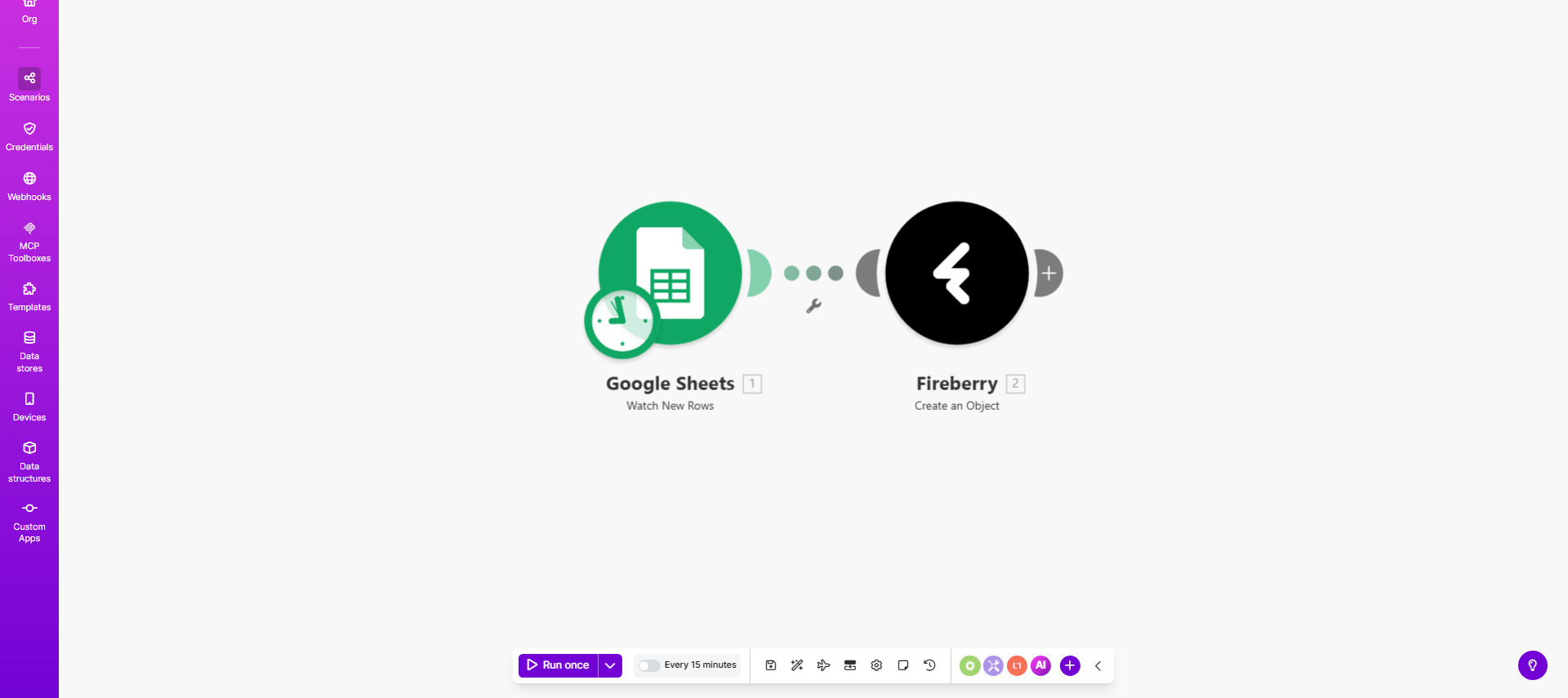
What This Workflow Does
This automation solves the tedious and error-prone process of manually transferring contact information from spreadsheets to your CRM. Every time a new row is added to your Google Sheets (like from web forms, imports, or manual entries), the workflow automatically creates a corresponding contact record in Fireberry with all the relevant details.
Businesses using this automation typically save 5-10 hours per week on data entry while eliminating the duplicate contacts and missing information that often occur with manual processes. The workflow runs on a schedule you set, ensuring your Fireberry contacts are always up-to-date without any manual intervention.
How It Works
1. Scheduled Google Sheets Check
The workflow checks your specified Google Sheet at regular intervals (every 15 minutes, hourly, or daily - your choice) to identify newly added rows.
2. Data Extraction
For each new row found, the workflow extracts the contact information from your configured columns (name, email, phone, etc.) while maintaining the spreadsheet's row structure.
3. Fireberry Contact Creation
The extracted data is formatted according to Fireberry's API requirements and used to create new contact records automatically.
4. Error Handling & Logging
If any contact creation fails (due to missing data or API issues), the workflow logs the error and can notify your team for follow-up.
Pro tip: Add a timestamp column to your Google Sheet that gets updated when contacts are created. This helps track sync status and prevents duplicate processing.
Who This Is For
This workflow is ideal for:
- Sales teams collecting leads through Google Forms that need to enter them into Fireberry
- Marketing teams running campaigns that generate contact lists in Sheets
- Businesses migrating legacy contact data from spreadsheets to Fireberry
- Operations teams managing customer or partner databases across multiple sources
What You'll Need
- A Google Sheets spreadsheet with contact data
- A Fireberry account with API access
- A Make.com account (free plan works)
- Basic understanding of your contact field requirements
Quick Setup Guide
- Copy the template to your Make.com account
- Connect your Google Sheets account and select your spreadsheet
- Connect your Fireberry account
- Map the Google Sheets columns to corresponding Fireberry contact fields
- Set your preferred schedule for checking new rows
- Test with a few sample rows and verify contacts appear in Fireberry
- Activate the workflow to run automatically
Key Benefits
90% reduction in manual data entry: Eliminate hours spent copying and pasting contact information between systems.
Improved data accuracy: Automated transfers prevent typos and missing information common with manual entry.
Real-time CRM updates: New contacts appear in Fireberry within minutes of being added to your sheet.
Scalable solution: Processes hundreds of contacts as easily as it handles one.
Customizable mapping: Adapt to your specific spreadsheet structure and Fireberry field requirements.