Make.com Facebook Lead Ads Fireberry CRM Lead Capture Automation

Automatically Create Fireberry Contacts from Facebook Lead Ads

Capture every lead instantly in your CRM without manual data entry

Get This Workflow → Make.com · Facebook Lead Ads · Free Template
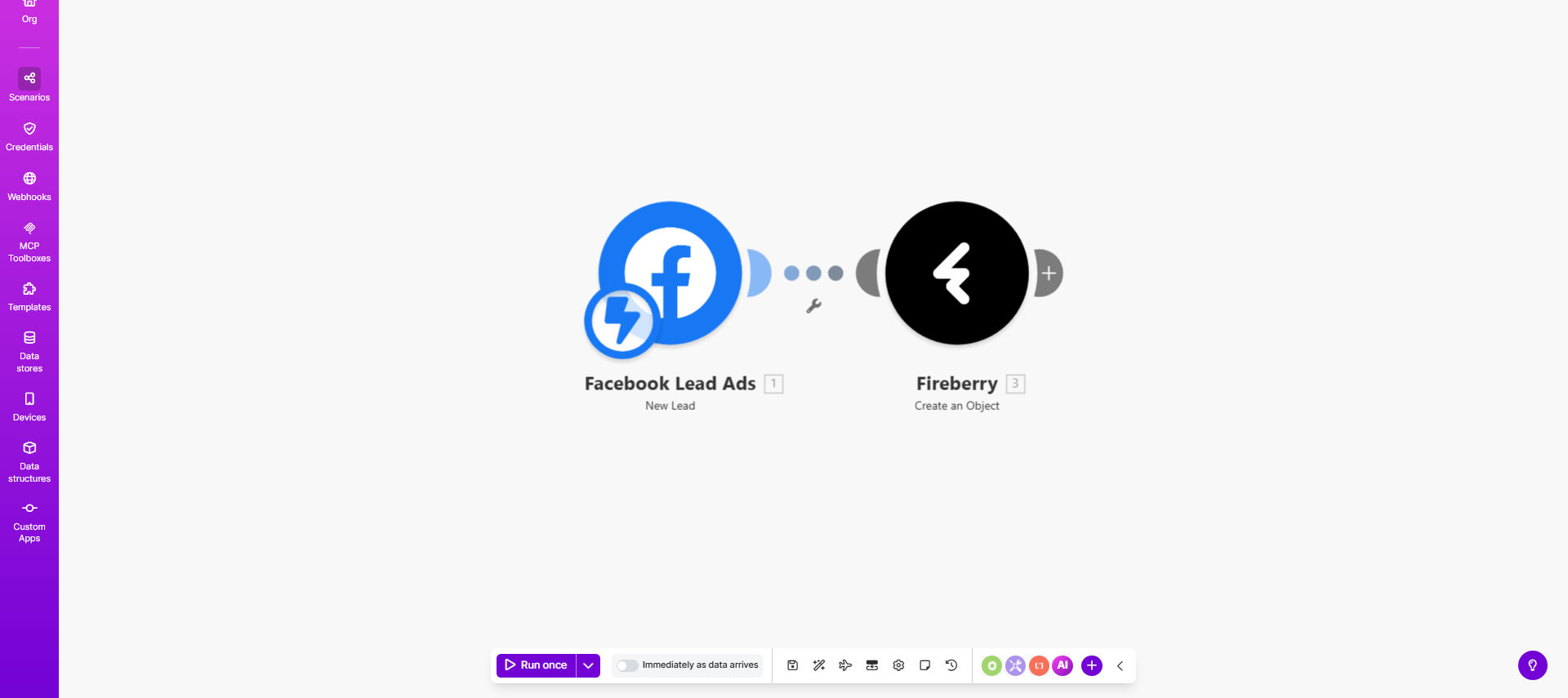
Make.com workflow diagram showing Facebook Lead Ads to Fireberry CRM integration

What This Workflow Does

This automation solves the common problem of leads getting stuck in Facebook Lead Ads without making it to your CRM. Every time someone submits your Facebook lead form, this workflow instantly creates a complete contact record in Fireberry with all their submission data.

Manual lead transfer is time-consuming and error-prone. Sales teams often waste hours copying data between systems, and some leads inevitably get missed. This workflow eliminates those problems by automatically syncing leads in real-time, ensuring your sales team always has fresh, complete contact information to work with.

How It Works

1. New lead detection

The workflow constantly monitors your Facebook Lead Ads account for new form submissions using Make.com's Facebook Lead Ads trigger.

2. Data extraction

All form field responses (name, email, phone, custom answers) are captured and prepared for transfer to Fireberry.

3. Contact creation

The workflow maps the lead data to corresponding Fireberry contact fields and creates a new record via Fireberry's API.

4. Error handling

If any issues occur during transfer, the workflow logs the error and can be configured to retry or notify your team.

Pro tip: Add a delay module to send leads to your sales team during business hours only, preventing after-hours notifications while still capturing all submissions.

Who This Is For

This workflow is ideal for:

  • Marketing agencies running Facebook lead gen campaigns for clients
  • Sales teams that need instant access to new leads
  • Businesses using Fireberry CRM with Facebook advertising
  • Companies tired of manual lead data entry between systems
  • Teams wanting to improve lead response times and conversion rates

What You'll Need

  1. A Make.com account (free plan available)
  2. Facebook Lead Ads account with active lead forms
  3. Fireberry CRM account with API access
  4. Admin access to both platforms for initial setup

Quick Setup Guide

  1. Copy the template to your Make.com account
  2. Connect your Facebook Lead Ads account
  3. Connect your Fireberry CRM account
  4. Map form fields to Fireberry contact properties
  5. Test with a real lead form submission
  6. Activate the workflow for automatic processing

Key Benefits

Never miss a lead: 100% of your Facebook leads automatically flow into Fireberry, eliminating manual transfer errors and omissions.

Faster response times: Sales teams can begin outreach within minutes (or seconds) of form submission, dramatically increasing conversion rates.

Complete data: All lead form responses transfer to Fireberry, giving your team more context for personalized follow-up.

Scalable process: The workflow handles 10 or 10,000 leads per month with equal reliability, growing with your business.

Time savings: Eliminates hours of weekly data entry, allowing staff to focus on revenue-generating activities.

Frequently Asked Questions

Common questions about Facebook Lead Ads to CRM automation

Automating Facebook Lead Ads to your CRM eliminates manual data entry, reduces lead response time from hours to seconds, and ensures no leads fall through the cracks. Studies show responding within 5 minutes increases conversion rates by 9x compared to waiting 30 minutes.

Manual processes often result in lost leads, incomplete data, and delayed follow-up. Automation creates a reliable system that works 24/7, giving your sales team the best possible chance to convert leads.

The workflow transfers all lead form fields including name, email, phone number, and any custom questions from your Facebook Lead Ads form. You can map these fields to corresponding contact properties in Fireberry for complete lead records.

Common additional fields include company name, job title, budget range, product interest, and custom qualifying questions specific to your business. The workflow preserves all this valuable context for your sales team.

Leads sync instantly in real-time - typically within 5-10 seconds of form submission. This immediate transfer allows your sales team to begin outreach while the lead is still engaged with your ad.

The speed depends on your Make.com plan (free plans have slight delays during peak times) but even the basic plan provides near real-time syncing that's dramatically faster than manual processes.

Yes, you can add conditional logic in Make.com to only create contacts for leads meeting specific criteria like location, budget, or lead score. This prevents your CRM from being cluttered with unqualified leads.

For example, you might only add leads who indicate they're ready to buy within 30 days, or who meet minimum budget requirements. Other leads could be routed to nurturing sequences instead.

The workflow can be configured to either update existing contacts with new information or skip duplicates entirely. This prevents creating multiple records for the same person across different campaigns.

Most businesses choose to update existing records, adding new lead source information while preserving previous interaction history. This maintains a complete customer journey in your CRM.

Make.com workflows have 99.9% uptime with automatic retries for failed operations. The platform logs all executions so you can monitor sync history and troubleshoot any issues that may occur.

For added reliability, you can configure email alerts for failed transfers and set up backup processes to capture any leads that might need manual intervention (though this is rare).

Absolutely. You can extend the workflow to simultaneously add leads to email marketing tools, SMS platforms, or other CRMs alongside Fireberry - creating a complete lead distribution system.

Common additions include adding leads to your email newsletter, triggering SMS welcome messages, creating tasks in project management tools, or notifying sales reps via Slack.

Yes, GrowwStacks specializes in building custom automation solutions for Facebook Lead Ads integration. We can create workflows tailored to your specific CRM, sales process, and lead qualification criteria.

Our team will analyze your current lead flow, identify bottlenecks, and design an automation system that fits your exact business needs. We handle everything from initial setup to ongoing maintenance.

  • Custom lead scoring and routing
  • Multi-system integration
  • Ongoing support and optimization

Need a Custom Facebook Lead Ads Automation?

This free template is a starting point. Our team builds fully tailored automation systems for your specific business needs.