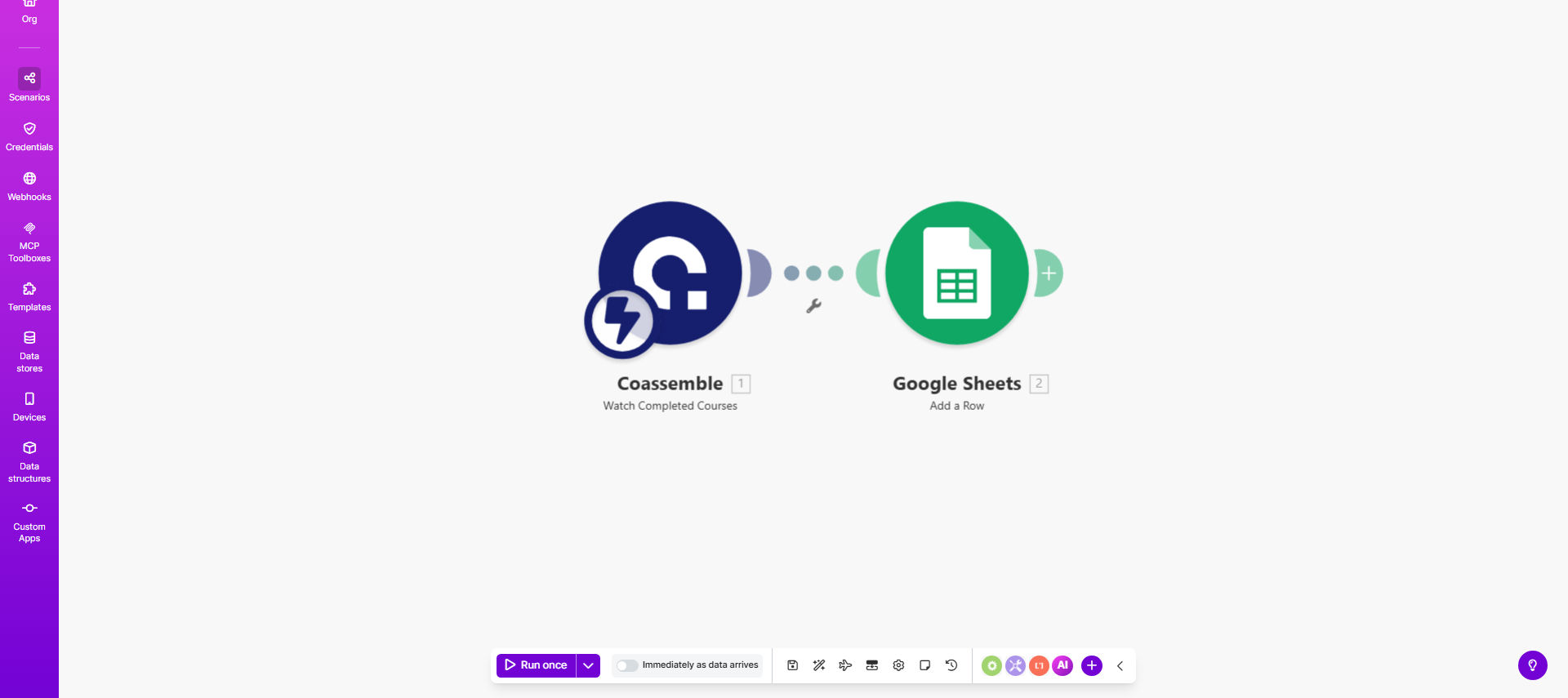
What This Workflow Does
This automation solves the tedious and error-prone process of manually tracking employee training completions. Whenever a learner finishes a course in Coassemble (your LMS), their completion details are automatically logged as a new row in your designated Google Sheets spreadsheet.
The system captures essential training metrics like student name, email, course title, completion date, and scores. This creates a centralized, real-time record of all training activity that's instantly available for reporting, compliance audits, and performance reviews without any manual data entry.
How It Works
1. Trigger: Course Completion Event
The workflow activates whenever Coassemble sends a webhook notification that a course has been marked complete. This happens instantly upon completion without any manual intervention.
2. Data Extraction
Make.com parses the completion notification to extract key details about the student, course, and completion metrics. This includes fields you've configured to track in your training records.
3. Google Sheets Update
The system connects to your specified Google Sheet and adds a new row with all the completion data. Each field is mapped to its designated column for clean, organized record-keeping.
Pro tip: Add timestamp columns to track when records were added. This helps verify data freshness during audits.
Who This Is For
This automation delivers the most value for:
- HR teams managing mandatory compliance training
- Learning & Development departments tracking course participation
- Managers overseeing team skill development
- Organizations requiring audit-proof training records
- Companies using Coassemble for employee/customer education
What You'll Need
- A Coassemble account with admin access to set up webhooks
- A Google Sheets spreadsheet with column headers for your tracked data
- A Make.com account (free tier sufficient for basic implementation)
- 15 minutes to configure the connections and field mappings
Quick Setup Guide
- Duplicate the template in your Make.com account
- Connect your Coassemble account and enable webhook notifications
- Connect to Google Sheets and select your target spreadsheet
- Map Coassemble data fields to your Google Sheets columns
- Test with a course completion to verify data flows correctly
- Activate the scenario to begin automatic tracking
Key Benefits
Eliminate manual data entry: Save 2-5 hours per week that teams typically spend copying training data between systems.
Ensure 100% record accuracy: Automated logging prevents human errors in transcription that can compromise compliance reporting.
Real-time training visibility: Managers and HR can view completion statuses immediately rather than waiting for periodic manual updates.
Scalable tracking: The system handles unlimited courses and students without additional administrative work.
Audit-ready documentation: Maintain a timestamped history of all completions with detailed student/course data for compliance requirements.