Gumroad Google Sheets Sales Tracking Digital Products Make.com

Automatically Track Gumroad Sales in Google Sheets

Capture every sale instantly without manual data entry - perfect for digital product creators

Get This Workflow Make.com · Free Template
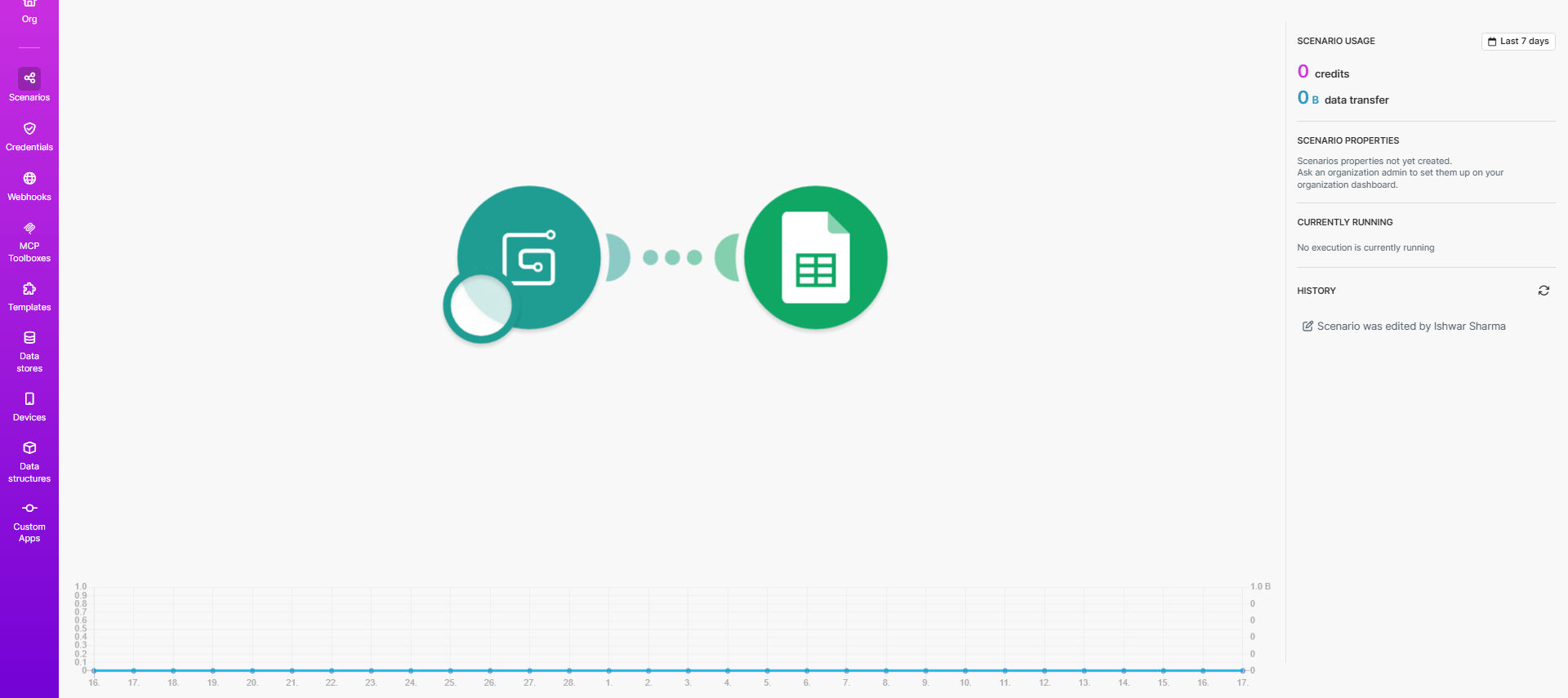
Screenshot showing Gumroad sales data being added to Google Sheets automatically

What This Workflow Does

This automation solves the tedious manual work of tracking digital product sales. Whenever a customer purchases from your Gumroad store, the workflow instantly records all transaction details in your Google Sheets spreadsheet. No more copying data, no missed sales, and no spreadsheet maintenance headaches.

For digital creators selling ebooks, courses, software, or other products through Gumroad, this provides real-time visibility into your business. You'll see exactly what's selling, when, and to whom - with all data organized and ready for analysis.

How It Works

1. New Sale Trigger

The workflow monitors Gumroad's webhooks for new sale notifications. As soon as a purchase occurs, the automation activates.

2. Data Extraction

Key details like product name, price, customer email, and purchase timestamp are extracted from the Gumroad transaction.

3. Google Sheets Update

The system adds a new row to your designated Google Sheet with all relevant sales data formatted consistently.

Pro tip: Add conditional formatting in Google Sheets to highlight best-selling products or flag high-value transactions.

Who This Is For

This automation is perfect for:

  • Digital product creators selling through Gumroad
  • Solo entrepreneurs who need sales tracking without CRM complexity
  • Businesses that want to combine sales data with other metrics in Sheets
  • Teams needing real-time visibility into product performance

What You'll Need

  1. A Gumroad account with products for sale
  2. A Google Sheets spreadsheet set up with column headers
  3. A Make.com account (free tier available)

Quick Setup Guide

  1. Click "Get This Workflow" to copy the template to your Make.com account
  2. Connect your Gumroad account in Make.com's dashboard
  3. Select which Google Sheet should receive the sales data
  4. Choose which Gumroad fields to include in your sheet
  5. Activate the workflow and make a test purchase

Key Benefits

Save 5+ hours weekly by eliminating manual sales data entry and spreadsheet updates.

Never miss a sale with automatic recording of every transaction the moment it happens.

Gain business insights by having clean, organized sales data ready for analysis.

Reduce errors that come from copying data between systems manually.

Frequently Asked Questions

Common questions about Gumroad sales tracking automation

Automated sales tracking saves hours of manual data entry while providing real-time insights. Digital product creators can instantly see which products are selling best, customer locations, and revenue trends without spreadsheet maintenance.

For example, an indie author could track which ebook formats (PDF, EPUB) sell best at different price points, or identify which marketing campaigns drive the most conversions based on purchase timing.

The workflow captures essential sales metrics including product name, sale price, customer email, purchase date, and optional custom fields. This creates a complete transaction history for analysis and reporting.

You'll typically see columns for: transaction ID, product name, price, currency, customer name/email, sale timestamp, and any custom fields you've set up in Gumroad (like license keys or download preferences).

Yes, Make.com's visual editor lets you select exactly which Gumroad fields to include. You can add custom columns for metrics like delivery status, affiliate codes, or customer segments.

Many users add columns for: marketing source, product category, customer country (from IP), fulfillment status, or calculated fields like revenue after Gumroad fees.

While Gumroad provides analytics, this automation gives you raw data for custom reporting. You can combine sales data with other business metrics, create pivot tables, or feed it into BI tools for deeper analysis.

The key difference is control - your Google Sheet becomes a living sales database you can manipulate however needed, rather than being limited to Gumroad's reporting interface.

The workflow can be extended to monitor Gumroad's webhooks for refund events. You can either flag refunded transactions in your sheet or create a separate refunds tab for financial reconciliation.

For complete financial tracking, many users add: refund amount columns, refund reason tracking, and automated calculations of net revenue after refunds.

Make.com provides enterprise-grade reliability with automatic retries for failed operations. The system logs all transfer attempts, and you can set up email alerts if any sales fail to record properly.

In practice, the workflow succeeds on first attempt >99% of time. For mission-critical tracking, you can add a secondary notification system that emails you a copy of each recorded sale.

Absolutely. GrowwStacks specializes in tailored Gumroad integrations that connect to your CRM, accounting software, or custom databases. We can build workflows for subscription management, license key delivery, or automated fulfillment systems.

Popular customizations include: automated download links for specific products, CRM contact creation for high-value customers, or integration with accounting tools like QuickBooks for real-time revenue tracking.

Need a Custom Gumroad Automation?

This free template is a starting point. Our team builds fully tailored automation systems for your specific business needs.