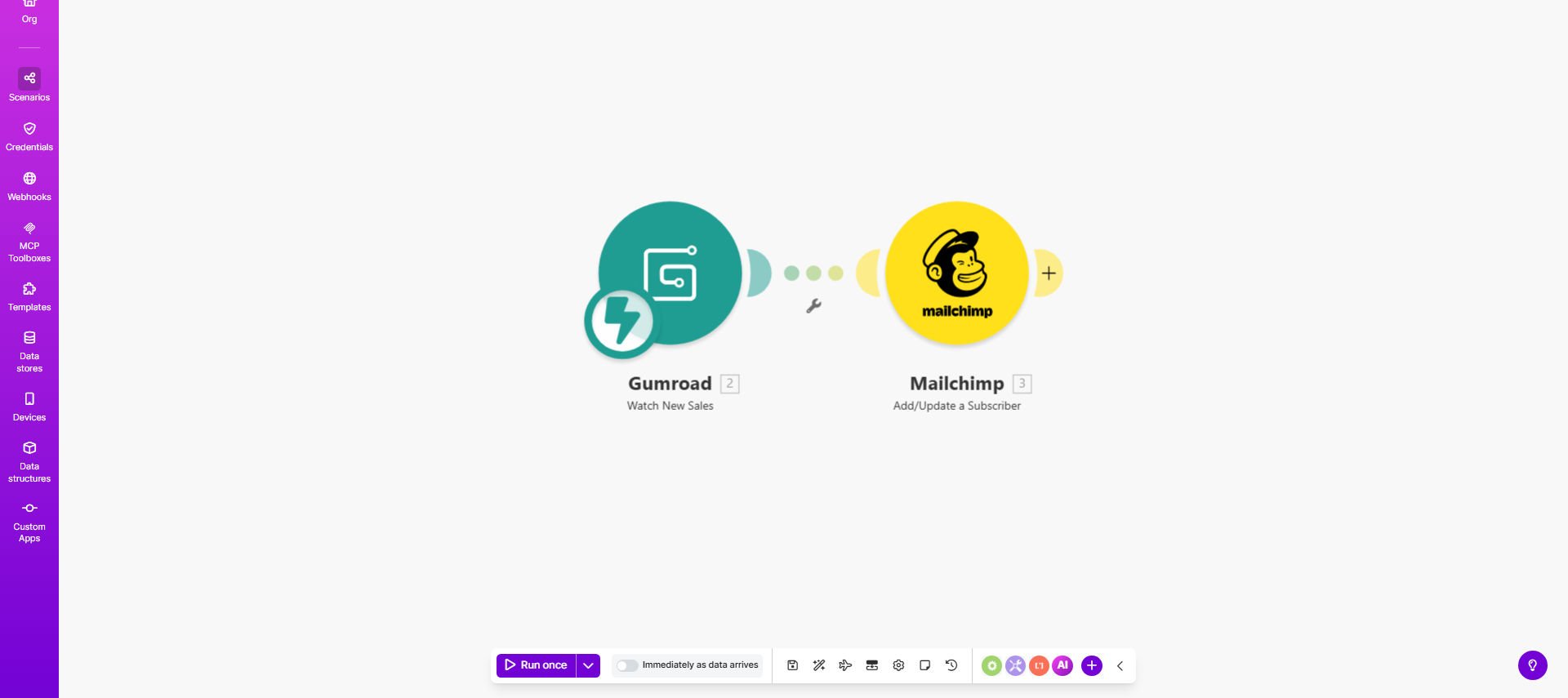
What This Workflow Does
This automation solves a critical problem for digital product sellers using Gumroad - the manual work required to add customers to email marketing lists. Every time you make a sale, the workflow automatically adds the customer's information to your Mailchimp audience, ensuring they receive your follow-up sequences and marketing emails.
The integration eliminates copy-paste errors and saves hours of administrative work, especially for businesses with frequent sales. It also ensures timely communication since customers are added to your lists immediately after purchase, not whenever you get around to manual updates.
How It Works
1. New Gumroad purchase trigger
The workflow activates whenever a new sale is recorded in your Gumroad account. Make.com monitors your Gumroad webhook for this event.
2. Customer data extraction
The system pulls all available customer information from the Gumroad transaction, including name, email, purchase details, and any custom fields you've configured.
3. Mailchimp audience update
The workflow checks if the customer exists in Mailchimp, then either creates a new contact or updates existing information based on your configuration.
4. Optional segmentation
You can configure the template to add tags or place customers in specific segments based on their purchased product, price point, or other Gumroad data.
Who This Is For
This automation is ideal for:
- Digital product creators selling through Gumroad
- Coaches and consultants with Gumroad-paid offerings
- Businesses running email nurture sequences in Mailchimp
- Sellers who want to reduce manual data entry work
- Teams needing real-time customer data synchronization
What You'll Need
- A Gumroad account with products set up
- A Mailchimp account with an audience/list created
- A Make.com account (free tier available)
- Admin access to both platforms for API connections
Quick Setup Guide
- Copy this template to your Make.com account
- Connect your Gumroad account via the API
- Connect your Mailchimp account and select the target audience
- Map the Gumroad fields to corresponding Mailchimp fields
- Test with a new Gumroad purchase to verify the sync
- Turn on the workflow to run automatically
Pro tip: Set up a welcome email series in Mailchimp that triggers when new contacts are added. This creates an immediate touchpoint with customers after purchase.
Key Benefits
Time savings: Eliminates hours spent manually transferring customer data between platforms each month.
Improved accuracy: Automated data transfer reduces human error in email addresses and customer information.
Faster follow-up: Customers are added to nurture sequences immediately after purchase, not when you have time to update lists.
Scalable system: Handles any sales volume without additional work on your part.
Better segmentation: Enables product-specific email sequences based on actual purchase data.