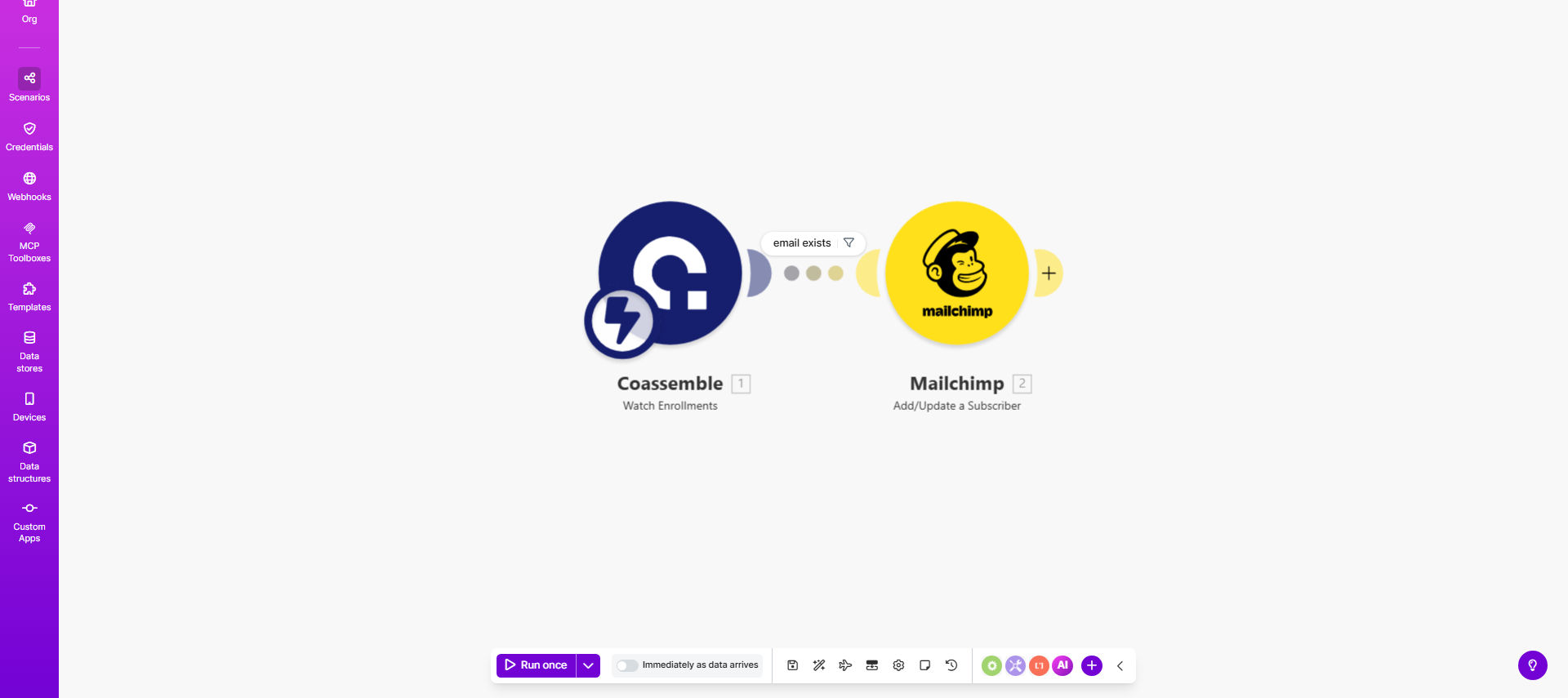
What This Workflow Does
This automation solves a common challenge for training providers and course creators who use Coassemble for their learning management system (LMS) and Mailchimp for email marketing. Without integration, administrators must manually export enrollment lists from Coassemble and import them to Mailchimp - a time-consuming process that often delays important learner communications.
The workflow automatically detects new enrollments in Coassemble and instantly creates corresponding subscriber records in Mailchimp. It transfers key learner information including name, email address, course details, and enrollment date. This ensures your email campaigns reach participants immediately after they sign up for your courses.
How It Works
1. New enrollment trigger
The workflow monitors Coassemble for new course enrollments via webhook or API polling. When a learner registers for a course, the system captures their details including contact information and course metadata.
2. Data transformation
The enrollment data is formatted to match Mailchimp's subscriber requirements. You can customize which fields to include and how they're mapped between systems.
3. Mailchimp subscriber creation
The processed enrollment data creates a new subscriber in your specified Mailchimp audience. The workflow can add tags, assign to segments, or apply other Mailchimp settings based on the course enrolled.
Pro tip: Configure the workflow to add course-specific tags in Mailchimp. This lets you send targeted follow-up emails based on which courses learners take.
Who This Is For
This integration is ideal for:
- Corporate training departments managing employee development programs
- Online course creators selling educational content
- Universities and schools offering continuing education
- Nonprofits delivering training to members or volunteers
- Coaches and consultants with signature courses
What You'll Need
- Active Coassemble account with administrator access
- Mailchimp account with API access enabled
- Make.com account (free plan available)
- List of Mailchimp audience IDs where subscribers should be added
- Basic understanding of webhooks or API connections
Quick Setup Guide
- Clone the template in your Make.com account
- Connect your Coassemble account via API key
- Authenticate with Mailchimp using OAuth
- Map Coassemble enrollment fields to Mailchimp subscriber fields
- Test with a new enrollment to verify the sync works
- Activate the scenario to begin automatic processing
Key Benefits
Eliminate manual data transfers - Save 2-3 hours per week previously spent exporting and importing learner lists between systems.
Improve email deliverability - Freshly enrolled learners receive onboarding sequences immediately, when engagement is highest.
Increase course completion rates - Automated reminders and supplemental materials delivered via Mailchimp can boost completion by 30-40%.
Enhance segmentation - Tag subscribers by course for targeted content delivery based on their specific learning path.
Maintain data accuracy - Automated sync prevents human errors in manual data transfers between systems.