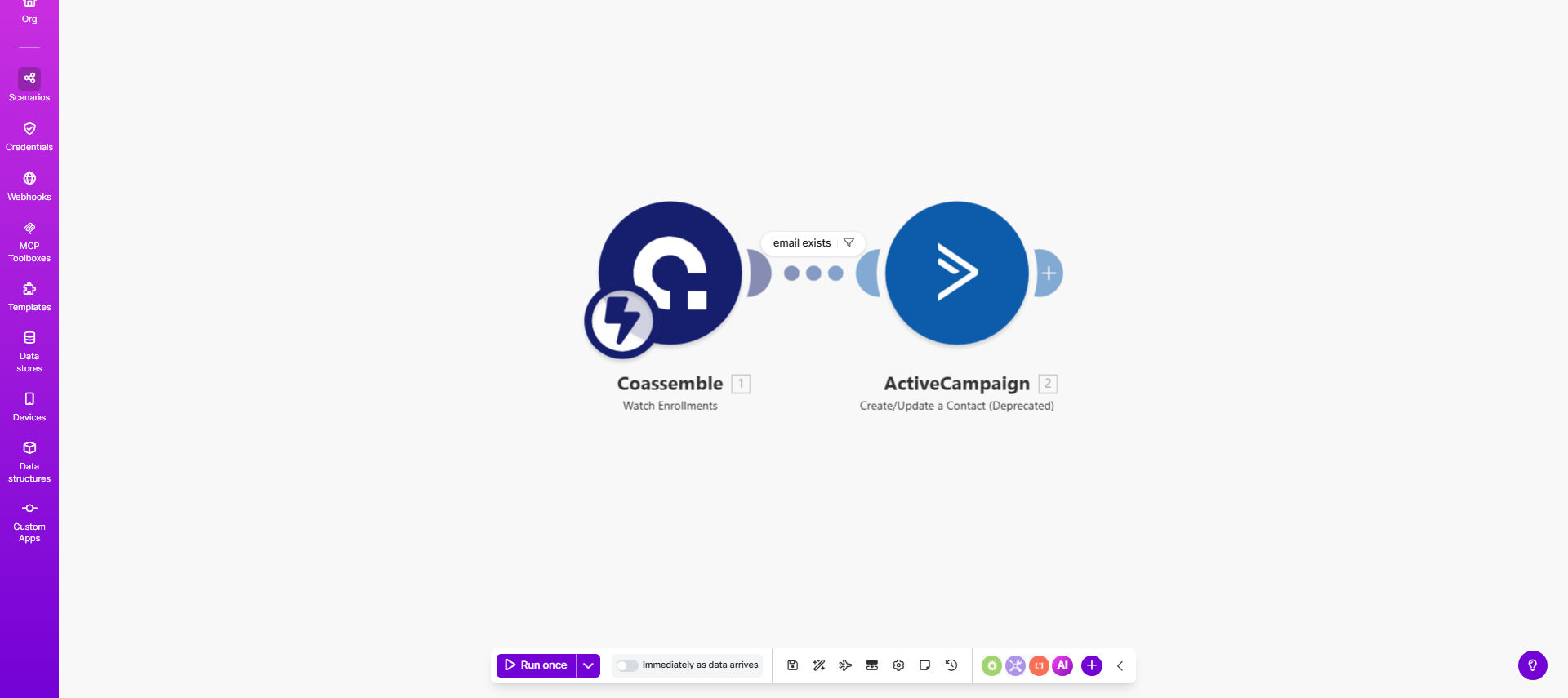
What This Workflow Does
This automation bridges the gap between your learning management system (Coassemble) and marketing CRM (ActiveCampaign), ensuring every new course enrollment automatically creates or updates contact records. Without this integration, marketing teams often struggle with outdated learner data, manual imports, and missed opportunities to engage learners based on their course activity.
The workflow solves three key problems: eliminating duplicate manual data entry between systems, maintaining accurate learner profiles in your CRM, and enabling timely, personalized follow-up based on actual course participation. When a learner enrolls in Coassemble, their information flows instantly into ActiveCampaign where you can trigger targeted email sequences, update contact tags, or add them to relevant segments.
How It Works
1. New enrollment triggers the workflow
The system monitors Coassemble for new course enrollments. Each time someone signs up for a course, the workflow captures their details including name, email, course name, and enrollment date.
2. Contact lookup in ActiveCampaign
The automation checks ActiveCampaign to see if this learner already exists in your CRM by matching their email address. This prevents duplicate contacts while ensuring existing records stay current.
3. Create or update contact record
For new learners, the system creates a complete contact profile in ActiveCampaign with all enrollment details. For existing contacts, it updates their record with the new course information while preserving other CRM data.
4. Optional tagging and segmentation
You can configure the workflow to add specific tags based on the course enrolled or trigger automations like welcome sequences for new learners.
Pro tip: Map Coassemble custom fields to ActiveCampaign properties to track specialized learning data like certification status or assessment scores for more targeted marketing.
Who This Is For
This integration delivers the most value for:
- Corporate training teams managing employee development programs
- EdTech companies offering courses through Coassemble
- Marketing teams that need to track customer education journeys
- Sales enablement leaders measuring training impact
- Any organization using ActiveCampaign that wants to incorporate learning data into their marketing automation
What You'll Need
- ActiveCampaign account with API access enabled
- Coassemble account with API credentials
- Make.com account (formerly Integromat)
- List of Coassemble fields you want to sync
- ActiveCampaign custom fields prepared for learning data
Quick Setup Guide
- Copy the template from Make.com to your account
- Connect your Coassemble account in the first module
- Add your ActiveCampaign API credentials
- Map Coassemble fields to ActiveCampaign properties
- Test with a new enrollment to verify data flow
- Activate the scenario for automatic processing
Key Benefits
Eliminate manual data transfers between your LMS and CRM, saving 2-5 hours per week typically spent on exports, imports, and duplicate checking.
Improve marketing personalization with actual course enrollment data, allowing you to send relevant content based on what learners are studying rather than generic messages.
Maintain 100% accurate contact records as learner progress automatically updates in ActiveCampaign, ensuring your segmentation and automation always use current data.
Trigger timely follow-up sequences the moment someone enrolls in a course, increasing engagement when interest is highest.
Measure training ROI more effectively by correlating course participation with marketing engagement and sales outcomes in your CRM.