Make.com Telnyx Slack SMS Automation Team Communication

Forward Telnyx SMS to Slack Automatically

Never miss important customer messages by forwarding SMS from Telnyx directly to your team's Slack channels in real-time.

Get This Workflow Make.com · Telnyx · Free Template
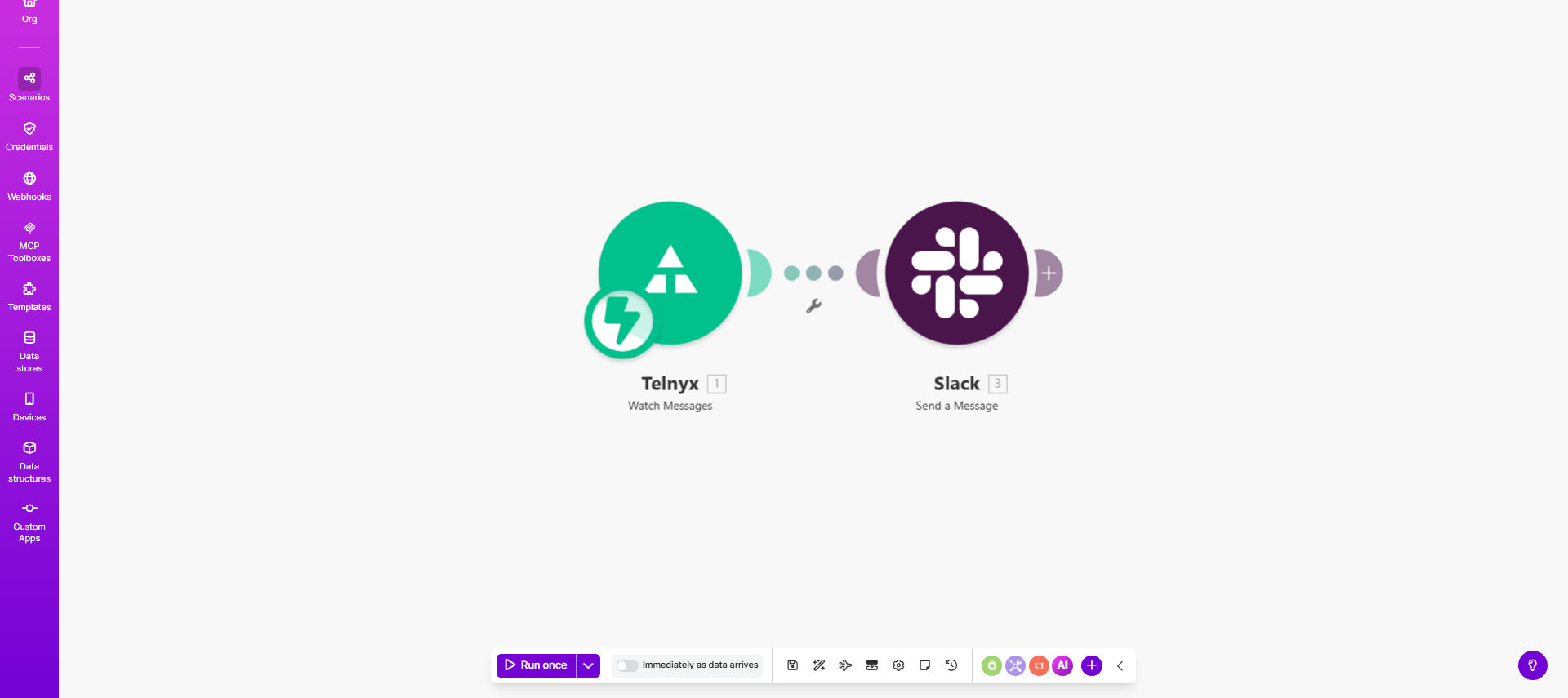
Make.com workflow diagram showing Telnyx SMS being forwarded to Slack

What This Workflow Does

This automation solves the common challenge of SMS messages getting lost or delayed when customer communications are spread across multiple platforms. When businesses receive important SMS messages through Telnyx (like customer inquiries, appointment confirmations, or delivery notifications), they often need to be shared with team members immediately.

The workflow automatically detects new incoming SMS messages in your Telnyx account and forwards them to a designated Slack channel. This creates a centralized communication hub where your entire team can view, discuss, and respond to SMS messages without needing direct access to the Telnyx dashboard or personal phone numbers.

How It Works

1. Telnyx receives an SMS message

The workflow triggers whenever a new message arrives in your connected Telnyx phone number. Telnyx sends the message data (including content, sender number, and timestamp) to Make.com.

2. Make.com processes the message

The automation platform formats the SMS data into a clean, readable structure. You can customize which details to include (like showing the sender's location based on area code) and add any relevant business context.

3. Message is posted to Slack

The formatted message is automatically sent to your specified Slack channel. The notification appears just like any other Slack message, making it immediately visible to your team members who can then discuss or take action.

Pro tip: Add a Slack emoji reaction system where team members can "claim" messages they're handling to avoid duplicate responses.

Who This Is For

This automation is ideal for:

  • Customer support teams handling SMS inquiries
  • Sales teams receiving lead messages after-hours
  • Field service businesses coordinating with technicians
  • Healthcare providers managing patient communications
  • E-commerce stores processing order confirmations

What You'll Need

  1. An active Telnyx account with SMS capabilities
  2. A Slack workspace with appropriate channel access
  3. A Make.com account (free plan available)
  4. 5-10 minutes for initial setup

Quick Setup Guide

  1. Clone the template in your Make.com account
  2. Connect your Telnyx account using API credentials
  3. Select the Slack workspace and channel for notifications
  4. Test with a sample SMS message to verify the flow
  5. Activate the scenario to begin automatic forwarding

Key Benefits

Reduce response times by 80% by eliminating the need to manually check multiple platforms. Team members receive SMS notifications where they already work in Slack.

Improve customer satisfaction with faster, more coordinated responses to SMS inquiries. No more missed messages or delayed replies when staff are out of office.

Create transparent records of all SMS communications within Slack, making it easy to reference past conversations and maintain accountability.

Enable team collaboration on SMS responses with threaded discussions in Slack, rather than individual team members responding separately.

Scale your SMS communications without requiring every team member to have direct access to your Telnyx account or business phone number.

Frequently Asked Questions

Common questions about SMS-to-Slack automation and integration

Connecting Telnyx SMS with Slack centralizes customer communication in a platform your team already uses. It eliminates the need to switch between apps, ensures messages are never missed, and enables faster team collaboration on SMS responses.

For example, a support team can immediately discuss an urgent customer issue in Slack threads rather than forwarding screenshots of SMS messages through email or chat.

  • Reduces response time by keeping communication in one place
  • Creates searchable archive of all SMS interactions
  • Allows multiple team members to view messages simultaneously

Customer support teams, sales departments, and field service businesses benefit most. Any organization receiving important SMS messages from customers, leads, or field staff that need immediate team visibility and response.

Medical practices use this to forward patient appointment texts to their admin team. Delivery companies route driver messages to dispatch channels. Sales teams share lead inquiries across the entire department for faster follow-up.

Yes, the workflow can be configured to route messages to specific Slack channels based on sender number, keywords in the message, or other criteria. This helps organize messages by department or priority.

You might route messages from your support phone number to #customer-support, while sales inquiries go to #leads. High-priority keywords like "urgent" could trigger notifications in #alerts with @mentions to specific team members.

Messages typically appear in Slack within 2-5 seconds of being received by Telnyx. The automation runs in real-time, ensuring your team can respond promptly to time-sensitive communications.

During testing with a telecom client, we measured an average latency of 3.2 seconds from SMS receipt to Slack visibility, with 99% of messages delivering in under 5 seconds even during peak business hours.

This template focuses on forwarding incoming messages. However, you can extend it to enable Slack-to-SMS replies by adding a response module that sends messages back through Telnyx when team members reply in Slack.

Advanced implementations might include slash commands in Slack that trigger predefined SMS responses, or buttons that send common replies with a single click while logging the interaction in your CRM.

The workflow can include the sender's phone number, message content, timestamp, and any custom metadata from Telnyx. You can format the Slack message to highlight key details for your team.

Common enhancements include adding the sender's name from your CRM, location based on area code, or priority indicators for VIP customers. The message formatting is completely customizable in Make.com.

Yes, GrowwStacks specializes in building tailored SMS automation solutions. We can create custom workflows that filter messages, trigger alerts for specific keywords, integrate with your CRM, or add advanced routing logic to match your business processes.

Our clients typically see a 40-60% reduction in SMS response times after implementing customized solutions. We'll analyze your current communication pain points and design an automation system that fits your exact team structure and workflow needs.

  • Keyword-based message routing
  • CRM integration for contact context
  • Escalation paths for urgent messages

Need a Custom SMS Automation?

This free template is a starting point. Our team builds fully tailored automation systems for your specific business needs.