Make.com Adobe Sign Slack Document Automation Notifications

Automate Slack Notifications for Adobe Sign Events

Get instant alerts in Slack when documents are signed, viewed, or completed in Adobe Sign

Get This Workflow → Make.com · Adobe Sign · Free Template
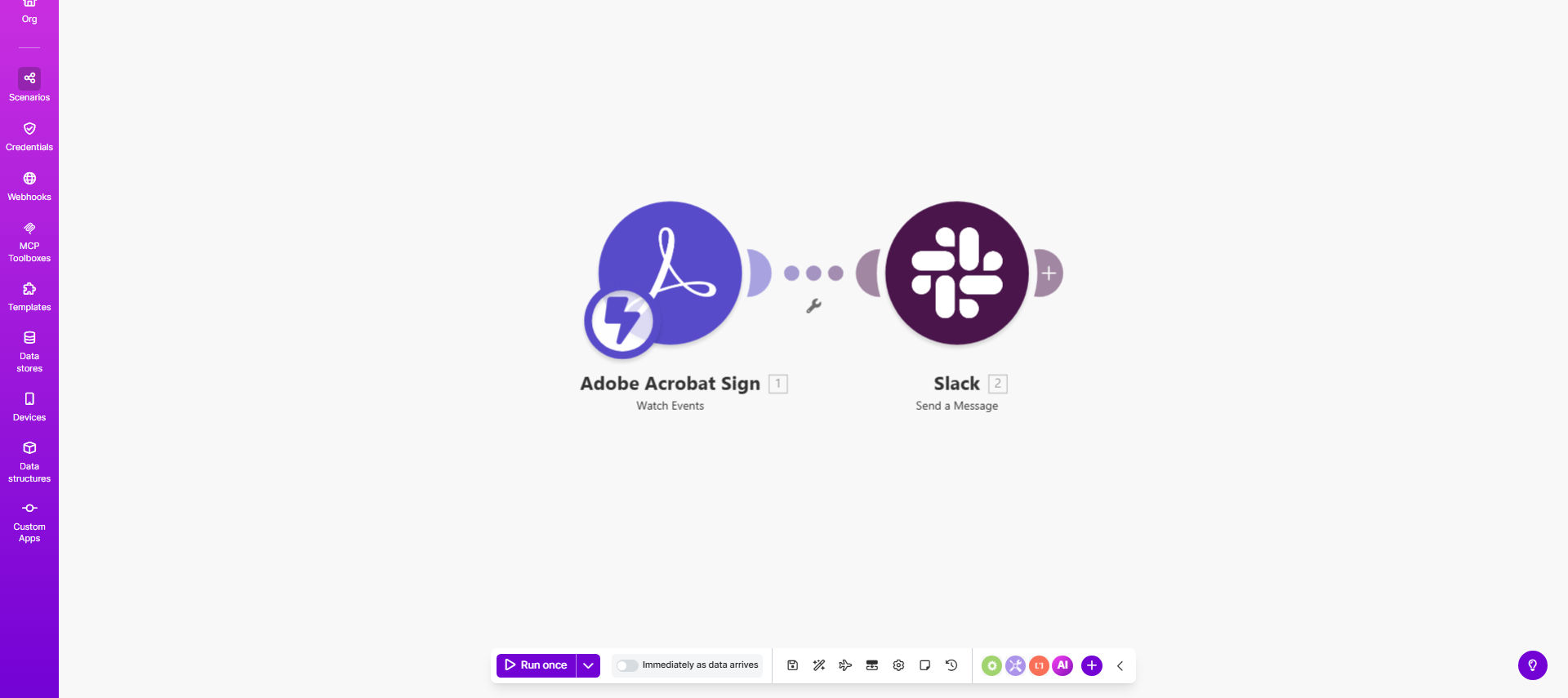
Make.com workflow diagram showing Adobe Sign triggering Slack notifications

What This Workflow Does

This automation bridges Adobe Sign and Slack to eliminate manual tracking of document signing status. Every time an agreement event occurs in Adobe Sign (like when a document is sent, viewed, signed, or completed), an instant notification is sent to your designated Slack channel.

Legal teams, HR departments, and sales organizations waste countless hours checking document statuses or waiting for email notifications. This workflow provides real-time visibility into your document workflows, allowing teams to immediately act on signed contracts and agreements without delay.

How It Works

1. Adobe Sign Triggers the Workflow

The automation monitors your Adobe Sign account for specific agreement events you configure, such as when documents are signed or completed by all parties.

2. Data is Processed

The workflow extracts key details from the Adobe Sign event like document name, signer information, timestamps, and completion status.

3. Custom Slack Notification is Sent

A formatted message is automatically posted to your specified Slack channel with all relevant document details and a direct link to access the signed agreement.

Pro tip: Configure different Slack messages for different event types (e.g., "Document Signed" vs "Waiting for Signatures") using conditional logic in Make.com.

Who This Is For

This automation is ideal for:

  • Legal teams managing contract execution
  • HR departments processing employment documents
  • Sales organizations tracking signed proposals
  • Finance teams monitoring approved agreements
  • Any business using Adobe Sign that needs real-time document status updates

What You'll Need

  1. An active Adobe Sign account with admin access
  2. A Slack workspace where you have permission to create webhooks
  3. A Make.com account (free tier available)
  4. 5-10 minutes to configure the workflow

Quick Setup Guide

  1. Clone the template in your Make.com account
  2. Connect your Adobe Sign account via OAuth
  3. Set up the Slack webhook connection
  4. Specify which Adobe Sign events should trigger notifications
  5. Customize the Slack message format with relevant document details
  6. Test with a sample document and activate the workflow

Key Benefits

Eliminate manual status checks: Reduce time spent tracking document status by 80-90% with automatic real-time alerts.

Faster document processing: Teams can immediately act on signed agreements rather than waiting for email notifications or checking dashboards.

Improved visibility: Keep entire teams informed about document status through centralized Slack notifications.

Customizable alerts: Tailor notifications to show only the most relevant information for each team or document type.

Audit trail: Slack messages create a searchable record of all document signing events.

Frequently Asked Questions

Common questions about Adobe Sign and Slack integration

Automating Adobe Sign notifications to Slack ensures your team gets instant updates when documents are signed, without manual checking. This eliminates delays in processing signed agreements and keeps everyone aligned in real-time.

For example, sales teams can immediately follow up after a contract is signed, and HR can process new hire paperwork the moment it's completed, rather than waiting for daily status checks.

You can configure notifications for various events like when a document is sent for signing, viewed, signed, declined, or when all parties have completed signing. The workflow can be customized to track specific milestones.

Most businesses set up alerts for final completion, but you might also want notifications when documents are first sent out or when specific signers have completed their part.

By automating notifications, you reduce the time spent manually tracking document status by 80-90%. Teams can immediately act on signed contracts rather than waiting for email updates or checking the Adobe Sign dashboard.

In one case study, a legal team reduced their contract processing time from 3 days to just 4 hours by implementing real-time Slack notifications for signed agreements.

Yes, the workflow template allows full customization of Slack messages. You can include document names, signer details, timestamps, and direct links to the signed PDF for immediate access.

Common customizations include adding department-specific tags, priority indicators, or action buttons that link directly to your CRM or document management system.

Typical notifications include the agreement name, signer names, completion status, timestamp, and a direct link to the document. You can configure which details are most relevant for your team's workflow.

For sensitive documents, you might choose to show only minimal details in Slack with a secure link, while internal forms could display full participant details and status.

The integration uses OAuth 2.0 authentication for both platforms, ensuring enterprise-grade security. Document contents aren't shared in Slack - only metadata and secure links to access the signed documents in Adobe Sign.

You can further enhance security by restricting which Slack channels receive notifications and configuring message expiration for sensitive documents.

Absolutely. Our team specializes in building tailored document workflow automations that connect Adobe Sign with your existing systems. We can create custom notifications, approval flows, and document processing based on your specific requirements.

Common customizations we've built include: automatic CRM updates when contracts are signed, multi-level approval workflows before documents are sent, and integration with accounting systems for processed agreements.

  • Free consultation to assess your needs
  • Enterprise-grade security implementations
  • Ongoing support and optimization

Need a Custom Document Signing Automation?

This free template is a starting point. Our team builds fully tailored automation systems for your specific business needs.